
Audit trail & run traces
Every run leaves a run log and a record of each tool call, with sanitized inputs and outputs, cost, and the policy decisions made along the way, plus a separate log of who changed what.
Turtle AI Coworker records what every worker does. Each run gets a run log: who or what started it, which worker ran, its status, duration, tokens and cost. Inside it, every tool call gets its own record: the tool, the integration, whether it read or wrote, the inputs it was given and the output it got back, with secrets stripped out. Policy decisions, approvals and changes made by admins are logged too.
You use the audit trail to debug a run that did the wrong thing, to answer "who sent that email and why", and to hand evidence to a reviewer. Most of the time you reach it from the worker itself (an agent's Run History, a team session, an employee's task). The Compliance screen holds the workspace-wide views: policy evaluations, admin activity and the audit report export.
What gets recorded
Tool calls are held in memory while a run executes and written in one batch when it ends, so recording adds no database work to each step. Before anything is stored, inputs and outputs are sanitized:
- Values under sensitive field names (such as
password,token,secret,api_key,authorization,credentials) are replaced with[REDACTED]. - Secrets inside text are redacted too: API keys, bearer tokens, card-length numbers, GitHub and Slack tokens, and the signature part of signed file links (the rest of the link stays readable, so you can still tell which file was sent).
- Whole files embedded in a call as base64 are not stored.
- If personal data is detected in a call, the record is flagged with the kinds found. See Data Privacy in Policies, budgets & guard rails.
Each tool call is labelled read or write. The label comes from the function's entry in the platform's function catalog, or from the tool name: calls that send, create, update or delete are writes, everything else is a read.
Step by step
Open a run from Run Control
On the Run screen, click any entry in Recent runs to open its trace: type, status, duration, cost, any error and, for trigger runs, each attempt. ClickOpen history to go to the worker's full history.
Read a Sequential Agent run in Run History
On an agent, open Run History. Filter with the status chips (All,Completed, Failed, Running, Queued), the Source dropdown (User, API, Public Link, Slack, Webhook, Scheduled, Table Trigger, AI Employee), the Range dropdown (last 7, 30 or 90 days) and the search box, which matches run id, task and error text. Clear filters resets them. Owners and admins can switch between Me and Admin to see everyone's runs; other members see their own.
Select a run to see its header (STARTED, ENDED,DURATION, COST, MODEL, SOURCE) and the agent configuration version it ran on. Below come Input Data, Task Outputs (one block per task), Final Output, any Error andTool Calls, where writes carry a
WRITEtag. Copy any block as JSON or Markdown. Export downloads the run as a PDF report, and Re-run opens the run form with the same inputs filled in.Follow a team session live
In a team chat, the header counts MSGS, TOKENS, COSTand LATENCY for the session. The Live audit trail panel streams each event as it happens (which sub-agent started, which tool it called, handoffs between sub-agents) with running totals of events, tools, tokens and latency. The download button saves the trail. Sessions opened later from Run show a Conversation tab and an Audit trail tab.

A team session: per-session counters in the header, the Live audit trail on the right.click to enlarge Check an AI Employee's tasks
In an employee's chat, the right panel has two tabs: Tasks (filter by All, Active, Completed, Failed) and Audit Trail. Open a task to see its plan, each step, the result and the tool calls behind it. The Activity button at the top of the page shows changes made to the employee itself.
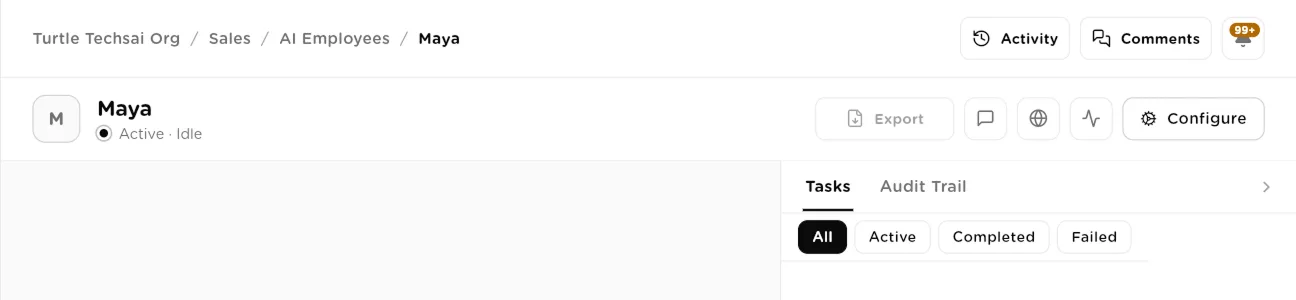
An employee's page: Tasks and Audit Trail on the right, Activity at the top.click to enlarge Review policy evaluations
Go to Compliance and choose Audit Trail (Policy evaluations). Every time a policy was checked against a tool call, a row is written here. Filter by result:All, Allowed, Denied, Alerted,Approval pending, Approval approved, Approval deniedand Logged. Expand a row to read its Evaluation context: the tool, the worker, the rule that matched and why. Rows appear automatically when workers run against active policies.
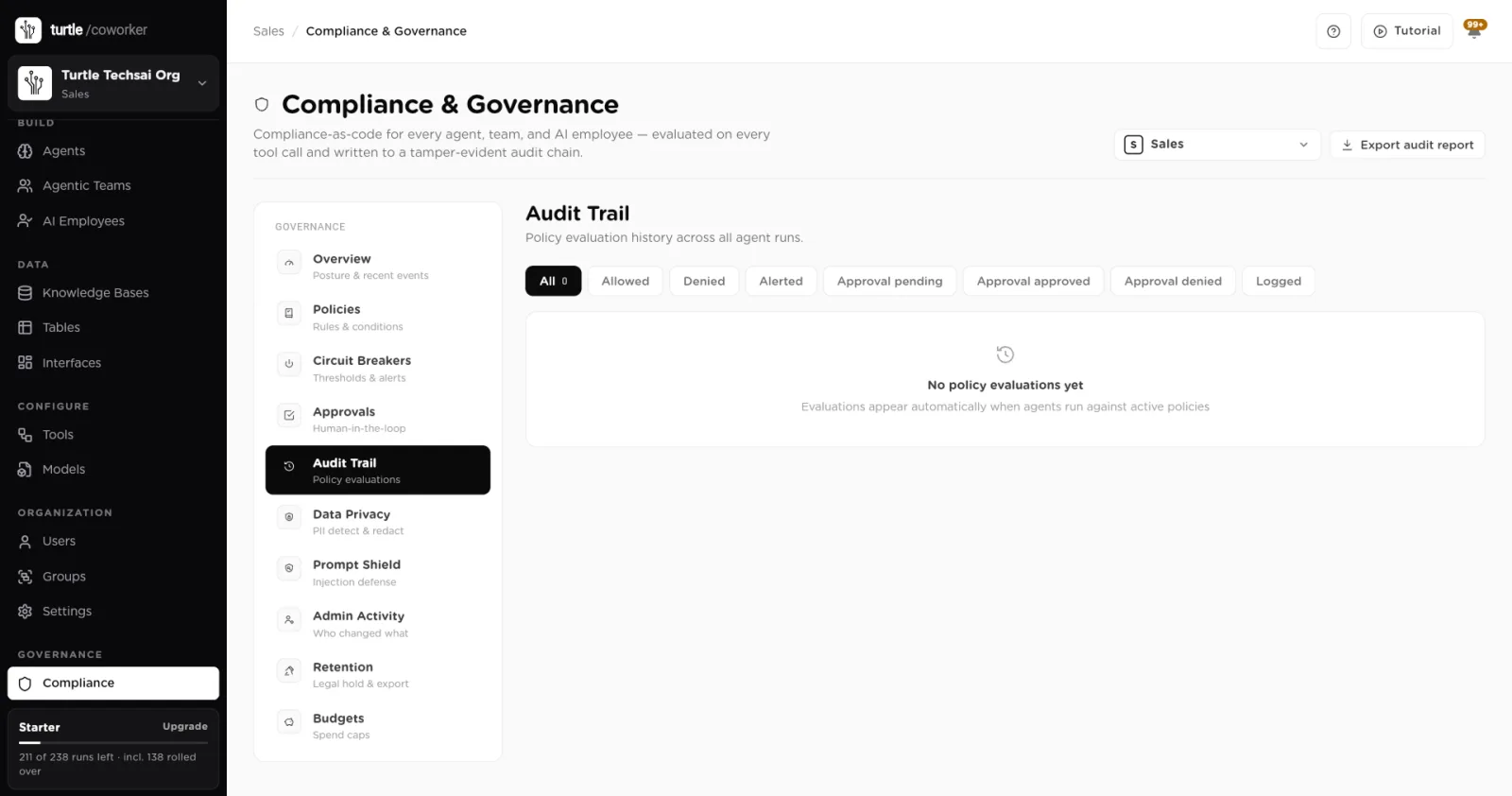
Compliance, Audit Trail: the policy evaluation history for the workspace.click to enlarge See who changed what
Choose Admin Activity (Who changed what). The Governance view lists changes to policies, circuit breakers, PII settings, approvals, retention and exports, filterable with the chips All, Policies, Breakers, PII,Approvals, Retention and Exports. Each row shows the time, the event type, a plain summary, the person, the workspace and the IP address it came from.All activity shows every action by every user (creates, edits, deletes, invites, connects) and filters by module: Agents, Teams, AI Employees, Tables, Knowledge, Tools, Interfaces, Users & Org and Compliance.
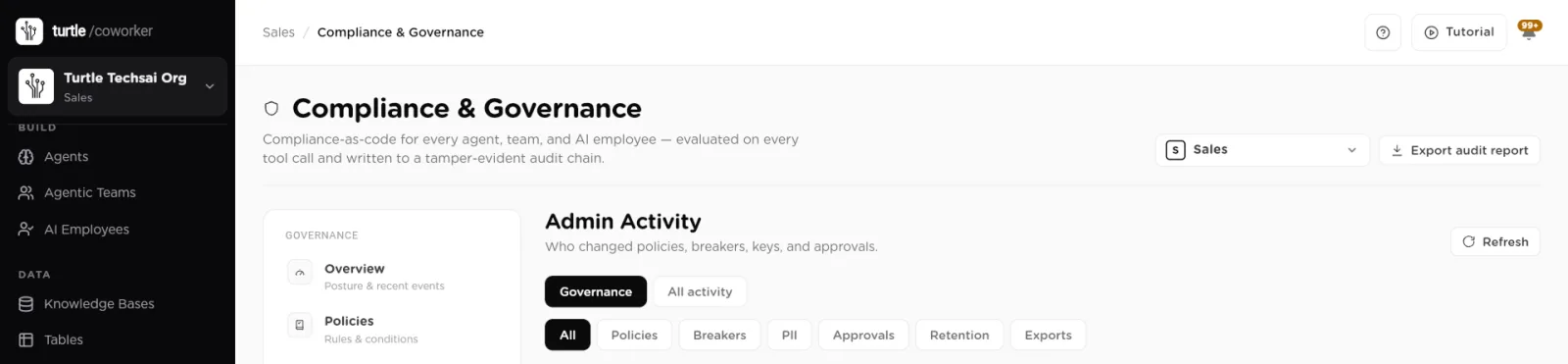
Admin Activity: governance changes, or every action by every user.click to enlarge Export an audit report
Click Export audit report at the top right of the Compliance screen. Choose aFrom and To date, or leave both blank for the full history, and clickGenerate report. The report covers the selected workspace: its policies and their versions, evaluation counts, circuit breaker events, approval decisions, the PII configuration and the result of checking the audit chain. The export itself is logged as a governance event.
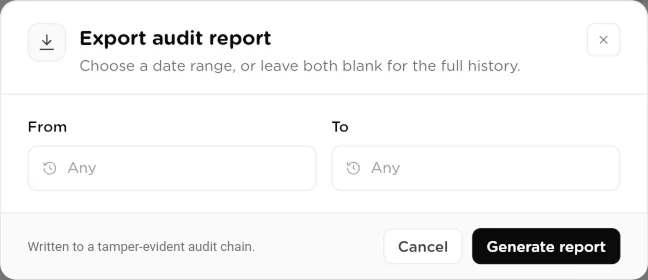
Export audit report: pick a date range or export the full history.click to enlarge
Reference
Run log
| Field | Type | What it does |
|---|---|---|
Worker | link | The agent, AI employee or team that ran, plus the team session, employee conversation or task where relevant. |
Triggered by | choice | User, API, Public Link, Private Link, Web Embed, Slack, Webhook, Scheduled Task, Table Trigger, AI Employee or Approval Resume. |
Status | choice | running, completed, failed, partial, cancelled, or paused (held at an approval, continues after the decision). |
Total tool calls | number | How many tool calls the run made. |
Total tokens | number | Model tokens used by the run. |
Total cost (USD) | decimal | Model cost of the run. |
Start, end, duration | time | When the run started and ended, and how long it took. |
Table and row | link | For table-triggered runs, the table and the row that started it. |
Autonomy scope | 1 to 4 | For AI employee runs, the autonomy level in force. |
Tool call record
| Field | Type | What it does |
|---|---|---|
Sequence | number | The order of the call within the run. |
Agent name | text | The sub-agent that made the call, for teams. |
Tool name | text | The function called, for example gmail_send_email. |
Integration | text | The connected tool the function belongs to. |
Operation type | read / write | Whether the call reads data or changes something. |
Input data | JSON | The arguments sent, sanitized. Secrets are [REDACTED]. |
Output data | JSON | The result received, sanitized the same way. |
PII detected | flag | Set when personal data was found, with the types found. |
Status | choice | running, success, failed, denied (stopped by a policy) or held (waiting for approval). |
Error message | text | Why a failed call failed. |
Duration, tokens | number | Time taken and tokens used by the call. |
Governance event
| Field | Type | What it does |
|---|---|---|
Event type | text | What changed, for example prompt_shield.create. |
Target | text | The policy, breaker, approval or setting that changed. |
Summary | text | A plain sentence describing the change. |
Changes | JSON | The values before and after. |
Actor | user | Who made the change, with IP address and time. |
Related
- Running work (Run Control): start runs and open recent traces.
- Approvals & human-in-the-loop: decisions that appear in the trail.
- Policies, budgets & guard rails: the rules evaluations are made against.
- Analytics: totals and trends built from the same records.