NewSet up your whole workspace by talking to Claude
Governed · Configurable · Auditable

The AI workforce
engine.

Turtle AI Coworker is the engine an enterprise AI workforce runs on. Build agents, teams and AI employees from the ground up: every task, table, tool grant, model, trigger and approval gate is yours to configure — and every action runs through a policy engine and lands in one immutable audit trail. Or skip the blank page: install a complete working department in about 15 minutes.

Every part configurableEvery run traced & auditableAny model, your keys~15 min to a live department
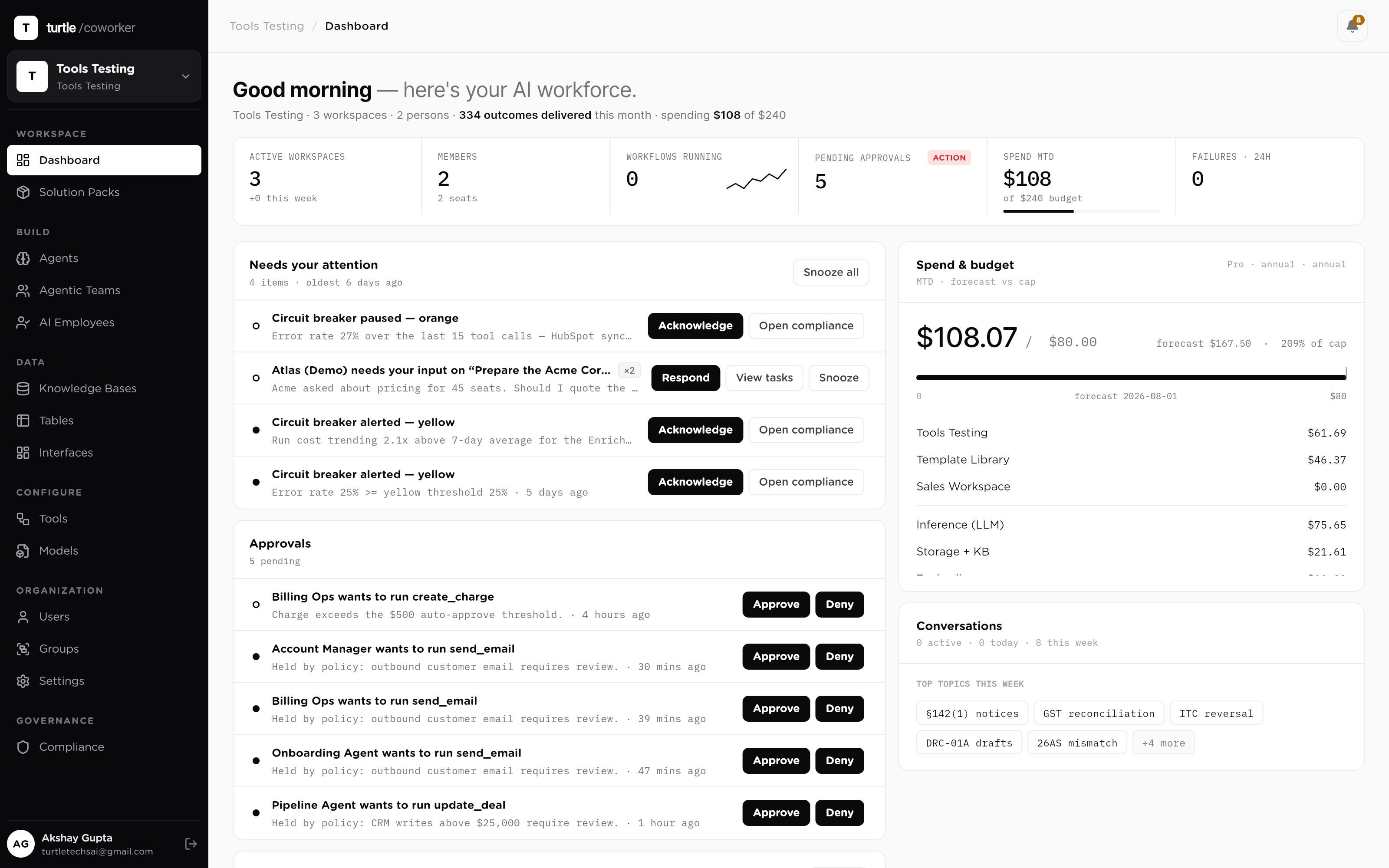
app.turtlecoworker.com/dashboard
The main dashboard, full width: outcomes delivered this week, the pending-approvals card, the live activity feed streaming, and spend vs budget — seeded with a believable multi-department workspace
Why AI stalls in the enterprise

You don't have an AI capability problem.
You have a deployment problem.

Wall 01

The point-tool trap

A writing tool here, a support bot there, an SDR tool somewhere else. None share context. None hand work to another. Ten AIs, no workforce.

Wall 02

The pilot graveyard

Initiatives stall between demo and production. Integration takes months, the security review has nothing to audit, and promising pilots quietly die.

Wall 03

The governance gap

Autonomous AI without approval gates is a liability. Bolt governance on afterward and no one can prove what happened, or who authorized it.

Two minutes, end to end

Watch a department go live.

From an empty workspace to a governed, working department: install, first run, an approval on a phone, and the audit trail it all lands in.

The two-minute tour2m
video: demo-platform-tourScreen recording, one continuous story: install a Solution Pack (install log completing), the AI employee's first run streaming live, an external write held by policy, the approval arriving and being approved on the mobile app, the run completing, and the audit trail showing the whole chain — tool calls, approver, config version.
The engine

Every part is configurable.
Every action is accountable.

This is not a wrapper with three settings. It is an engine where each control is explicit, each change is versioned, and each run leaves a trace you can audit. Configure as deep as you need; the defaults are safe either way.

Agents, task by task

An eight-tab editor: typed inputs, ordered tasks with expected outputs, tool grants, knowledge, table permissions, triggers and advanced controls. Nothing is a black box.

every run traced step by step
Data, permission by permission

Per-table read, create, update and delete for every worker, with per-run caps and row-level filters. Least privilege is the default, not a hardening project.

every write attributed & logged
Models, per agent

A cheap model for routine steps, a frontier model for hard reasoning, chosen per agent and swappable without a rebuild. Your keys, your vendor relationship.

per-message token & USD accounting
Triggers, six kinds

Schedules, integration events, webhooks, table-row events, agent chains and thresholds, with filters, debounce windows and rate caps you set.

every firing logged, even the filtered ones
Autonomy, dialed not switched

Four scopes per worker, from human-in-the-loop to full autonomy, with hard caps per turn. Held actions land in one approval queue, single-use grants enforced at execution time.

approvals recorded with the run
Tools, scoped and vaulted

70+ integrations plus any REST API or MCP server as a custom tool. Credentials sit in an encrypted vault, decrypted only at request time, never shown to a model.

every credential read audit-logged
Policies, budgets, breakers

A policy engine on every tool call — allow, deny, hold for approval — plus hard cost caps and circuit breakers that pause a runaway worker before it grows.

every evaluation logged, even the allows
Measured like a system

Role-scoped scorecards for every agent, team, employee, model and user: cost per outcome, hours saved, success rate, p95.

one ledger under all of it
How you start

Configure it your way, or install it working.

The engine gives you full control. The library gives you a running start. Both end in the same governed runtime.

Or skip the clicking entirely

Set it all up by talking to Claude.

Connect Turtle AI Coworker to Claude once, then describe what you need: "automate cold email outreach and book meetings." Claude searches the gallery, installs the right pack or template, customizes it to your ask, hands you a secure link to authorize your tools, and tells you what's left. You watch the results in the dashboard.

Works with any MCP client. We lead with Claude because it is the smoothest, but ChatGPT, Cursor, Codex and others connect the same way.

The platform, in one view

Follow one request through the whole system.

Walk the path a request takes, from the moment it arrives to the traced result. Plain English, or flip to the technical terms.

Labels
Start here

The whole system, in one view

Everything below is one product. Work comes in at the top, gets done in the middle, is grounded in your data, and is governed the whole way down. Step through the journey of a single request, or press play.

What this means for youOne platform, not seven separate tools you stitch together yourself.
Step 1 of 5

However the work reaches you

A teammate asks in plain language, a schedule fires, an event or webhook comes in from your tools, or your own code calls the API. It all enters through one interface.

What this means for youYou meet the workforce on the surfaces you already use.
Step 2 of 5

The right worker for the job

A single Sequential Agent for one task, an Agentic Team when specialists must collaborate behind a router, or an AI Employee that owns a whole role and remembers context between jobs.

What this means for youMatch the worker to the size of the job, and grow without rebuilding.
Step 3 of 5

How every run actually executes

The worker reads the request and looks things up, plans the steps, acts on your tools, checks itself against your rules, writes the result, and records every step, looping until the job is done.

What this means for youReliable, inspectable execution, not a black box you have to trust blindly.
Step 4 of 5

It works on your business, not a sandbox

As it runs, it reads and writes your Tables, searches your Knowledge by meaning, calls your Tools in the apps you already run, and reasons on whichever Model you choose.

What this means for youIts decisions land in your data, right next to the records they touched.
Step 5 of 5

Bounded, approved, and recorded

Permissions decide what each worker can touch, approval gates hold risky writes for a human to sign off, budgets cap spend, and a full trace records every run for audit.

What this means for youAutonomy you can actually sign off on.
01Interfacehow work arrives & leaves
Surfaces
Run Controllaunch & watch workchat · console · gridEmployee chatassign work in plain wordsconversational UIDashboardsee what got doneworkspace home
Triggers
Scheduleruns on a timetablecronEventreacts to things that happenintegration eventsWebhookyour tools poke itsigned · HMAC
Reach
APIcall it from codeREST · streamingSlackrun from a messageslash commandMCP · A2Aplug in any tool or agentUSB-C for AI
02Workforcewho does the work, and how
The run loophow every run executes, repeats per step
Readgathers inputs & looks things upperceive · retrieval (RAG)
Planbreaks the goal into stepstask decomposition
Actuses your tools & datatool calling · MCP
Checkguardrails + human sign-offHITL · policy
Writesaves clean results to tablesstructured output
Tracerecords every step & costobservability
↺ observe & repeatAny model, per taskbring your own keys · automatic fallbackmodel routing · BYO · fallback
04 Governedseatbelts & speed limits for every runpolicy enforced at runtimewho can touch whatRBAC · least-privilegeper-table read/create/update/deleteper-resource CRUDhumans sign off risky writesHITL approval gateshard spend limitsbudget ceilingsauto-retry & stop on repeated failureretries · circuit breakersa flight recorder per runfull audit tracewe never train on your datazero-retentionGovernance
The workforce ladder

Four rungs, one runtime.

Start with a single task and climb to a whole department. Each rung is built from the one below it, so you grow without rebuilding.

L1
Sequential Agent

One worker, one job: typed inputs, ordered tasks, scoped access, a traced result. Fires on chat, schedule, event or another agent.

L2
Agentic Team

One chat, many specialists. Each message is routed by intent to the right sub-agent, then handed back, all under one shared scope.

L3
AI Employee

A named coworker who owns a role: its own agents, tables, knowledge and memory. Delegate by chat, schedule or event.

L4
Solution Pack

The whole department, pre-wired: tables, agents, an AI employee and triggers in one manifest. Installed in about fifteen minutes.

The fast path · Solution Packs

Or don't start from scratch.

Everything the engine can do, pre-configured into working departments: the data tables, the agents, the triggers, and the AI employee who fronts the role. Install one, then reconfigure any part of it. The full blueprint is public; read it before you sign in.

All Solution Packs
Procurement Ops Control Tower Pack Official
Operations~35 min setup1 AI employee
End-to-end procurement operations solution pack with vendor registry, purchase request review, contract path assessment, embedded review team, and AI employee coordination.
Tables
3
Agents
3
Employee
1
KBs
2
Google SearchGmailSlack
Read the blueprint
CA Firm: Compliance & Practice Pack Official
Professional Services~15 min setup1 AI employee
Complete operating system for a Chartered Accountant practice. Tracks clients, engagements, statutory deadlines, and IT/GST notices. Includes AI agents for notice triage, GST reconciliation, filing reminders, and client communication. Comes with an AI Employee (Priya) who coordinates compliance work end-to-end.
Tables
5
Agents
4
Employee
1
KBs
3
GmailGoogle CalendarGoogle Search
Read the blueprint
Recruiting and Staffing Ops Official
Recruiting~20 min setup1 AI employee
Move candidates faster without cutting corners on fair hiring. Riley, your AI recruiting coordinator, screens each new candidate against the job's must-haves with must-have-by-must-have reasoning, coordinates interview scheduling by drafting availability requests, drafts honest candidate outreach and status updates, builds submittal packages for hiring managers or clients mapping experience to requirements, and gives the team a daily pipeline read. Screening never considers anything beyond skills and qualifications, and it never rejects a candidate or extends an offer; those stay human decisions. Everything else is draft-and-approve: candidate messages are prepared for a human to send, and interview times are proposed, never confirmed, by the agent. Four tables hold your job orders, candidates, interview scheduling, and pipeline metrics. A knowledge base holds your screening standards, submittal format, communication voice, and compliance guardrails, which every assessment and message follows. Automations included: new candidates are screened on arrival, plus an optional daily pipeline digest. Works out of the box with the roles and candidates you add; connect an ATS or job board later to sync candidates, and Gmail and Calendar to send outreach and confirm interviews from the platform. Best first step: replace the placeholder screening standards and compliance rules with your own and add an open job.
Tables
4
Agents
5
Employee
1
KBs
1
Read the blueprint
Sales Engine Official
Sales~20 min setup1 AI employee
A complete outbound-to-pipeline sales engine for a small team. Define your ideal customer profile once in the ICP Profiles table and paste your product details into the Product Knowledge Base, then Sasha, your AI SDR, discovers and vets target accounts, enriches prospects, researches companies, scores leads, and drafts outreach, all grounded in your data. Inbound leads and your deal pipeline live in tables the founder can watch. Automations included: new prospects are auto-enriched on arrival, and an optional daily discovery run finds fresh accounts from your Active ICP. Requires an LLM provider plus the Apollo, Serper, Exa, and Google Search connectors. Replace the sample knowledge base content and the example ICP row with your own.
Tables
5
Agents
6
Employee
1
KBs
1
ExaGoogle SearchApollo
Read the blueprint
Inside Recruiting and Staffing Ops

One pack. A whole department.

Recruiting and Staffing Ops is one manifest. Install it and every part below arrives pre-wired, in dependency order, with governance defaults already set. This is a live pack from the library, not a mockup.

Data · 4 tables
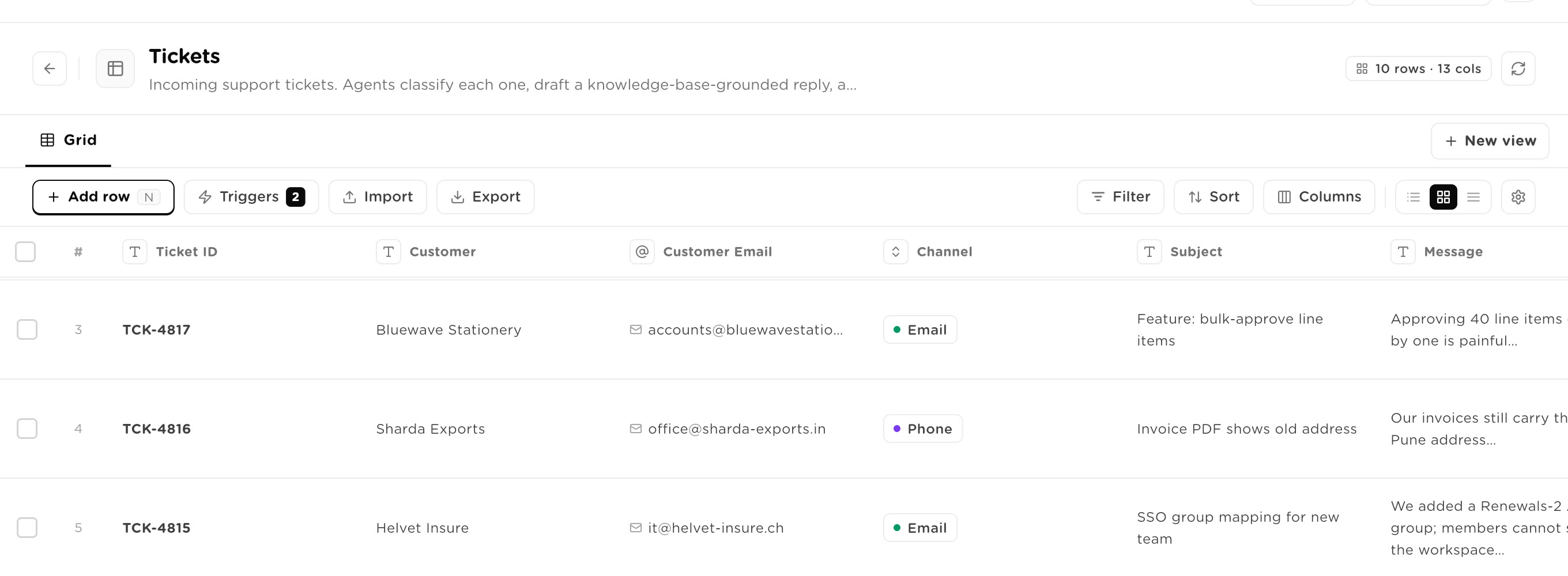
Job Orders

Open roles you are recruiting for, with the must-haves the screener checks candidates against. Drives screening, submittal packages, and the pipeline digest.

Candidates

Candidates in your pipeline. The screener checks each against the job's must-haves; the stage tracks where they are. Rejections and offers are always a human call.

Interview Scheduling

Interview scheduling coordination per candidate. The coordinator drafts availability requests and proposed times; a human sends and confirms.

Pipeline Metrics

Recruiting pipeline metrics the digest writes: open jobs, new candidates, submittals, interviews scheduled, and placements.

Knowledge · 1 KBs
Recruiting Playbook And Compliance

Your recruiting playbook: screening standards, submittal format, candidate communication voice, and compliance guardrails. Agents ground screening, outreach, and submittals in this. Replace the placeholder with your own.

Workers · 5 agents
Candidate Screener

Screens a candidate against a job's must-haves and nice-to-haves, records a match result and reasoning. Never rejects.

Interview Scheduling Coordinator

Drafts availability requests and proposed interview times, tracking scheduling status. Never confirms a time itself.

Candidate Outreach Drafter

Drafts candidate outreach and status-update messages per the communication voice. Draft only.

Submittal Package Builder

Builds a submittal package mapping a candidate's experience to the job's must-haves, for a hiring manager or client. Draft only.

Pipeline Digest

Reads job orders, candidates, and interview scheduling and produces a pipeline digest with what needs attention.

The role · 1 AI employee
Riley

Owns the department: its own agents, tables, knowledge and channels under one instruction set. Chat with it, assign work, review what it ships.

Governance defaults
Approval gate

Set during install: whether the employee needs human approval before external actions. Enforced at execution time, not on the honor system.

Scoped permissions

Per-table read, create, update and delete for every agent, with tools scoped and call-capped.

The install

Fifteen minutes, verified.

The installer builds the department bottom-up in dependency order: tables first, then knowledge, agents, triggers, and finally the employee. Every step is logged live.

Ends with a smoke test, not a hope.

Name collisions are resolved during setup (use existing, rename, or replace). Manifests run sandboxed, and only Official and Verified manifests run unprompted.

Browse Solution Packs
install log · Recruiting and Staffing Ops
01Manifest validatedschema + sandbox check
02Setup answers appliedyour tools, limits, approval gates
03Tables created4 / 4
04Knowledge bases indexed1 / 1
05Agents created5 / 5
06Bindings wiredagents, tables, tools
07AI employee createdRiley
08Placeholders resolvedreferences bound to live components
09Final verification & smoke testpassed
Work that starts itself

Six ways to put the department to work.

Most AI has one entry point, a chat box. A department that runs without being pushed needs more.

01
In chat

Ask a team or employee directly, answered live, token by token.

02
On an event

A row is created or a field changes, and the right agent runs automatically.

03
On a schedule

Cron triggers fire daily or weekly work with no one asking.

04
By delegation

An AI employee calls a sequential agent as one of its own tools.

05
By voice

Voice-capable: an agentic team driven through a telephony-grade voice stack.

06
By another AI

Turtle AI Coworker is its own MCP server. Claude, ChatGPT, Cursor or any MCP client can set up, configure and drive the whole platform from a chat. See it in action →

Governed like staff

The security review is the easy part.

AI pilots die because nobody can answer four questions. Turtle AI Coworker answers all four by design. Governance is a layer the whole platform runs through — a policy engine in the execution path, not a settings page bolted on top.

"What can it do?"
Policy-checked, every call.

Per-agent Read / Create / Update / Delete on every table, and a policy engine on every tool call — rules written against a catalog of 1,095 named integration functions, with allow, deny, hold or alert as the verdict.

"Who approved it?"
Gated at runtime.

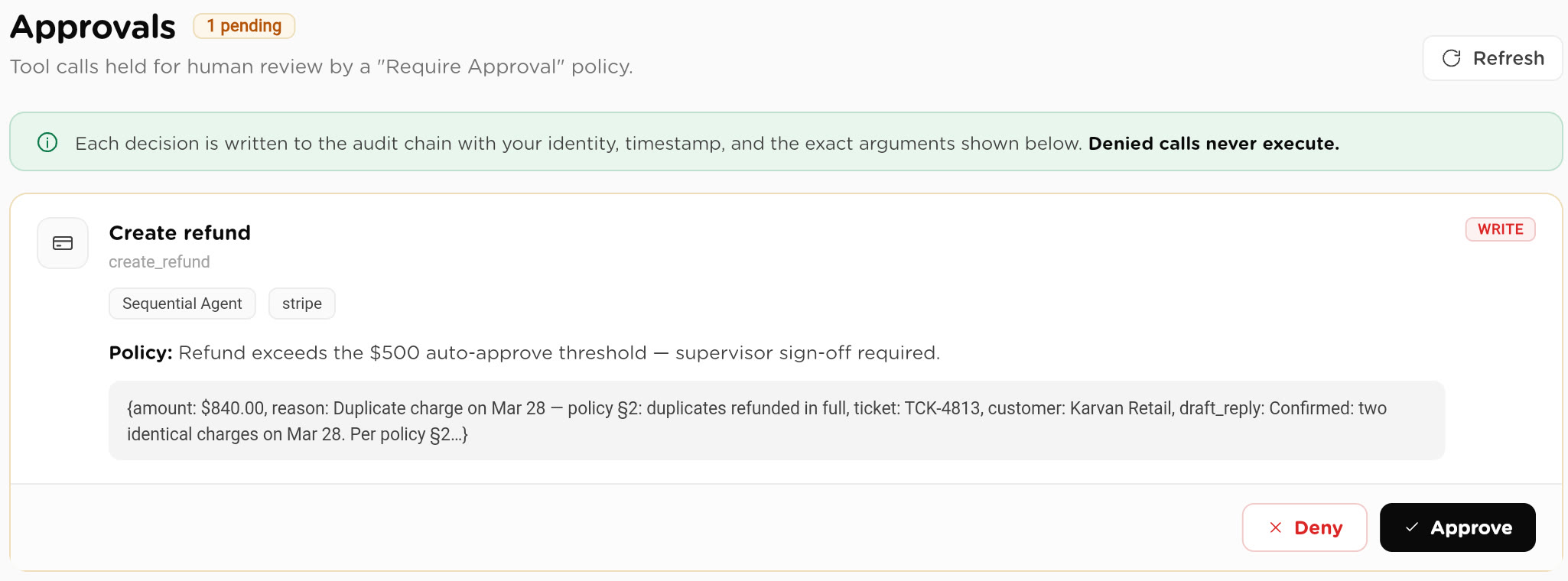
Held actions wait in one queue with the holding rule attached. Approvals are single-use grants enforced at execution time — an injected or unapproved plan can't perform a write. Delegation covers absences; stale asks escalate.

"What did it do?"
Audited by default.

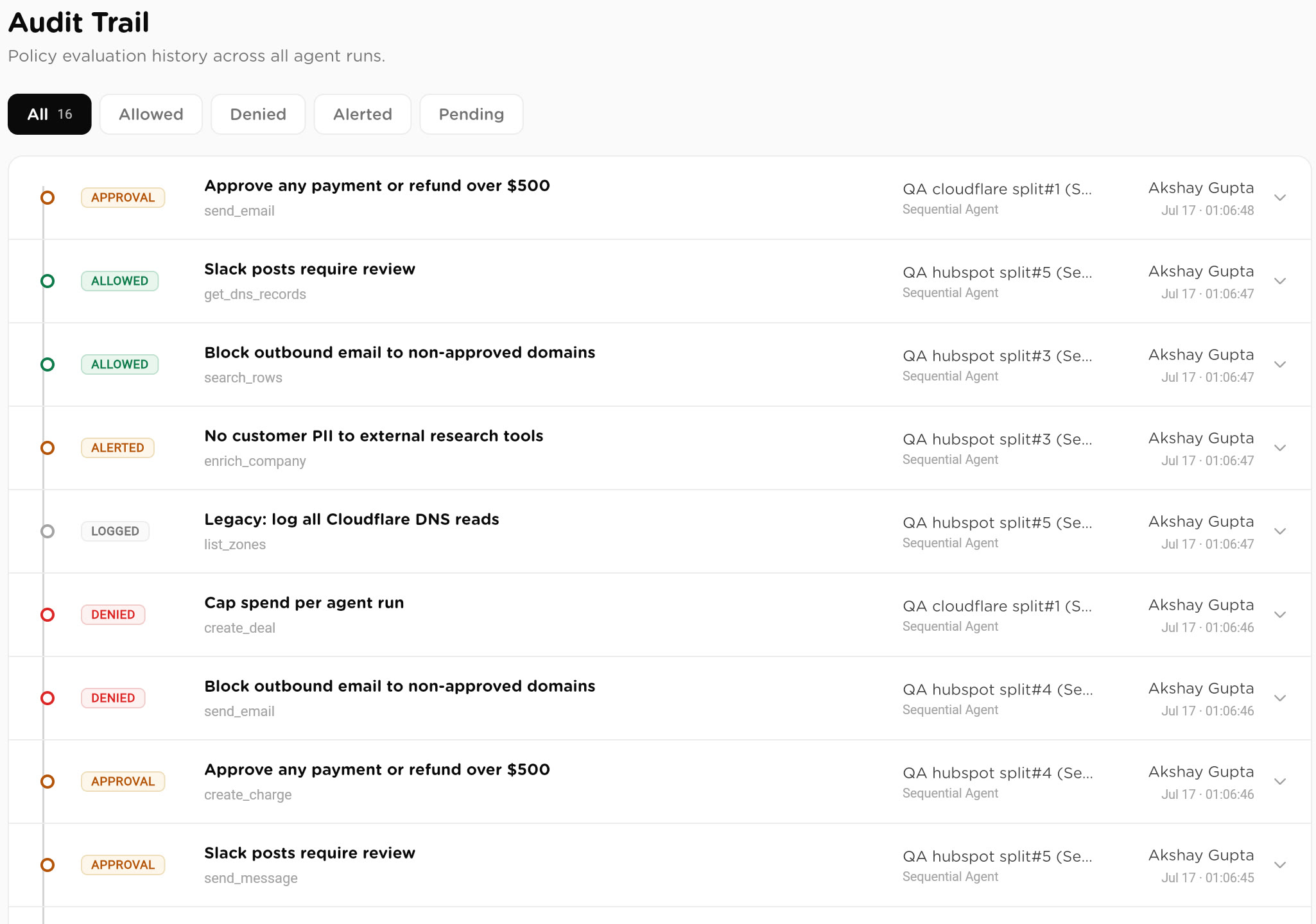
Every run and tool call logged: inputs and outputs sanitized, PII flagged, secrets redacted, read-vs-write classified — and each run pinned to the immutable config version it executed under.

"What if it goes wrong?"
Capped and breakered.

Hard budget ceilings with breach-date forecasting, circuit breakers that auto-pause a runaway worker, a prompt-injection shield over untrusted content, and a kill switch on any live run.

Policy engineSingle-use approvalsPrompt-injection shieldPII redactionImmutable config versionsOrg-scoped tenancySSO & 2FAAudit exports
The governance layer Approvals & HITLTrust Center
One platform, every surface

The controls follow the person accountable.

A workforce that runs around the clock needs oversight that travels. The same queue, policies and audit trail — on six surfaces.

See all surfaces
Measured like a department

You will know what it costs and what it saves.

Not our claims, your scorecard. Every department reports the same way real ones do.

Cost per outcome

What each screened candidate, matched invoice or resolved ticket actually costs, in tokens and dollars.

Hours saved

Time the department returns to your team, rolled up per role and per period.

Success rate & p95

How reliably runs complete, and how long the slowest ones take.

Spend vs budget

Live spend against the budget you set, with circuit breakers that can halt a runaway before it grows.

Role-scoped analytics, built into the platform. See Analytics
Under the hood

Real platform, not a wrapper.

A deterministic runner for procedures, a reasoning engine for teams, an autonomous runtime for employees, all under one audit surface. Hybrid retrieval on our default engine, token-level streaming, three-tier memory, per-message cost accounting, and its own MCP server.

turtle/coworker

Build it your way.
Or install it working.

One engine, configurable to the last permission, governed like staff. A working department in about fifteen minutes if you want the head start. Your data, your models, your rules.