Software for the accounts payable and bank reconciliation work a bookkeeper or fractional controller does for a client. Every supplier invoice is captured from the bills inbox, coded from the supplier's rules, checked for duplicates and against its purchase order, and sent to the right approver by amount. Approved invoices become a posting pack for the ledger and a weekly payment run. Bank statements are matched to the books line by line; anything unexplained becomes one clear question for the client. Month end produces the reconciliation with its notes. Nobody's money moves and nothing is posted without a person.
For bookkeepers, fractional controllers and finance teams running AP for one or many entities
The pack is built for whoever owns paying the bills and reconciling the bank. It fits three kinds of team.
You run AP and the bank rec for several client companies. One workspace per client; each has its own approval rules, supplier coding, client portal and Cass.
One to five people in finance. The "client" is your own company; the approvers are your managers; the portal is where they approve invoices and answer questions.
An AP team in an MNC serving one entity or region. Approval bands by amount, exception queues and month-end packs are what the pack does; the ERP stays the ledger.
| Accounts Payable | Capture, coding, duplicate and PO checks, routing to approvers, the posting pack, payment runs, the exception queue. |
| Financial Control / Month-end | Bank matching every morning, questions to the business, the reconciliation with variance notes, the lock-date reminder. |
| Budget holders and approvers | The portal: approve or send back invoices in their band, answer questions about their spend. |
| Procurement | Purchase orders matched to invoices; mismatches raised as exceptions. |
Everything the software produces is a draft or a prompt for a person. It never pays a supplier, never posts to the ledger, never approves an invoice, never marks a bank account reconciled, and never sends a message to the client without a person approving it first.
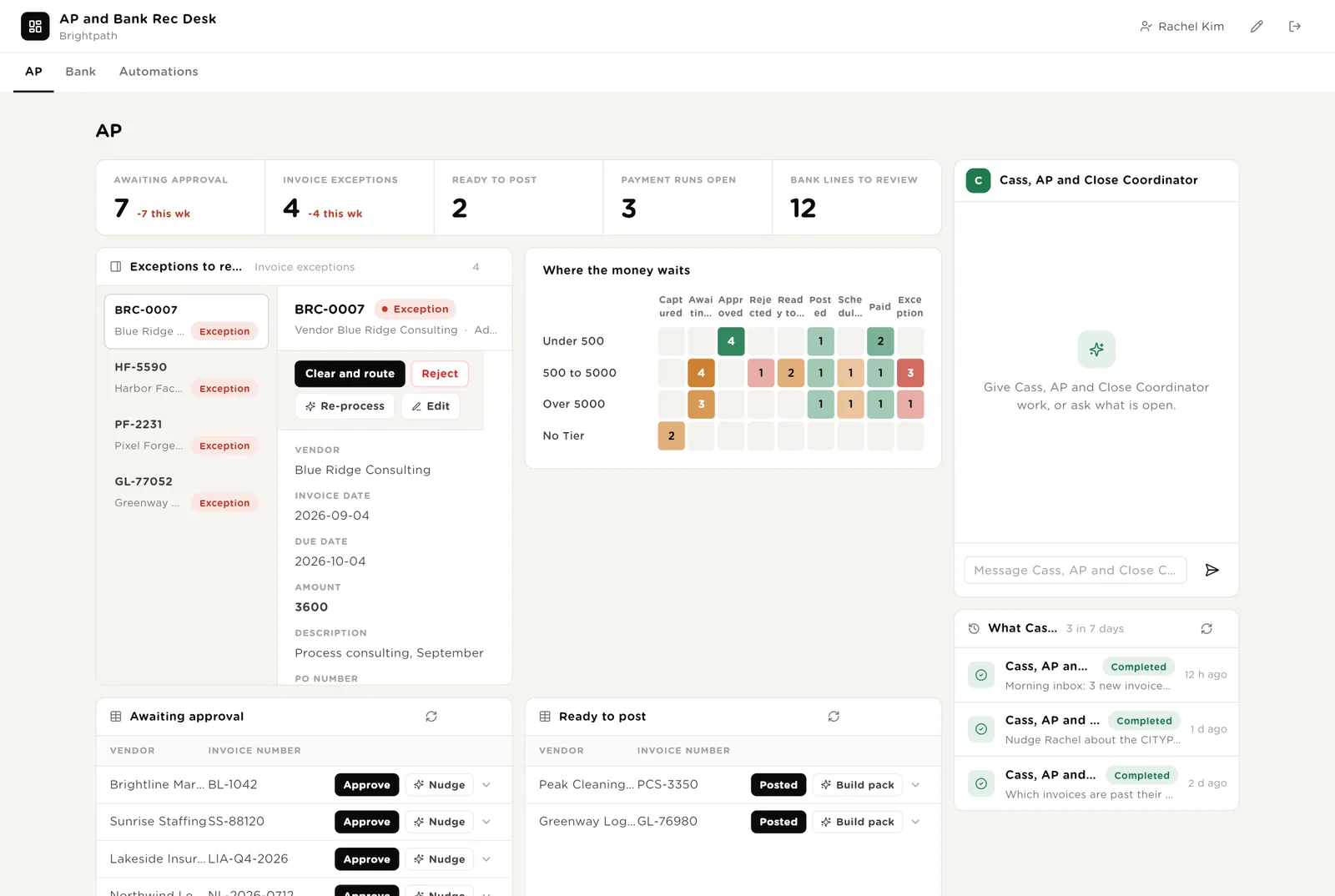
The controller's main screen. Five live numbers. Exceptions to resolve on the left: duplicates, mismatches, unmapped suppliers. A heat map of where the money waits by tier and status. Cass beside them. Below: invoices awaiting approval, invoices ready to post, the board, payment runs.
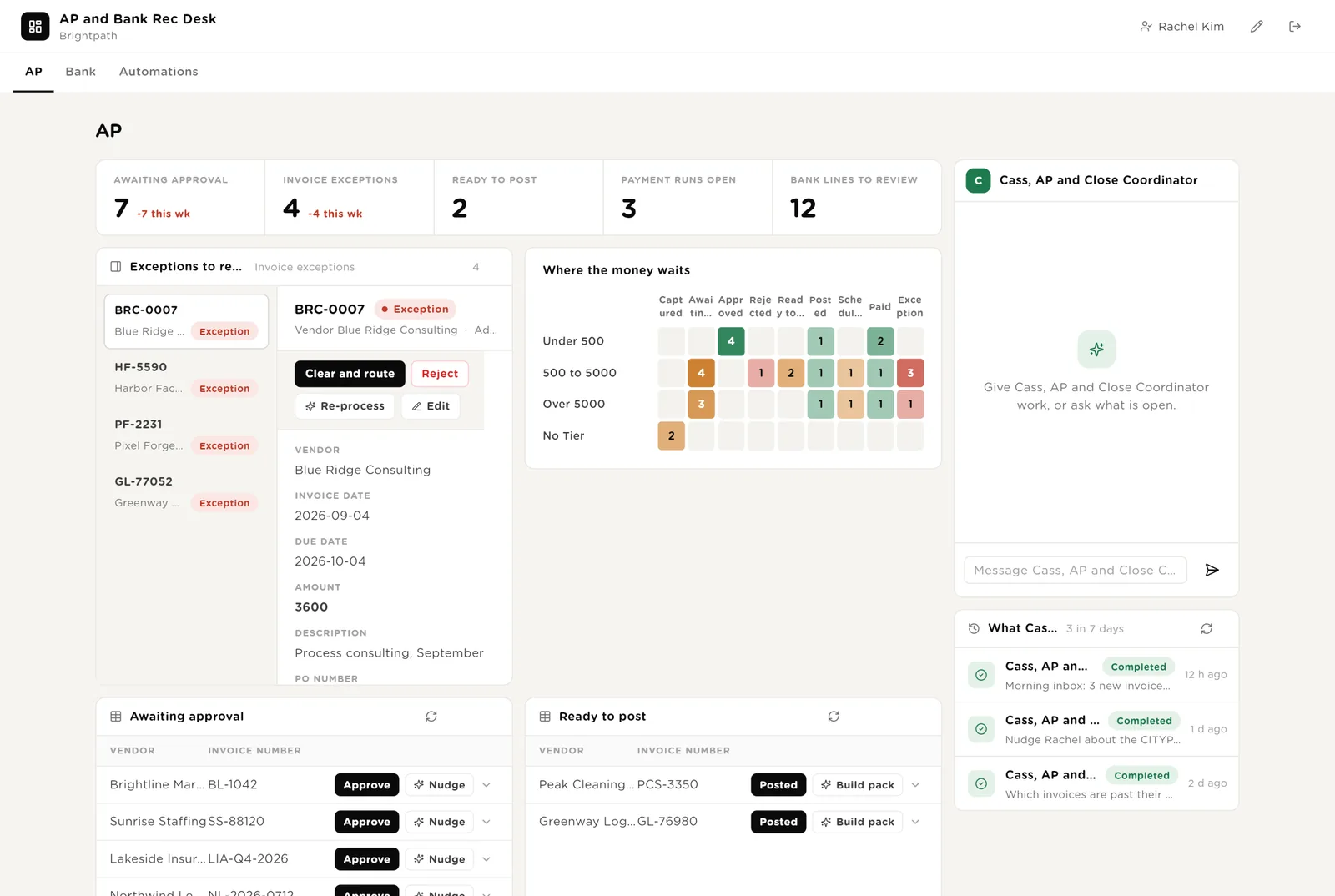
You have looked at the exception. The invoice goes back into the flow to its approver.
For invoices in your own band. Others go to the named approver on the portal.
You have entered the posting pack line in the ledger. The invoice moves on to the next payment run.
Scroll down for the posting pack, the invoices board by status, the payment runs with their run sheets, and what Cass did this week.
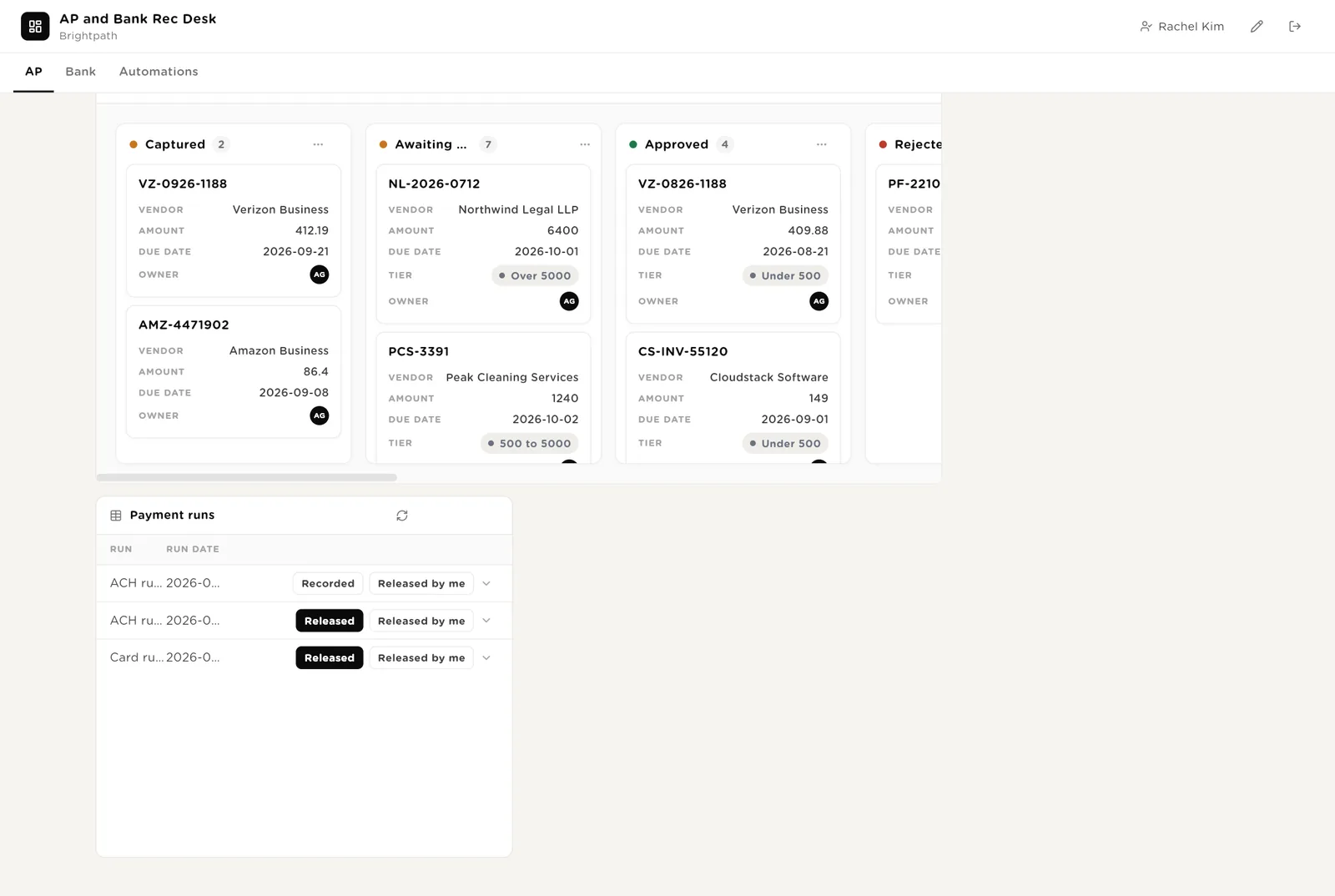
Writes the posting entries for every approved invoice into one pack.
You released the run in the bank. Recorded marks the payments in the books.
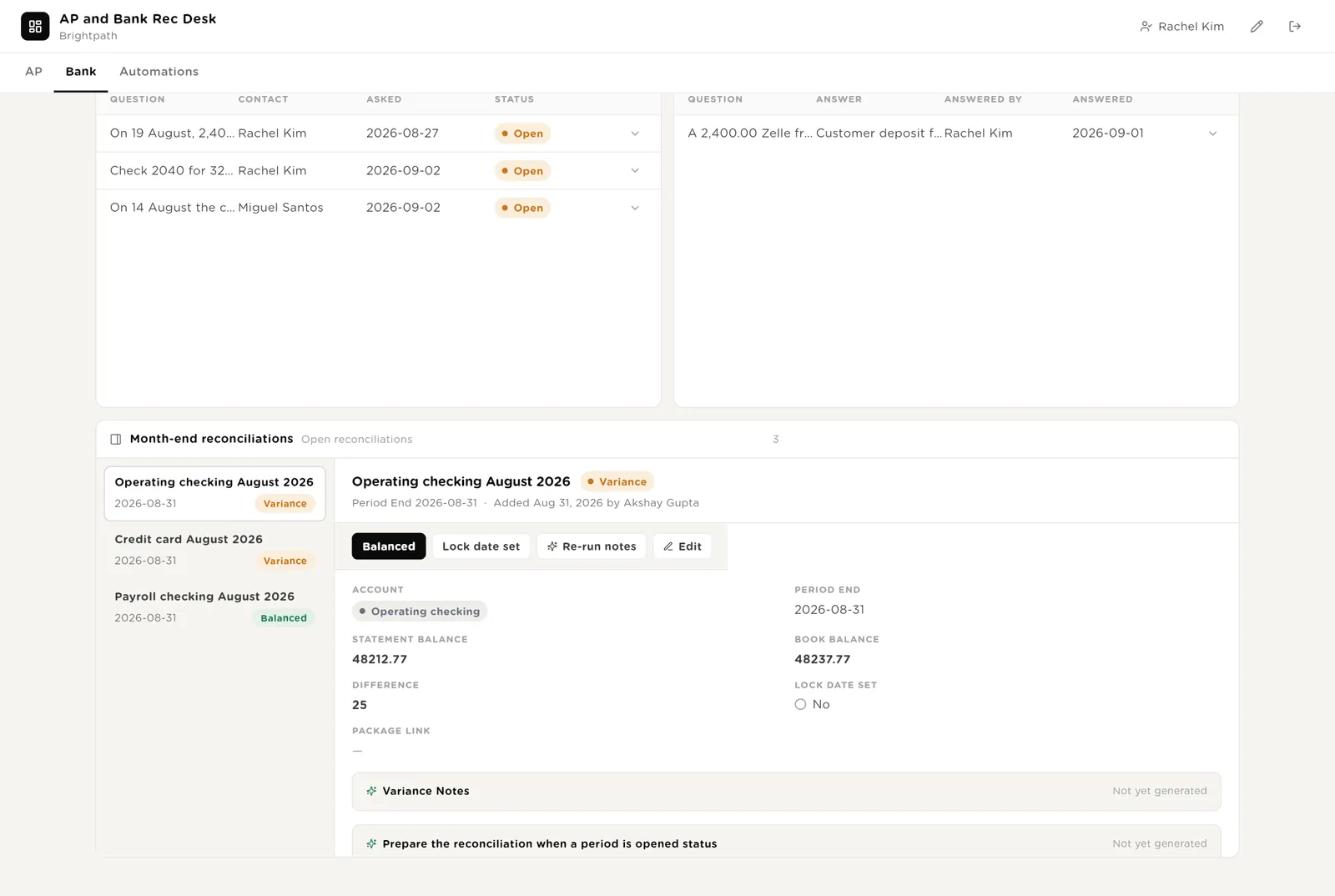
Every statement line the matcher could not settle, with the actions. Proposed bank rules for payees that recur. Statements received. Questions open with the client and questions answered. Month-end reconciliations with their notes.
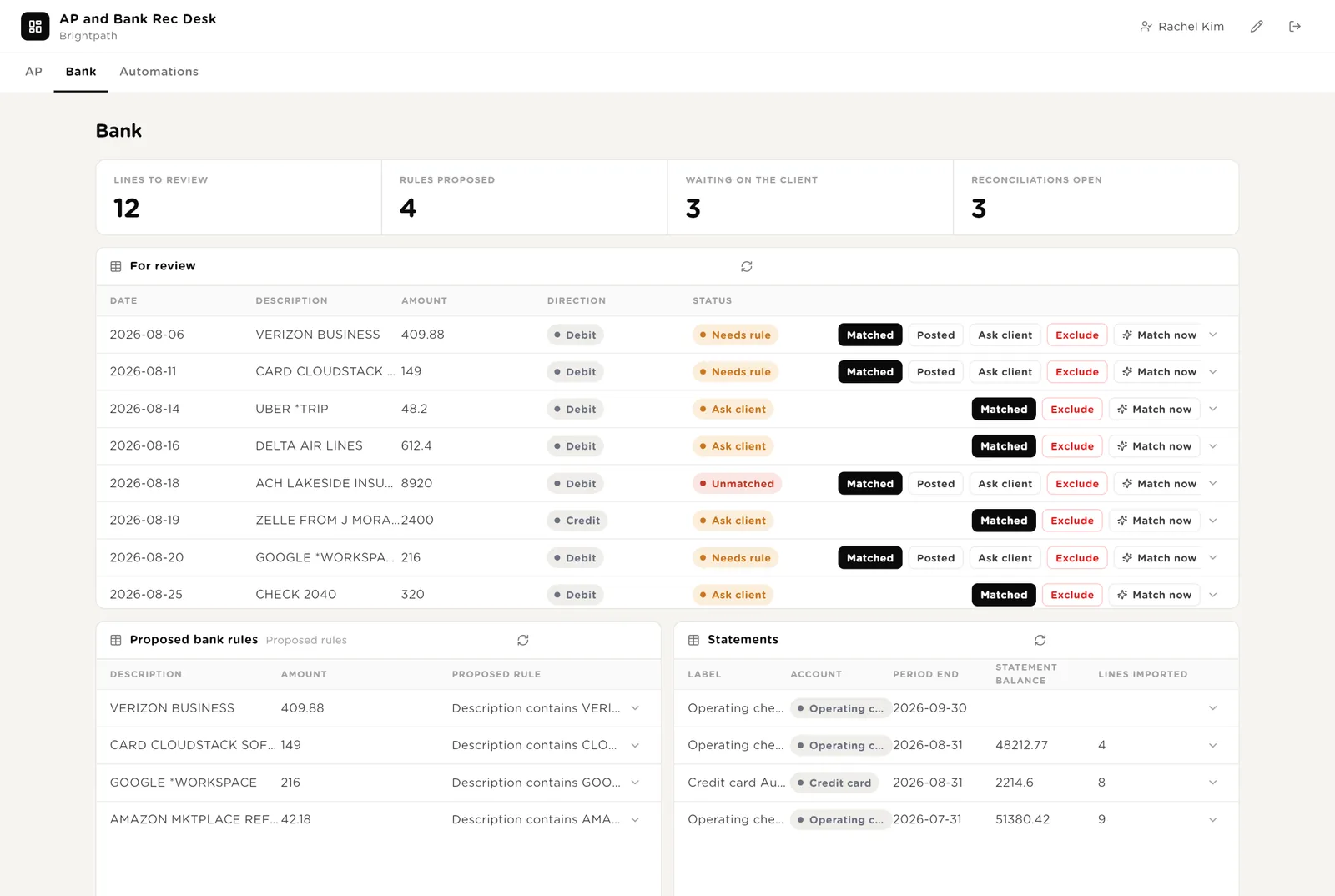
You confirmed the line matches a bill payment or deposit.
Turns the line into one question on the client portal, with the nudge email drafted.
On a reconciliation: the two balances agree. Lock date set and Closed follow.
The questions waiting on the client, the ones answered, and the reconciliations with the variance items listed by type.
Every automation with its switch. Everything the software wants to do that needs your Approve. The run history for invoices processed and bank matches. The exception log.
Every invoice the processor coded and every bank line the matcher settled, with duration and what it touched.
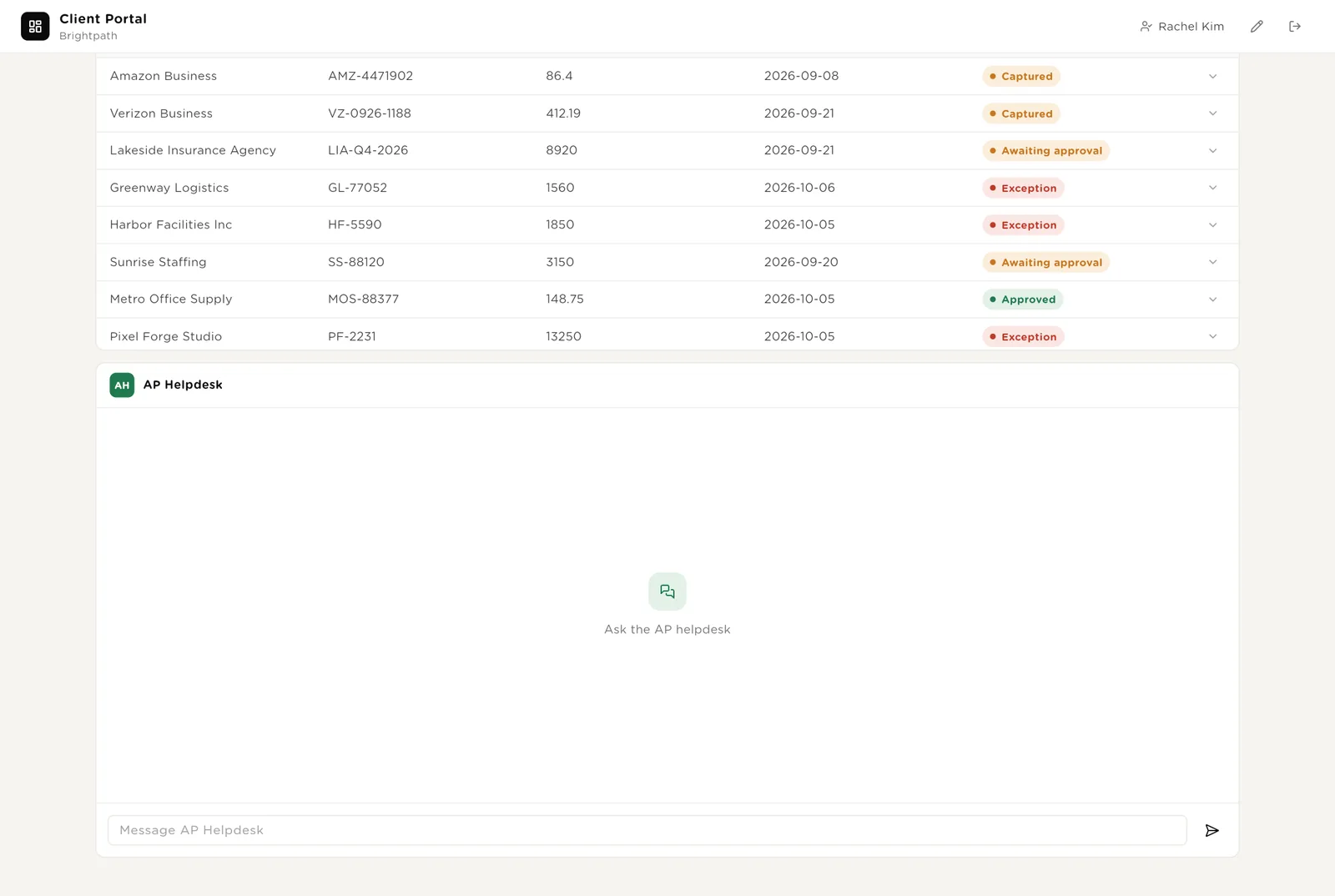
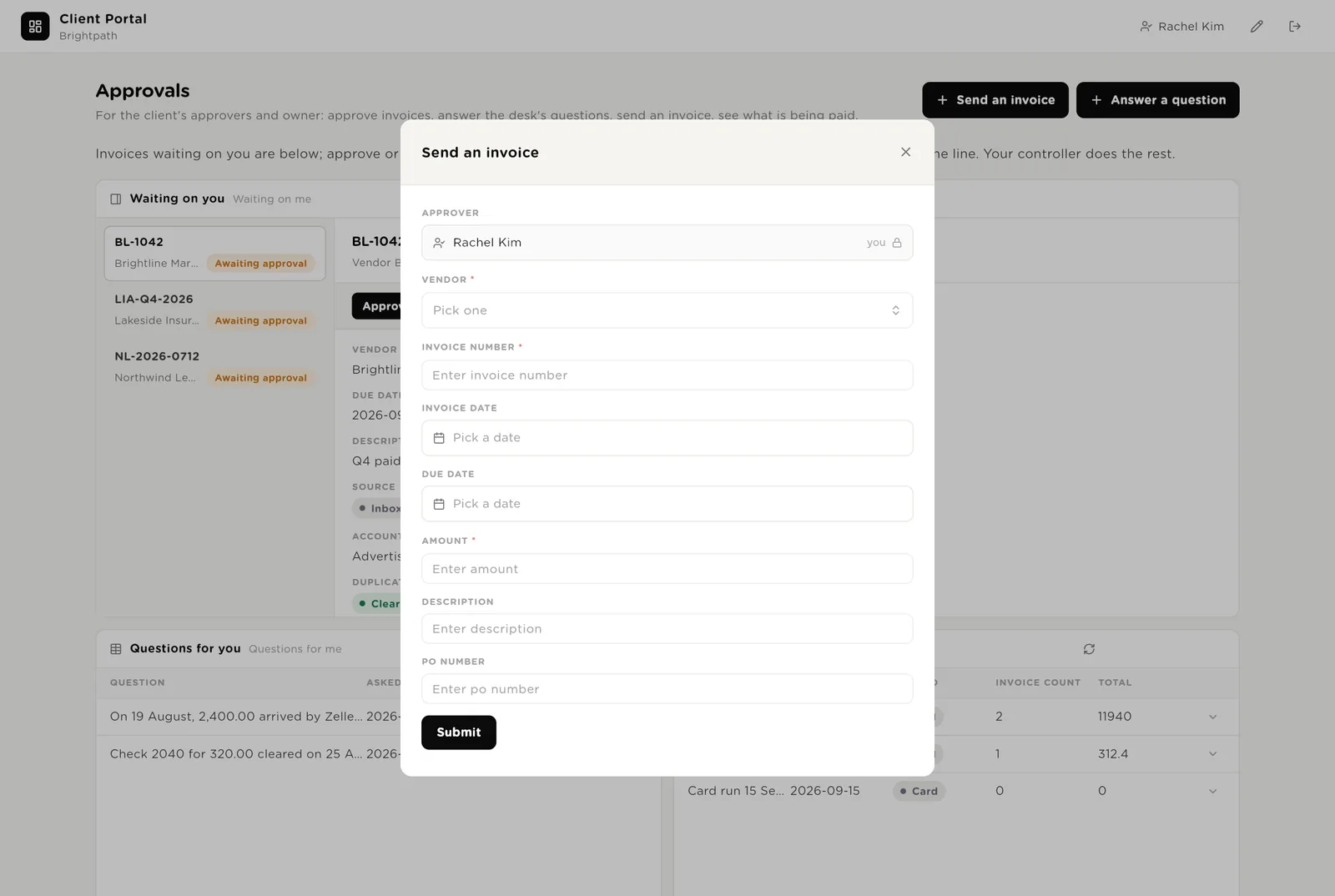
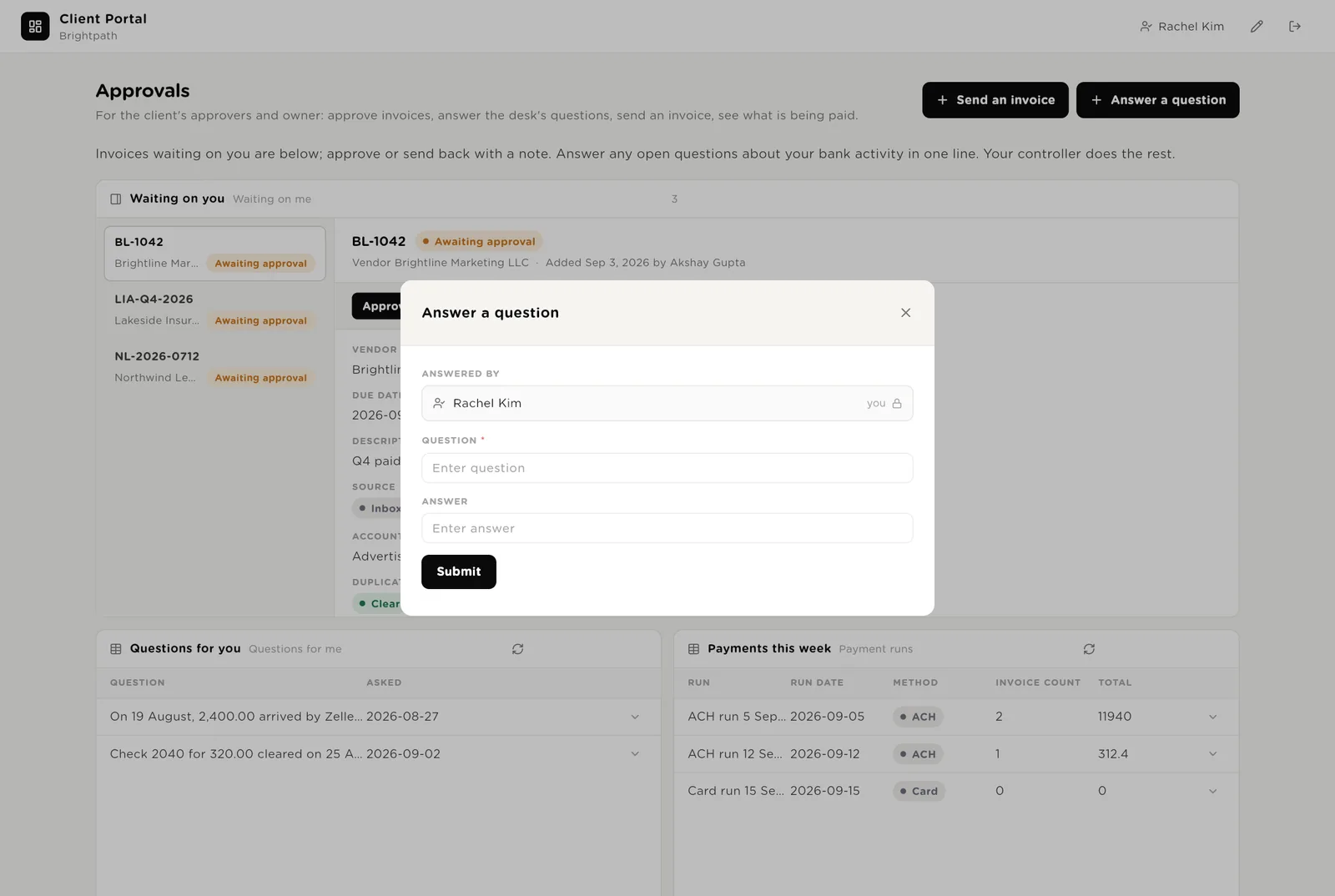
A client contact logs in with a normal account and is matched to their record by work email. They see the invoices waiting on them, the questions the desk asked, this week's payments, recent invoices, and a helpdesk. They can send an invoice and answer a question. They see nothing about other clients.
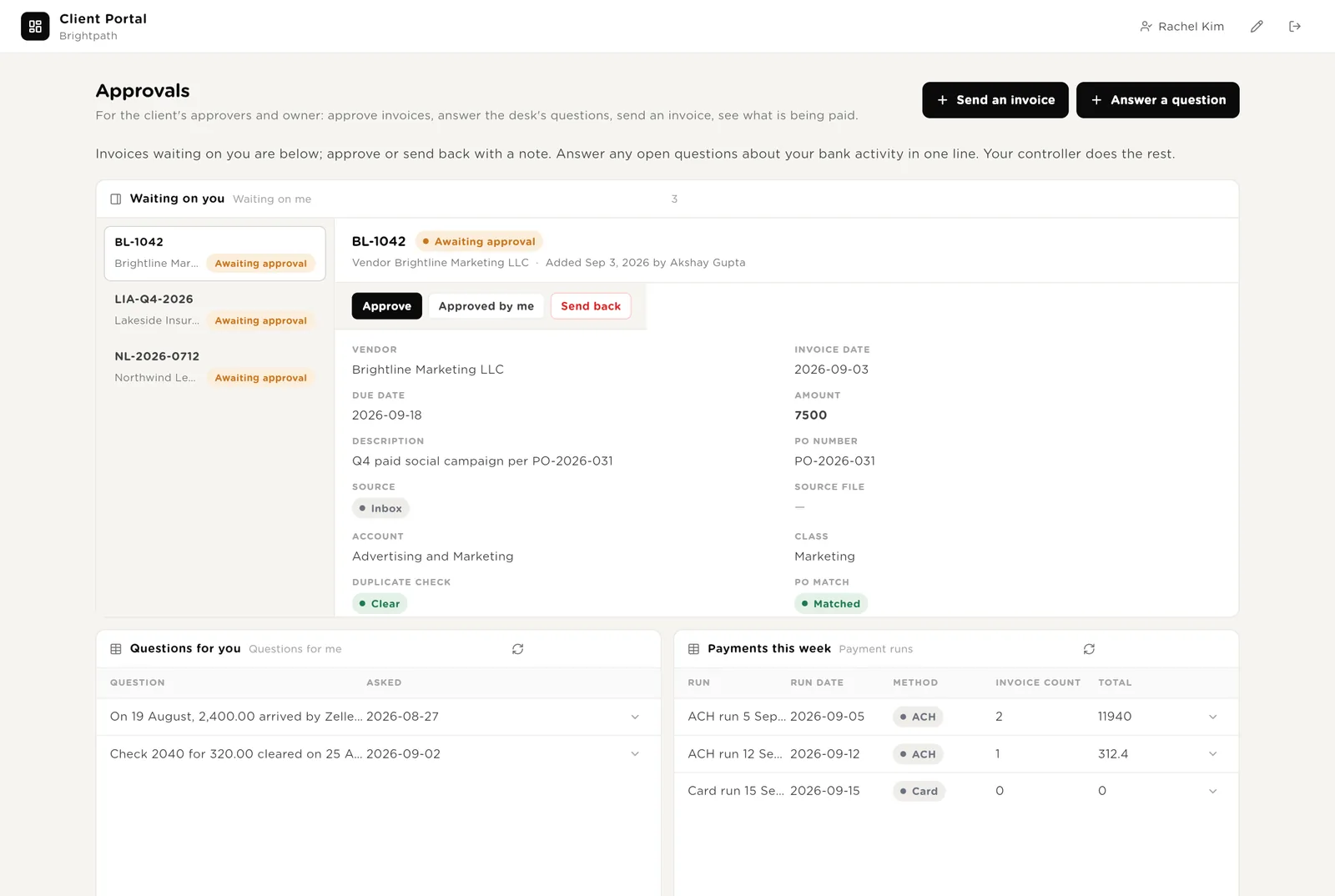
For invoices routed to this contact by amount. One click; the desk sees it at once.
Returns the invoice with a note. Nothing is paid.
One line: "Parking for the sales team." The bank line is explained and the month end moves on.
What is going out this week and what came in recently, so the client never has to email to ask.
Forms open in a small window. The contact is filled in from whoever is logged in, so an answer is always in the right name.
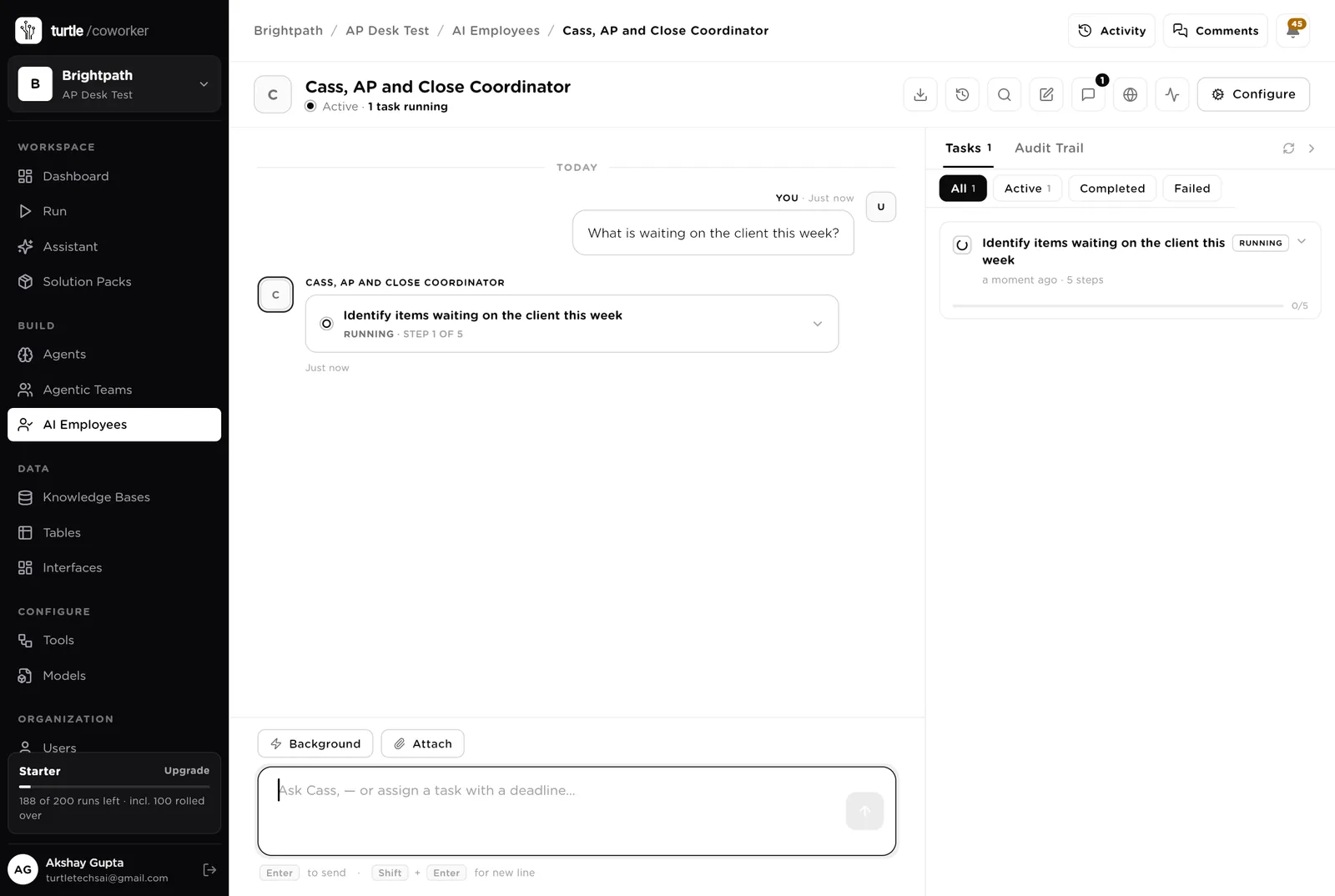
Cass is a software colleague you can chat with. Cass reads the bills inbox every morning, creates the invoice rows, files the PDFs, and knows which agent to use for what. Cass never approves, posts or moves money.
Every morning: read the bills inbox, create an invoice row for each new bill, file the PDF. Then list invoices past their approval deadline, open exceptions, unmatched bank lines older than a week, and questions waiting on the client. Tools: Gmail, PDF, Google Drive, Google Sheets, Slack, Turtle Notify.
You typed a question. Cass turned it into a five-step task and started reading the tables. Reading is allowed on its own; anything that sends, files or posts stops for your approval.
An agent does one job. It starts when something new arrives, on a schedule, or when Cass asks it. It reads your tables and the client's policy, writes its result into the record, and stops. No agent pays or posts anything.
Reads a new invoice, codes it from the supplier's rules, checks for duplicates and against the purchase order, sets the approval tier and the approver by amount, and raises an exception when something is wrong.
Every morning it writes the exact bill entry for each approved invoice: supplier, date, due date, account, class, memo, amount. The controller enters the pack in the ledger.
When a run is added with a date and a method, it selects the posted invoices due by then, lists them with totals, and writes the run sheet. The controller releases it in the bank.
Turns a bank line nobody can explain into one clear question for the right contact on the portal, with the nudge email drafted.
The reconciliation work that piles up until month end.
Reads an uploaded statement (PDF or CSV) and creates one row per line, then checks the closing balance.
Every morning it finds the bill payment, deposit or recurring payee behind each unmatched line. Proposes a bank rule for payees that recur. Marks the line for the client when nothing explains it.
When a period is opened, it compares the statement balance to the books, lists the variance items by type, and writes the notes for the close package with the lock-date reminder.
Counts the queue by status and tier, approvals past their deadline, exceptions, cash going out this week and unmatched bank lines, and emails the three decisions the week needs to the controller.
The help desk is a chat on the client portal. It says where an invoice or a payment stands and explains the client's own AP policy. It never approves anything and never sees another client's data.
A desk lead routes the question to a payment status specialist or a policy specialist. Answers come from the client's own invoices and their policy.
Tables are where everything is stored. They look like spreadsheets and the controller can open and edit them. The ledger stays the system of record; the desk holds the queue and the evidence.
| Table | What is in it | Stages |
|---|---|---|
| Client Contacts | The client's approvers and their approval limits, matched to their login by work email. | Active · Inactive |
| Approval Rules | Who approves what, by amount. Change the bands, not the agent. | Auto-approved · Ops manager · Department manager · Controller · Owner |
| Vendors | One row per supplier with its coding locked in advance. | Active · Unmapped · Inactive |
| Purchase Orders | For suppliers that require one. Invoices must match. | Open · Matched · Closed · Cancelled |
| Invoices | Every supplier invoice from any channel. | Captured → Awaiting approval → Approved → Ready to post → Posted → Scheduled → Paid · Exception · Rejected |
| Payment Runs | One row per batch payment with the run sheet. | Proposed → Released → Recorded · Cancelled |
| Bank Statements | One row per statement the client sends. | Received → Imported → Matched → Reconciled |
| Bank Transactions | One row per statement line. | Unmatched · Matched · Needs rule · Ask client · Posted · Excluded |
| Client Questions | One question per unexplained line. | Open → Answered → Resolved |
| Reconciliations | One row per account per month with the variance notes. | Open · Variance · Balanced · Closed |
| Exceptions | Duplicates, mismatches, unmapped suppliers, stale approvals. | Open · Resolved · Dismissed |
The software knows nothing about the client except what the tables and the policy guide tell it.
One document per client: the coding rules, the approval bands, which suppliers need a purchase order, and the bank rules. Every agent reads it. Replace the starter text with the client's own.
The pack uses whichever AI model your firm has already connected. QuickBooks, Xero and a bank feed can be connected later without changing the tables.
Everything that runs on arrival is on from day one. The schedules are off until you switch them on from the desk.
| Automation | Agent | When | Ships |
|---|---|---|---|
| Code, check and route an invoice | Invoice Processor | The moment an invoice arrives | On |
| Prepare a payment run | Payment Run Preparer | The moment a run is added | On |
| Import a statement | Statement Importer | The moment a statement is uploaded | On |
| Prepare the reconciliation | Close Packager | The moment a period is opened | On |
| Build the posting pack | Posting Packager | Weekdays 07:00 | Off until you switch it on |
| Match unmatched bank lines | Bank Matcher | Weekdays 07:30 | Off until you switch it on |
| Monday digest | Monday Digest | Monday 07:30 | Off until you switch it on |
Buttons on the desk run agents too. "Re-process" runs the processor again; "Match now" runs the matcher for one line; "Re-run notes" rewrites the variance notes.
Three things always need a person. The software stops and waits at each one.
Approve an invoice, Posted, Released, Matched, Balanced, Lock date set. Only a person can press them. The software can route an invoice; it cannot approve it. It can prepare a run; it cannot release it.
When an agent or Cass wants to email the client, file a PDF in Drive, or write to the ledger, it stops. The exact message or change appears in Approvals. You read it and click Approve or Deny. Money never moves through the software.
When you give Cass a task, Cass writes a plan and shows it first. Approve and run, change it, or cancel.
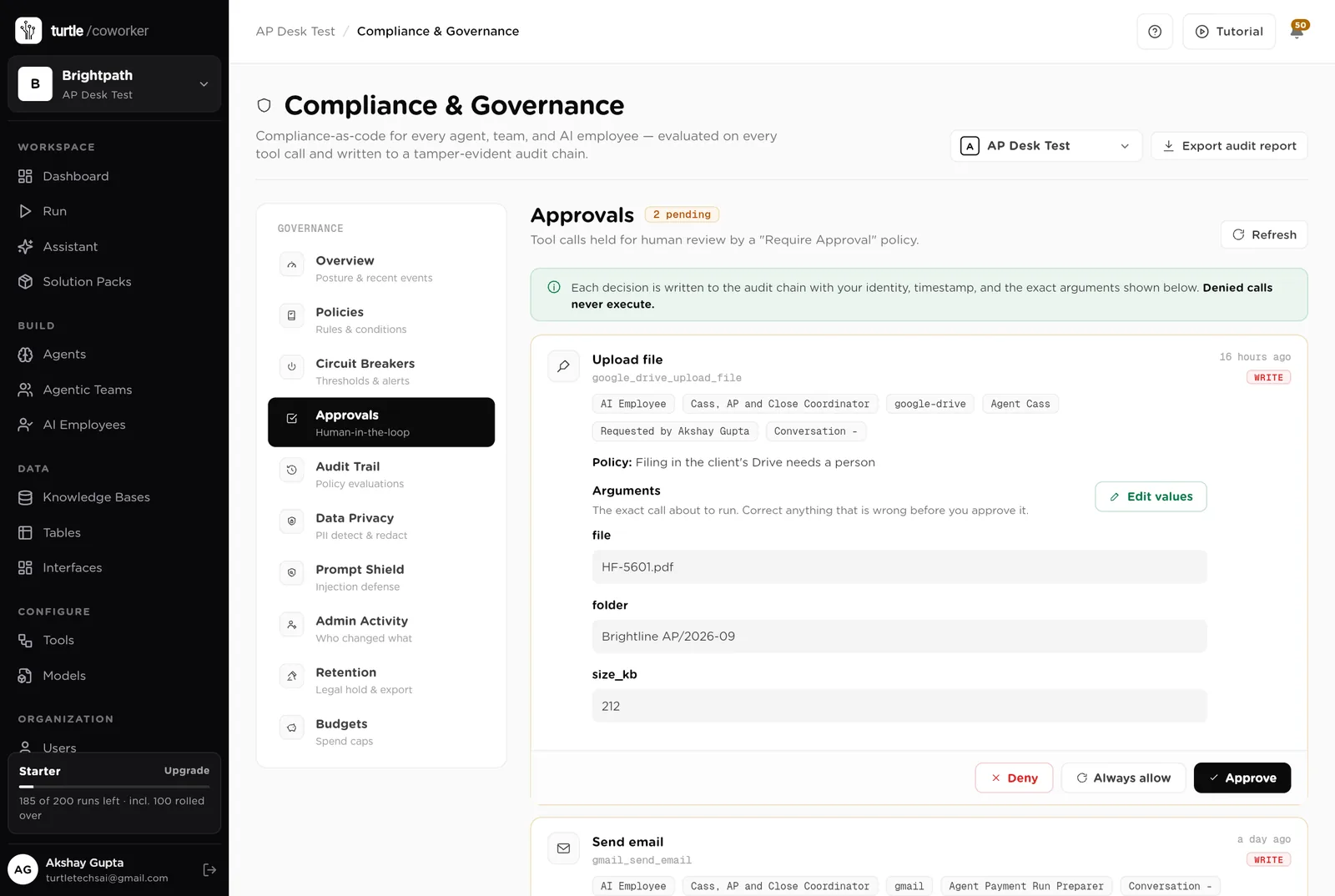
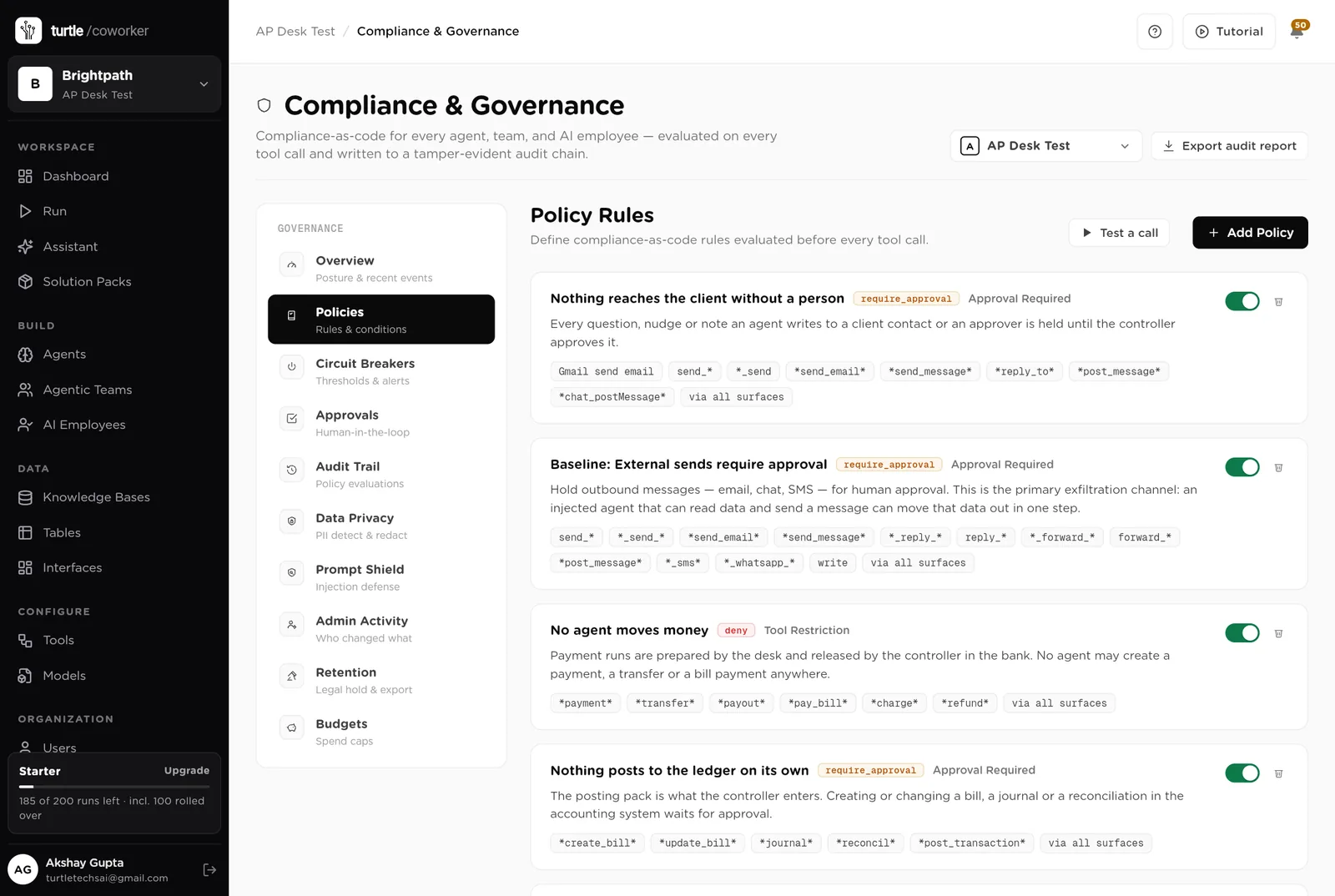
A rule is checked before every single thing the software tries to do. The pack installs six rules of its own on top of the standard ones every workspace starts with.
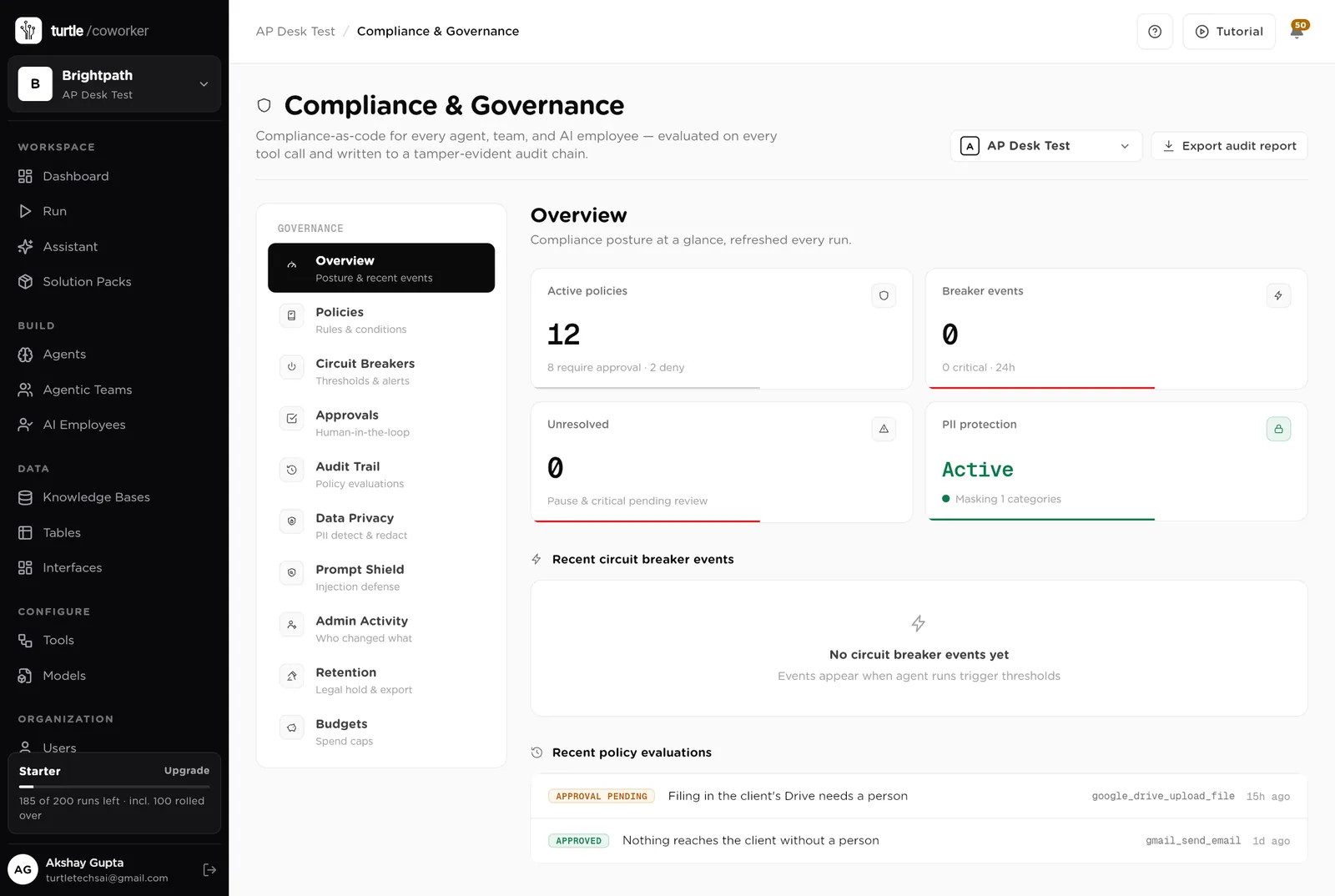
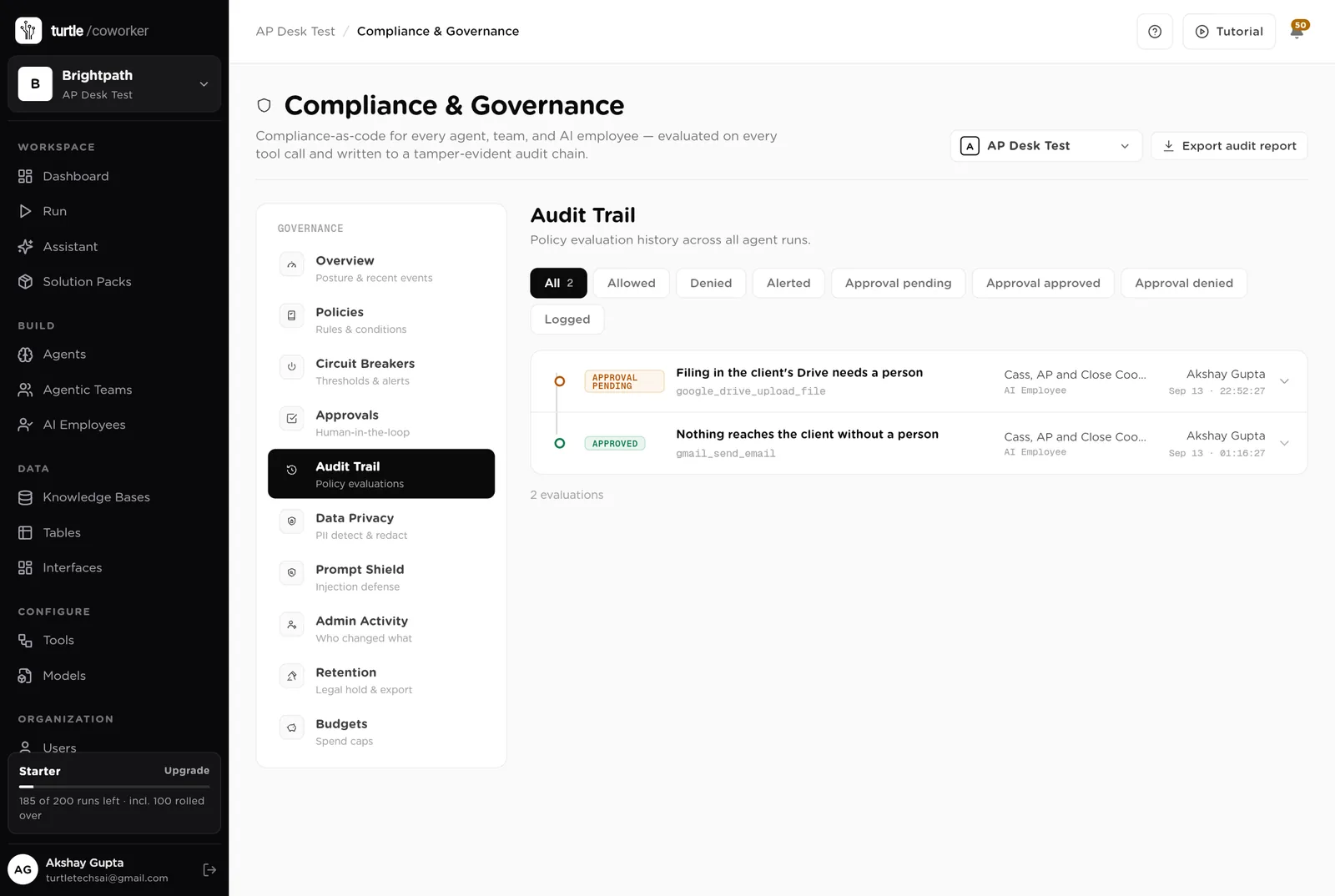
For every run you can see which agent ran, why it ran, every step it took, and every rule that checked it. Passwords and card numbers are blanked out before anything is stored.
A monthly budget with a warning level and a hard stop. An agent that starts failing is paused until someone looks.
Bank details and account numbers are masked in what the software reads and writes. Hidden instructions in invoices and emails are neutralised. Every key is encrypted.
The software codes and routes; a person approves. The software prepares; a person releases. The software matches; a person reconciles. Every step is by a named person in the trail.
The controller sees the desk. Each client contact sees only their own company's invoices and questions. Only owners and admins change the layout.
These estimates assume one client with about 120 supplier invoices a month, two bank accounts, weekly payment runs and a monthly close, run by a fractional controller. "Before" is the time by hand; "after" is the reviewing and deciding that is left. Your numbers will differ. These are estimates, not measurements; after a month the audit trail gives you real figures.
| Job | Assumption | Hours before | Hours after | What changes |
|---|---|---|---|---|
| Capturing and coding invoices | 6 min each, 120 a month | 12.0 | 2.0 | Captured from the inbox, coded, checked and routed before you open them. |
| Duplicate and PO checks | 3 min each, 120 a month | 6.0 | 1.0 | Done on arrival; only exceptions reach you. |
| Chasing approvers | 2 h a week | 8.0 | 1.5 | Past-SLA list every morning; nudges drafted. |
| Posting to the ledger | 4 min each, 110 a month | 7.3 | 3.5 | The posting pack lists every entry; you key them in. |
| Payment runs | 2 h a week | 8.0 | 2.0 | The run sheet is prepared; you release it. |
| Bank matching | 4 h a week | 16.0 | 3.0 | Matched every morning; only the unexplained lines reach you. |
| Questions to the client | 2 h a month | 2.0 | 0.5 | One clear question per line on the portal. |
| Month-end reconciliation | 6 h a month | 6.0 | 2.0 | Variance notes written; you review and tick in the ledger. |
| Total per week | 65.3 | 15.5 | About 50 hours a month back per client. A controller with four clients gets a week a month back. |
Approvals routed by amount the moment the invoice lands, and chased when late.
Bank lines matched daily instead of at month end, and the client asked one question at a time instead of a thread in week four.
Every approval, post and release is by a named person, recorded, with the amount.
Estimates, not measurements. After a month the audit trail gives you real figures.
Installing takes one click. The real work is the client's coding rules and approval bands.
Install the pack into a workspace for the client. Connect the bills inbox in Gmail and Google Drive when asked.
Replace the starter text with the client's coding rules, approval bands and PO rules. Fill in the Vendors and Approval Rules tables.
Add the client's approvers with their limits. Work emails are how they are matched to their record.
Invite the approvers as free members and share the client portal with them.
Let Cass read the inbox each morning. Switch on the bank matcher and the posting pack. Approve nudges from the desk.
Upload the month-end statements, open the period, and let the close packager write the notes.
You pay for the platform, not per desk. The plan sets how many agents, employees and workspaces you can run; every desk is included, and runs are billed on your own model key at cost. 8 agents in this desk count against the plan's agent limit.
See plansWe use analytics cookies to see which pages help and which don’t. Nothing loads until you choose. Cookie Policy

Hello there.
AI agent. It can make mistakes, and a human reviews anything that matters.