Software for the marketing team's morning. Every email campaign is checked before it goes out: links, personalisation, unsubscribe, audience size. Every lead from a form is checked against the CRM, given an owner and written there. Every landing page is checked each morning. Paid spend on TikTok and Bing is watched for anything off pace. Search movers and the week's scorecard arrive on Monday. Nothing is sent, paused or launched by the software: it checks and drafts, a person clicks.
For marketing teams of 1 to 10 people running email, forms, search and a little paid media
The pack is built for the person or small team who runs campaigns and owns the leads they bring. It fits three kinds of team.
One to three people running a newsletter, product emails, a few landing pages and some paid spend. You get the desk, Mara and every agent. The email tool and the CRM stay what they are.
A regional or product-line marketing team in an MNC with a rule that a person approves every send. The desk gives them the QA record, the routing record and the Monday numbers; nothing goes out from software.
One workspace per client, each with its own channels, playbook and scorecard. The QA checker is the same for every client; the rules differ.
| Marketing / Demand generation | Campaign QA, paid pace, landing page checks, the Monday scorecard. |
| Marketing Operations | Lead routing, CRM hygiene, UTM and form discipline, the audit trail of every send. |
| Sales | Leads arrive in the CRM with an owner and a source, deduplicated, within a minute. |
| Content / SEO | Search movers every Monday with a suggestion each. |
Everything the software produces is a check, a draft or a note for a person. It never sends, schedules or tests a campaign, never pauses, launches or edits a campaign or a budget, never messages a lead, and never deletes anything.
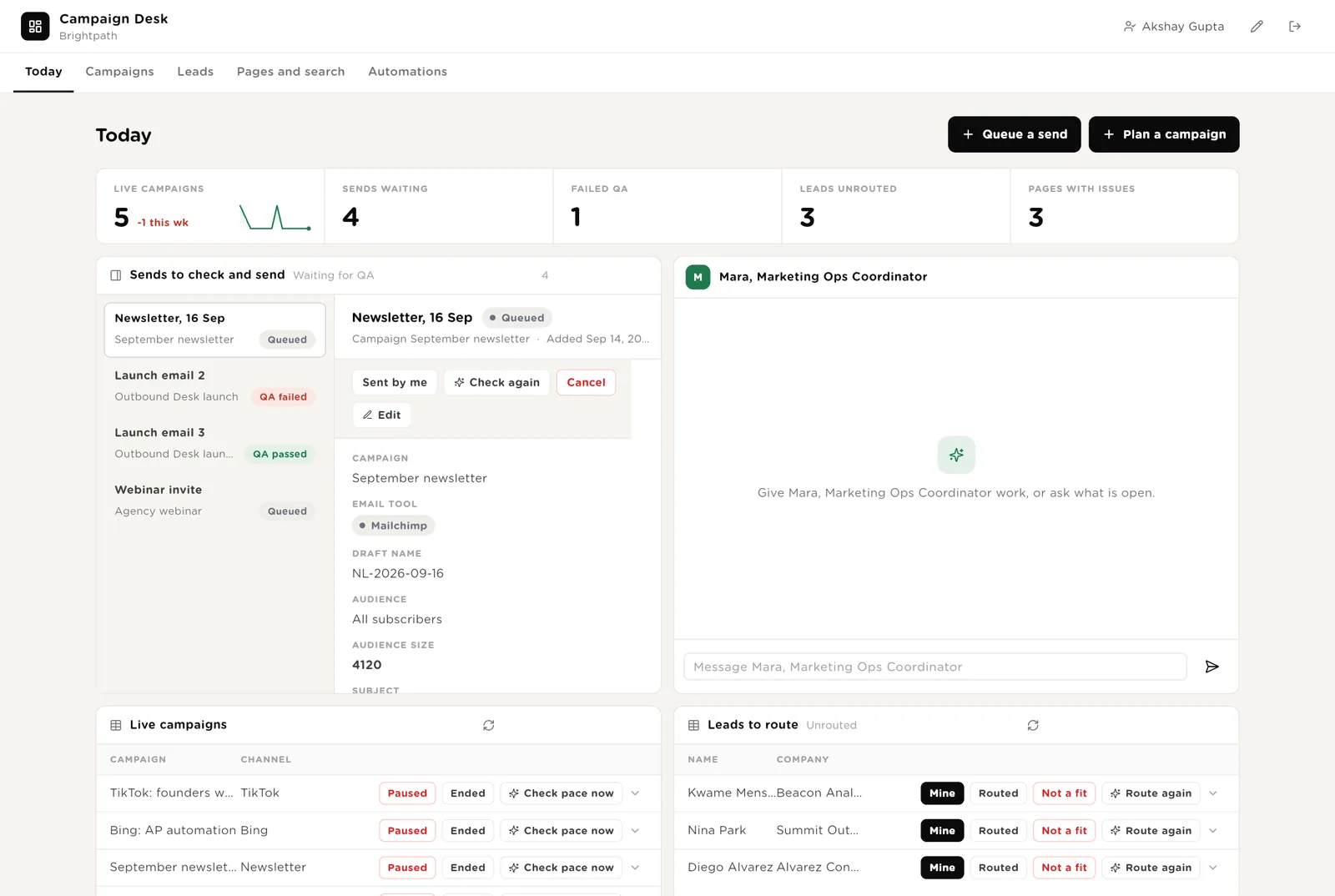
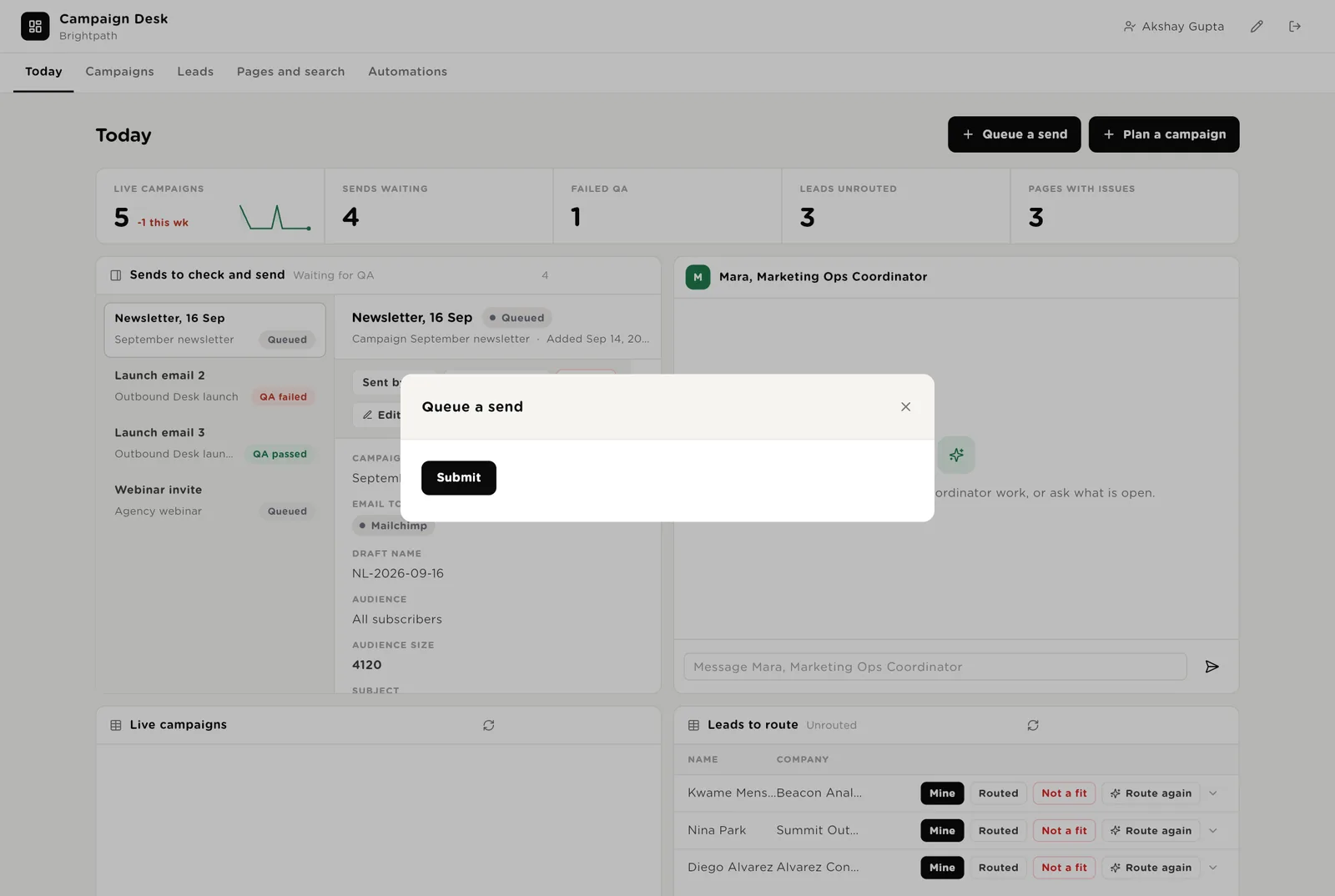
The first screen the team opens. Five live numbers. Sends waiting to go out, each with its QA result. Mara beside them. Live campaigns with their pace note. Leads that arrived and are not yet owned.
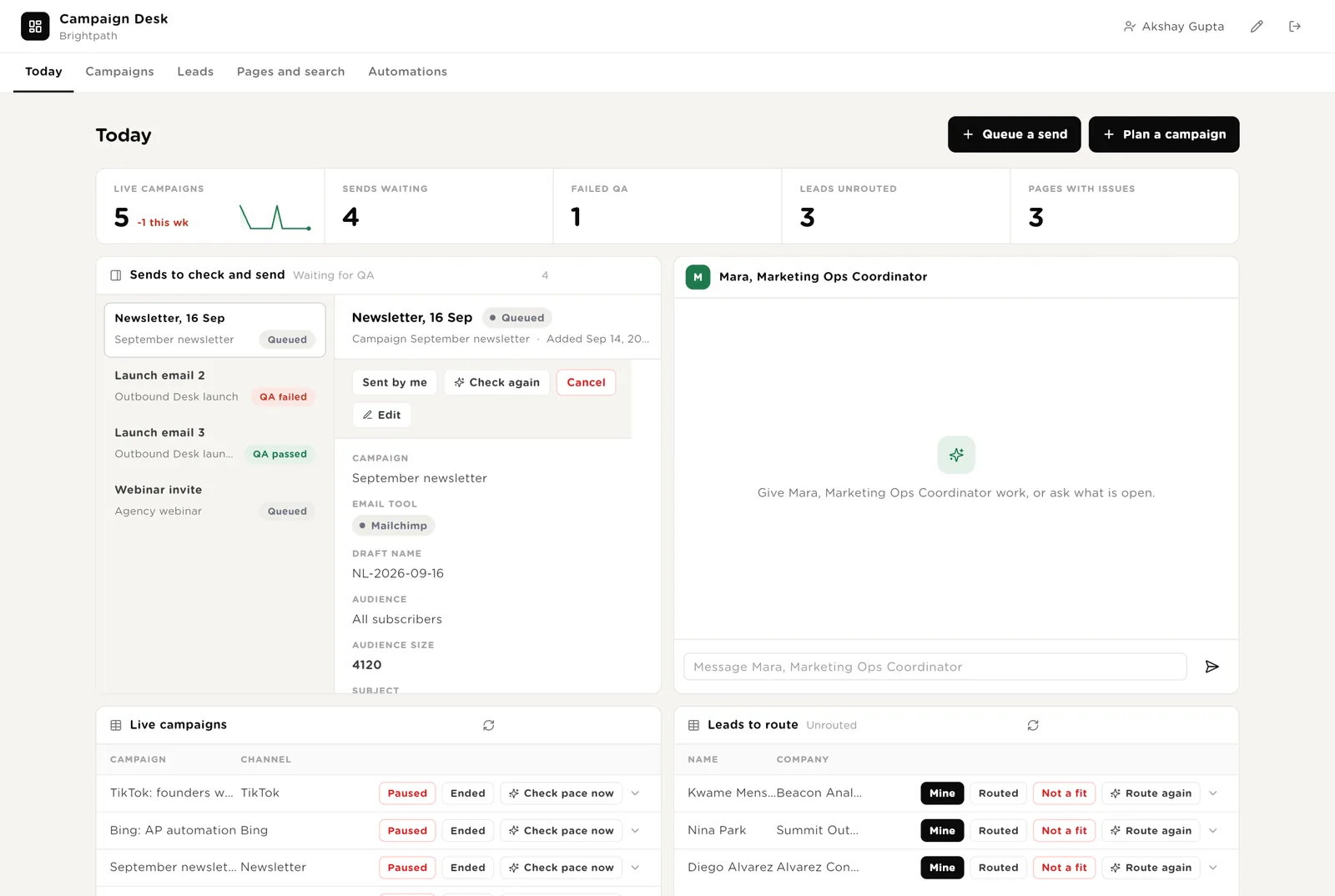
You sent it from the email tool after the QA result said "Ready to send". Click Sent so the desk records it and who sent it.
Runs the QA checker on the draft once more, after you fixed something.
You paused the campaign on the ad platform after reading the pace note. The desk records it.
Scroll down for the leads to route, everything the software wants to do that needs your Approve, and Mara's recent work.
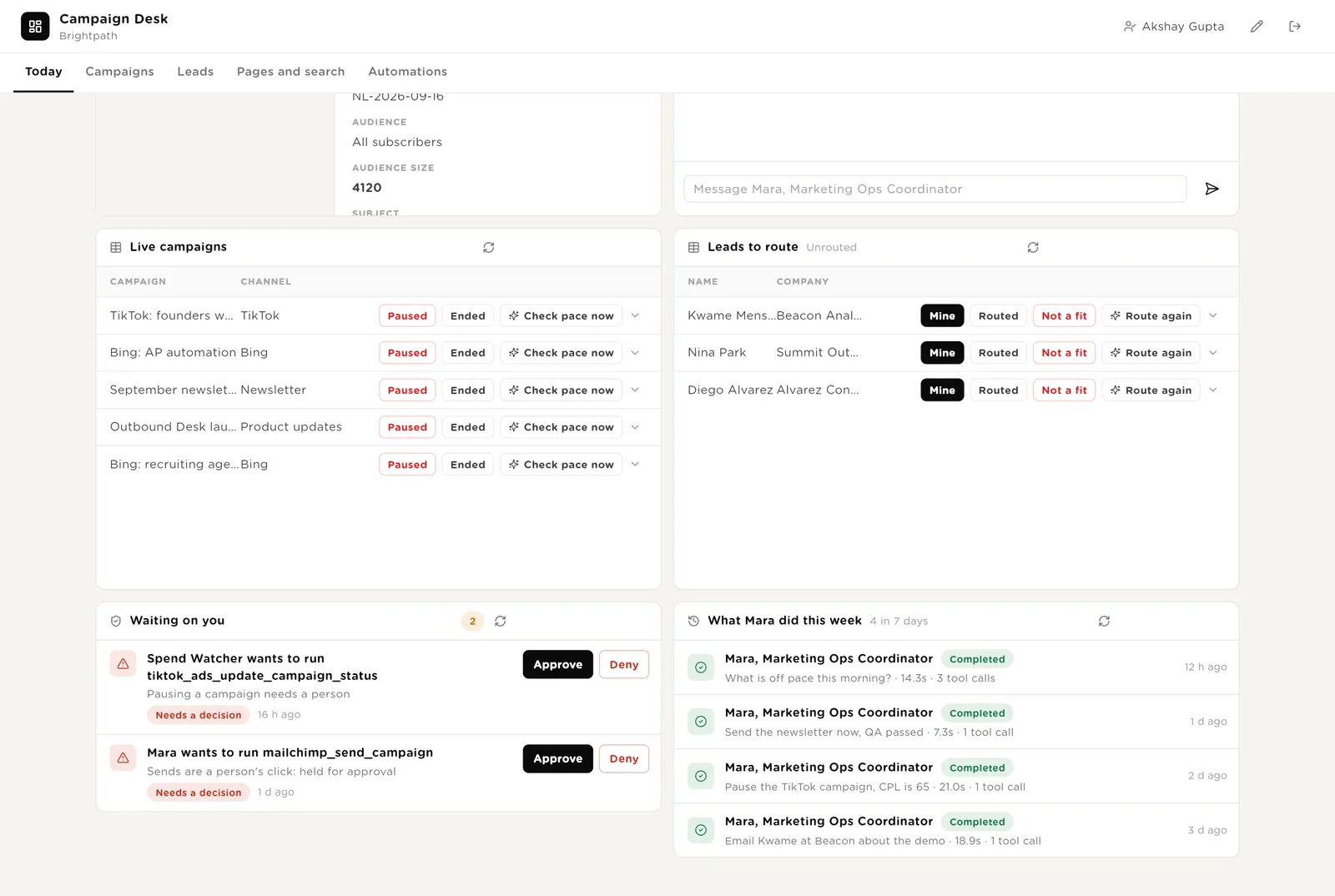
Puts your name on a lead so nobody else takes it.
A send Mara was asked to make, a pause the watcher proposed. Approve or Deny in place.
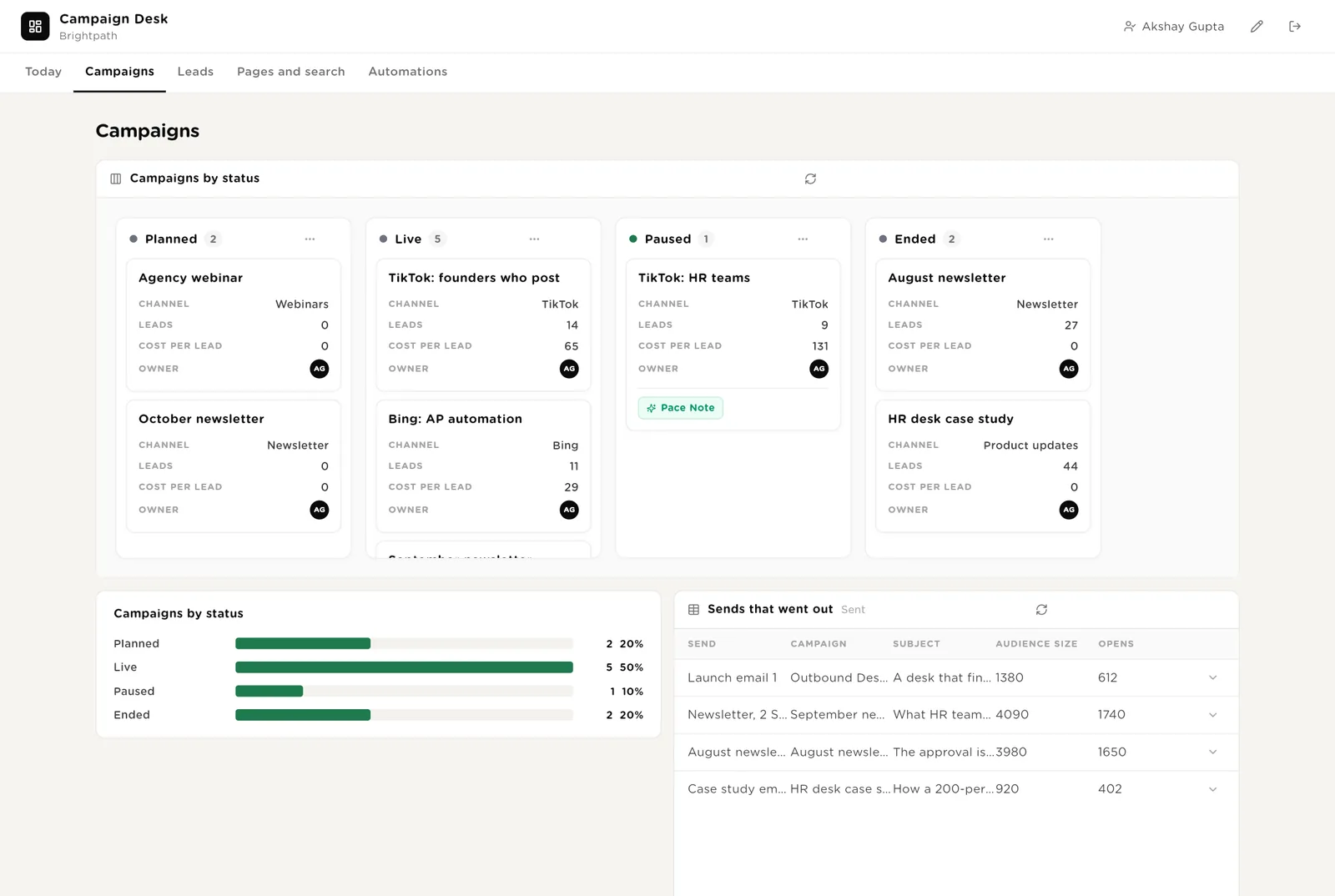
Every campaign as a card by status. Drag to move. The sends that went out with opens and clicks. The channels with their budgets and targets. The weekly scorecards.
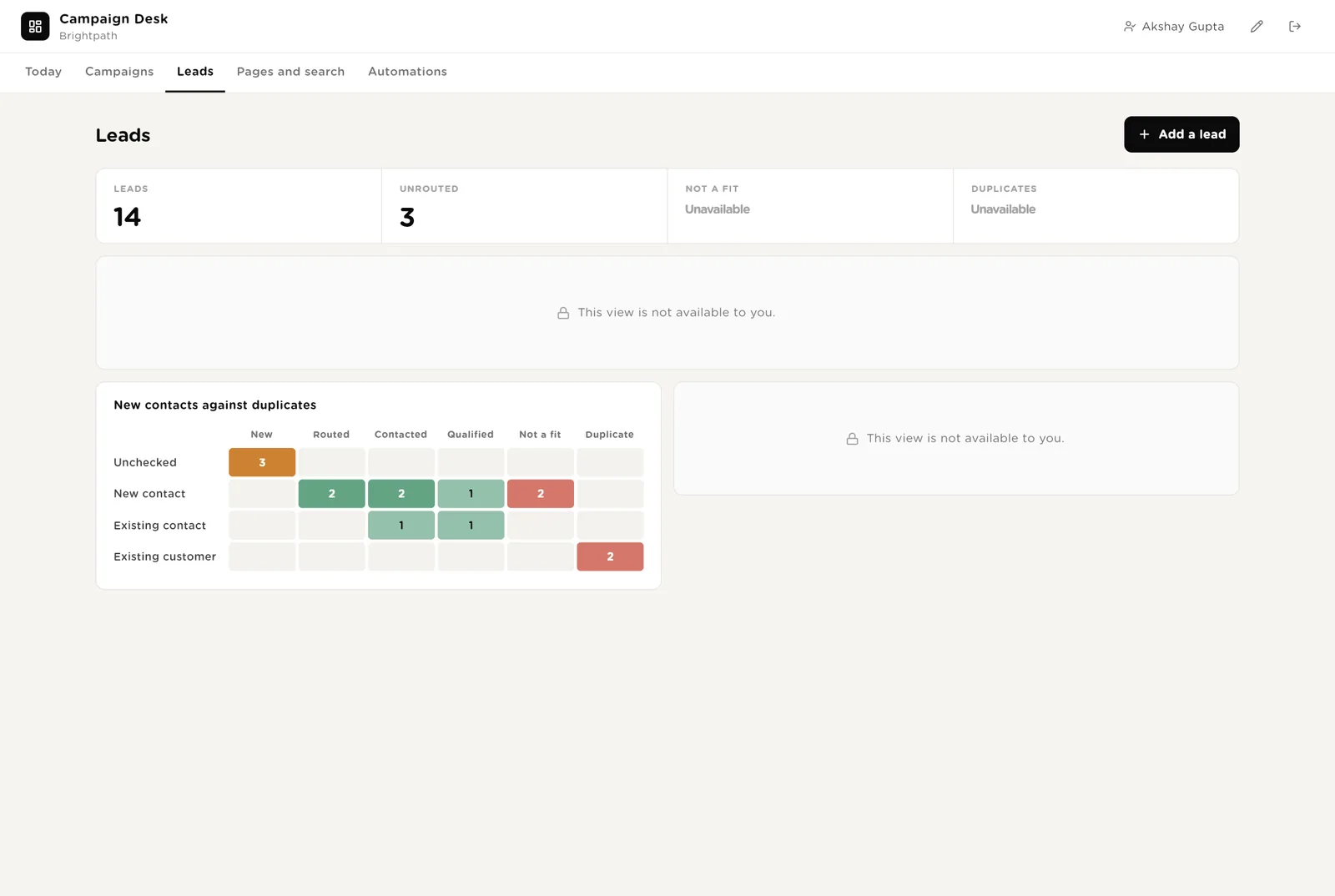
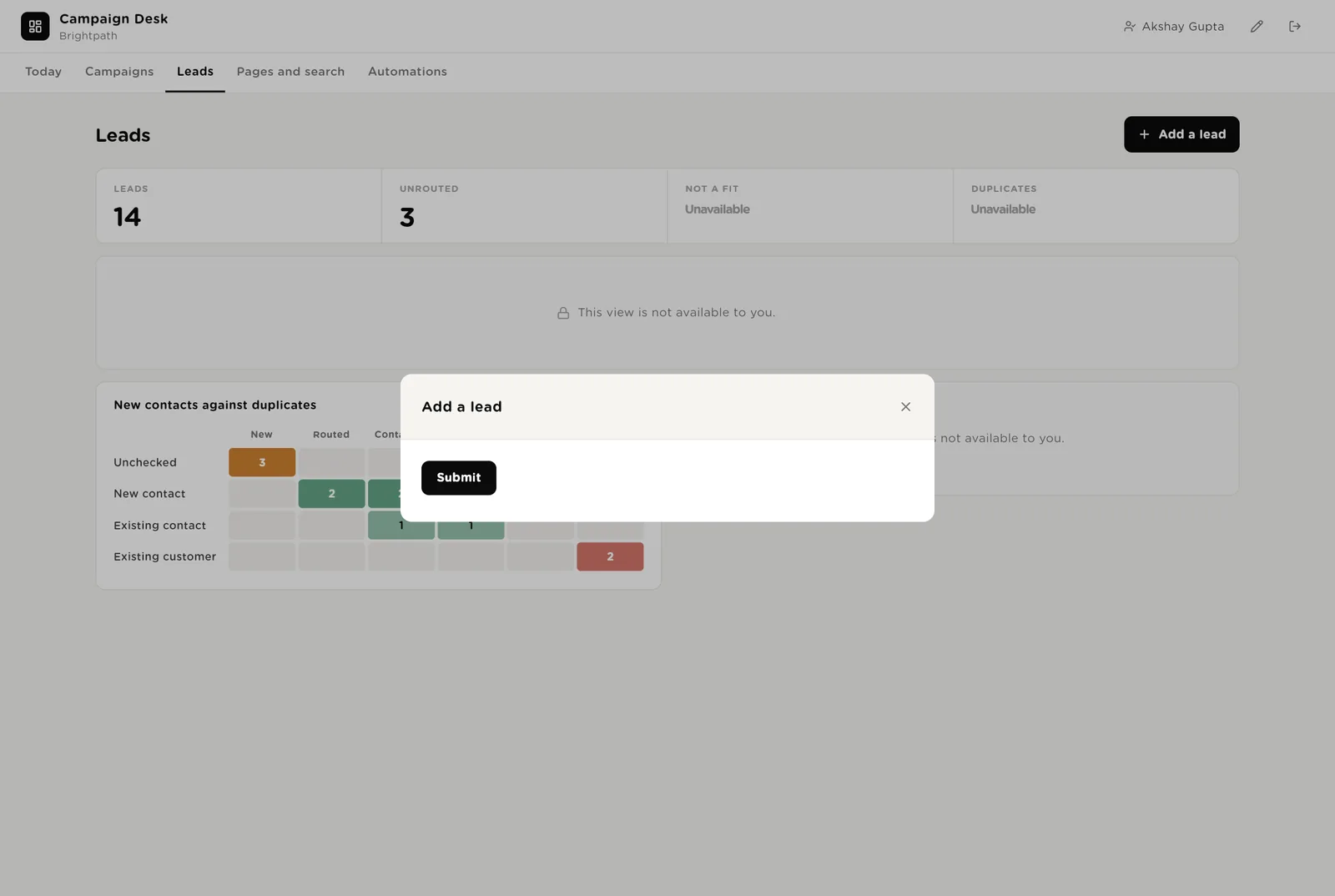
Every lead by status, a heat map of new contacts against duplicates and customers, and the full list with owners. One button adds a lead that came in by phone or at an event.
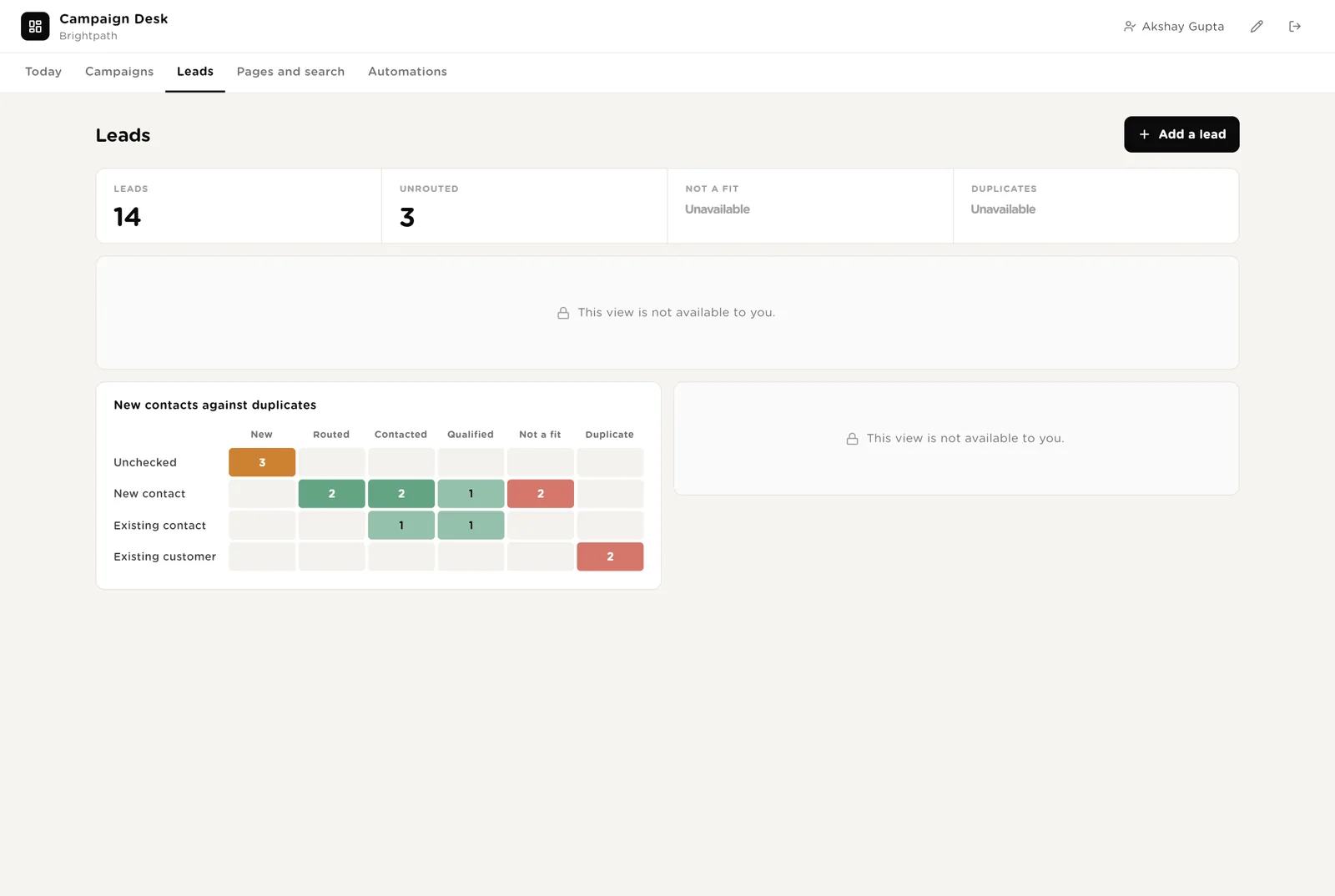
After a month it shows which campaigns bring new contacts and which bring people you already know.
Moving a lead to Contacted or Qualified updates the record and the CRM stage.
Every lead with its source campaign, form, owner and status.
Pages with issues (slow, broken form, conversion drop) with Fixed / Retire / Check now. All pages with their numbers. The search movers with a suggestion each.
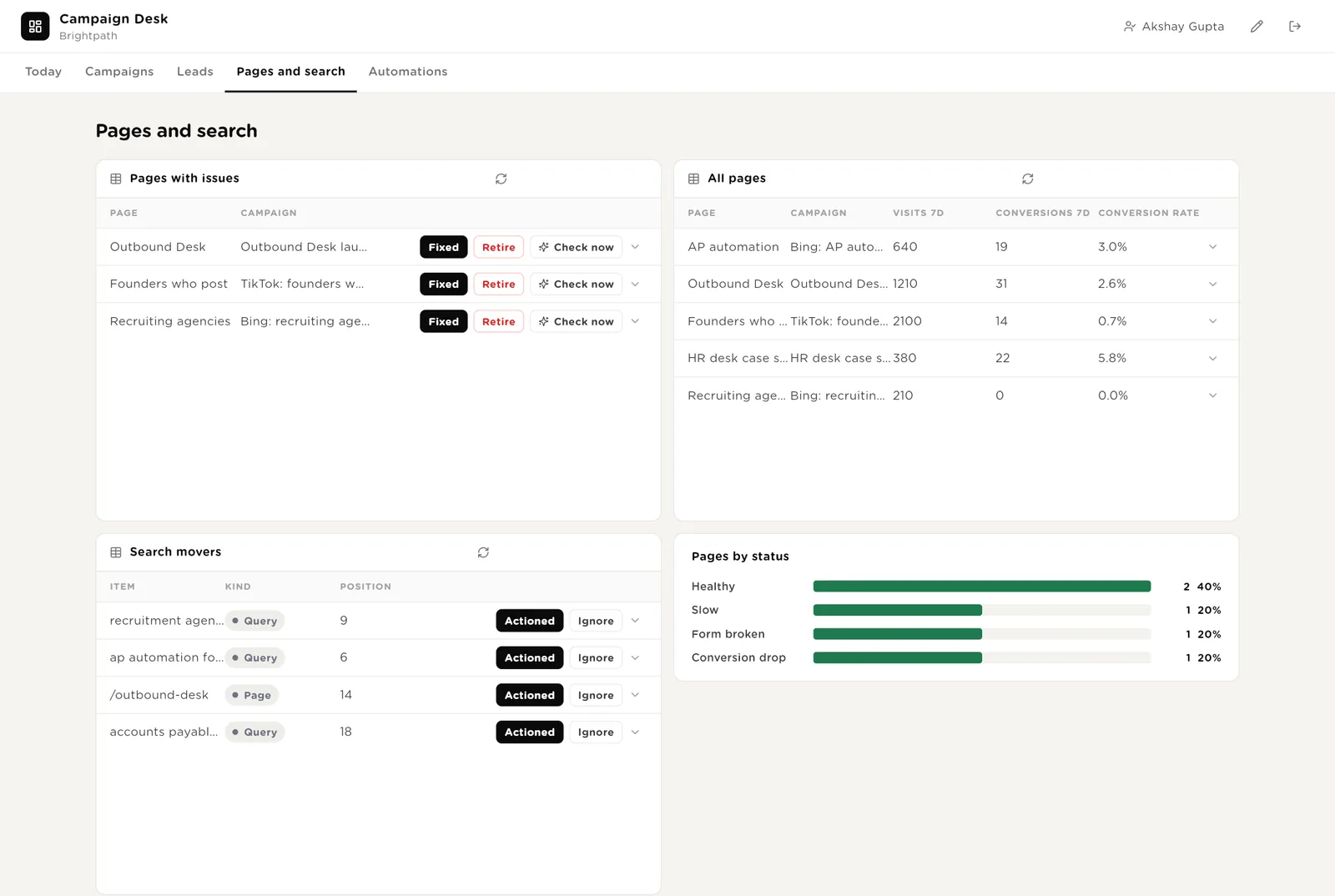
Runs the page checker on one page immediately, after a fix.
You made the change the suggestion asked for. The row leaves the movers list.
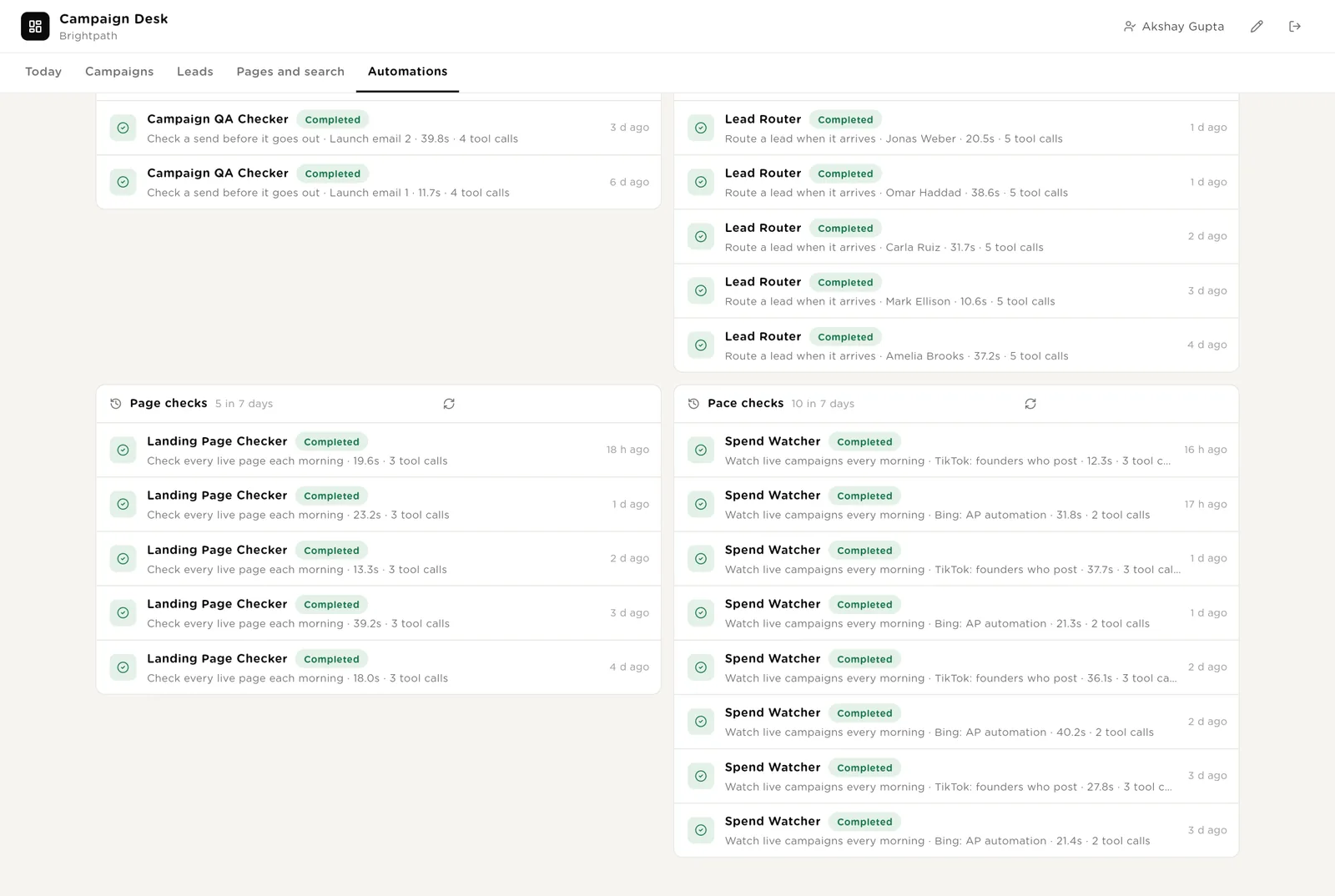
Every automation with its switch. The pack's guard rails. The record of sends checked, leads routed, pages checked and pace checks.
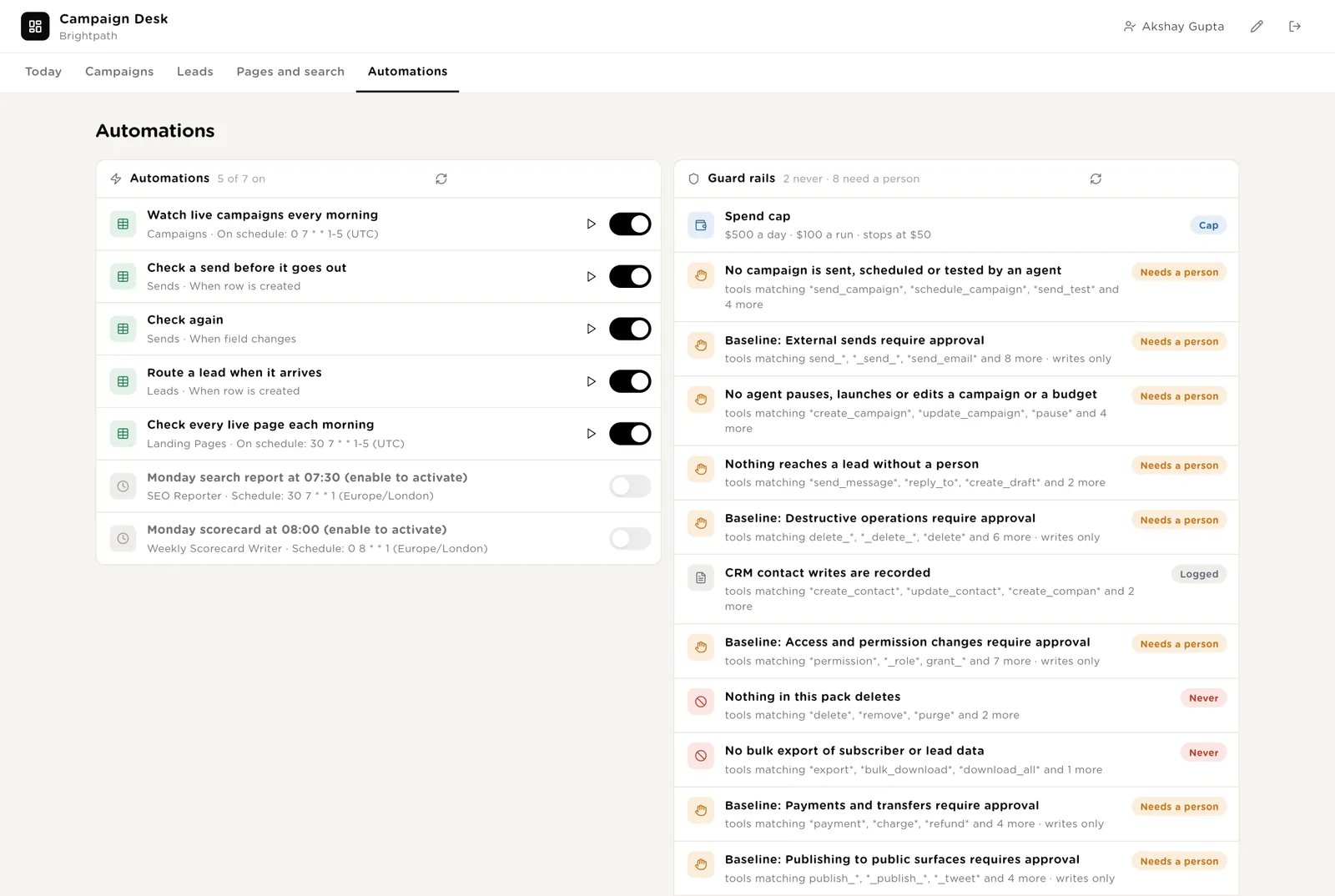
Every check the desk ran, with duration and what it touched.
Queue a send when a draft is ready in the email tool; the QA result appears within a minute. Add a lead when one arrives outside the forms; the router picks it up.
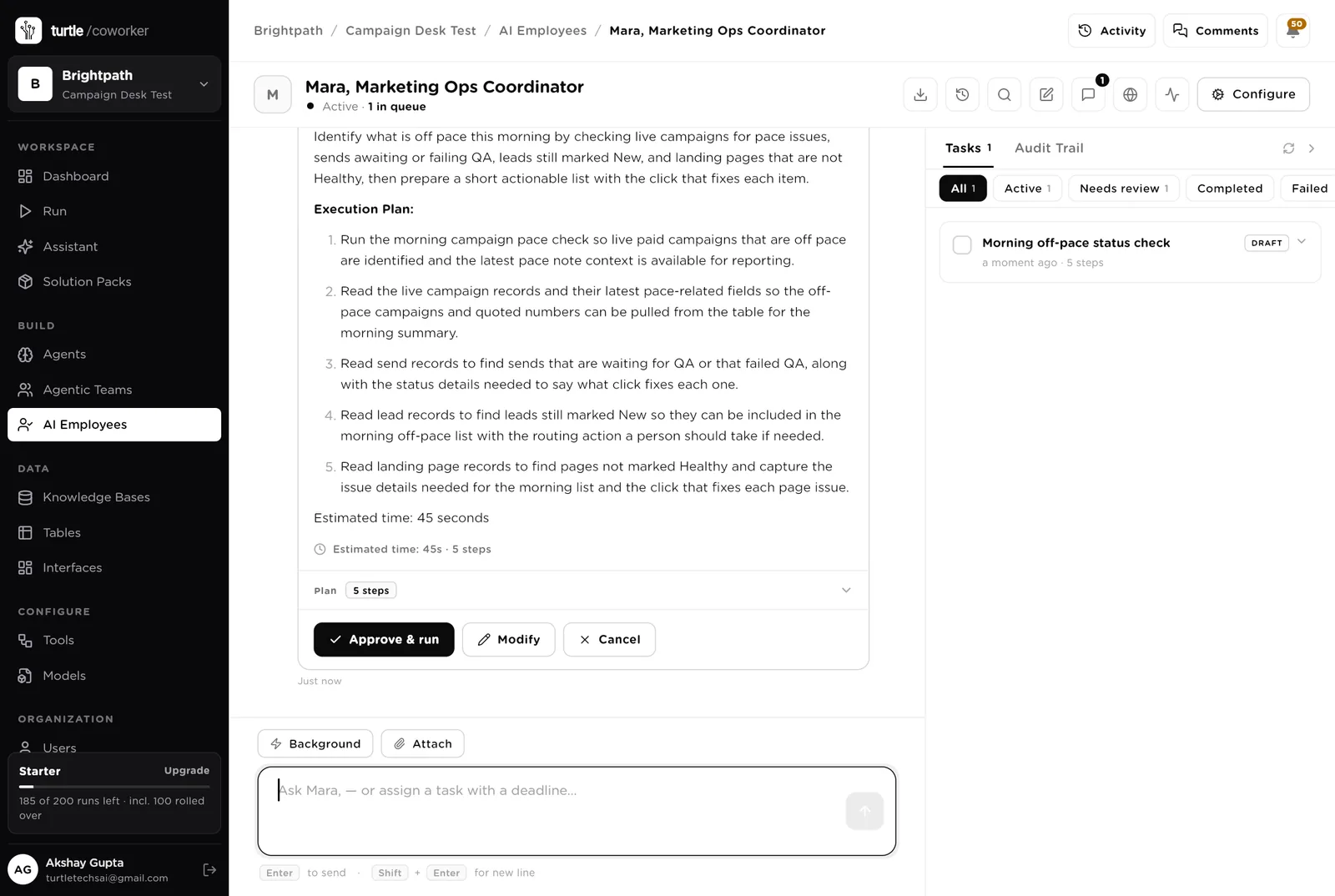
Mara is a software colleague you can chat with. Mara runs the morning list, knows which agent to use for what, reads the tables, and never sends, pauses or launches anything.
Every morning: campaigns off pace, sends waiting for QA or failing it, leads still unrouted, pages not healthy. One short list with the click that fixes each item. Tools: the email tool, the CRM, Google Analytics, Turtle Notify.
You typed a question. Mara wrote a five-step plan (pace check, live campaigns, sends, leads, pages) and is waiting. Nothing runs until you click "Approve and run". You can change the plan or cancel it.
An agent does one job. It starts when something arrives, on a schedule, when you press a button, or when Mara asks it. It reads your tools and your playbook, writes its result into the record, and stops. No agent ever sends.
Opens the draft in your email tool and goes through your checklist: every link fetched, every personalisation tag checked for a fallback, the unsubscribe link, the audience size against the plan, the subject length, the from name. Writes pass or fail per item. Never sends.
When a lead arrives it searches the CRM by email and by company domain, applies your routing rules to pick an owner, writes the contact to the CRM with the source campaign and form, and records the decision. Never messages the lead.
Every weekday morning it reads yesterday's spend and results for each live paid campaign, updates the numbers, and writes a pause note when spend or cost per lead is off pace. Never pauses.
The checks that get skipped when the week is busy.
Every morning it loads each live page, times it, checks the form and its submit button, reads seven days of visits and conversions from Google Analytics, and flags slow pages, broken forms and conversion drops.
Every Monday it reads position changes for your tracked queries and pages from Semrush, writes the movers with a specific suggestion each, and drafts three content ideas.
Every Monday it totals spend, leads and cost per lead by channel, names the best and worst campaign, lists three decisions, and emails the marketing lead.
The help desk is an internal chat. It says where a campaign, a send or a lead stands with the numbers, and explains why a send failed QA or why a lead was routed the way it was. It never sends or changes anything.
A router sends the question to a status specialist (reads the tables) or a rules specialist (reads the playbook).
Tables are where everything is stored. They look like spreadsheets and your team can open and edit them. Your email tool and your CRM stay the record; the desk holds the queue and the evidence.
| Table | What is in it | Stages |
|---|---|---|
| Channels | Where you spend and send, with the budget and the target cost per lead. | Active · Paused · Retired |
| Campaigns | One row per campaign with budget, spend, leads, cost per lead and the pace note. | Planned → Live → Paused → Ended |
| Sends | Every email send with its QA result. | Queued → QA passed / QA failed → Sent · Cancelled |
| Leads | Every lead with its source, the routing decision and the owner. | New → Routed → Contacted → Qualified · Not a fit · Duplicate |
| Landing Pages | Every live page with its load time, form check and conversion rate. | Healthy · Slow · Form broken · Conversion drop · Retired |
| SEO Watch | The week's search movers with a suggestion each. | New · Actioned · Ignored |
| Weekly Scorecard | The Monday numbers and the three decisions. | One row per week |
The software knows nothing about how you market except what the tables and your playbook tell it.
One document: your campaign QA checklist, your lead routing rules, your paid pace rules, and your voice. Every agent and the help desk read it. Replace the starter text with your own.
The pack uses whichever AI model your company has already connected. Google Ads and Meta ads cannot be connected yet; when they can, the Spend Watcher covers them without any change to the desk.
Checks on arrival are on from day one. The schedules are off until you switch them on from the desk.
| Automation | Agent | When | Ships |
|---|---|---|---|
| Check a send before it goes out | Campaign QA Checker | The moment a send is queued | On |
| Route a lead | Lead Router | The moment a lead arrives | On |
| Watch live campaigns | Spend Watcher | Weekdays 07:00 | Off until you switch it on |
| Check every live page | Landing Page Checker | Weekdays 07:30 | Off until you switch it on |
| Monday search report | SEO Reporter | Monday 07:30 | Off until you switch it on |
| Monday scorecard | Weekly Scorecard Writer | Monday 08:00 | Off until you switch it on |
Buttons on the desk run agents too. "Check again" runs the QA checker on one send; "Check pace now" runs the watcher on one campaign; "Route again" and "Check now" do what they say.
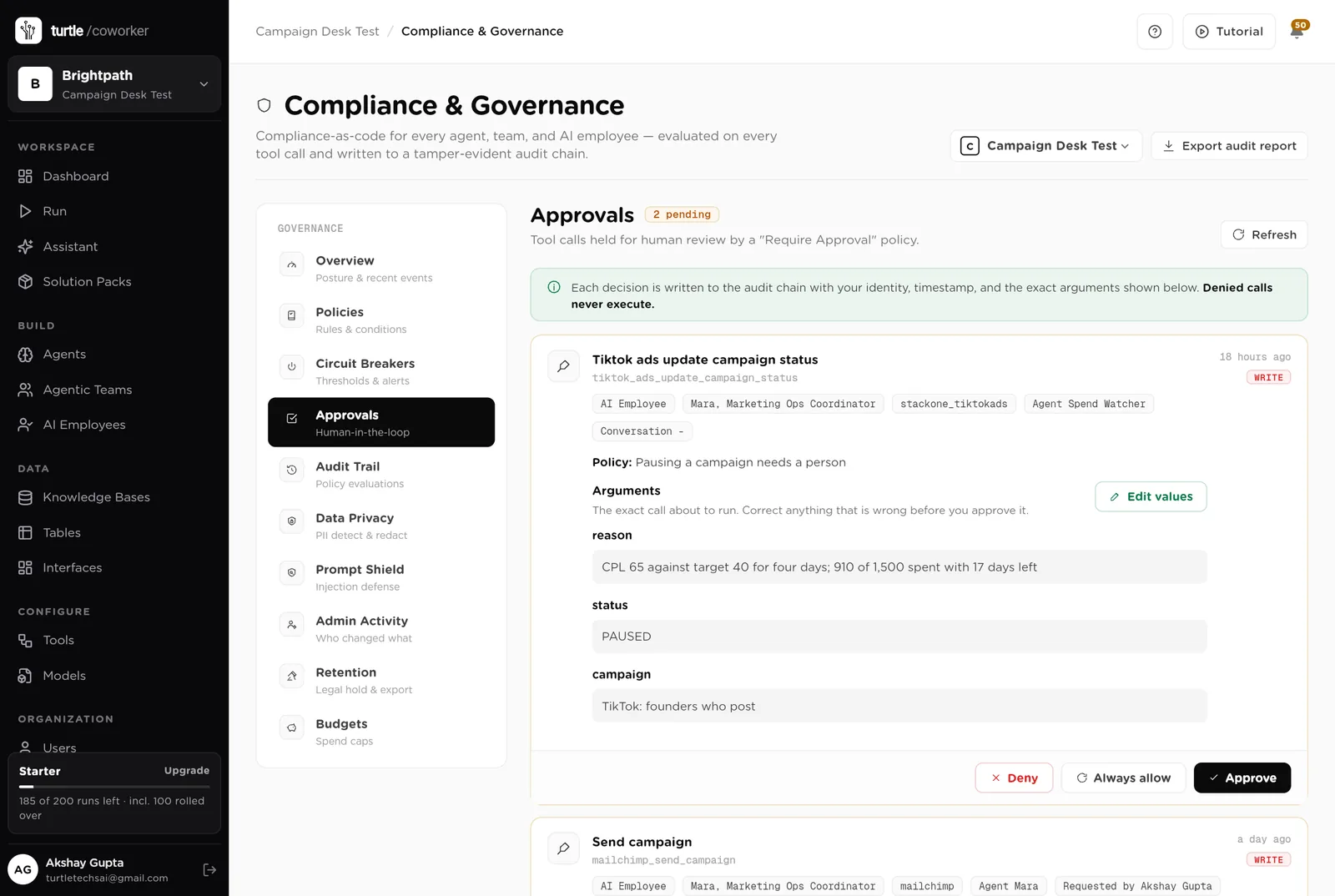
Three things always need a person. The software stops and waits at each one.
Sent, Paused, Ended, Mine, Routed, Not a fit, Fixed. Only a person presses them. The software can say a send is ready; it cannot send it. It can say a campaign is off pace; it cannot pause it.
If an agent or Mara tries to send or schedule a campaign, pause or edit one, or message a lead, it stops. The exact call appears in Approvals. You read it and click Approve or Deny. CRM contact writes go through, and every one is recorded.
When you give Mara a task, Mara shows what it will do first. Approve and run, change it, or cancel.
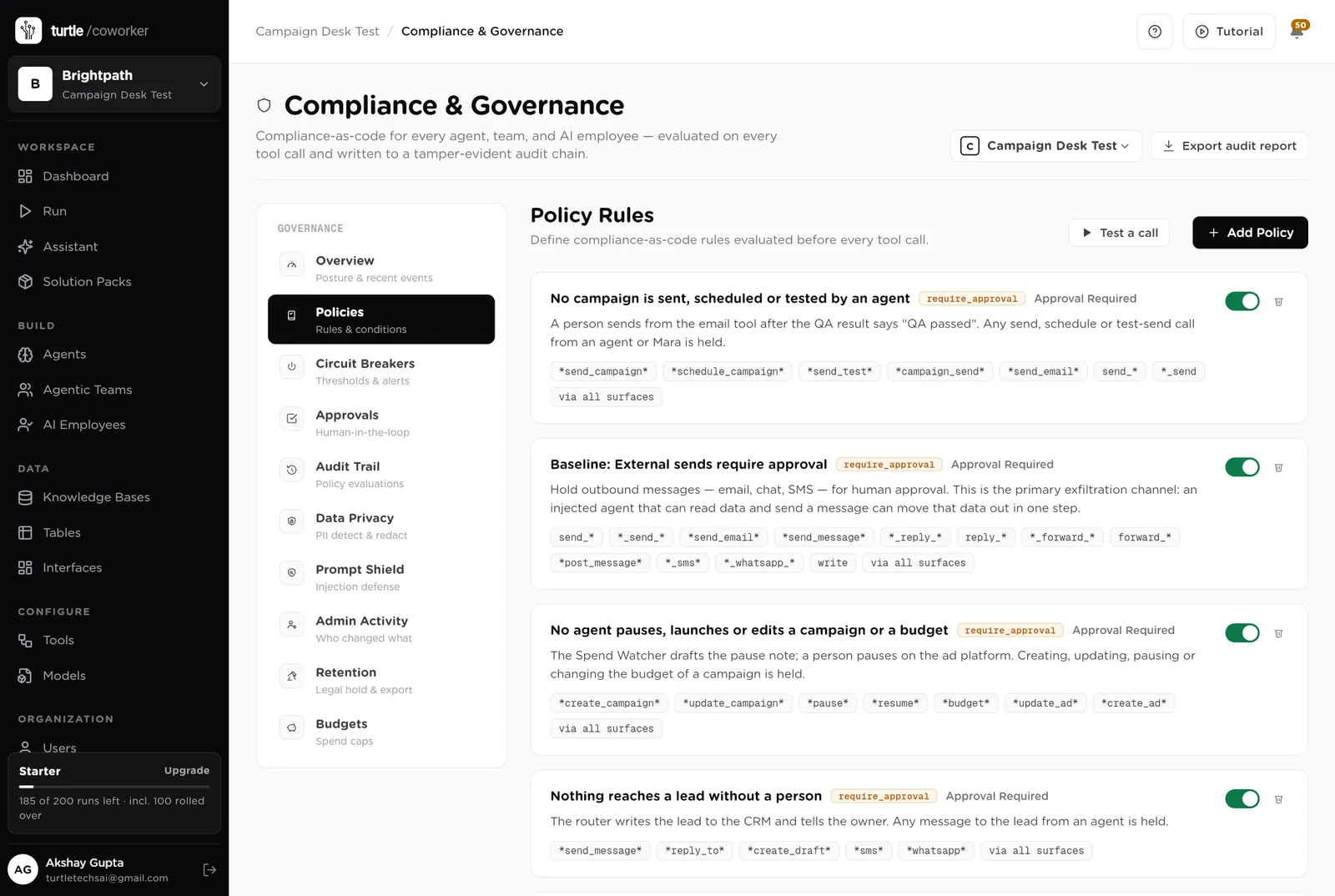
A rule is checked before every single thing the software tries to do. The pack installs six rules of its own on top of the standard ones every workspace starts with.
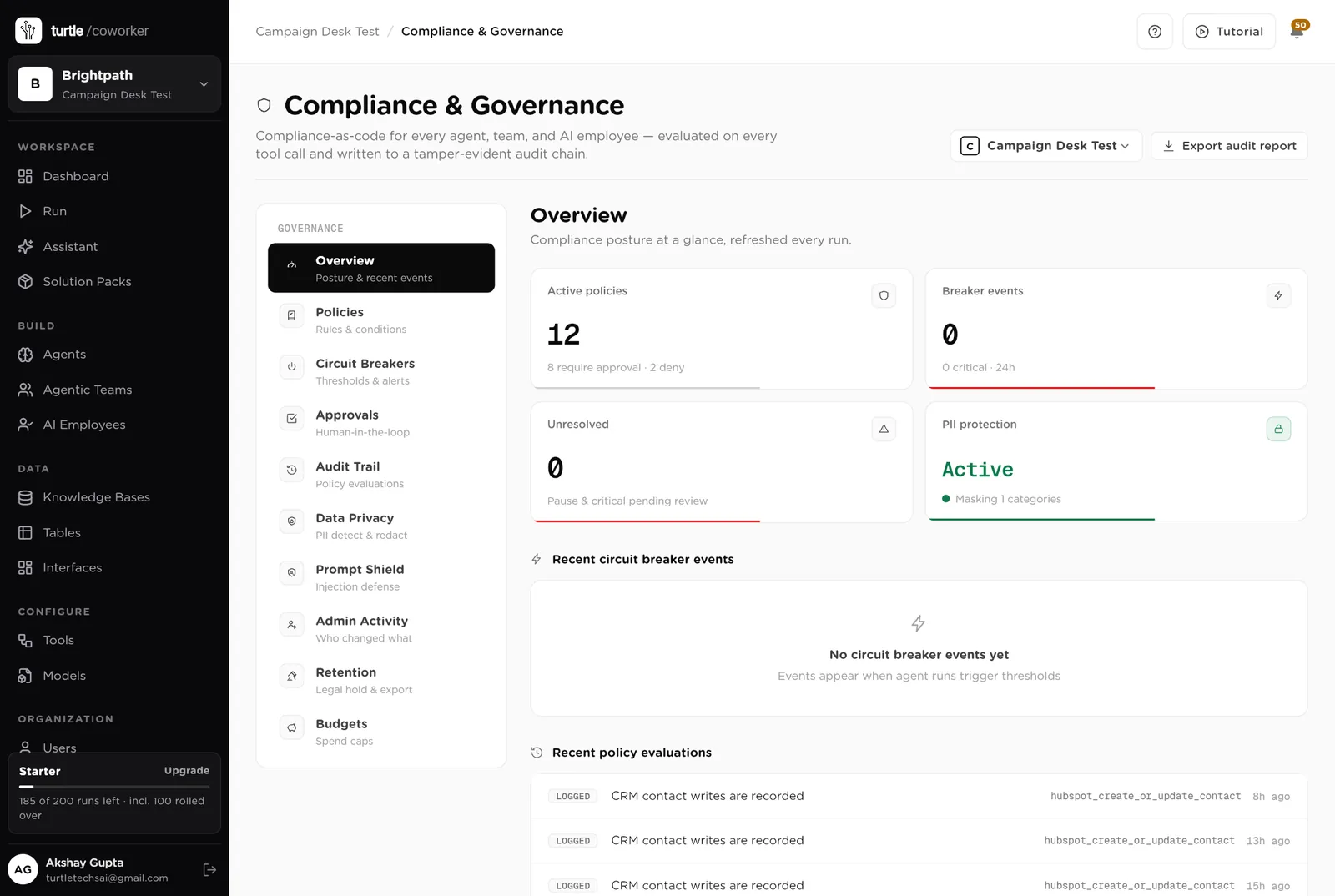
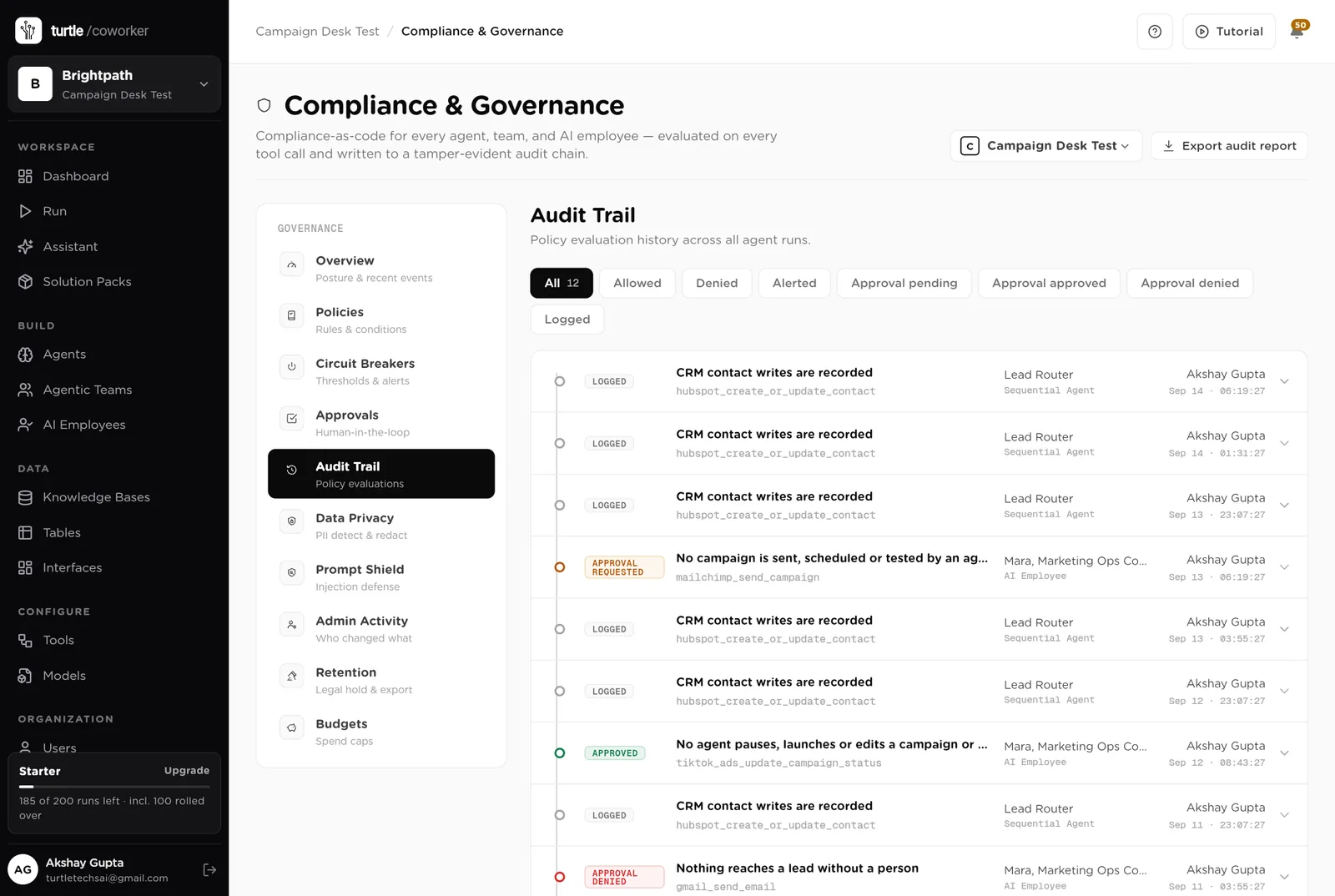
For every run you can see which agent ran, why it ran, every step it took, and every rule that checked it. Passwords and card numbers are blanked out before anything is stored.
A monthly budget with a warning level and a hard stop for the software's own usage. Your ad budgets are yours; the desk only reads them.
Emails and names are masked in what the software reads and writes. Every key is encrypted. Nothing exports a list.
Who queued it, what QA found, who sent it, when. The audit trail and the Sends table say the same thing.
The desk is shared with the team. Only owners and admins change the layout.
These estimates assume two marketers running a weekly newsletter, two product emails a month, six landing pages, two paid campaigns and about 40 leads a week. "Before" is the time by hand; "after" is the reading and deciding that is left. Your numbers will differ. These are estimates, not measurements; after a month the audit trail gives you real figures.
| Job | Assumption | Hours before | Hours after | What changes |
|---|---|---|---|---|
| Checking a send before it goes out | 40 min each, 6 a month | 1.0 | 0.2 | Every item checked in a minute; you read the result. |
| Routing leads to the right owner | 5 min each, 40 a week | 3.3 | 0.7 | Deduplicated, owned and in the CRM within a minute. |
| Watching paid spend | 30 min a day | 2.5 | 0.5 | Pace note every morning; you decide. |
| Checking landing pages | 1 h a week | 1.0 | 0.1 | Every page, every morning. |
| The search report | 2 h a week | 2.0 | 0.3 | Movers and suggestions every Monday. |
| The Monday numbers | 2 h a week | 2.0 | 0.3 | Written and emailed every Monday. |
| Answering "where is the lead" and "did it go out" | 2 h a week | 2.0 | 0.5 | The helpdesk answers from the tables. |
| Total per week | 13.8 | 2.6 | About 11 hours a week back, and no send goes out with a broken link. |
The link to staging, the missing fallback, the wrong list: caught before you press send, every time.
The lead that waits until Monday goes cold. The router gives it an owner on arrival.
A pause note the morning cost per lead goes off pace, not at the end of the month.
Estimates, not measurements. After a month the audit trail gives you real figures.
Installing takes one click. The real work is the playbook and your channels.
Install the pack from the Solution Packs page. Connect your email tool, your CRM and Google Analytics when asked; Semrush, TikTok Ads and Bing Ads if you use them.
Replace the starter text with your QA checklist, your routing rules and your pace rules.
Add your channels with budgets and targets, and your live landing pages.
Queue every send through the desk. Switch on the page checker and the spend watcher.
Switch on the Monday reports and let the helpdesk answer the questions that used to be Slack messages.
You pay for the platform, not per desk. The plan sets how many agents, employees and workspaces you can run; every desk is included, and runs are billed on your own model key at cost. 6 agents in this desk count against the plan's agent limit.
See plansWe use analytics cookies to see which pages help and which don’t. Nothing loads until you choose. Cookie Policy

Hello there.
AI agent. It can make mistakes, and a human reviews anything that matters.