Software for an in-house recruiting team. A hiring manager raises a role and gets a one-page brief. Every applicant is checked against the must-haves the moment they arrive. Interviewers get a pack for each interview and a reminder when feedback is late. Offers are checked against the pay band and drafted. Monday brings the hiring report. A person makes every decision: nothing is sent, moved or offered without someone clicking Approve.
For talent acquisition teams inside companies of 100 to 5,000 people
The pack is built for a company that hires for itself, with hiring managers across the business and a talent team in the middle. It fits three kinds of team.
One to five recruiters filling 10 to 60 roles a year. You get the desk, the hiring manager portal, Nia, and every agent. Your ATS stays the system of record.
A regional or business-unit TA team in an MNC, serving many hiring managers. The portal is where managers raise roles, give feedback and approve offers; the desk is where the team works.
One person doing everything. The screener, the packs and the chasers do the parts that eat the day.
| Talent Acquisition / Recruiting | Screening, interview packs, chasing feedback, offer drafting, the Monday report. |
| Hiring managers in any department | The portal: raise a requisition, follow their candidates, submit interview feedback, approve an offer. |
| Finance / budget owners | Requisition and offer approvals, with the pay band check already done. |
| HR Operations | Offers accepted flow into onboarding. |
Everything the software produces is a draft or a recommendation for a person. It never rejects a candidate, never sends an offer, never changes the ATS, and never sends a message without a person approving it first.
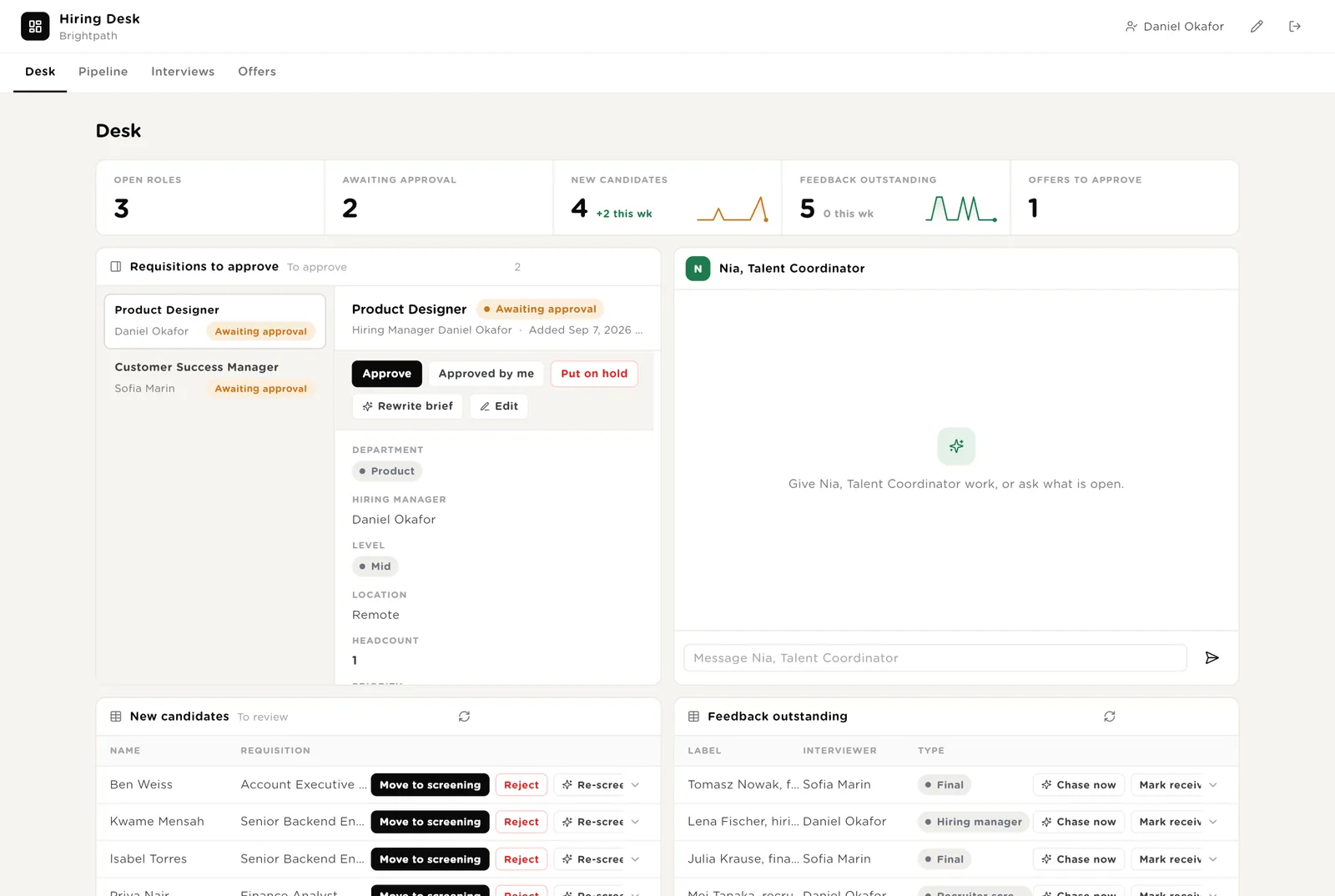
The first screen the talent team opens. The five numbers are live. Requisitions waiting for approval on the left, with the brief already written. Nia beside them. Below: new candidates with their screen, and interviews whose feedback is late.
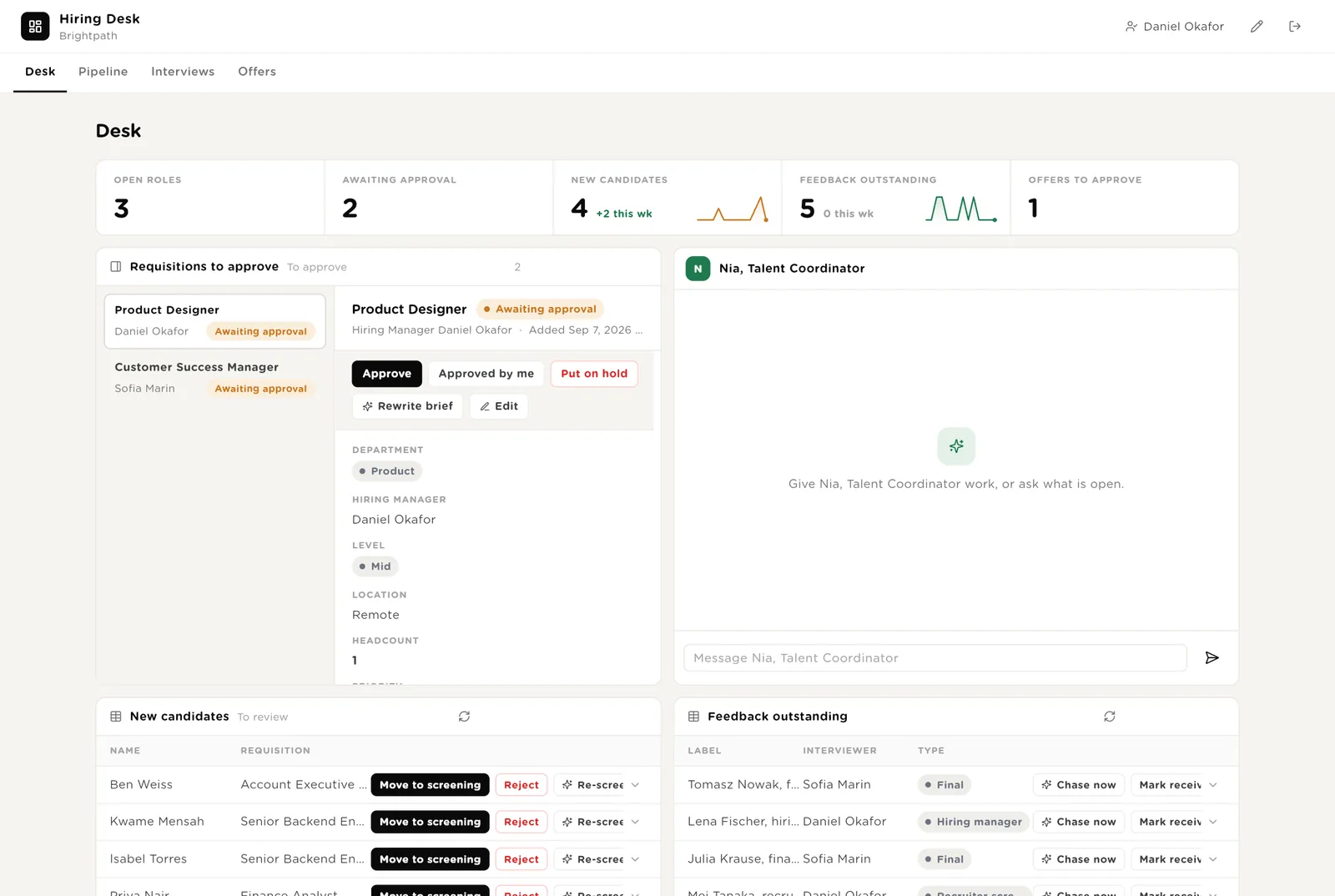
The brief is on screen: must-haves, interview loop, pay band. One click opens the role.
Each one has a screen: Strong, Consider or Pass, with the must-haves marked and three questions to ask. Move to screening or Reject.
Chase now sends the drafted reminder after you approve it. Mark received when it arrived by other means.
Scroll down for everything the software wants to send that needs your Approve, and Nia's recent work with duration and what it touched.
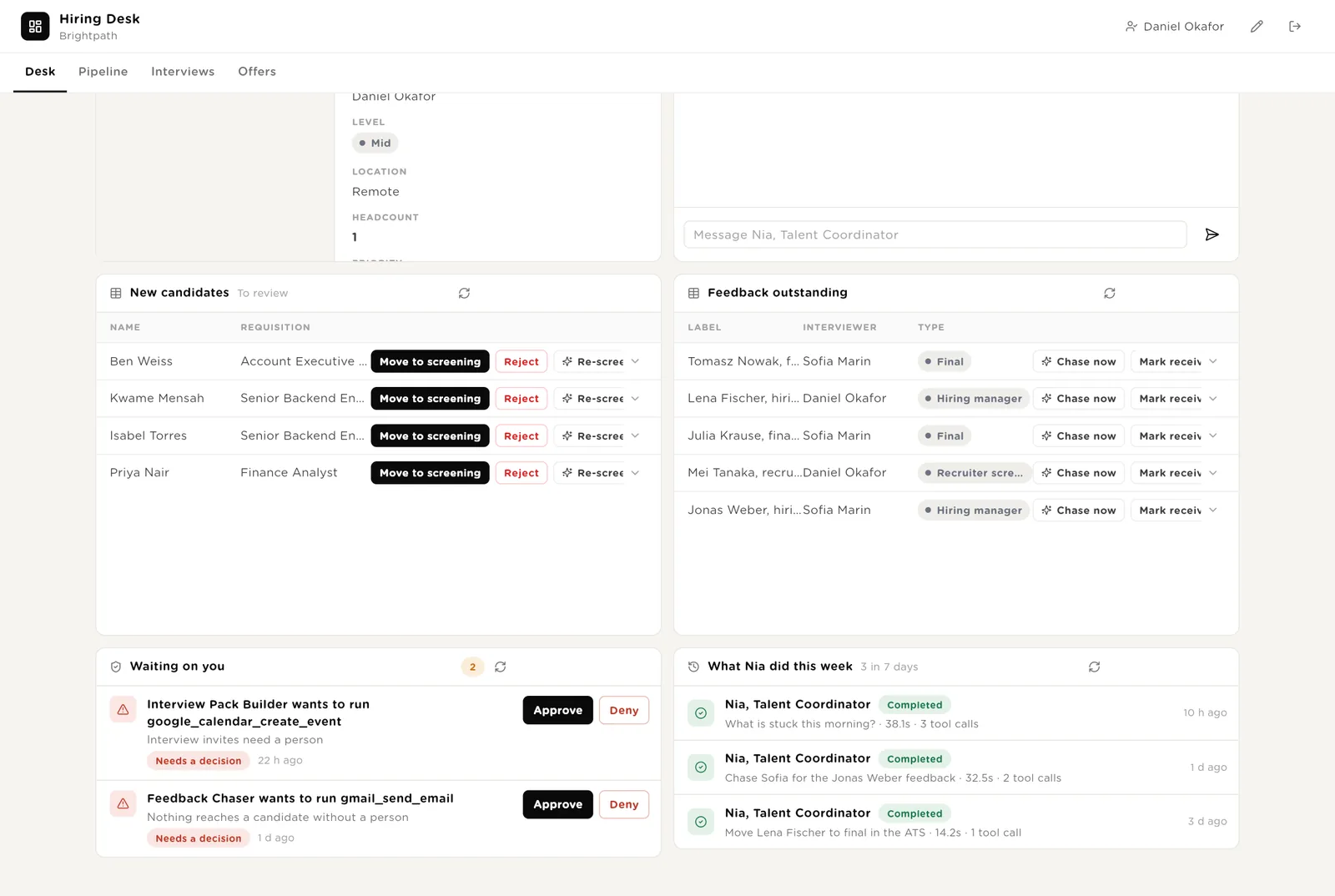
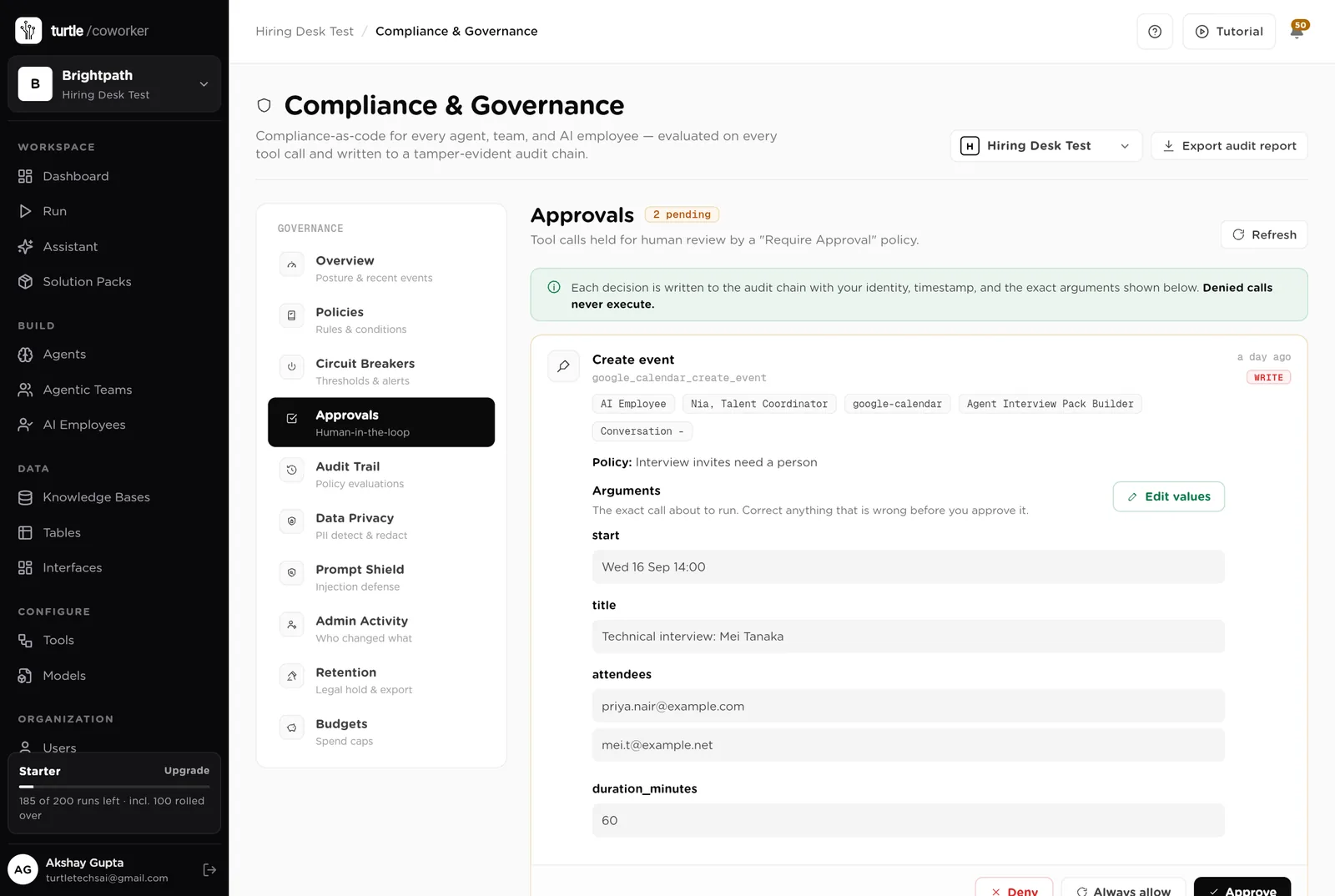
The email or invite goes exactly as shown. Your name and the time are recorded.
Nothing is sent. The draft stays in the record.
The board shows every candidate as a card by stage: Applied, Screening, Interview, Offer, Hired. Drag a card to move it. Charts by stage and by source, and the list of open roles.
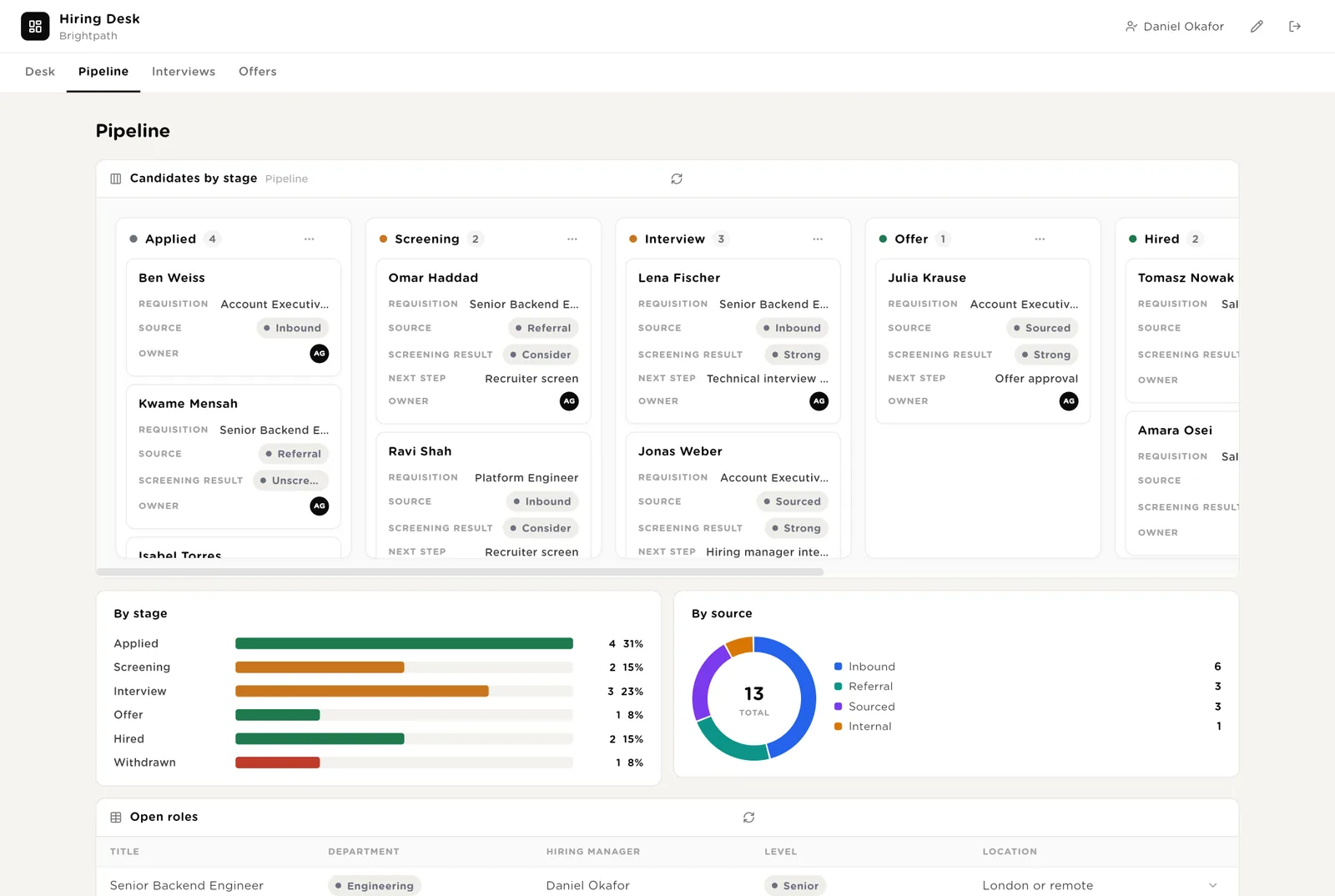
Referral, inbound, sourced, agency, internal. After a quarter you can see which source produces hires, not just applicants.
Moving a candidate from Screening to Interview updates the record and, with your approval, the ATS.
Upcoming interviews with their pack. Interviews that happened with no feedback, with the chase drafted. The morning chaser has its switch here, and a history of the chases it sent.
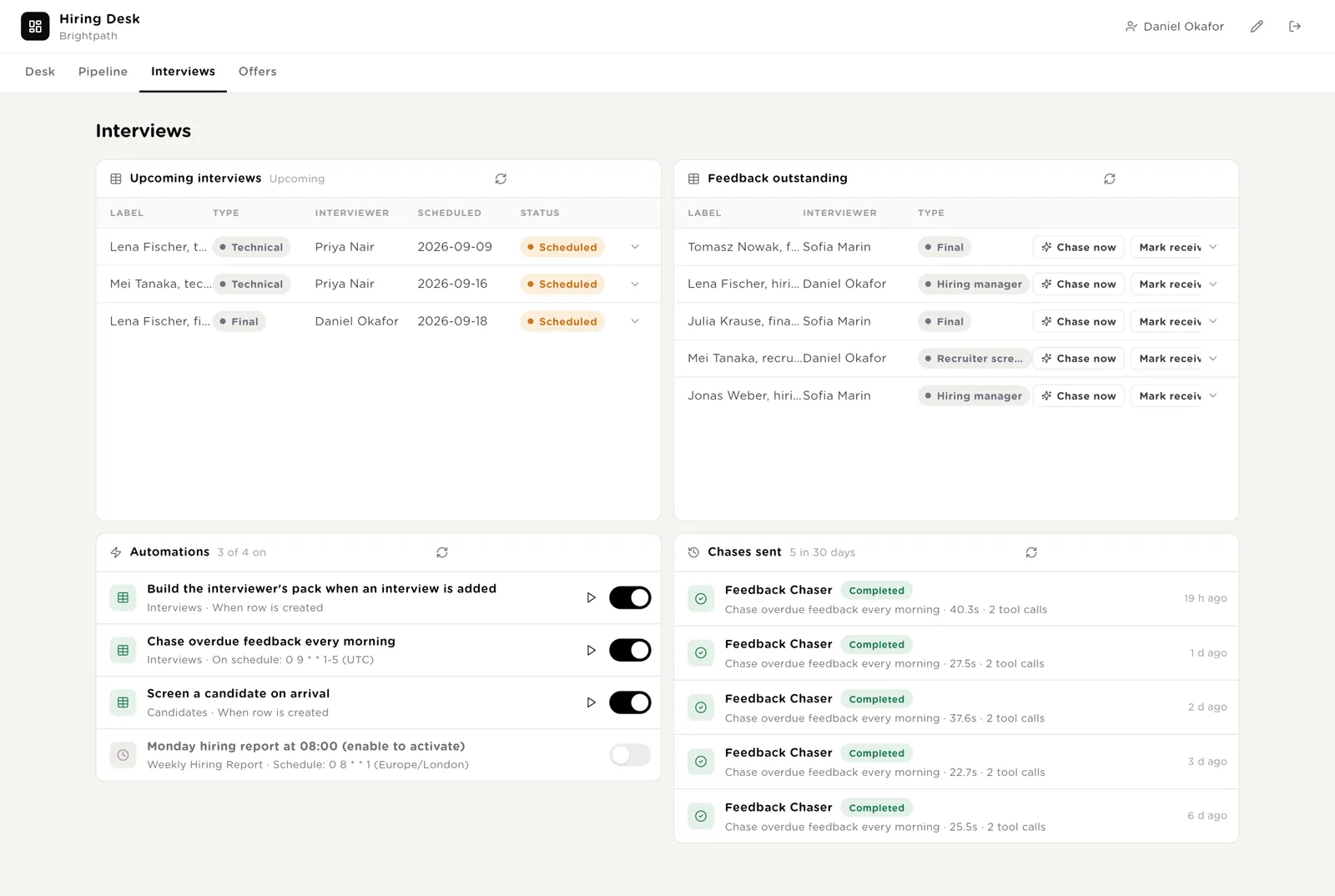
For each interview the interviewer gets: the candidate in three lines, what is still unproven, five questions, how to score. Never another interviewer's opinion.
A two-sentence reminder to the interviewer, drafted, sent after you approve it. Firmer after three days.
Offers waiting for approval, each with the approval note (inside the pay band or not, and why this candidate) and the letter. All offers below.
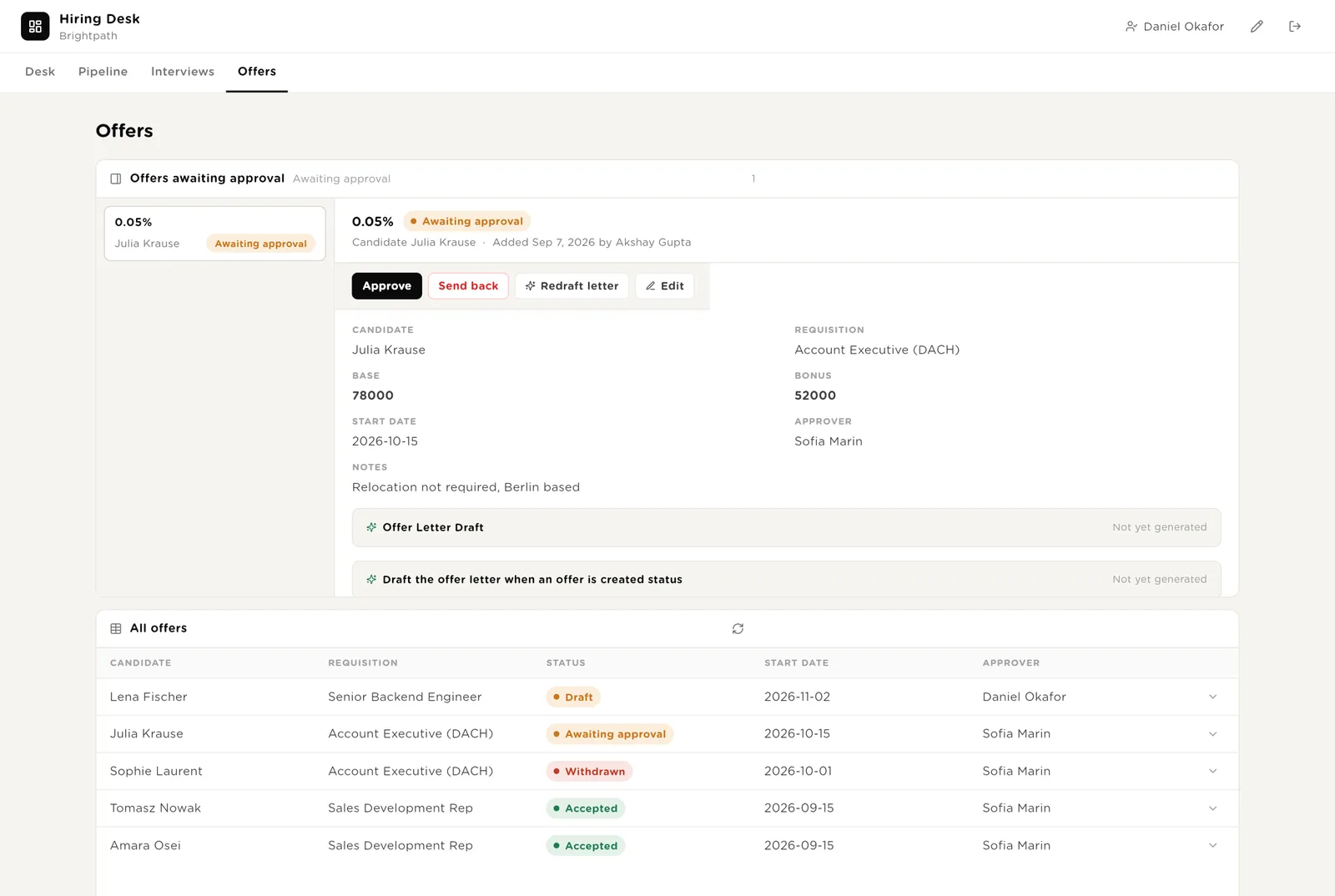
The offer is approved and can be sent. Sending is a separate, approved action.
Returns it to the recruiter with your note. Nothing reaches the candidate.
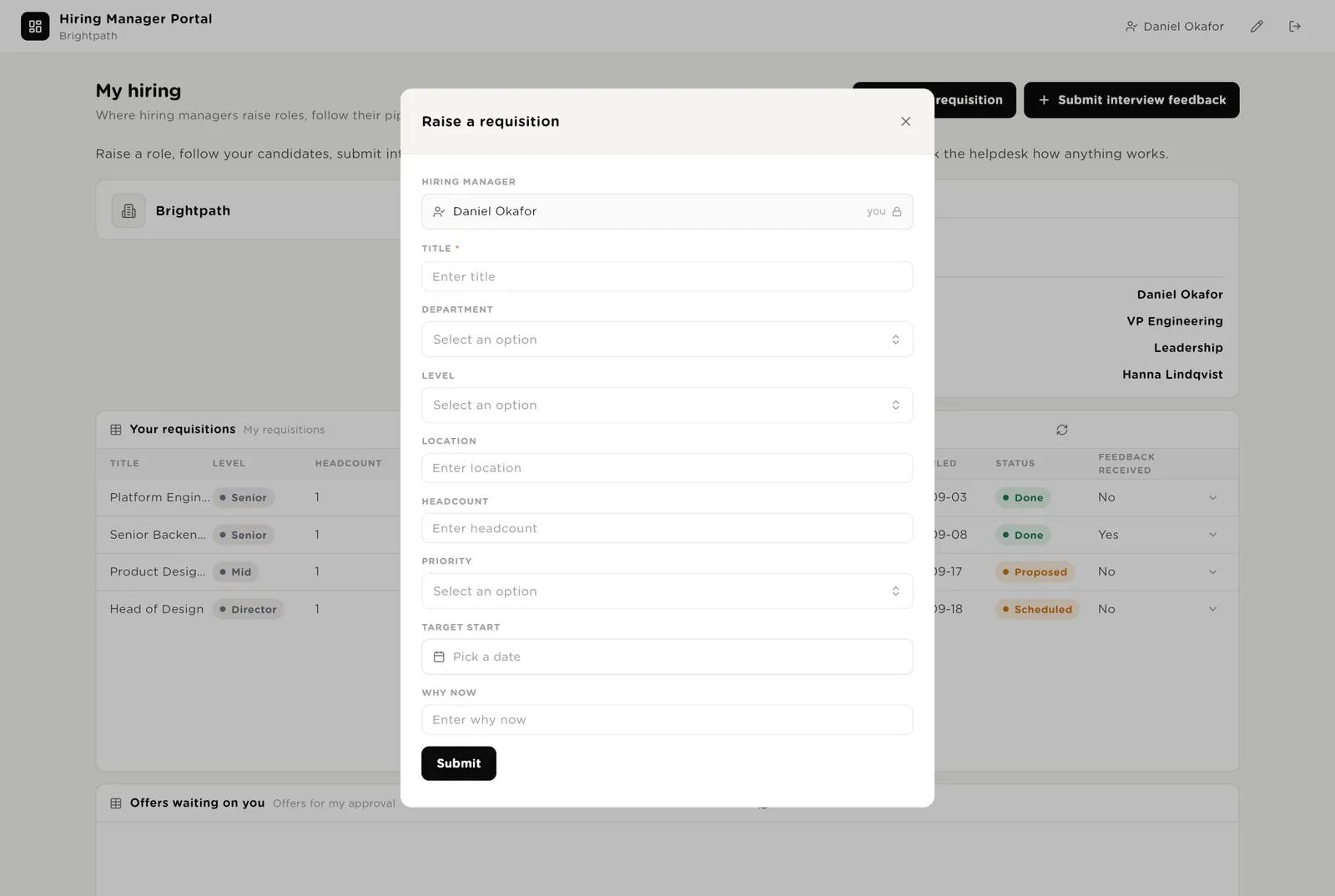
A hiring manager logs in with a normal account and is matched to their record by work email. They can raise a role, submit interview feedback, see their own requisitions and interviews, approve offers waiting on them, and ask the helpdesk. They see nothing about other managers' roles.
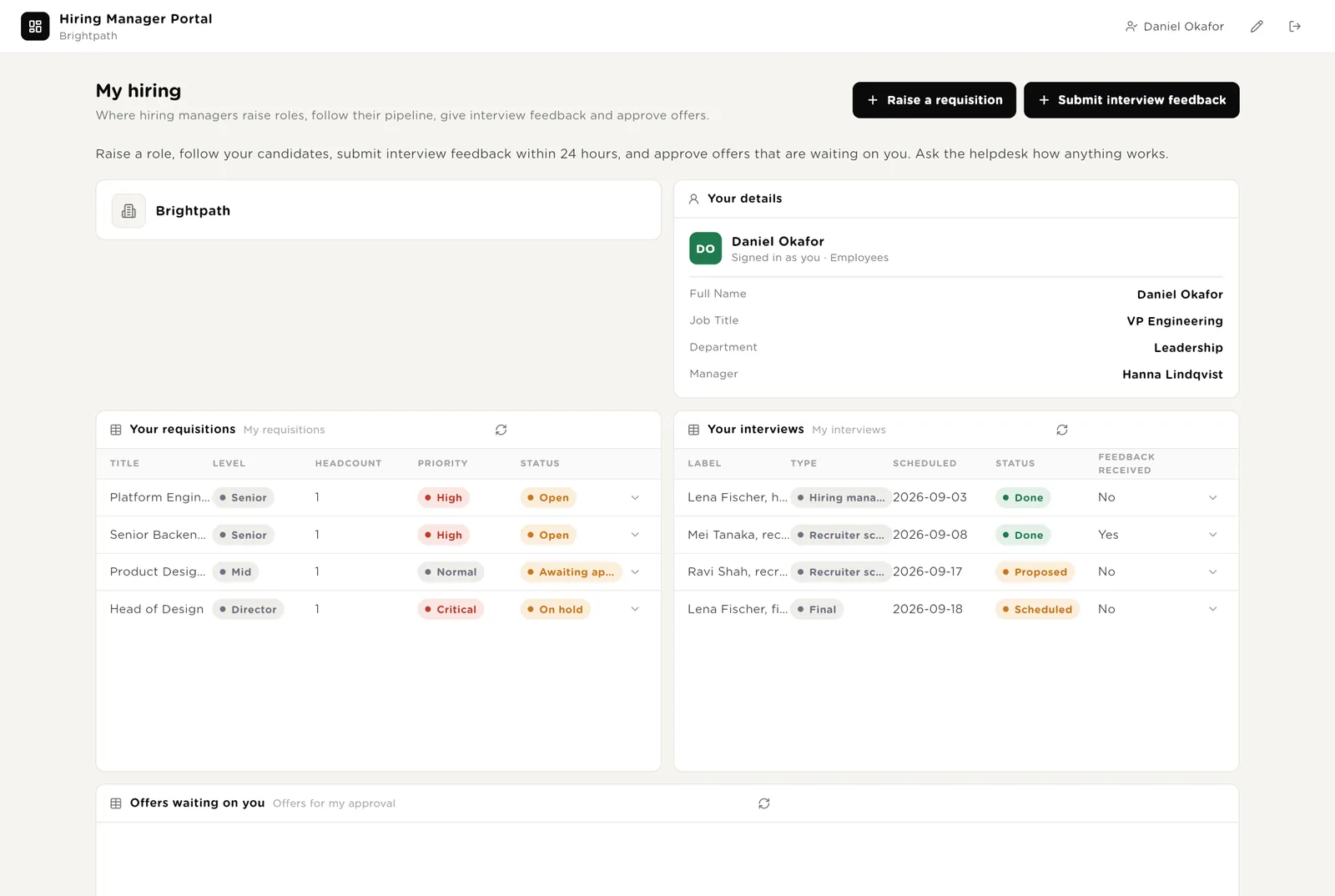
Title, level, location, headcount, why now. Save it and the brief is written within a minute, then it goes to the approver.
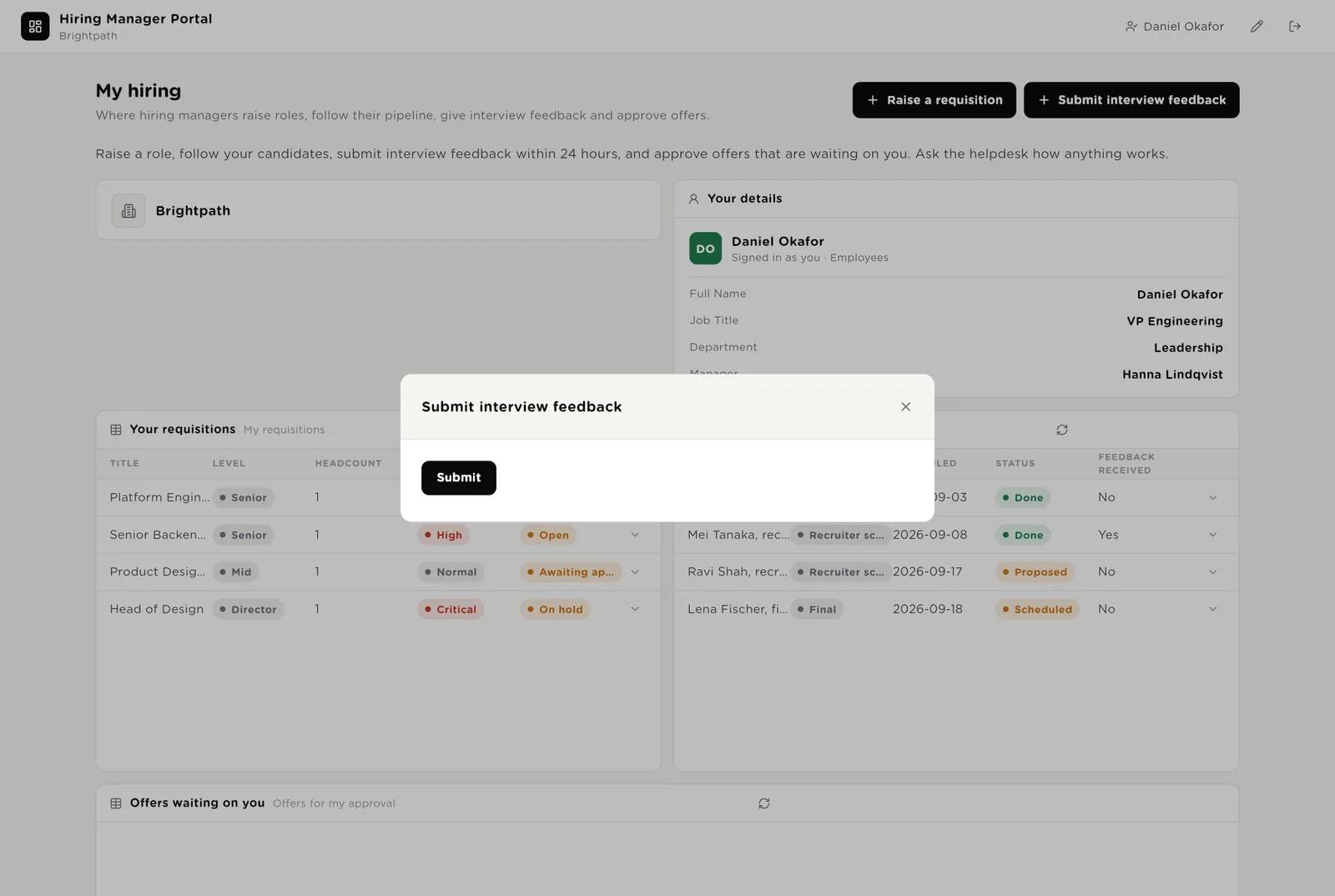
Recommendation, strengths, concerns. The interviewer is filled in from the login. The chaser stops the moment it is in.
Offers waiting on this manager, with the band check already done.
Every interview the manager is sitting on and every offer waiting on them, so nobody has to ask the talent team where things stand.
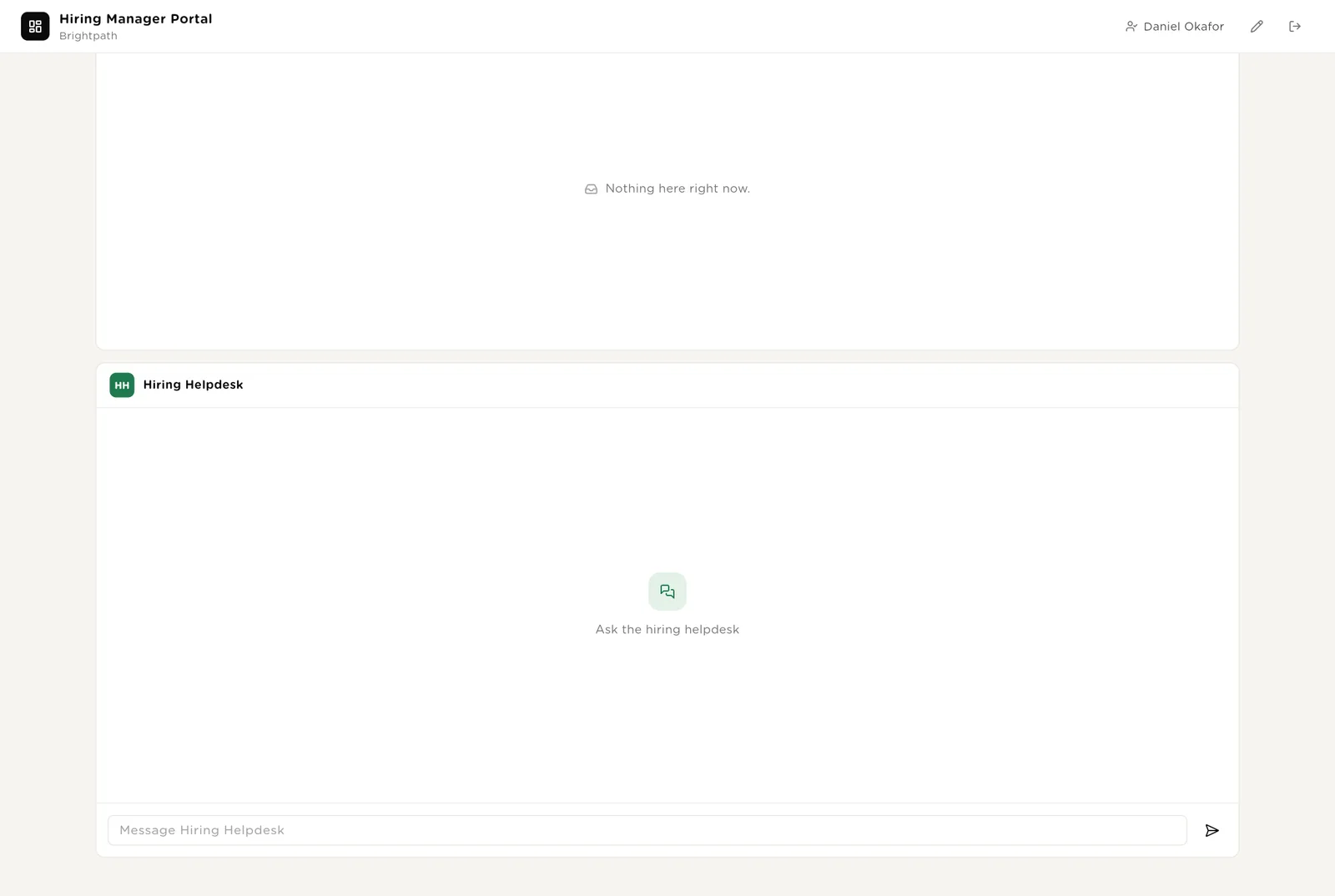
Forms open in a small window. The hiring manager or interviewer is filled in from whoever is logged in, so feedback is always in the right name.
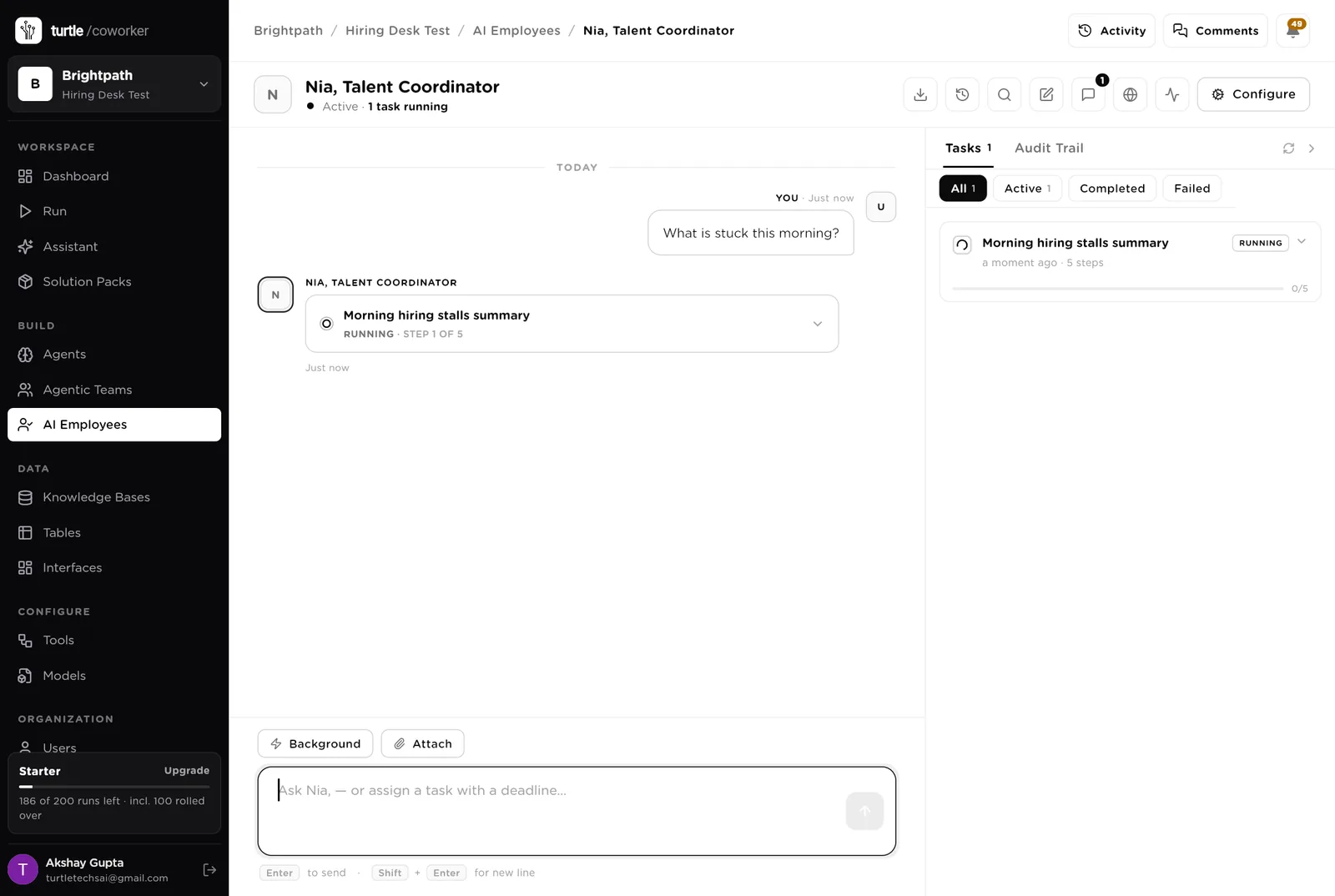
Nia is a software colleague you can chat with. Nia knows which agent to use for what, reads and writes the six hiring tables, keeps the ATS in step, and turns a sentence into a plan you approve before it runs.
Every morning: what is awaiting approval, what feedback is late, which offers expire soon. Makes sure every requisition has a brief and every candidate a screen. Tools: ATS (Greenhouse through StackOne), Gmail, Google Calendar, Slack, Turtle Notify.
You typed a question. Nia turned it into a five-step task and started reading the tables. Reading is allowed on its own; anything that sends, books or changes the ATS stops for your approval.
An agent does one job. It starts when something new arrives, on a schedule, or when Nia asks it. It reads your tables and your playbook, writes its result into the record, and stops. No agent ever sends anything.
Turns a hiring manager's requisition into a one-page brief: the role in one sentence, must-haves, nice-to-haves, the interview loop, the pay band, and who has to approve it.
Reads the CV summary against the brief. Marks each must-have as shown, unclear or missing with the evidence. Recommends Strong, Consider or Pass, and writes three questions for the recruiter screen. Never rejects.
Gives each interviewer the candidate in three lines, what is still unproven, five questions tied to those gaps, how to score, and the logistics. Never includes another interviewer's view.
The jobs that slow a hire down: the feedback that never comes, the offer that sits in someone's inbox, the report nobody has time to write.
Every weekday morning it finds interviews that happened but got no feedback, and drafts a two-sentence reminder to the interviewer. Firmer after three days; copies their manager after five.
Checks the offer against the pay band, says whether it needs extra approval and why, and drafts the letter. Never sends it.
Counts open roles, candidates by stage, interviews held, offers out and accepted, and lists every stalled role with the reason. Emails it to the talent lead.
The help desk is a chat on the hiring manager portal. It explains the process, the timeline and the pay bands from your playbook, and says where a requisition or a candidate stands.
A talent lead routes the question to a process specialist or a pipeline specialist. Answers come from the playbook and the tables the manager is allowed to see.
Tables are where everything is stored. They look like spreadsheets and your team can open and edit them. The ATS stays the system of record; the desk mirrors what it needs.
| Table | What is in it | Stages |
|---|---|---|
| Employees | Everyone who can raise a role or sit on an interview, matched to their login by work email. | Active · On leave · Left |
| Requisitions | One row per role, with the brief and the approval. | Draft → Awaiting approval → Approved → Open → Filled · On hold · Closed |
| Candidates | Every applicant with the CV summary and the screen. | Applied → Screening → Interview → Offer → Hired · Rejected · Withdrawn |
| Interviews | One row per interview with the pack and the chase note. | Proposed · Scheduled · Done · Cancelled |
| Interview Feedback | What each interviewer thought, submitted from the portal. | Strong yes · Yes · No · Strong no |
| Offers | One row per offer with the band check and the letter. | Draft → Awaiting approval → Approved → Sent → Accepted · Declined · Withdrawn |
The software knows nothing about how you hire except what the tables and your playbook tell it.
One document: your interview guides by type, your levelling, your pay bands, your approval rules, and your voice with candidates. Every agent reads it. Replace the starter text with your own.
The desk uses whichever AI model your company has already connected. You do not choose or manage a model for each agent.
Everything that runs on arrival is on from day one. The two schedules are off until you switch them on from the desk.
| Automation | Agent | When | Ships |
|---|---|---|---|
| Write the brief | Brief Writer | The moment a requisition is raised | On |
| Screen a candidate | Candidate Screener | The moment a candidate arrives | On |
| Build the interview pack | Interview Pack Writer | The moment an interview is added | On |
| Draft the offer | Offer Drafter | The moment an offer is created | On |
| Chase late feedback | Feedback Chaser | Weekdays 09:00 | Off until you switch it on |
| Monday report | Monday Report | Monday 08:00 | Off until you switch it on |
Buttons on the desk run agents too. "Re-screen" runs the screener again; "Rewrite brief" and "Redraft letter" do what they say; "Chase now" runs the chaser for one interview.
Three things always need a person. The software stops and waits at each one.
Approve a requisition, Move to screening, Reject, Mark received, Approve an offer. Only a person can press them. The software can write a screen; it cannot reject. It can draft an offer; it cannot approve or send it.
When an agent or Nia wants to send an email or an invite, or move a candidate in the ATS, it stops. The exact message or change appears in Approvals. You read it, fix anything wrong, and click Approve or Deny.
When you give Nia a task, Nia writes a plan and shows it first. Approve and run, change it, or cancel.
A rule is checked before every single thing the software tries to do. The pack installs six rules of its own on top of the standard ones every workspace starts with.
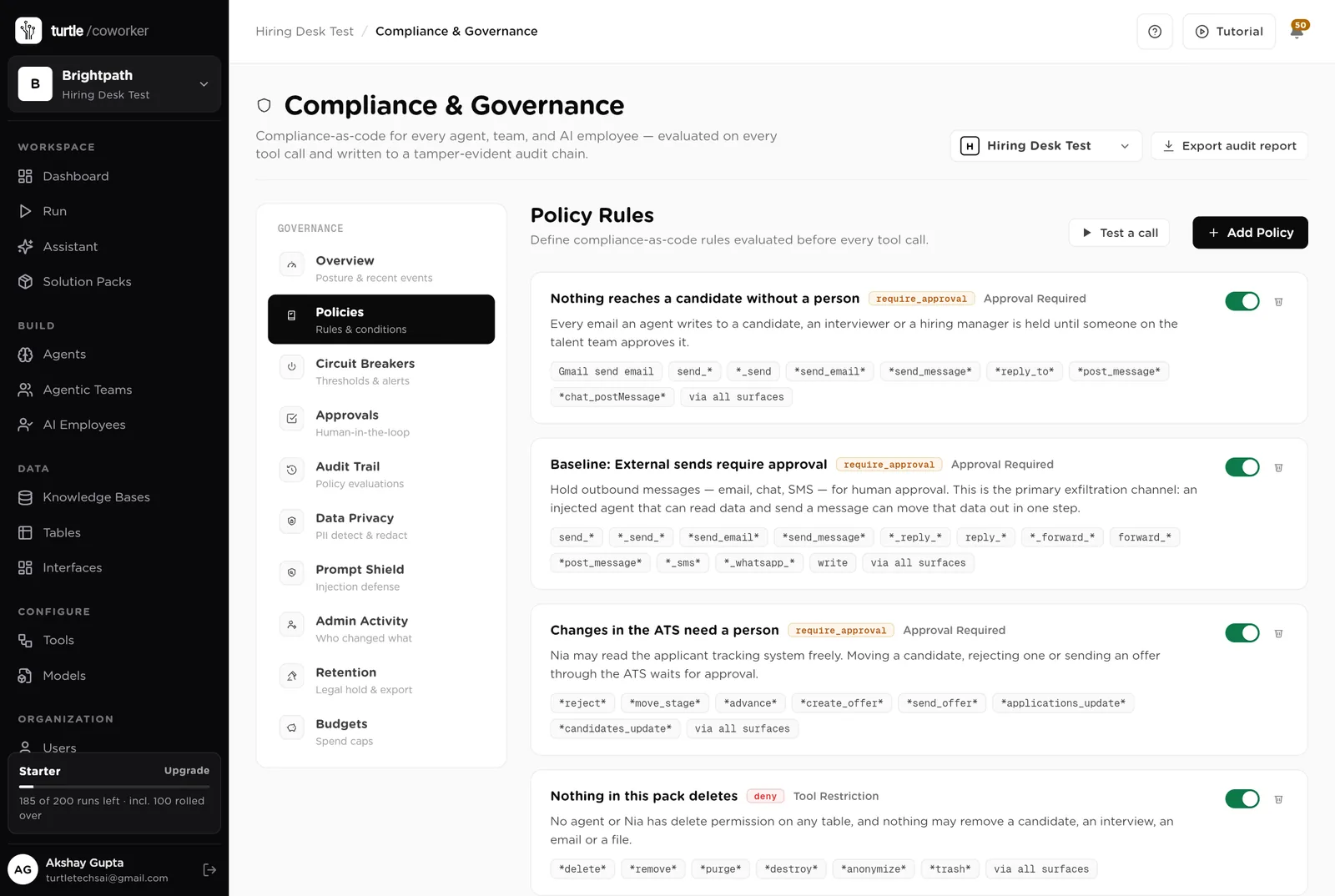
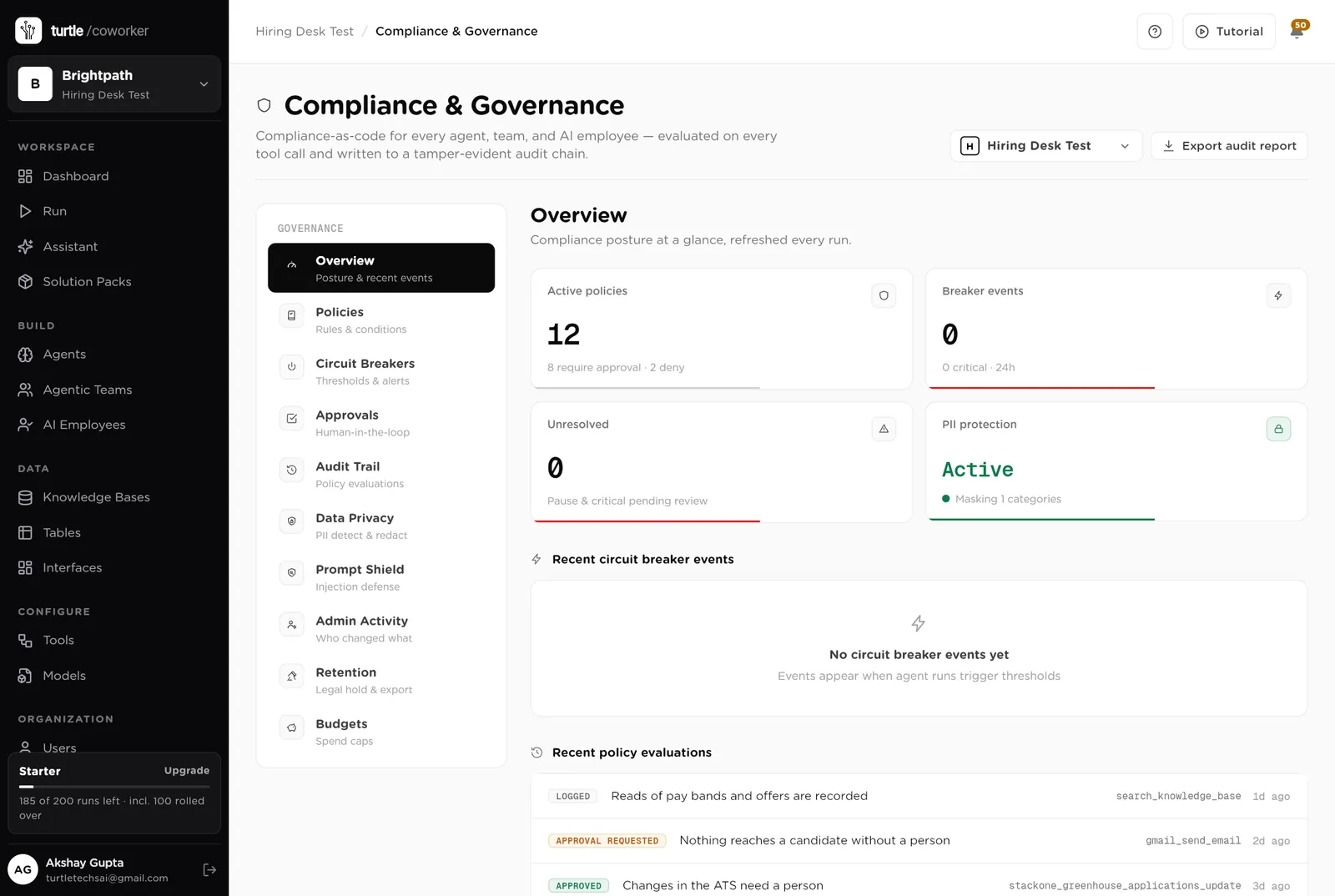
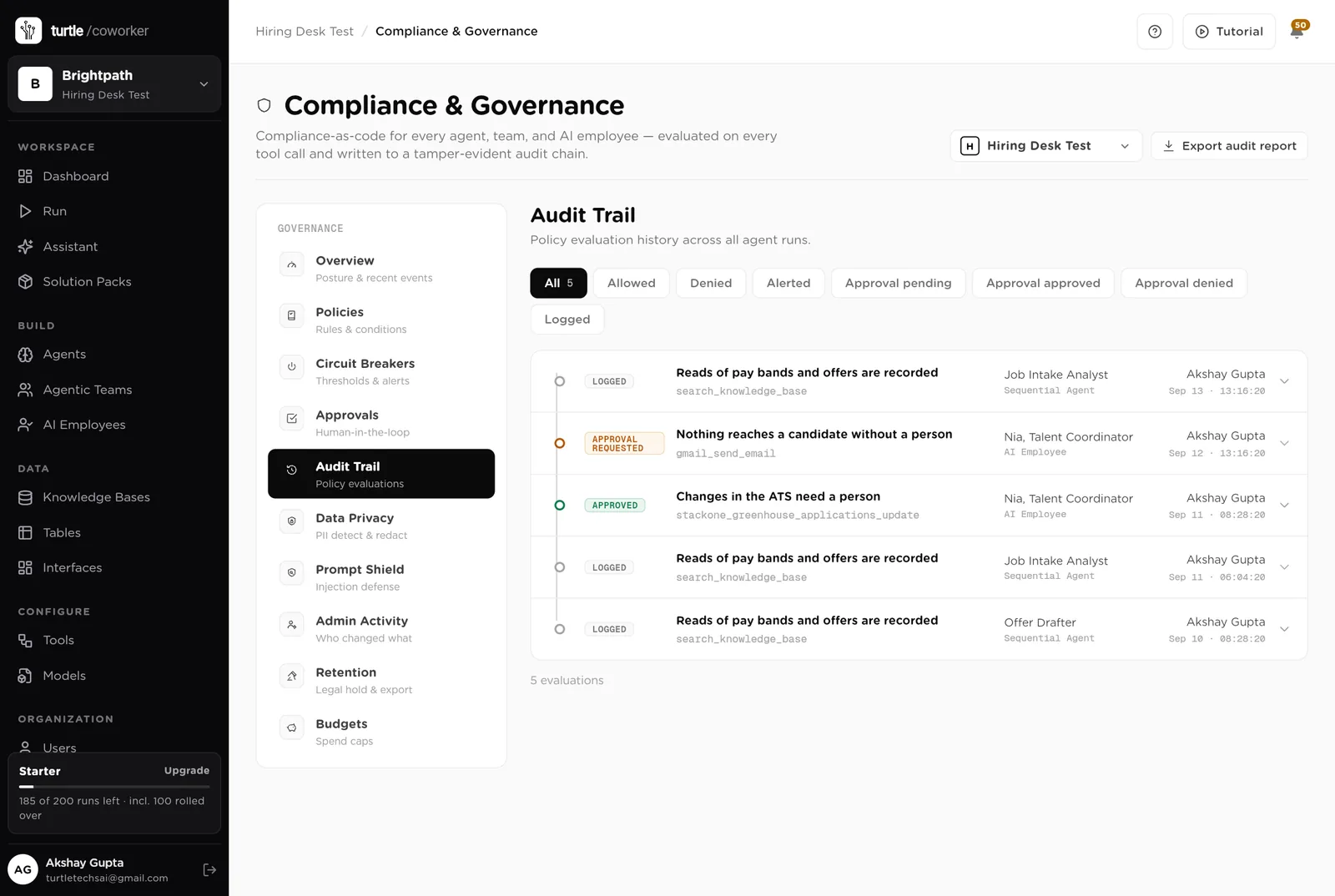
For every run you can see which agent ran, why it ran, every step it took, and every rule that checked it. Passwords and card numbers are blanked out before anything is stored.
A monthly budget with a warning level and a hard stop. An agent that starts failing is paused until someone looks.
Candidate details are masked in what the software reads and writes. Hidden instructions in CVs are neutralised. Every key is encrypted.
The screener is told to judge only what the brief asks for, ignore protected characteristics, and show its evidence must-have by must-have. It never rejects.
The talent team sees the desk. Each hiring manager sees only their own roles, interviews and offers. Only owners and admins change the layout.
These estimates assume a company hiring 40 roles a year with three recruiters: about 60 applicants a week, 15 interviews a week, 3 offers a month. "Before" is the time by hand; "after" is the reading and deciding that is left. Your numbers will differ. These are estimates, not measurements; after a month the audit trail gives you real figures.
| Job | Assumption | Hours before | Hours after | What changes |
|---|---|---|---|---|
| Screening applicants | 10 min each, 60 a week | 10.0 | 2.5 | The screen is written before you open the CV. |
| Writing the brief with the manager | 1.5 h each, 4 a month | 1.5 | 0.5 | Drafted from the requisition; you refine it. |
| Interview packs | 30 min each, 15 a week | 7.5 | 1.0 | Written for every interview automatically. |
| Chasing feedback | 2 h a week | 2.0 | 0.4 | Reminders drafted every morning. |
| Offer checks and letters | 1 h each, 3 a month | 0.7 | 0.2 | Band check and letter drafted. |
| Hiring manager questions | 2 h a week | 2.0 | 0.5 | The portal and the helpdesk answer most of them. |
| The Monday report | 1.5 h a week | 1.5 | 0.2 | Written every Monday. |
| Total per week | 25.2 | 5.3 | About 20 hours a week back across the team. Half a person. |
Feedback chased the morning after, packs ready before the interview, offers checked the same day. Days off each hire.
The candidate who waits a week for feedback takes another offer. The chaser is what stops that.
Raise a role, see the pipeline, give feedback, approve an offer: all on the portal.
Estimates, not measurements. After a month the audit trail gives you real figures.
Installing takes one click. The real work is the playbook and turning the schedules on.
Install the pack from the Solution Packs page. Connect your ATS, Gmail and Google Calendar when asked.
Replace the starter text with your interview guides, levels, pay bands and approval rules.
Add the hiring managers and interviewers to the Employees table. Work emails are how they are matched to their record.
Share the hiring manager portal with the organisation.
Work from the Desk page. Switch on the feedback chaser. Approve reminders from the desk.
Switch on the Monday report and let the helpdesk take the questions that used to be emails.
You pay for the platform, not per desk. The plan sets how many agents, employees and workspaces you can run; every desk is included, and runs are billed on your own model key at cost. 6 agents in this desk count against the plan's agent limit.
See plansWe use analytics cookies to see which pages help and which don’t. Nothing loads until you choose. Cookie Policy

Hello there.
AI agent. It can make mistakes, and a human reviews anything that matters.