
What is Turtle AI Coworker
A platform for building, running and governing AI workers over your own data and tools, with approvals, budgets and an audit trail on every run.
Turtle AI Coworker is a platform for building, running and governing an AI workforce: software workers that do real work in the tools and data your team already uses. You decide what each worker may read, which tools it may call, which model it reasons with and which actions need a person to approve them. Every run is recorded, so you can see what a worker read, what it called, what it wrote and what it cost.
You can start in three ways, and they all end in the same place. You can install a Solution Pack, a pre-wired set of workers, tables and knowledge for one department. You can ask the Assistant to set things up for you in plain English. Or you can build from the ground up in the editors. This documentation covers all three.
The three kinds of worker
Every automation is built from one of three worker shapes. Pick the shape that matches the job.
- Sequential Agents run one job end to end: typed inputs, an ordered list of tasks, scoped access to tables, knowledge and tools, and a recorded result. You run them from the Run page, or a trigger runs them on a schedule, on an integration event, from a webhook or when a table row changes.
- Agentic Teams are one chat backed by several member agents. A supervisor reads each message and routes it to the member that fits. A team can be used inside your workspace or shared through a link or a website embed.
- AI Employees are named coworkers that own a role. They follow standing instructions, remember facts and preferences, plan multi-step work, use your agents as tools and pause for approval before risky actions.
What every worker runs on
Whichever worker you build, it draws on the same shared building blocks. Each one is configured once and then granted to workers one by one.
- Tables hold structured data that workers read and write, with per-table Read, Create, Update and Delete permissions. A table can also start work: a trigger on a table runs an agent when a row is created or changed, or on a schedule.
- Knowledge Bases hold documents, web pages and text that workers search by meaning. Workers only read them.
- Tools and Integrations let workers act in apps such as email, calendars, CRMs and spreadsheets. You connect a tool once for the organization and then grant it per worker. You can also add your own REST endpoints as custom tools, or connect your own MCP server.
- Models are the language models workers reason with. You bring your own provider keys, or an Azure OpenAI deployment, and choose the model per worker.
- Interfaces are dashboards built on your tables: pages of metrics, charts, lists, forms, approvals and chat, which you can share with your organization or through a link.
- Governance covers policy rules that allow, deny or hold a tool call for approval, human approvals, workspace budgets, circuit breakers and a full audit trail of every run and tool call.
The fast path: Solution Packs
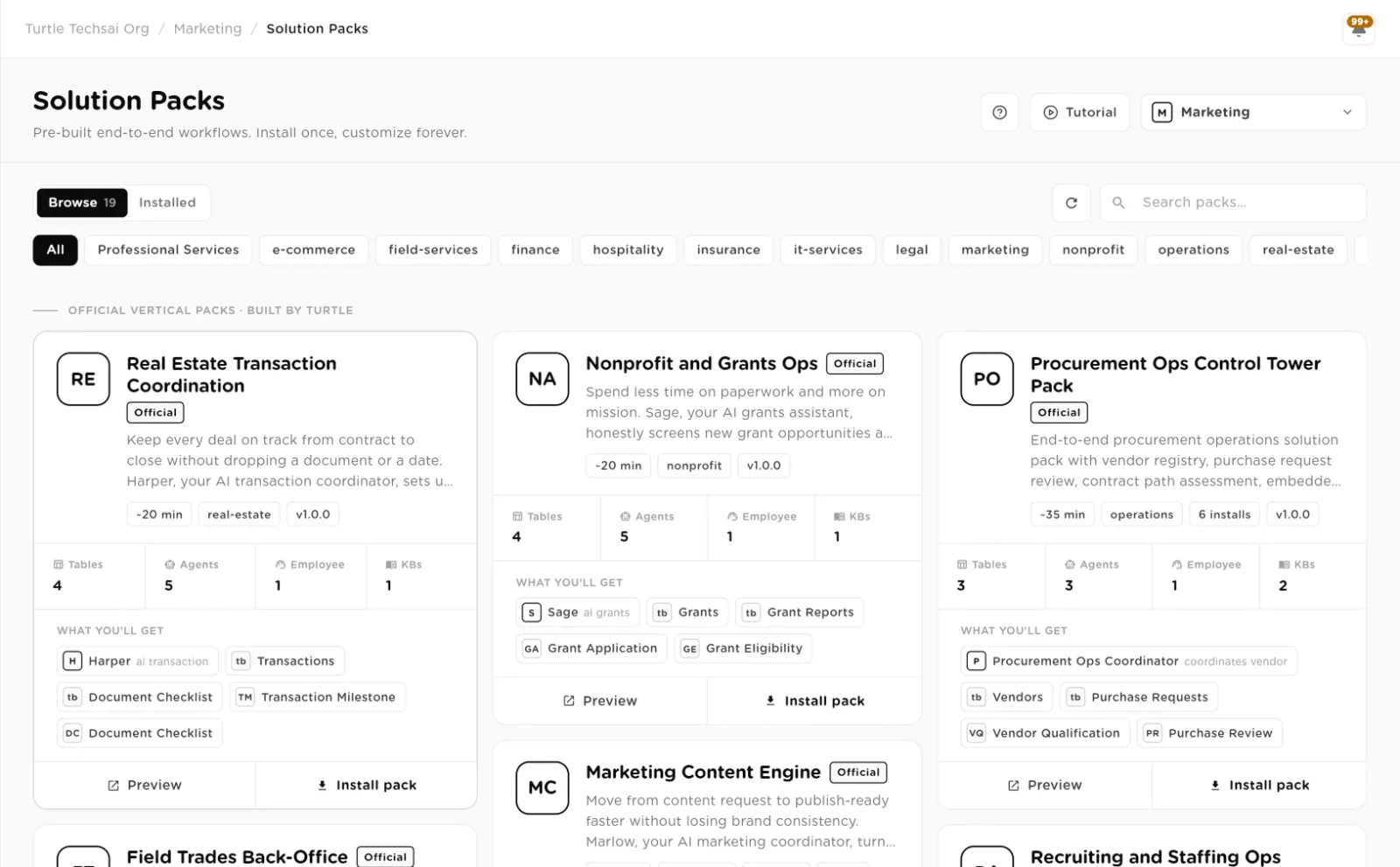
A Solution Pack installs a working department in one step: tables, knowledge bases, agents, teams, an AI employee, triggers and often dashboards and policy rules, already wired to each other. The install fits the pack to your workspace: it uses the model your organization has connected and tells you about any tool you have not connected yet. After the install, everything is yours to edit. See Build vs install a pack to decide which path suits you.
The Assistant
The Assistant sets up your workspace through chat. It can read your company website, propose a pack that fits, help you connect a model and tools from cards in the chat, install what you agree to, propose triggers, and turn a process document into a step-by-step setup plan. The Assistant builds; it never runs your workers. You start runs from the Run page or from the worker's own page, where you see the inputs, progress, cost and trace.
Testing workers with evals
An eval suite is a set of test cases for a sequential agent or an agentic team. Each case gives an input and describes the outcome the run must achieve. When you run the suite, each case runs for real and is graded against its outcome, including the tool calls the worker made, and the result is compared with the last time that case ran, so you can see what broke and what improved after a change. Eval runs are not counted against your plan's runs. Evals are managed through the API today.
Configurable, traceable, auditable
Every task, table permission, tool grant, model choice, trigger and approval rule is yours to configure. Every run leaves a record of what the worker read, which tools it called with which arguments, what it wrote, what it cost and who approved it. That record is what lets an autonomous worker pass a security review.
How this documentation is organized
- Getting started: what the product is, the core concepts, signing in and finding your way around, the Assistant, a first agent, and when to install a pack.
- Workers: how to build and run Sequential Agents, Agentic Teams and AI Employees.
- Data & knowledge: Tables, Knowledge Bases and Interfaces, and how workers use them.
- Connect & configure: Tools and Integrations, Custom Tools and MCP servers, and Models.
- Run, monitor & govern: running work, approvals, policies, budgets, the audit trail and analytics.
- Administration: organizations and workspaces, users and roles, groups, and settings.
- Packs & MCP: Solution Packs and templates, and configuring the platform by talking to it from an MCP client.
Each module page opens with the concept and a flow diagram, then walks every action step by step, and ends with a reference of every field.