Software for the support team's queue. Every new ticket is read, sorted, given a priority and a drafted reply from your help centre within a minute; a person reads the draft and sends it. Anything about money, cancellations or an angry customer is marked for a person straight away. Questions that keep coming back turn into draft help articles. Bugs go to engineering with the steps and the evidence attached. Calls are summarised into a ticket. At half past five the team gets the day's numbers and the three complaints of the day. Nothing is sent, refunded or closed by the software.
For support teams of 1 to 15 people who answer customers by email, chat, phone and a helpdesk
The pack is built for the people who answer customers all day and the lead who wants to know what the customers are unhappy about. It fits three kinds of team.
Two to fifteen people on Zendesk, Freshdesk, Intercom, Help Scout, Gorgias or Front. You get the desk, Sol and every agent. The helpdesk stays the record; the desk is the working queue with the drafts and the evidence.
A regional or product-line service team in an MNC with a rule that a person sends every reply and decides every refund. The desk gives them the draft, the triage record and the daily numbers; nothing goes out from software.
One workspace per client, each with its own help centre, rules and digest. The triager is the same for every client; the playbook differs.
| Customer Support / Customer Service | Triage, drafted replies, calls summarised, low scores followed up. |
| Support Operations / Knowledge | The help centre kept honest: the questions with no article, drafted from the answers already sent. |
| Engineering | Escalations arrive as bug reports a developer can act on, with the count of customers affected. |
| Customer Success / Management | The daily digest: volume, response time, escalations open, the three complaints of the day. |
Everything the software produces is a draft, a note or a report for a person. It never sends a reply, never refunds, credits or cancels, never closes or reassigns a ticket in the helpdesk, and never deletes anything.
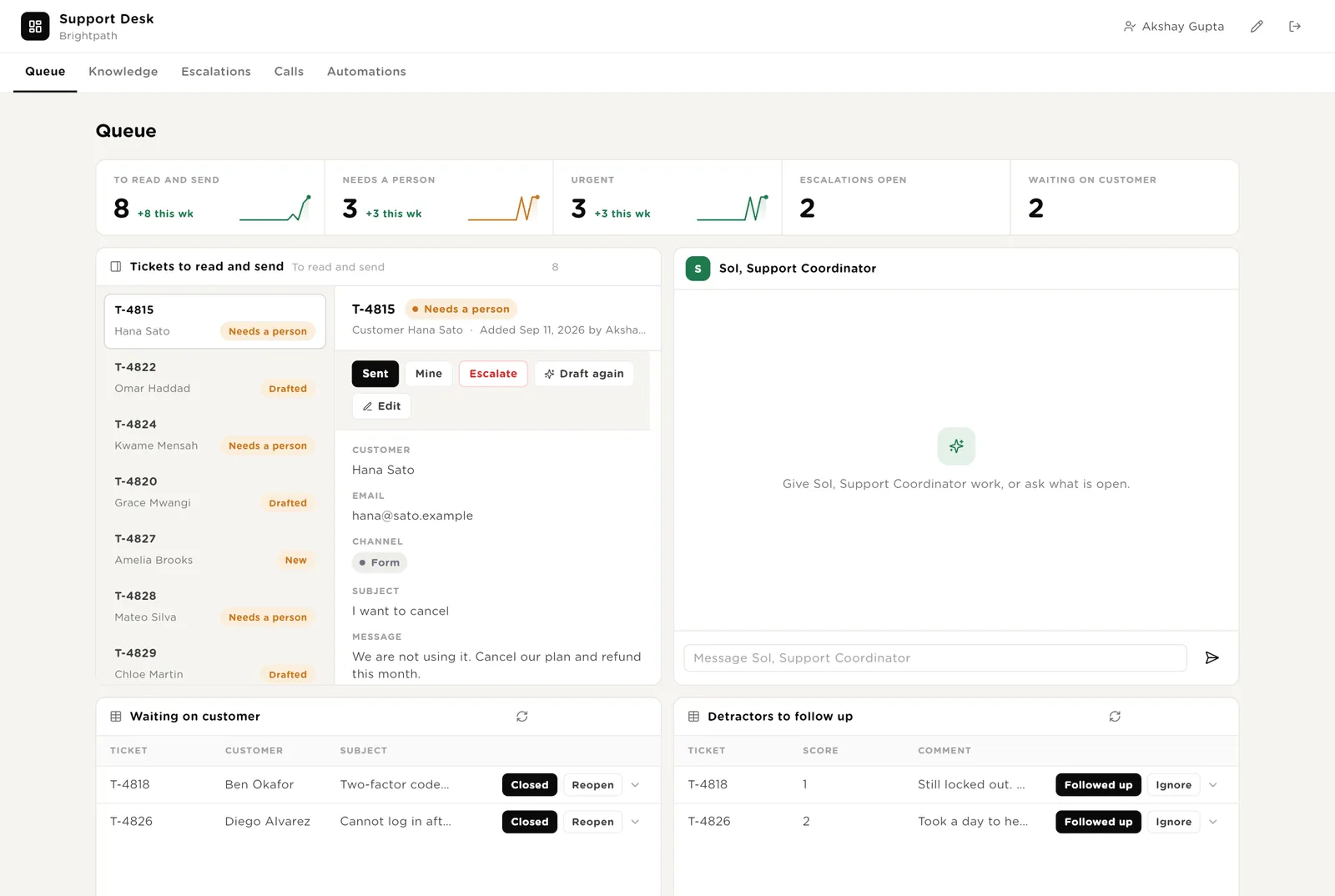
The first screen the team opens. Five live numbers. Every ticket waiting, oldest first, with its draft or its "Needs a person" note. Sol beside them. Customers you are waiting on. Low scores to follow up.
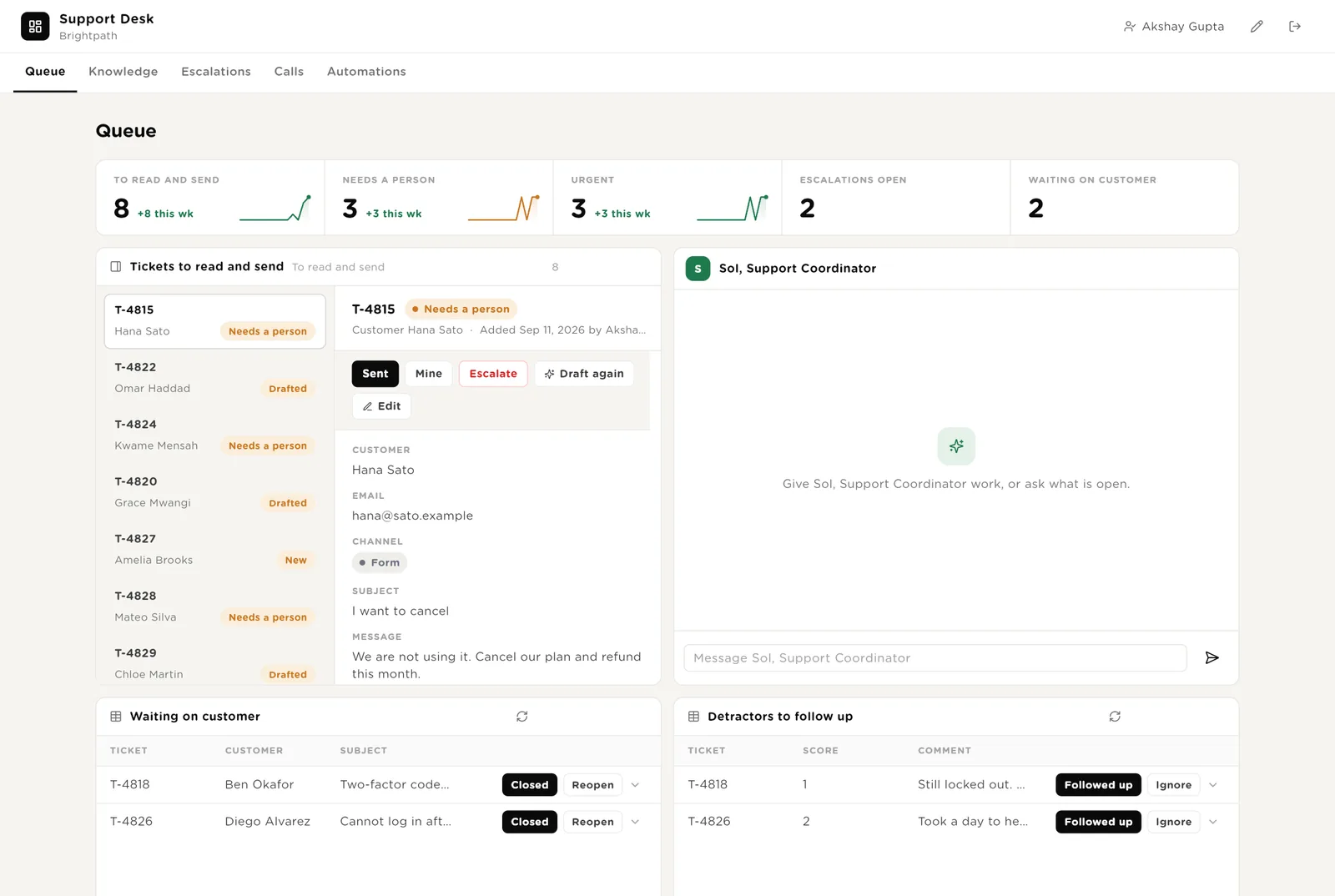
You read the draft, sent it from the helpdesk, and click Sent so the desk records it and who sent it.
Marks the ticket as a bug. The escalator writes the report and creates the engineering issue, behind your approval.
Runs the triager once more, after the customer wrote back or you changed the help centre.
Scroll down for everything the software wants to do that needs your Approve, and Sol's recent work.
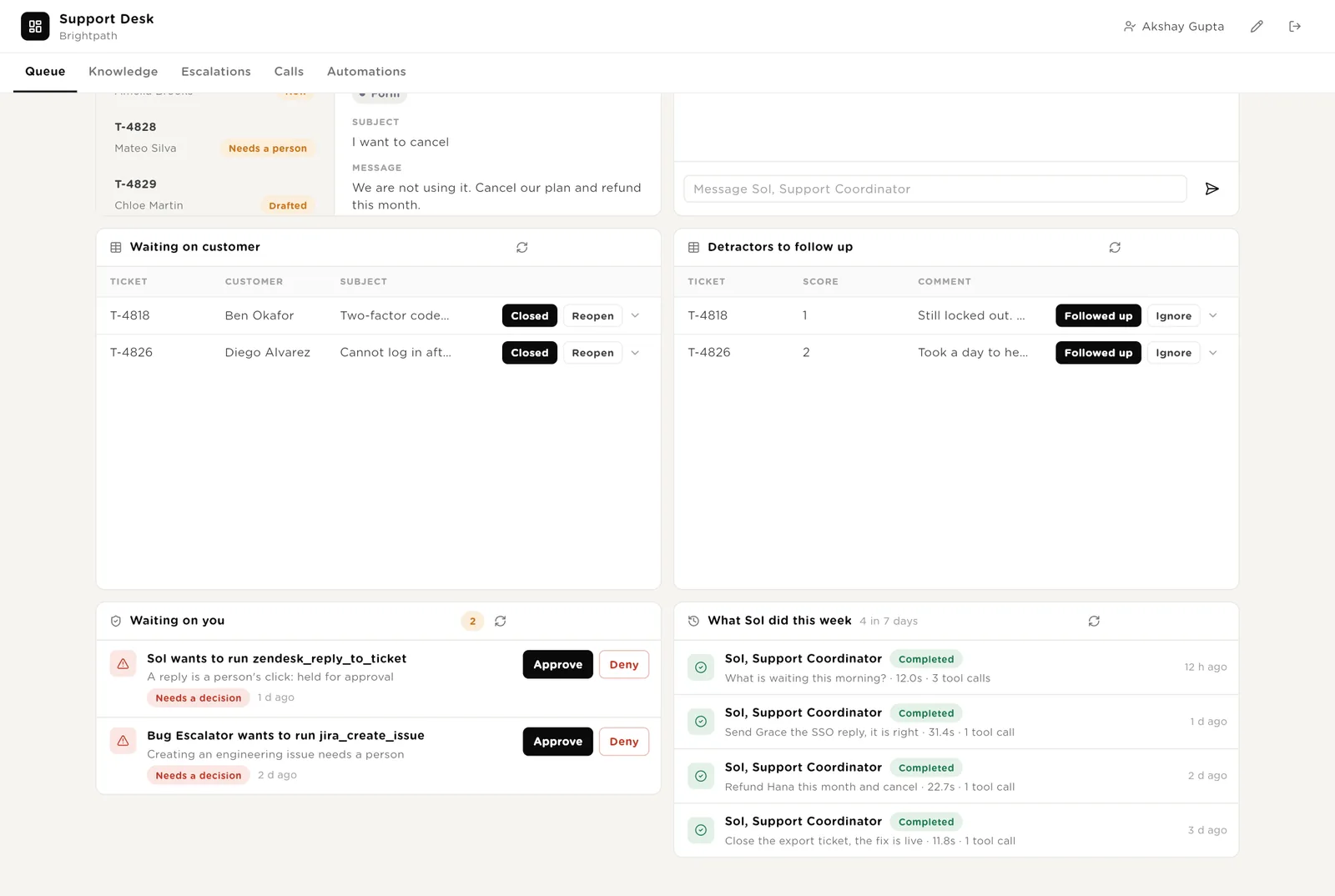
The exact call the software wants to make. Approve or Deny in place; the audit trail records who decided.
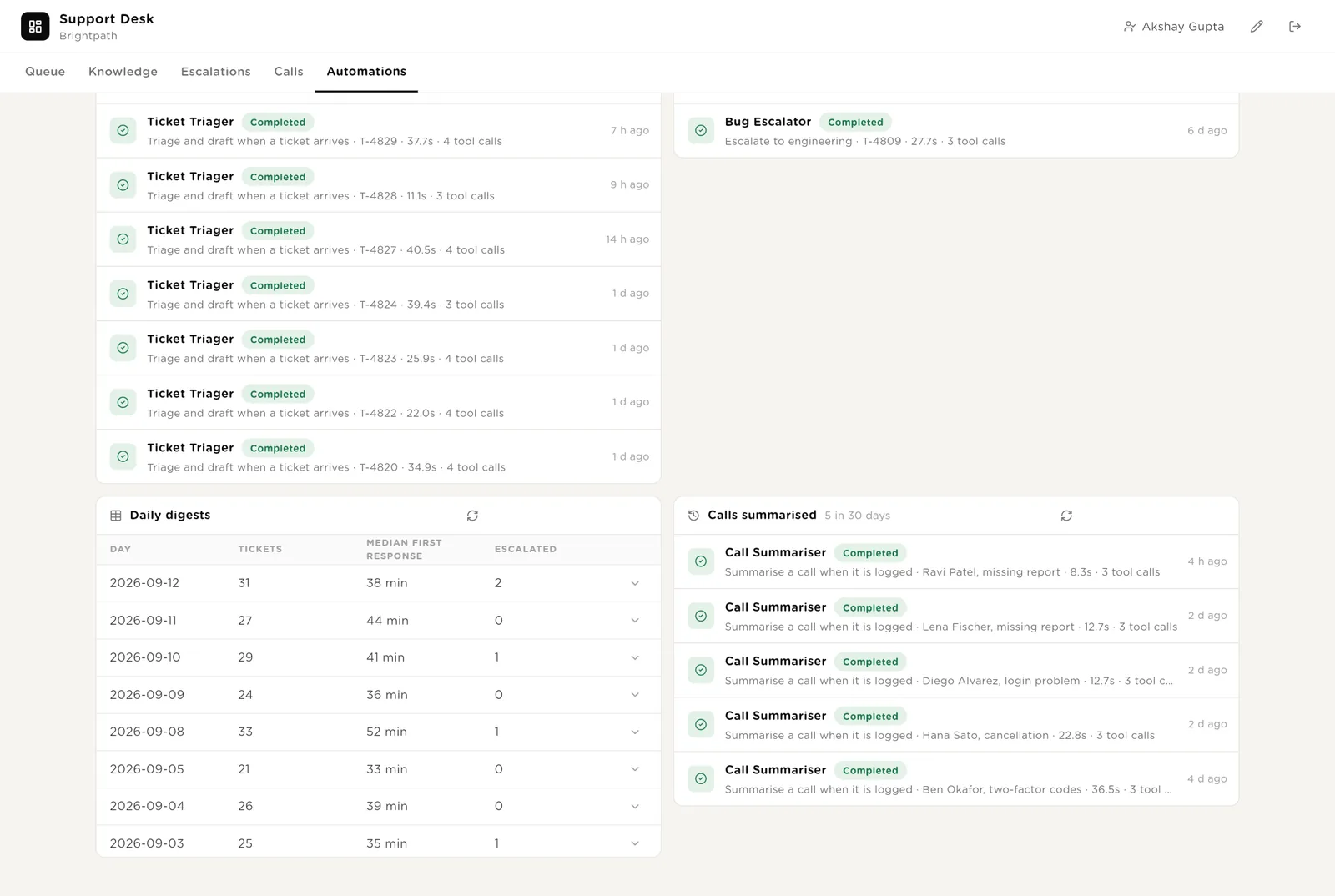
Every run with its duration and the tools it used.
The questions customers keep asking that no article answers, with a draft article for each. Tickets by category and what the scores are about, so you can see where the time goes.
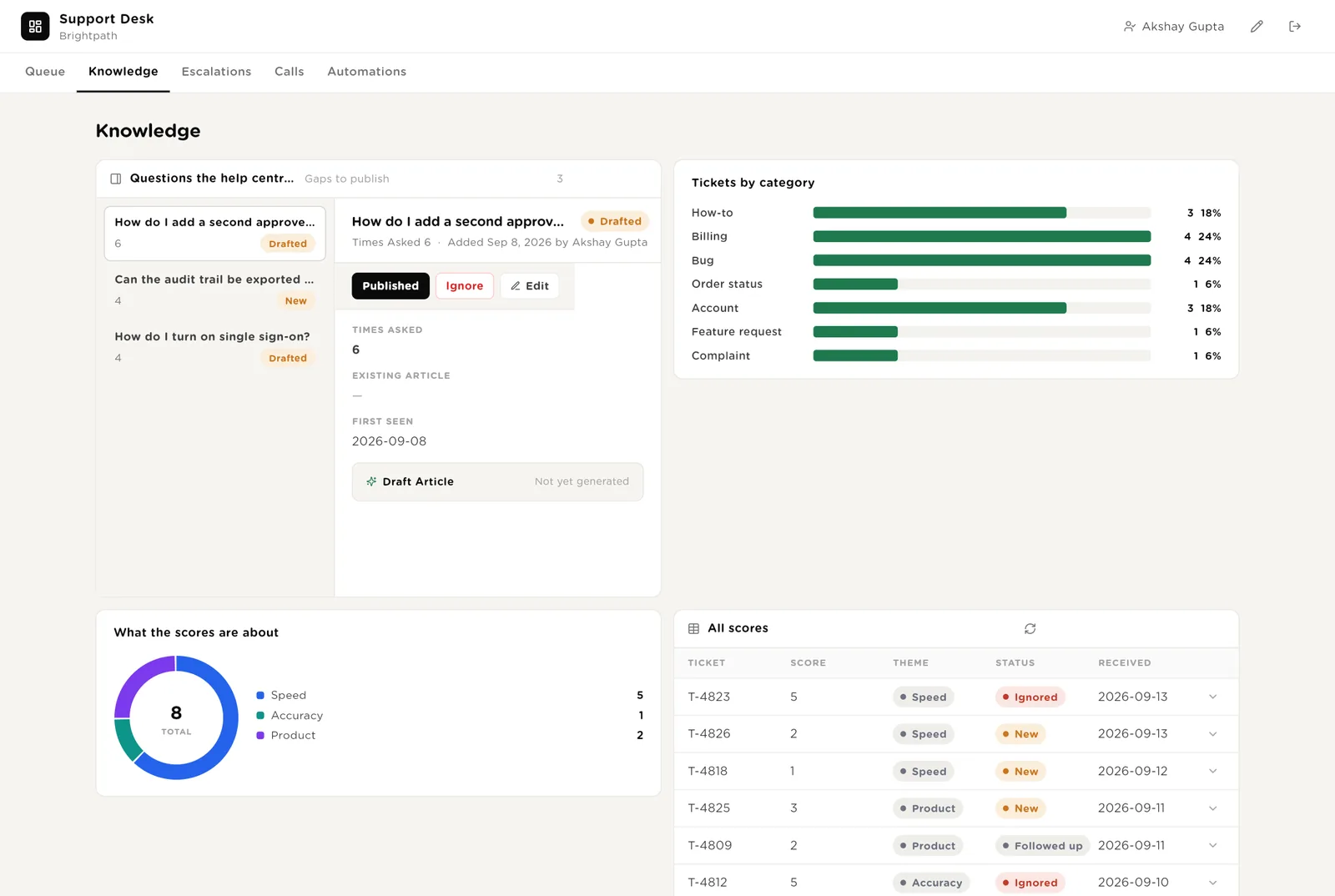
You put the draft in the help centre. The row leaves the list and the triager starts citing the article.
After a month it shows which kind of question eats the week.
Every bug handed to engineering, the issue link, how many customers are affected and the report the escalator wrote.
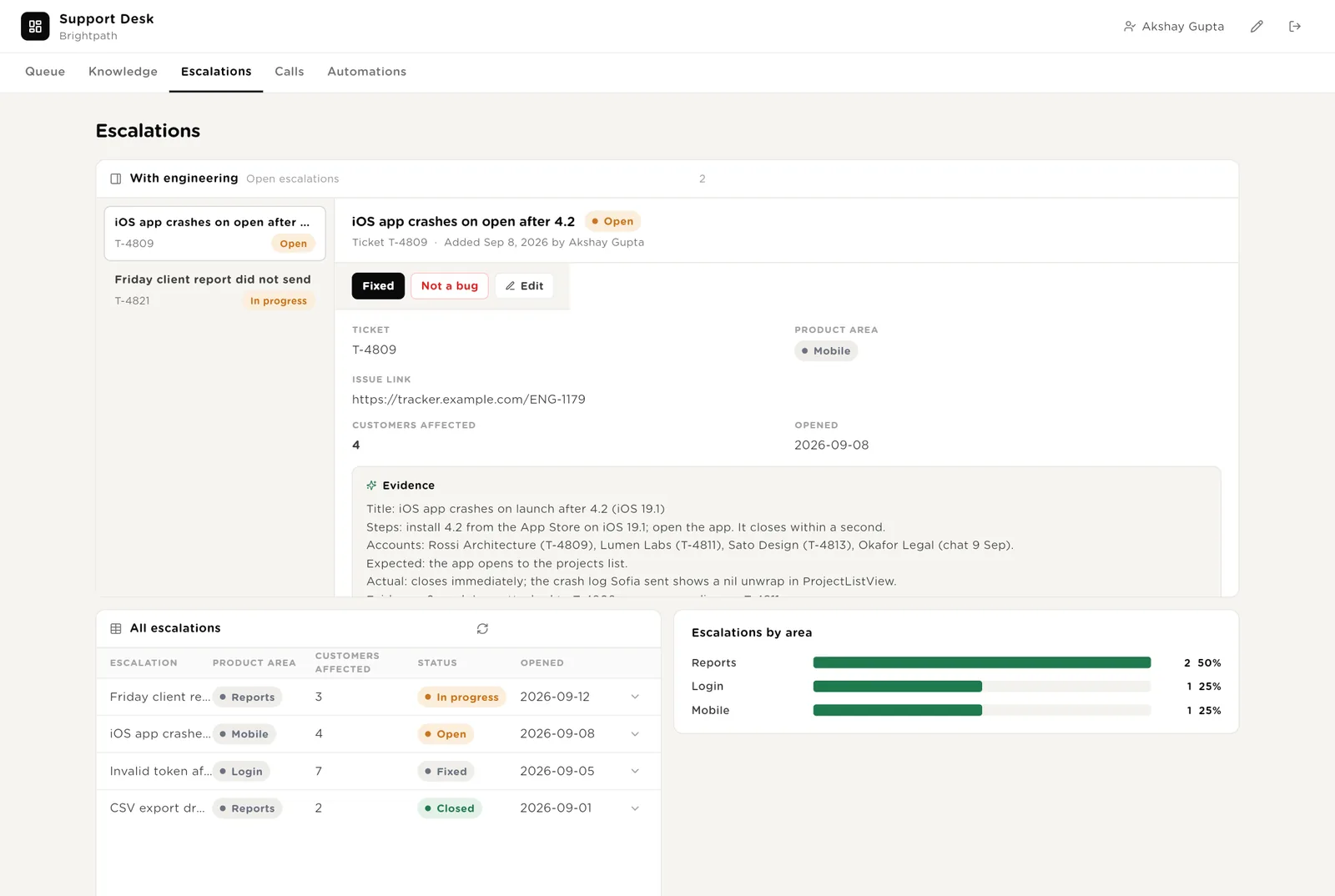
Engineering shipped it. The support agent tells the customers on the linked tickets.
The count the escalator keeps as more tickets describe the same thing.
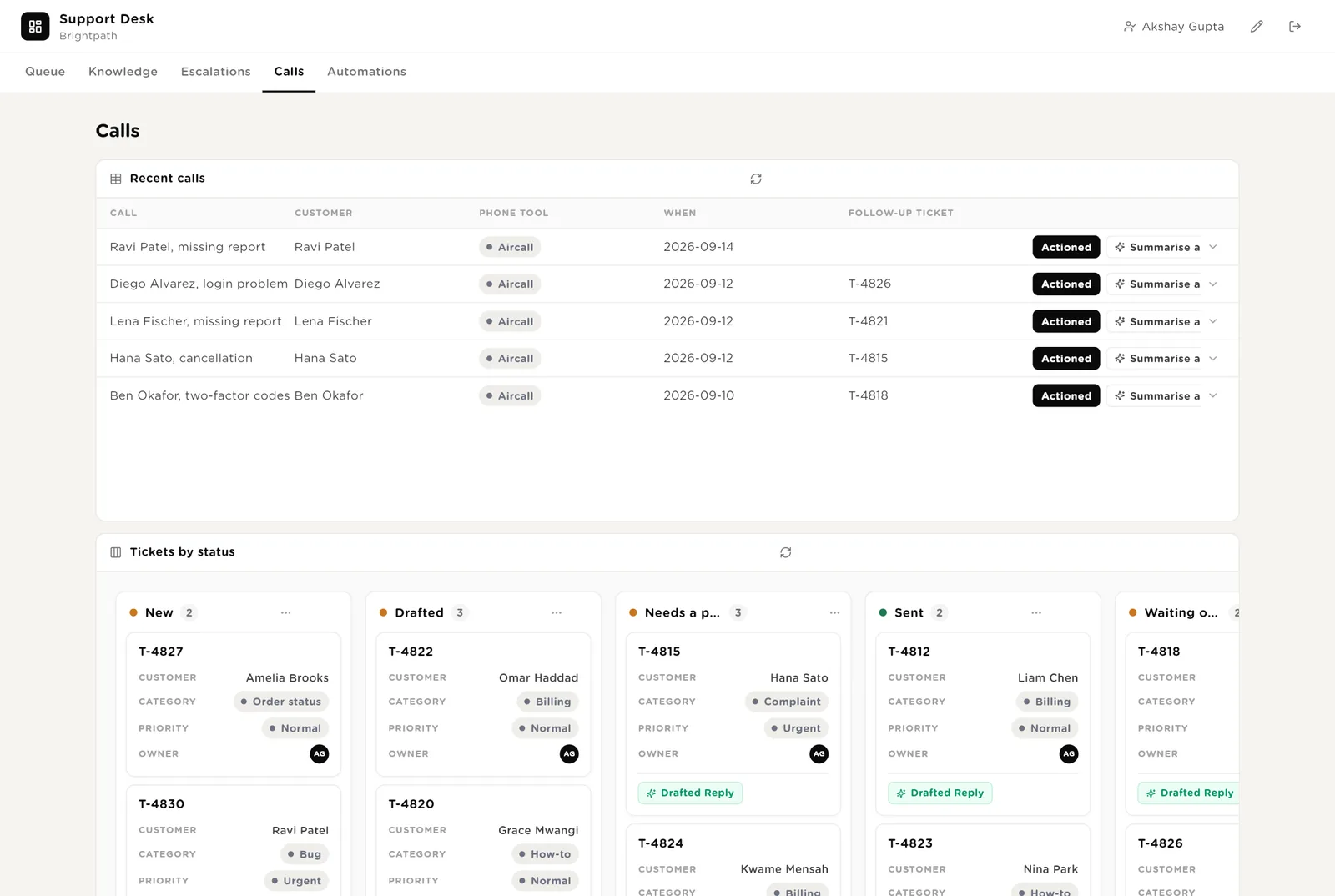
Every support call with its summary, actions and what was promised, linked to the follow-up ticket. Below it, every ticket as a card by status.
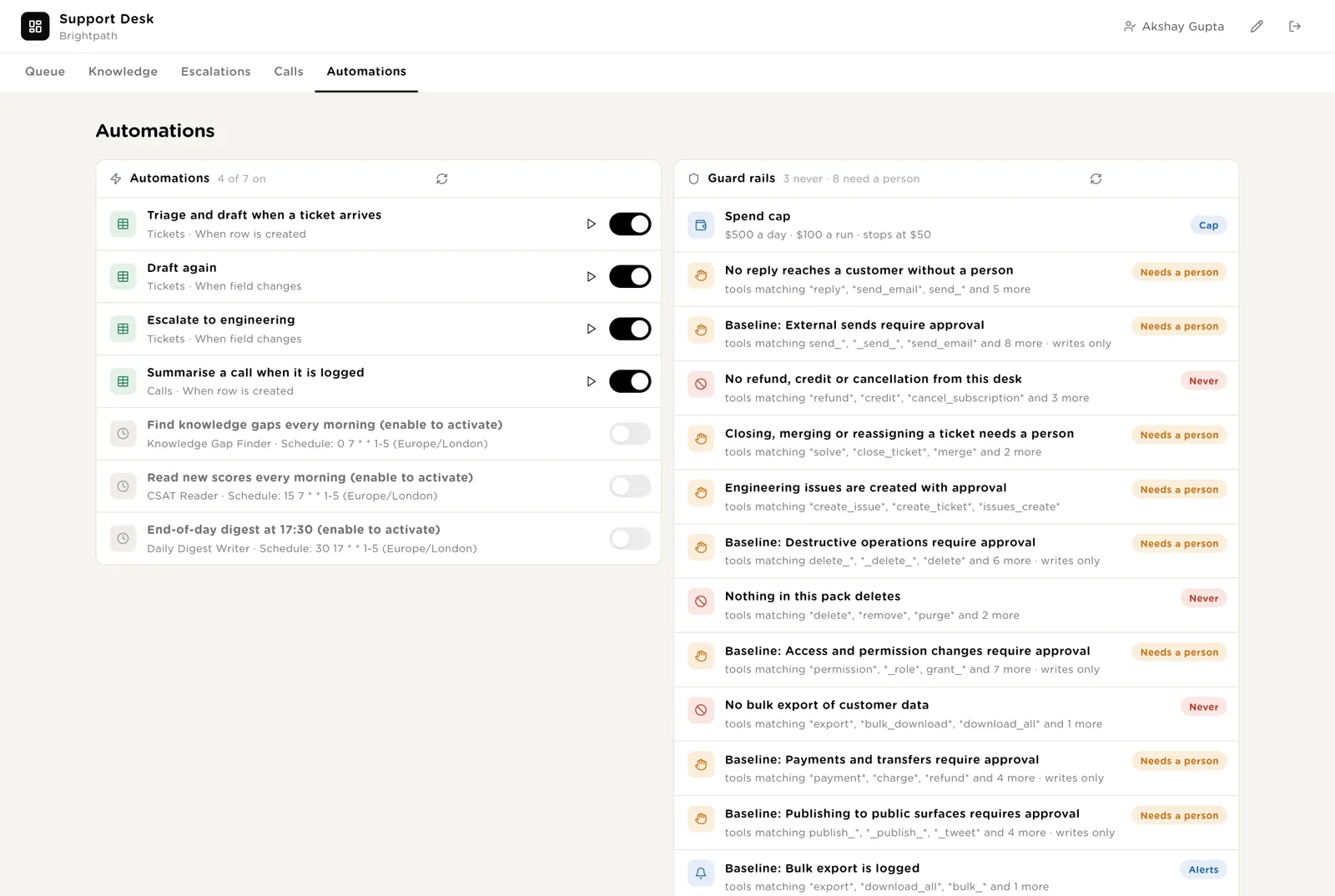
Every automation with its switch. The pack's guard rails. The record of tickets triaged, escalations written and calls summarised, and the daily digests.
Every triage, escalation and call summary the desk ran, with duration and what it touched, and the daily digests.
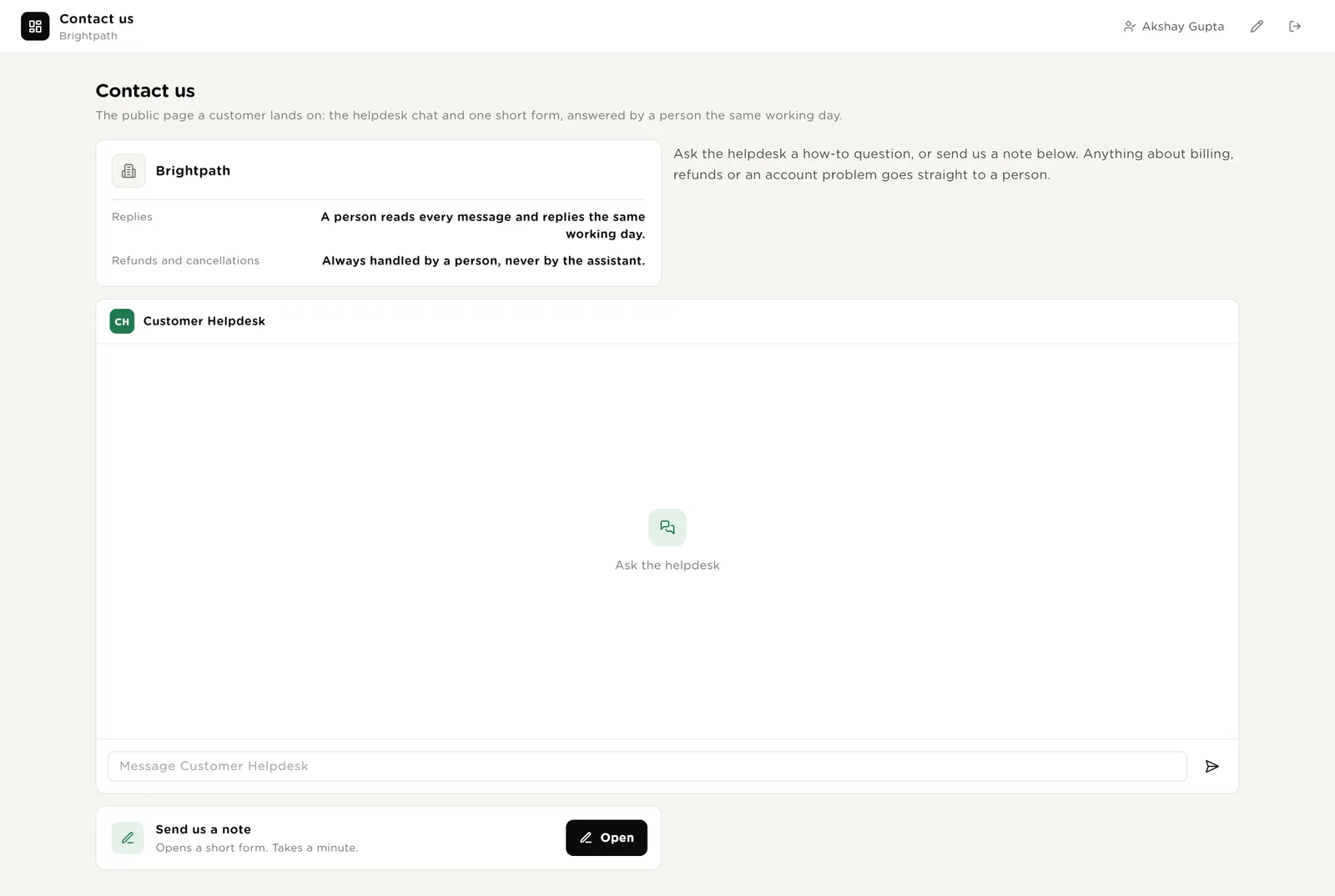
A public page with the company card, the helpdesk chat and one short form. The chat answers how-to questions from the help centre and says where a request stands. Anything about money or a complaint goes to a person. The form creates a ticket that the triager picks up within a minute.
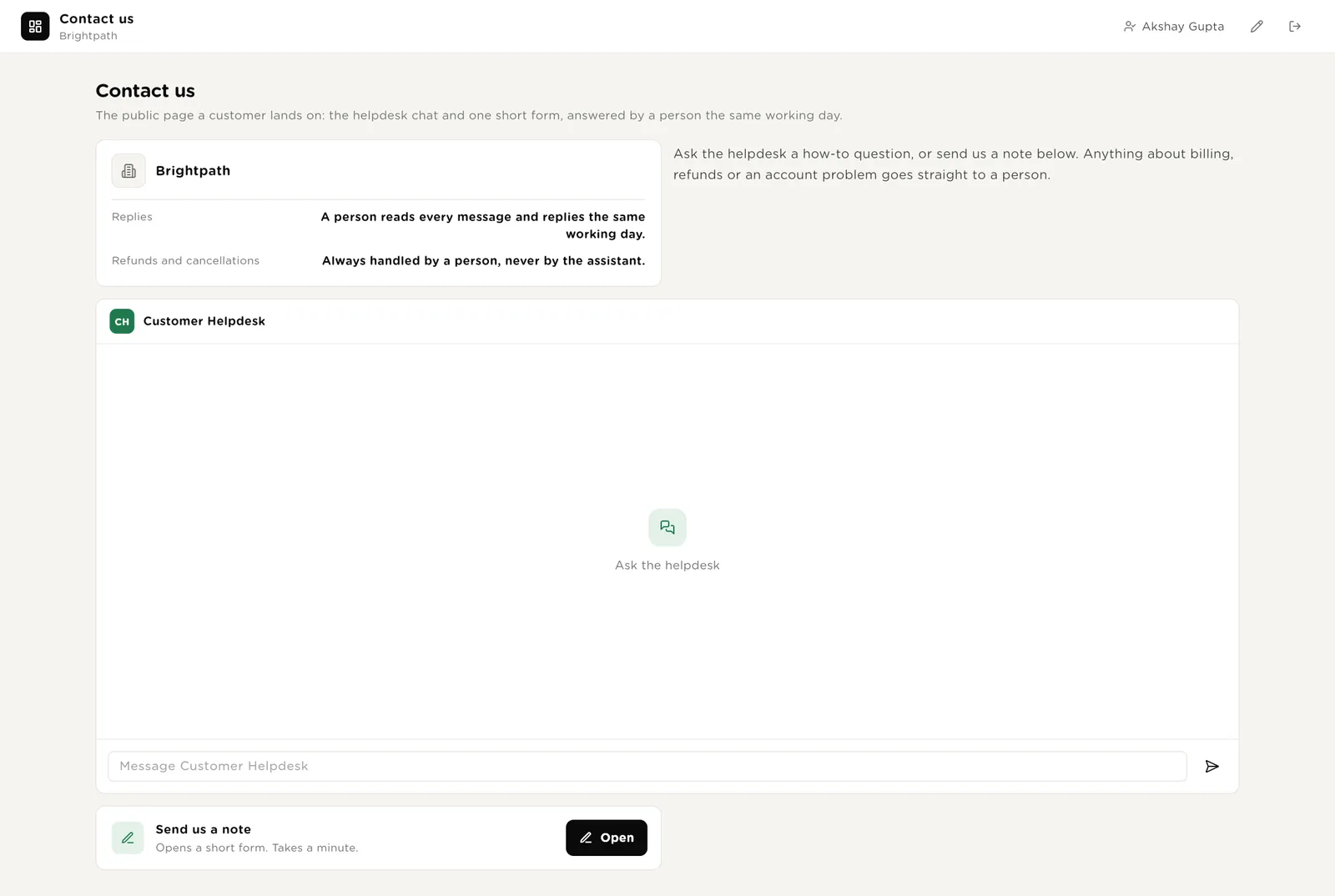
Send us a note on the public page creates a ticket with the customer, email, subject and message. The triager reads it within a minute.
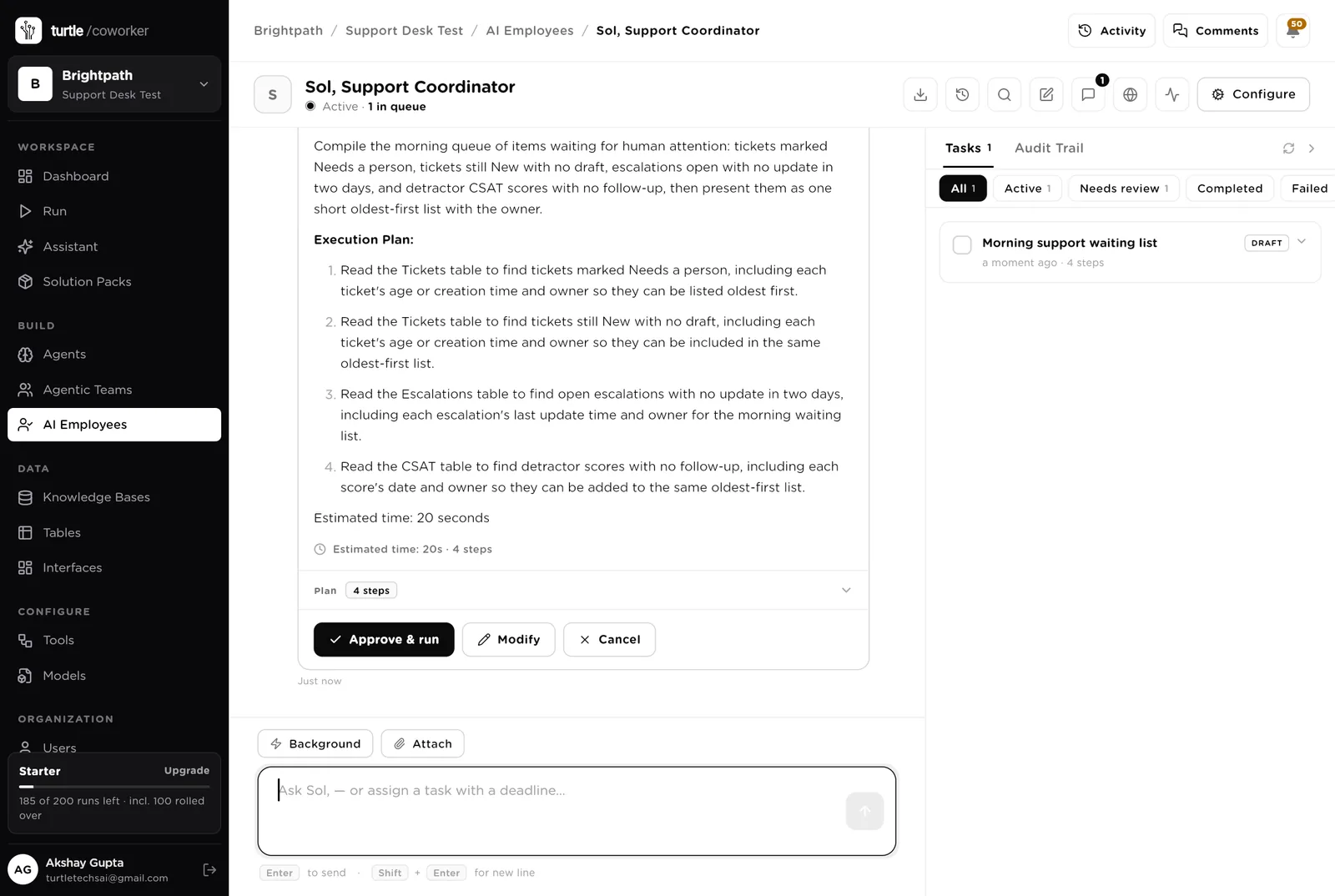
Sol is a software colleague you can chat with. Sol runs the morning list, knows which agent to use for what, reads the tables, and never sends a reply, refunds or closes anything.
Every morning: tickets marked Needs a person, tickets still New, escalations open with no update in two days, low scores with no follow-up. One short list, oldest first, with the owner. Tools: the helpdesk, Gmail, the issue tracker, Turtle Notify.
You typed a question. Sol wrote a four-step plan (tickets needing a person, tickets with no draft, stale escalations, low scores) and is waiting. Nothing runs until you click "Approve and run". You can change the plan or cancel it.
An agent does one job. It starts when something arrives, on a schedule, when you press a button, or when Sol asks it. It reads your tools and your playbook, writes its result into the record, and stops. No agent ever replies to a customer.
Reads a new ticket, sets the category, the sentiment and the priority per your playbook, checks the customer's previous tickets in the helpdesk, and drafts the reply from the help centre with the article cited. For anything about money, cancellations, legal matters or anger it writes "Needs a person" and why. Adds the draft to the helpdesk as an internal note. Never sends.
Every morning it groups the last seven days of tickets by the question asked, counts them, and for any question asked three or more times with no help centre article, drafts the article from the replies the team already sent. Never publishes.
When a ticket is marked Escalated it finds the other tickets describing the same problem and writes the bug report: title, steps to reproduce, account and time, expected and actual, evidence the customers sent, customers affected. Creates the issue in the tracker behind your approval and links it back. Never promises a fix date.
The work that gets skipped when the queue is long.
When a call is logged it reads the transcript from your call notes tool and writes a three-line summary, the actions with owners, and anything promised to the customer. Creates the follow-up ticket if none exists.
Every morning it reads new satisfaction scores, sets a theme on each comment (speed, accuracy, tone, product, price), and for a score of 2 or lower drafts a two-sentence personal follow-up. No discounts, no promises. Never sends.
At half past five it counts the day's tickets by category and sentiment, computes the median first response, lists the escalations open and picks the three complaints of the day, then emails the support lead.
The helpdesk chat sits on the public contact page. It answers how-to questions from the help centre with the article, and says where a customer's own request stands. Anything about a refund, a credit, a cancellation, a legal matter or a complaint is handed to a person, and it says so. It never promises a refund, a date or a fix.
A router sends the question to a how-to specialist (reads the help centre) or a status specialist (reads the customer's own tickets, never anyone else's).
Tables are where everything is stored. They look like spreadsheets and your team can open and edit them. Your helpdesk stays the record; the desk holds the triage, the drafts and the evidence.
| Table | What is in it | Stages |
|---|---|---|
| Tickets | Every ticket with its triage, the drafted reply and who sent it. | New → Drafted / Needs a person → Sent → Waiting on customer → Closed · Escalated |
| Knowledge Gaps | Questions the help centre does not answer, with a draft article each. | New → Drafted → Published · Ignored |
| Escalations | Bugs handed to engineering with the report and the issue link. | Open → In progress → Fixed · Not a bug · Closed |
| Calls | Support calls with the summary and the follow-up ticket. | New → Summarised → Actioned |
| CSAT | Scores per ticket, the theme, and the follow-up draft for low scores. | New → Followed up · Ignored |
| Daily Digest | One row per day with the numbers and the digest. | One row per day |
The software knows nothing about your product or your rules except what the tables and your playbook tell it.
Two documents: your help centre articles, and your support rules (tone, what a person must always handle, priority rules, when to escalate). Every agent and the helpdesk chat read them. Replace the starter text with your own.
The pack uses whichever AI model your company has already connected. Other vendors of the same kind swap in at install time without changing the desk.
Checks on arrival are on from day one. The schedules are off until you switch them on from the desk.
| Automation | Agent | When | Ships |
|---|---|---|---|
| Triage and draft when a ticket arrives | Ticket Triager | The moment a ticket arrives | On |
| Escalate to engineering | Bug Escalator | When a ticket is marked Escalated | On |
| Summarise a call when it is logged | Call Summariser | The moment a call is logged | On |
| Find knowledge gaps | Knowledge Gap Finder | Weekdays 07:00 | Off until you switch it on |
| Read new scores | CSAT Reader | Weekdays 07:15 | Off until you switch it on |
| End-of-day digest | Daily Digest Writer | Weekdays 17:30 | Off until you switch it on |
Buttons on the desk run agents too. "Draft again" runs the triager on one ticket; "Summarise again" runs the summariser on one call.
Three things always need a person. The software stops and waits at each one.
Sent, Mine, Escalate, Closed, Reopen, Published, Fixed, Followed up. Only a person presses them. The software can write a reply; it cannot send it. It can say a ticket is a bug; a person marks it Escalated.
If an agent or Sol tries to reply to a customer, close or reassign a ticket, or create an engineering issue, it stops. The exact call appears in Approvals. You read it and click Approve or Deny. Refunds, credits and cancellations are refused outright, from every agent.
When you give Sol a task, Sol shows what it will do first. Approve and run, change it, or cancel.
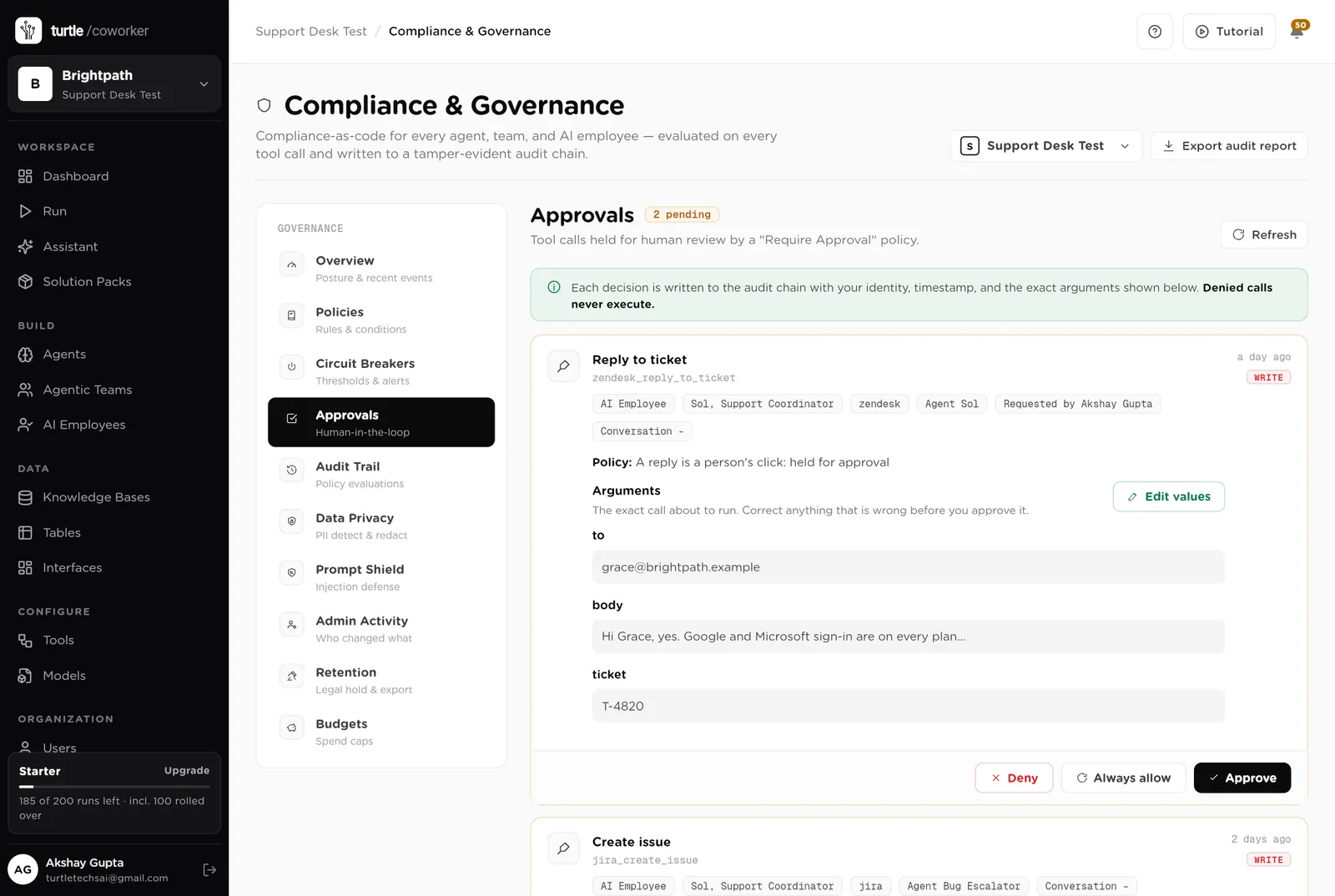
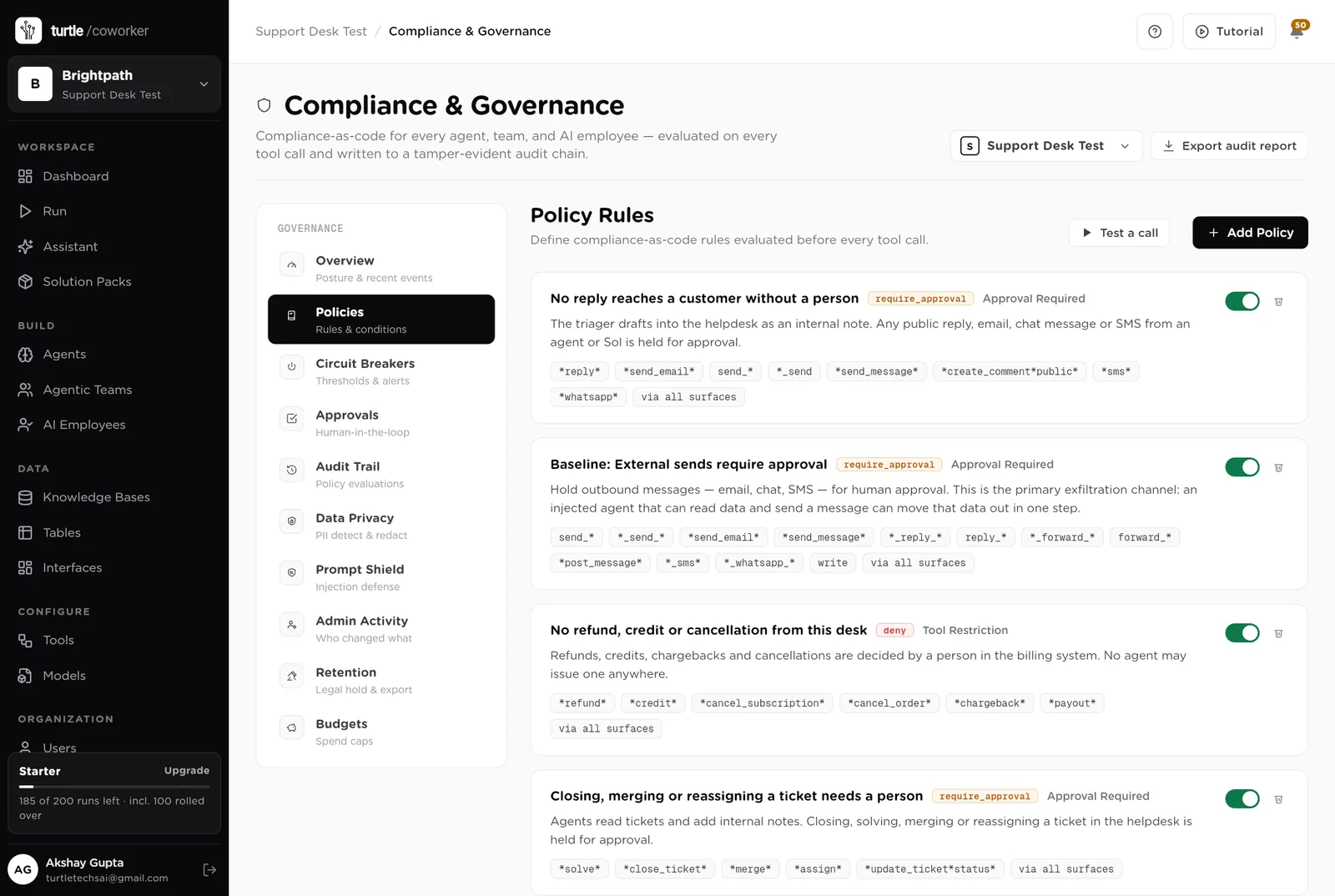
A rule is checked before every single thing the software tries to do. The pack installs six rules of its own on top of the standard ones every workspace starts with.
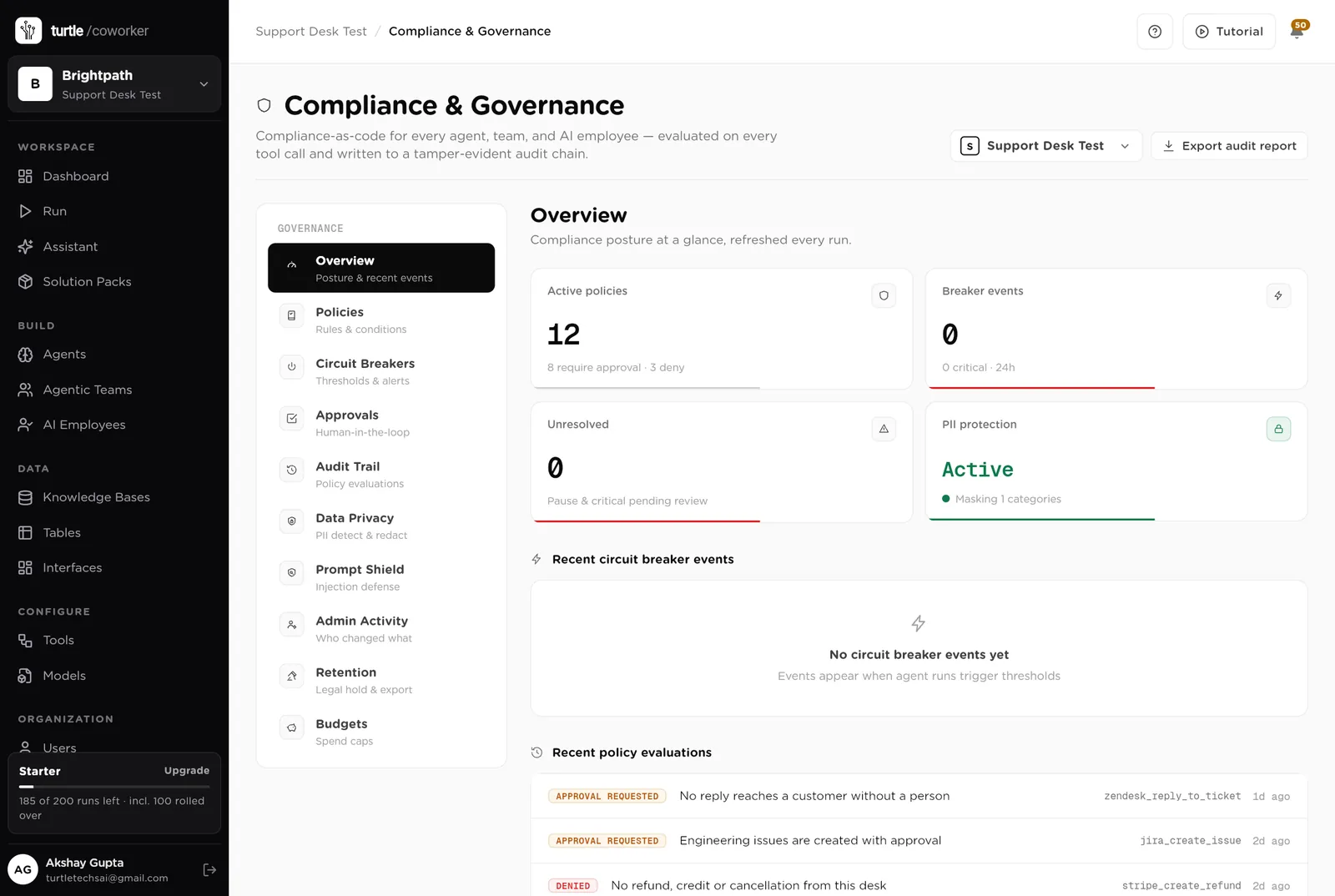
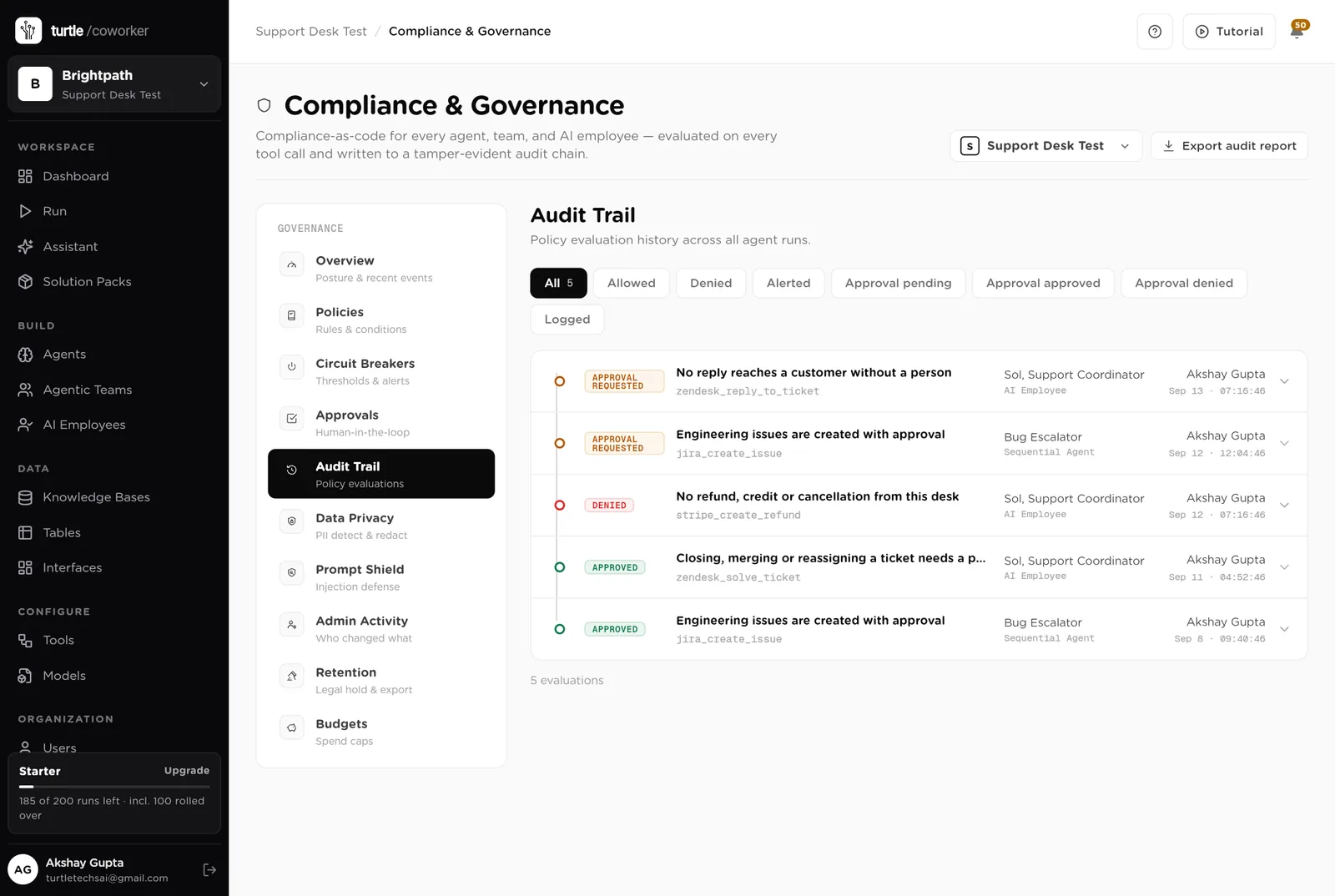
For every run you can see which agent ran, why it ran, every step it took, and every rule that checked it. Passwords and card numbers are blanked out before anything is stored.
A monthly budget with a warning level and a hard stop for the software's own usage.
Emails, names and card numbers are masked in what the software reads and writes. Every key is encrypted. Nothing exports the customer list.
Who drafted it, what the help centre said, who sent it, when. The audit trail and the Tickets table say the same thing.
The desk is shared with the team. The public page shows a customer only the help centre and their own requests. Only owners and admins change the layout.
These estimates assume four support agents handling about 30 tickets a day, ten calls a week, a help centre of 80 articles and two engineering escalations a week. "Before" is the time by hand; "after" is the reading and deciding that is left. Your numbers will differ. These are estimates, not measurements; after a month the audit trail gives you real figures.
| Job | Assumption | Hours before | Hours after | What changes |
|---|---|---|---|---|
| Reading, sorting and drafting a reply | 8 min each, 150 a week | 20.0 | 6.0 | Triaged and drafted in a minute; you read and send. |
| Finding what the help centre is missing | 3 h a week | 3.0 | 0.5 | Gaps found and drafted every morning. |
| Writing a bug report engineering can use | 45 min each, 2 a week | 1.5 | 0.3 | Steps, evidence and count assembled; you approve. |
| Writing up calls | 15 min each, 10 a week | 2.5 | 0.5 | Summary, actions and promises written on arrival. |
| Following up low scores | 20 min each, 5 a week | 1.7 | 0.4 | Themed and drafted; you send. |
| The daily numbers | 30 min a day | 2.5 | 0.3 | Written and emailed at 17:30. |
| Answering "where is my request" | 3 h a week | 3.0 | 0.5 | The helpdesk chat answers from the customer's own tickets. |
| Total per week | 34.2 | 8.5 | About 25 hours a week back across the team, and no customer waits a day for the first reply. |
The draft is waiting when the agent opens the ticket. The median first response drops from hours to minutes.
Money, cancellations, legal matters and anger are marked for a person before anyone replies.
Steps, account, time, evidence and the count of customers affected, every time.
Estimates, not measurements. After a month the audit trail gives you real figures.
Installing takes one click. The real work is the playbook and the help centre.
Install the pack from the Solution Packs page. Connect your helpdesk and your issue tracker when asked; your call notes tool if you use one.
Replace the starter text with your support rules and paste in your help centre articles.
Let the triager draft every ticket; agents read and send from the helpdesk. Switch on the digest.
Switch on the gap finder and the score reader. Publish the first drafted articles.
Put the contact page on your website, and switch the engineering-issue rule to logged once the reports are trusted.
You pay for the platform, not per desk. The plan sets how many agents, employees and workspaces you can run; every desk is included, and runs are billed on your own model key at cost. 6 agents in this desk count against the plan's agent limit.
See plansWe use analytics cookies to see which pages help and which don’t. Nothing loads until you choose. Cookie Policy

Hello there.
AI agent. It can make mistakes, and a human reviews anything that matters.