Software for founder-led content. Every morning it listens to where your buyers talk (Reddit, LinkedIn, X, YouTube) for what they are asking, turns the best of it into ideas by theme, and drafts posts in your voice for LinkedIn and X. You approve; the desk hands you the final text to paste and post. Comments and reactions on what you published are collected, and the people who match your customer profile become leads. A newsletter issue is assembled from the week. Monday tells you which theme and format earned attention. The software never posts, likes or comments as you.
For founders and small marketing teams publishing in the founder's name
The pack is built for a person who publishes under their own name, and the small team that helps. It fits three kinds of team.
You know you should post three times a week and you manage one. The desk finds the ideas, drafts in your voice, and hands you the text. You still press Post yourself.
One marketer runs the desk for the founder. The listening, the drafts, the engagement harvest and the newsletter are the marketer's week; the founder approves and posts.
A team running executive or thought-leadership content for a leader in an MNC, with a rule that nothing is published by software. The desk gives them that by design.
| Marketing / Content | Listening, ideas, drafts, the calendar, the newsletter, the Monday numbers. |
| Founder's office / Executive communications | Drafts in the leader's voice, approved by the leader, posted by hand. |
| Sales / Business Development | Comments and reactions from people who match the customer profile, flagged as leads. |
| Compliance / Legal | No agent ever posts, comments, likes or runs an ad. Every draft is approved by a named person. |
Everything the software produces is a draft for a person. It never posts, shares, likes, comments or follows as you, never sends a newsletter, never touches an ad account, and never sends an email without a person approving it first.
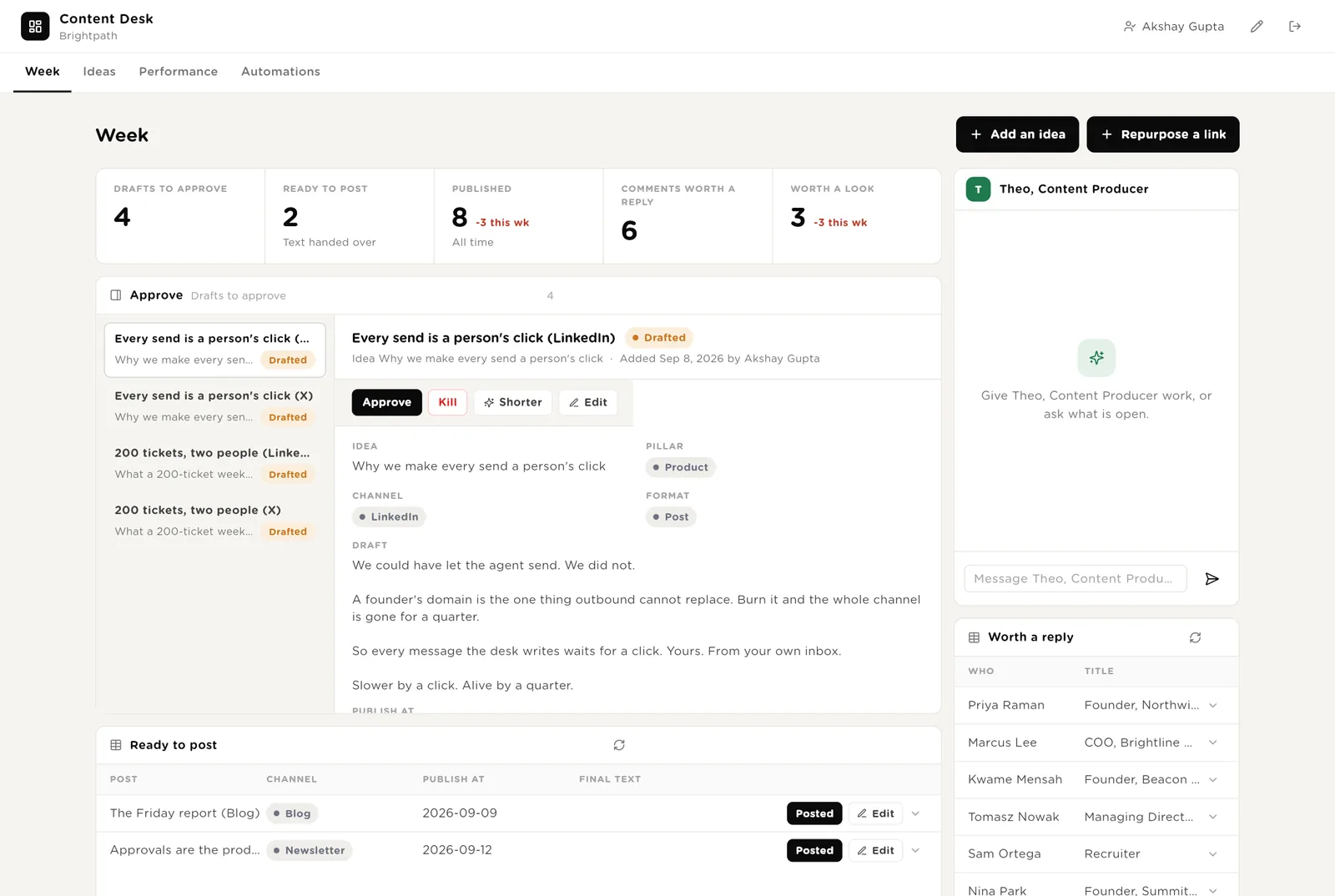
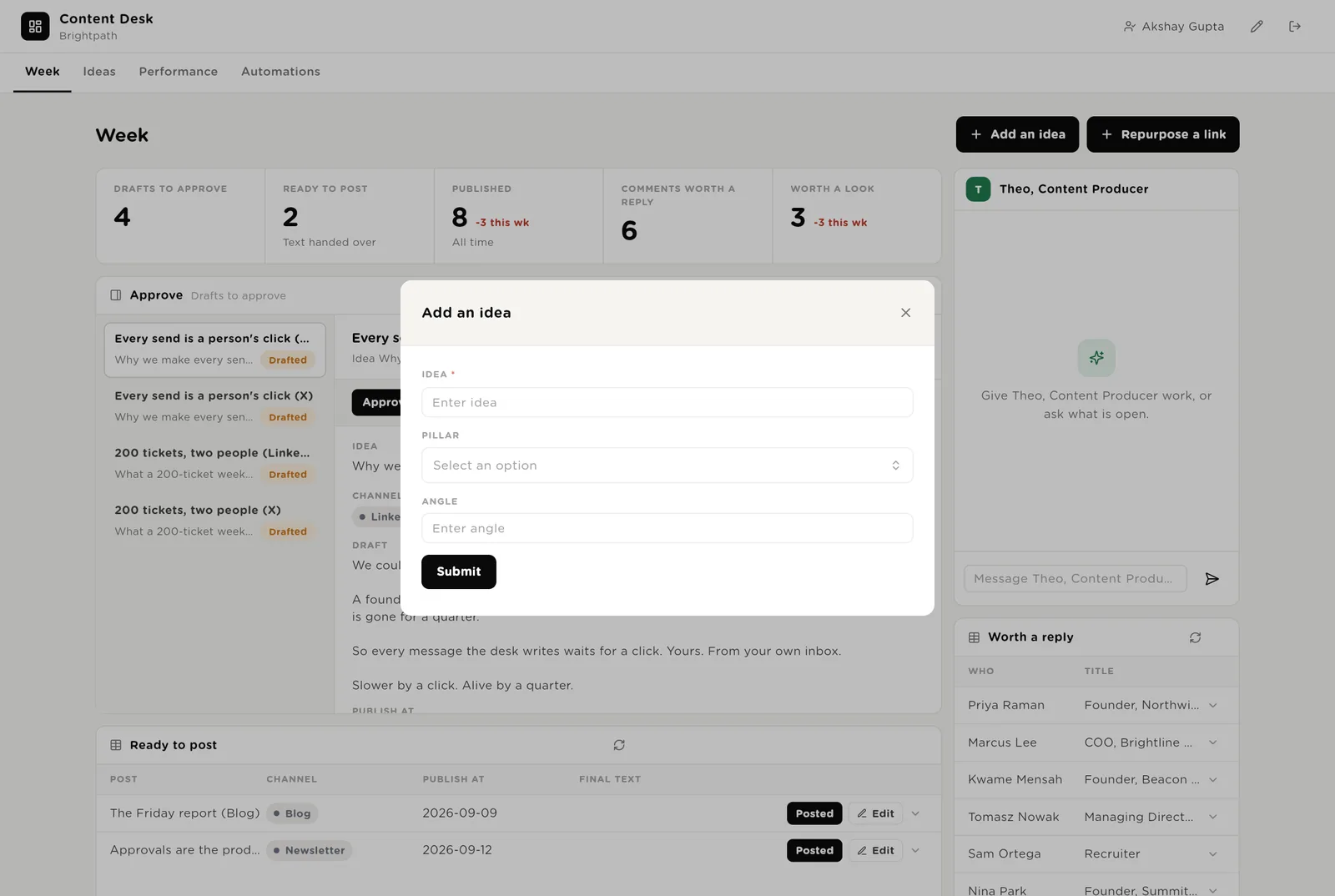
The founder's morning. Five live numbers. Drafts to approve, each with the text in front of you and a Shorter button. Posts ready to paste. Theo beside them. Comments worth a reply. The calendar. Two buttons: add an idea, repurpose a link.
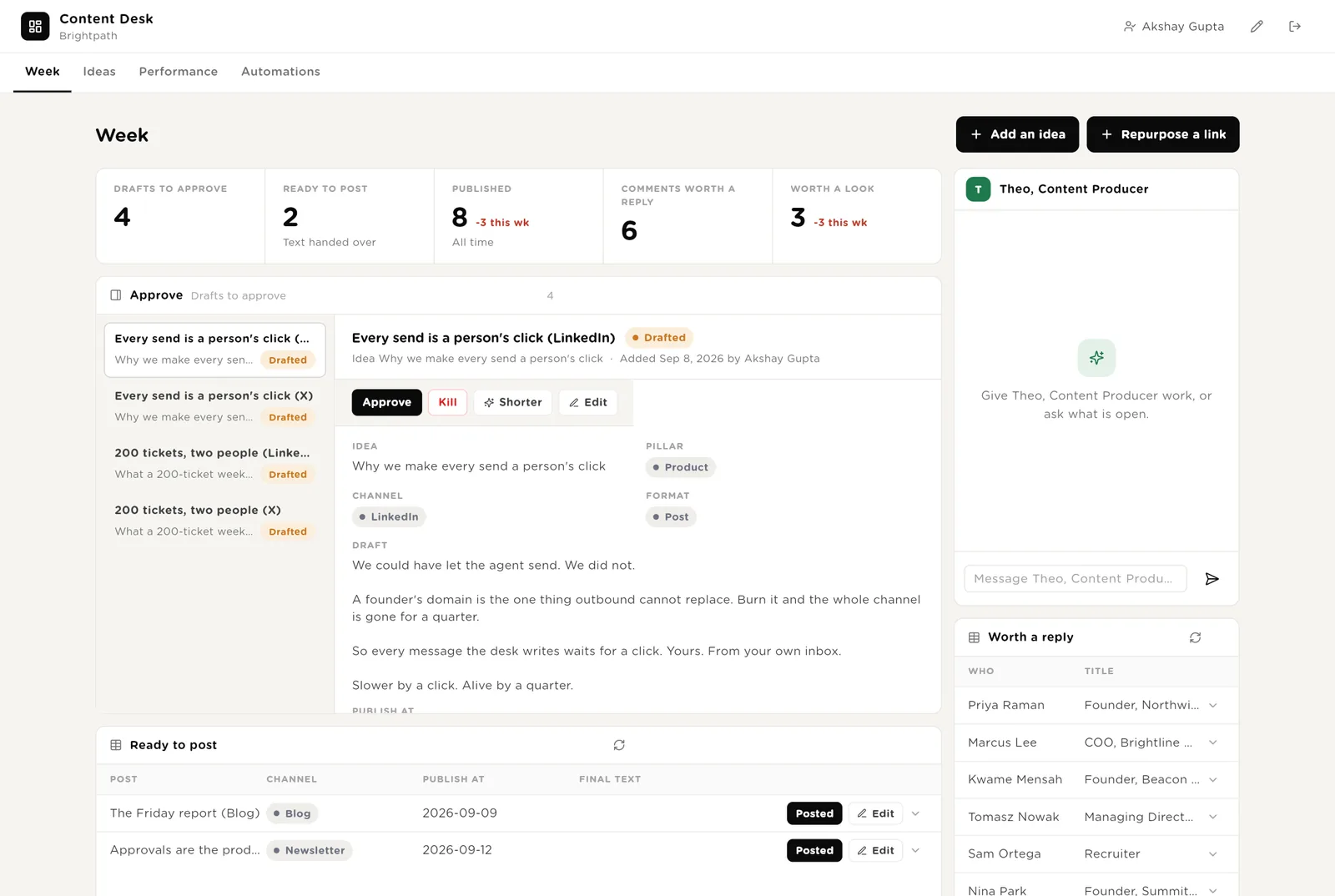
The post is formatted for its channel and the final text is emailed to you. You paste it and post it yourself.
Rewrites the draft to its point, in your voice, for another look.
You published it. Paste the link back and the harvest starts collecting reactions.
The week's posts on a calendar, and Theo's recent work.
Ideas as a board by status. What the listener found this morning, with Make an idea / Ignore. Links you repurposed. All listening for the record.
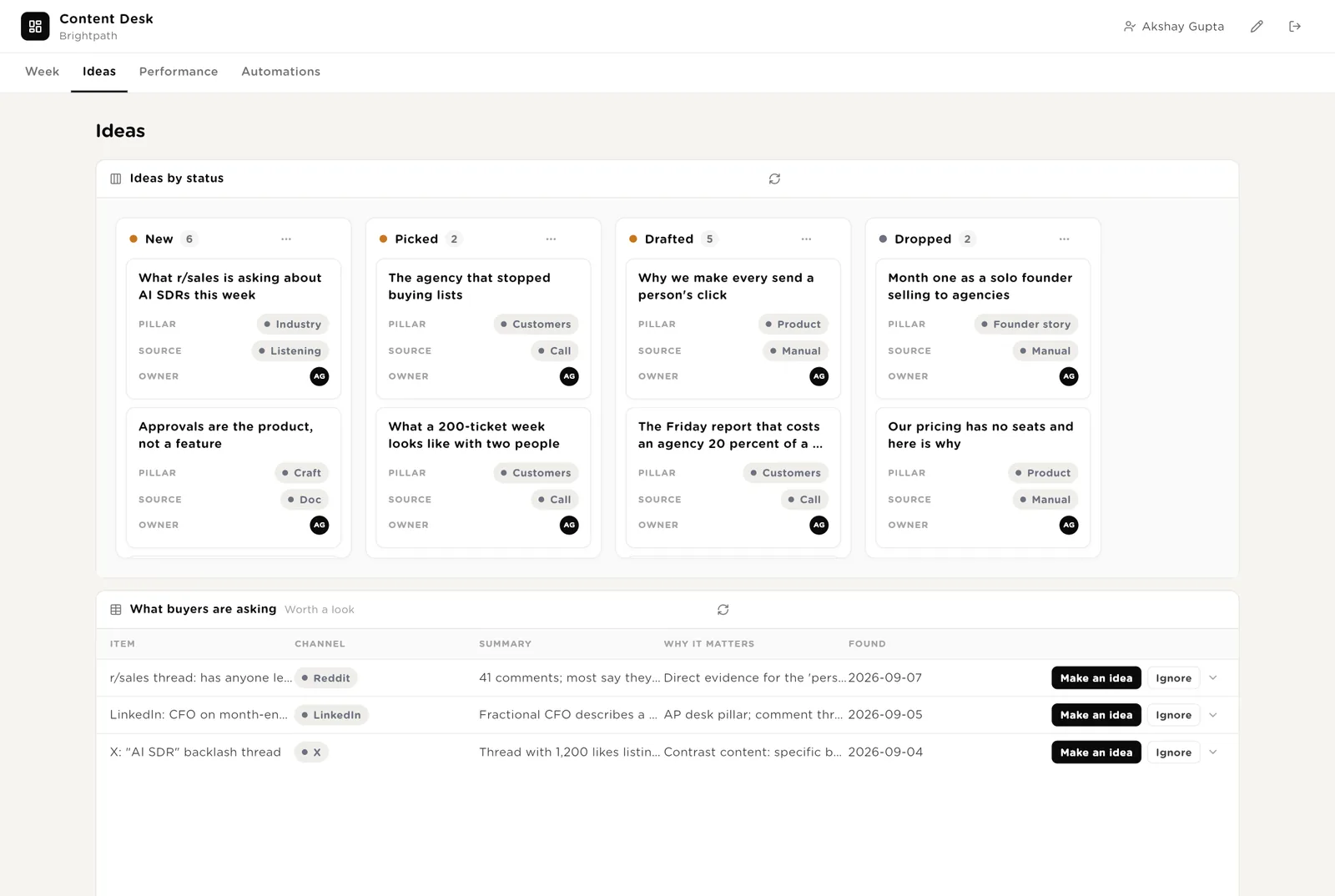
Turns a question buyers asked into an idea under a pillar.
Drag it to Picked and the draft is written within a minute.
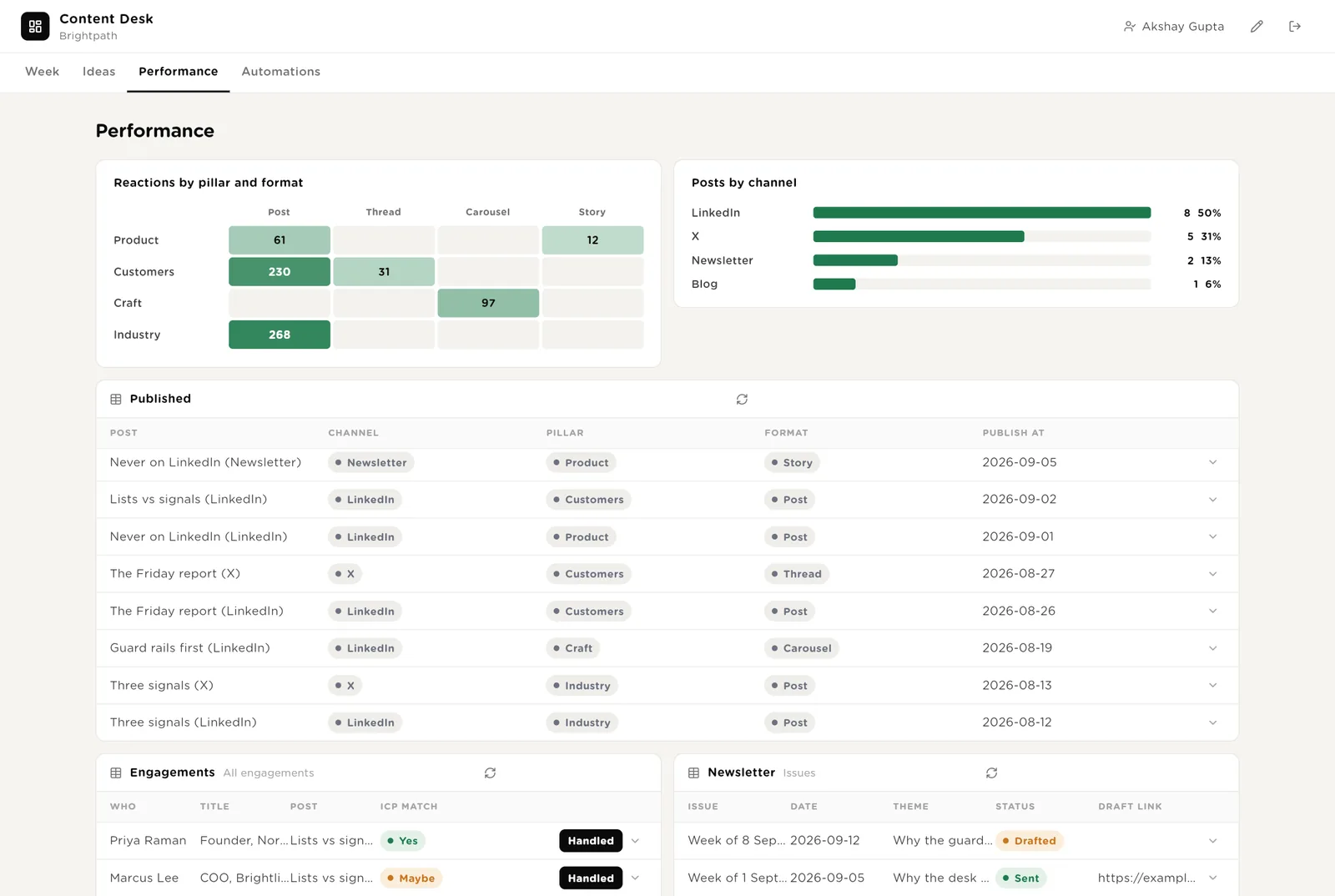
A heat map of reactions by pillar and format. Posts by channel. Everything published with its numbers. Engagements, with the people who match your profile. Newsletter issues.
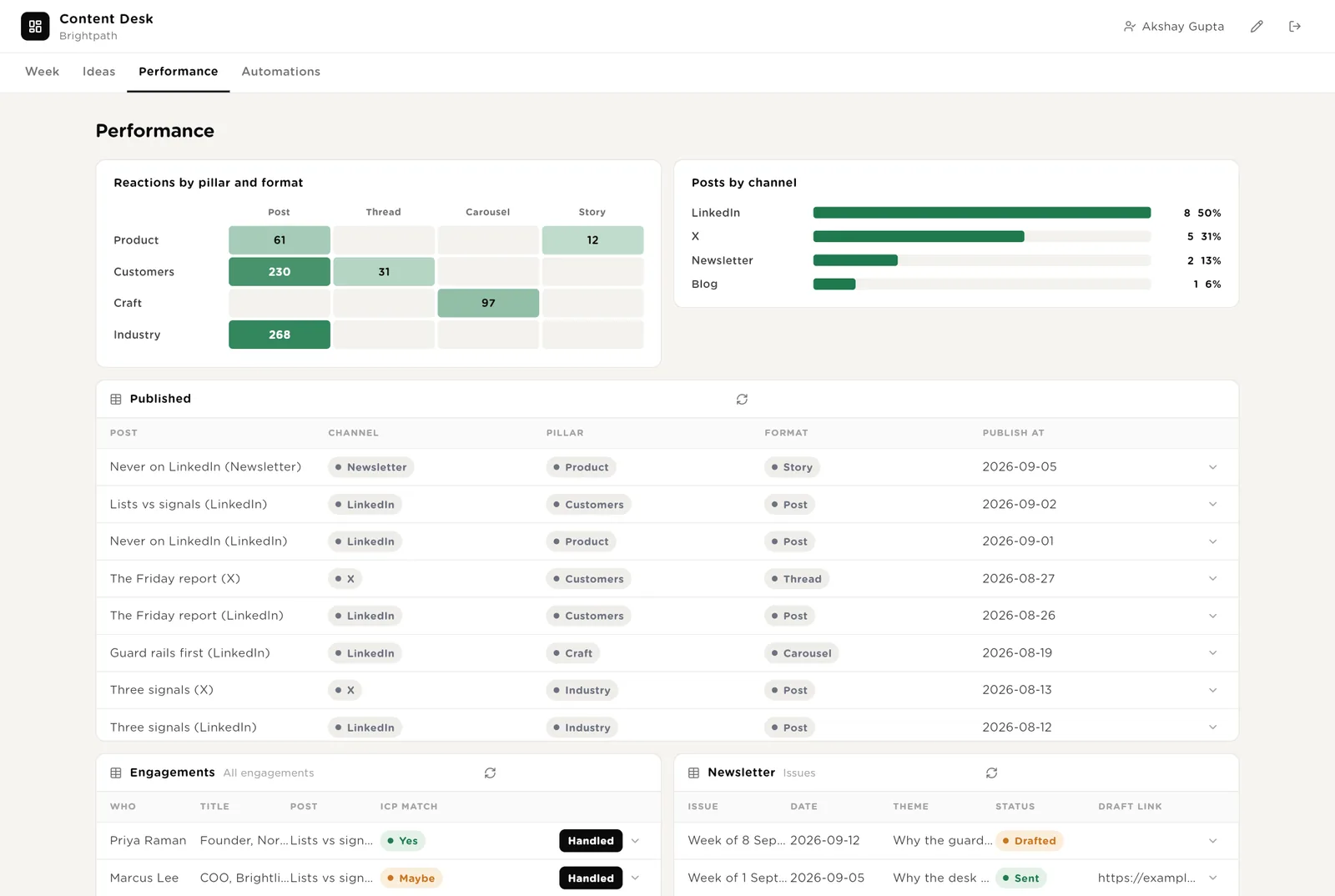
After a month it says what to write more of: Craft stories on LinkedIn, not Industry threads on X.
Who commented and reacted. ICP Match Yes means they look like a customer.
Every engagement with its match, and the newsletter issues assembled from the week.
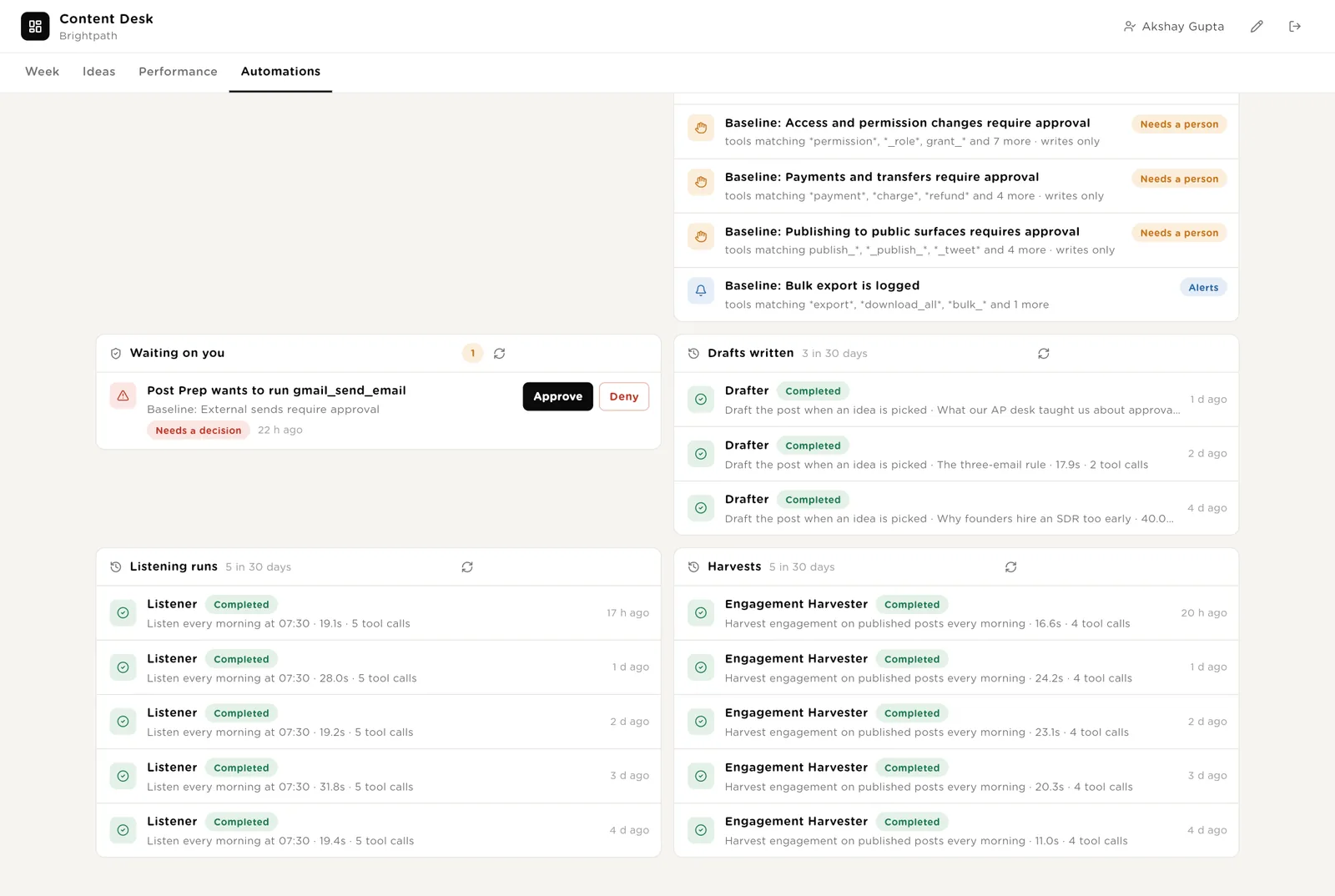
Every automation with its switch. The pack's guard rails. Everything waiting for your Approve. The record of drafts, listening runs and harvests.
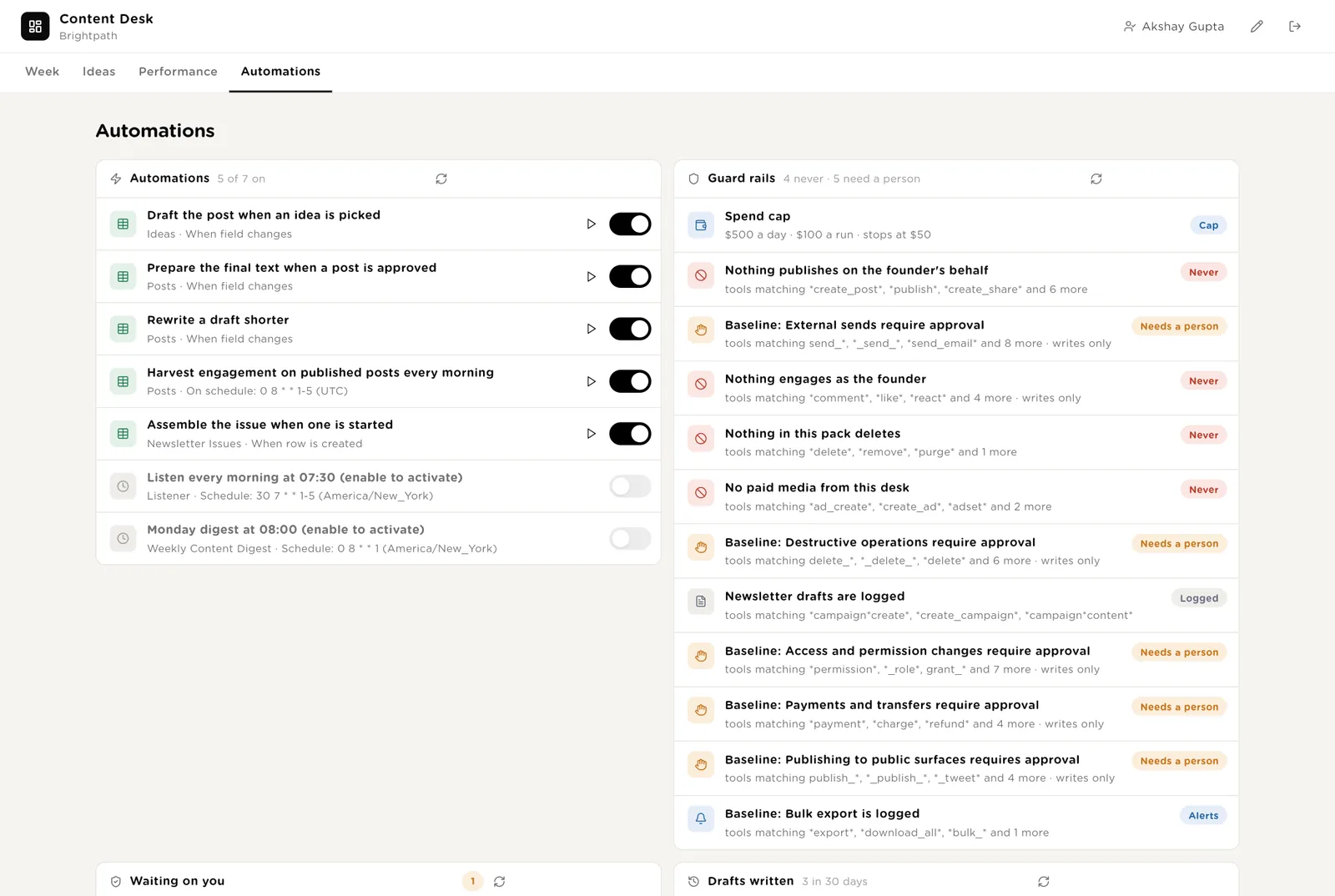
Every draft, every listening run and every harvest, with duration and what it touched.
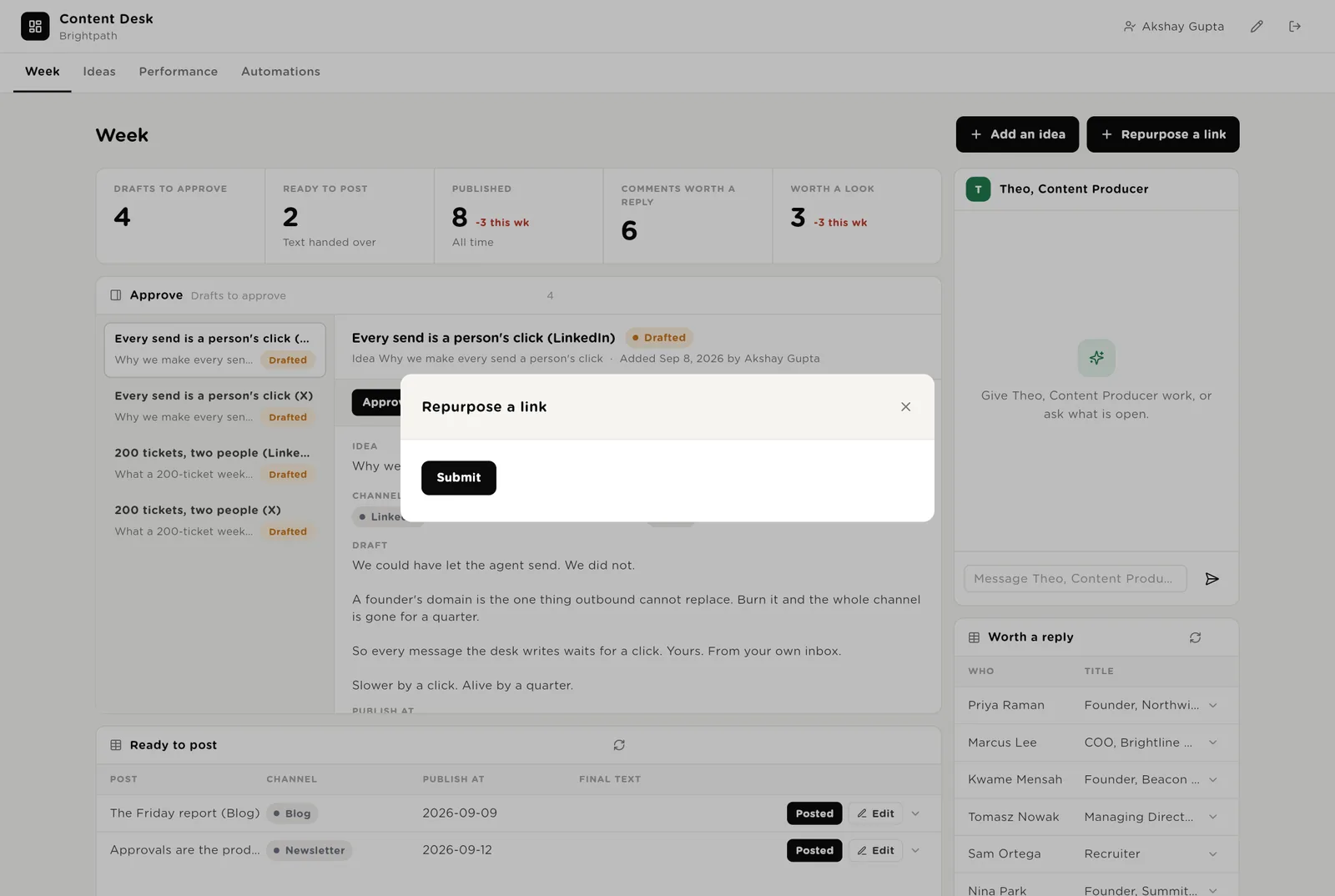
Add an idea when you have one. Paste a link to turn something you already made into five ideas.
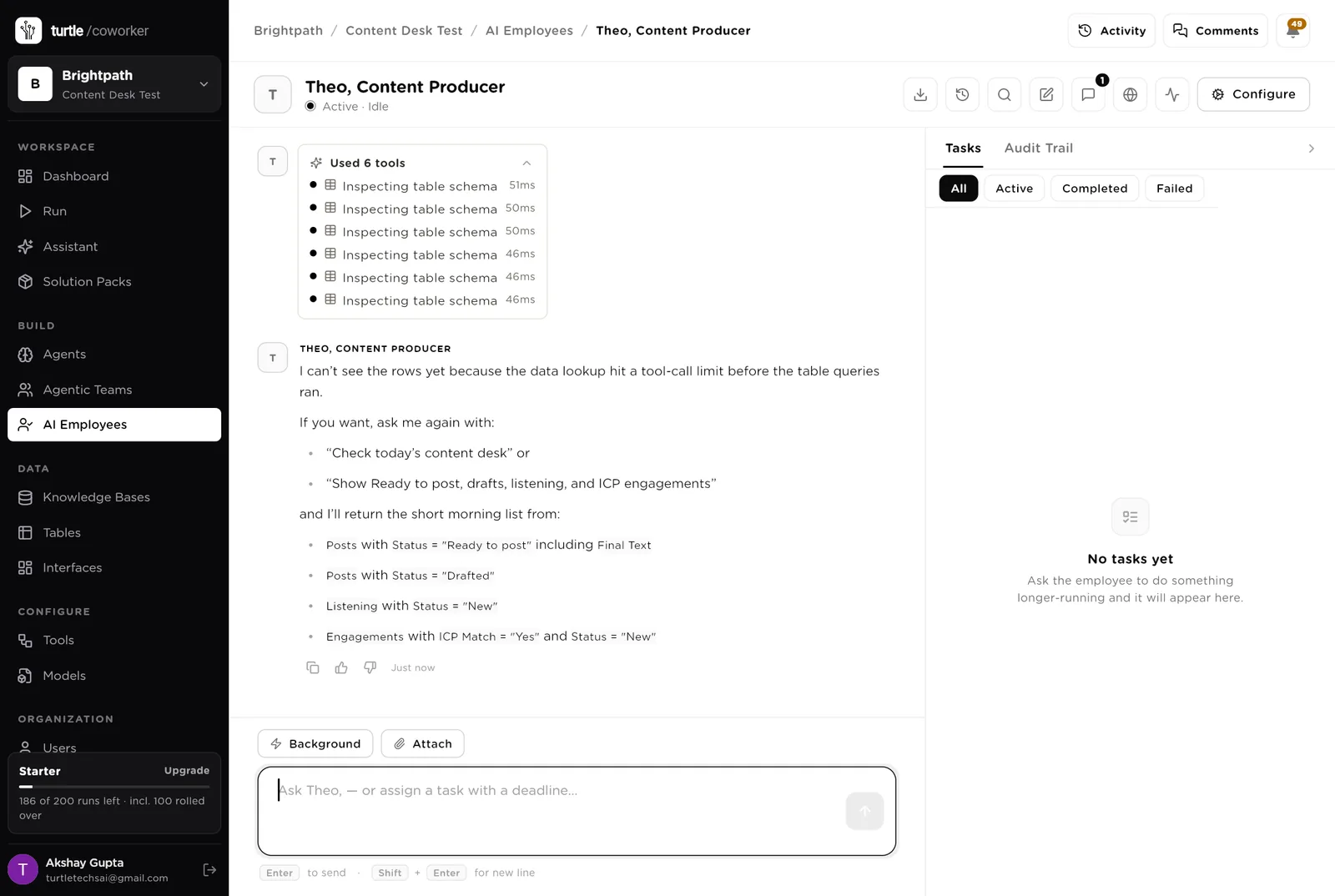
Theo is a software colleague you can chat with. Theo runs the morning list, knows which agent to use for what, and turns a sentence into a plan you approve before it runs. Theo never posts.
Every morning: the posts ready to paste today with the final text, the drafts waiting for approval, the new listening worth a look, the engagements that match your profile. Tools: the listening tools (platform keys), Turtle Notify.
You typed a question. Theo turned it into a short task and started reading the tables. Reading is allowed on its own; anything that sends or books stops for your approval.
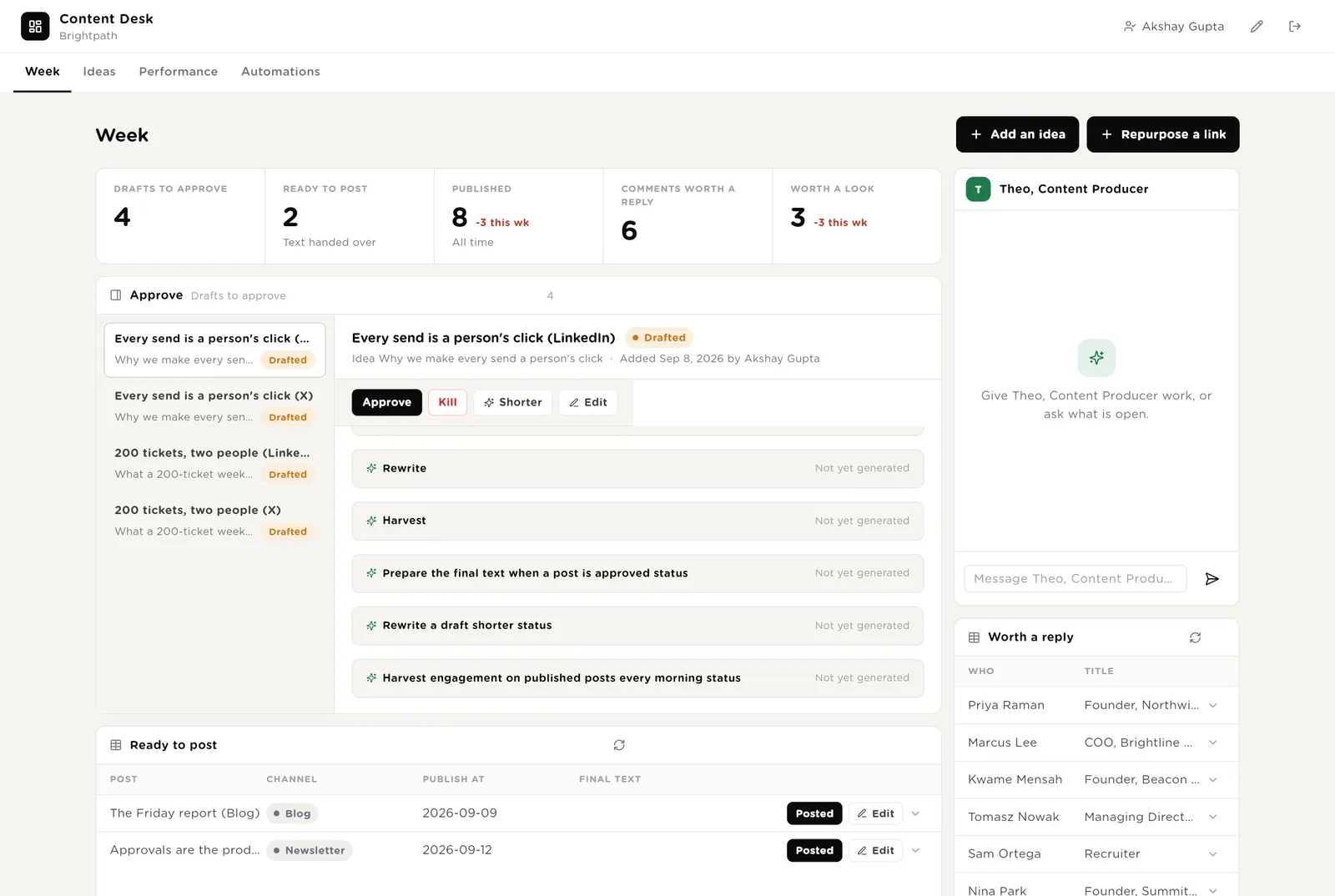
An agent does one job. It starts on a schedule, when something changes, or when Theo asks it. It reads your tables and your voice document, writes its result into the record, and stops. No agent ever posts.
Every morning it searches Reddit, LinkedIn posts, X and YouTube for the questions in your playbook, writes the best items as listening rows, and turns the top three into ideas.
Reads a blog post, a document or a call transcript you paste a link to, and writes five ideas across your pillars, each with an angle.
When you pick an idea, it writes a LinkedIn post and an X version, hook first, in your voice rules, and puts them up for approval.
When you click Shorter, it cuts the draft to its point in your voice and puts the new version up for another look.
The jobs after the draft is approved.
When you approve a post, it formats the text for its channel, marks it ready, and emails you the text with a link to the row. You post by hand and paste the link back.
Every morning it reads the comments and reactions on what you published, updates the counts, and creates a row for each person, flagging the ones who match your customer profile.
When you start an issue, it writes three sections with one link each from the week's posts and creates the draft in your email tool. You review and send there.
Published posts, impressions and reactions by pillar and format, the best post, engagements that became leads, and what to write more of.
Tables are where everything is stored. They look like spreadsheets and your team can open and edit them.
| Table | What is in it | Stages |
|---|---|---|
| Ideas | One row per idea, by pillar, with where it came from. | New → Picked → Drafted · Dropped |
| Posts | Every draft, one row per channel version, with the numbers after it is published. | Drafted → Approved → Ready to post → Published · Killed |
| Listening | What buyers are asking this week. | New · Used · Ignored |
| Engagements | Who reacted to and commented on what you published. | New · Handled |
| Newsletter Issues | One row per issue. | Drafted → Reviewed → Sent |
| Repurpose | Links you pasted to turn into ideas. | New → Done |
The software knows nothing about your voice except what the tables and your voice document tell it.
One document: your voice rules, your pillars, your audience, the questions to listen for, and ten posts that worked. Every agent reads it. Replace the starter text with your own.
The desk uses whichever AI model your company has already connected. You do not choose or manage a model for each agent.
Drafting and post prep run from day one. The listener, the harvester and the digest are off until you switch them on.
| Automation | Agent | When | Ships |
|---|---|---|---|
| Draft the post | Drafter | The moment an idea is picked | On |
| Rewrite shorter | Rewriter | The moment you click Shorter | On |
| Prepare the final text | Post Prep | The moment a post is approved | On |
| Turn a link into ideas | Repurposer | The moment a link is pasted | On |
| Assemble the newsletter | Newsletter Assembler | The moment an issue is started | On |
| Listen | Listener | Weekdays 07:30 | Off until you switch it on |
| Harvest engagement | Engagement Harvester | Weekdays 08:00 | Off until you switch it on |
| Monday digest | Monday Digest | Monday 08:00 | Off until you switch it on |
Buttons on the desk run agents too. "Shorter" runs the rewriter; "Make an idea" turns a listening item into an idea.
Two things always need a person, and one thing is never done by the software at all.
Every post is approved by you before it is formatted. Kill means it is never used.
The software never posts. It emails you the final text; you paste it into LinkedIn or X and press Post yourself. The same for the newsletter: a draft in your email tool, sent by you.
When you give Theo a task, Theo writes a plan and shows it first. Approve and run, change it, or cancel.
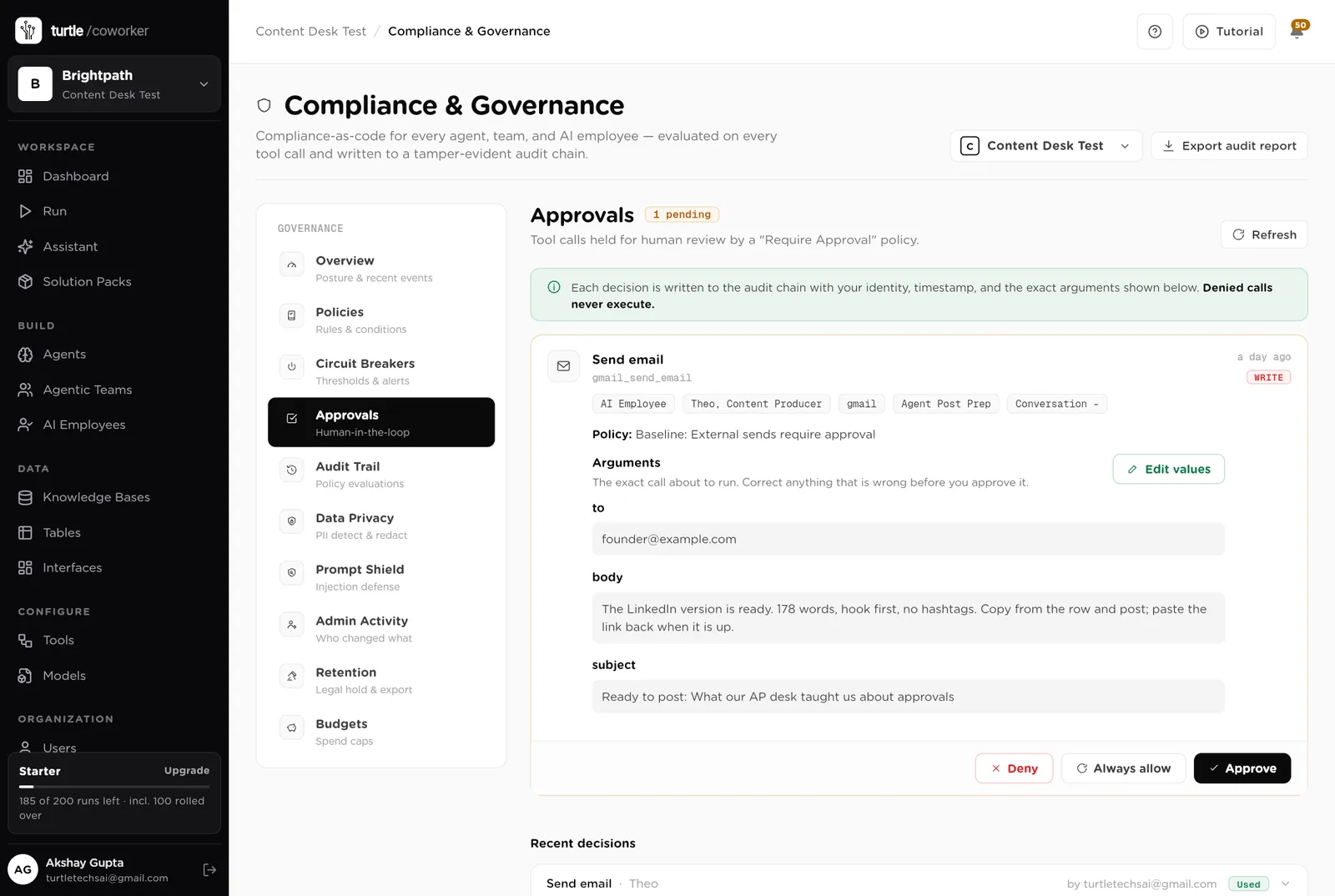
A rule is checked before every single thing the software tries to do. The pack installs five rules of its own on top of the standard ones every workspace starts with.
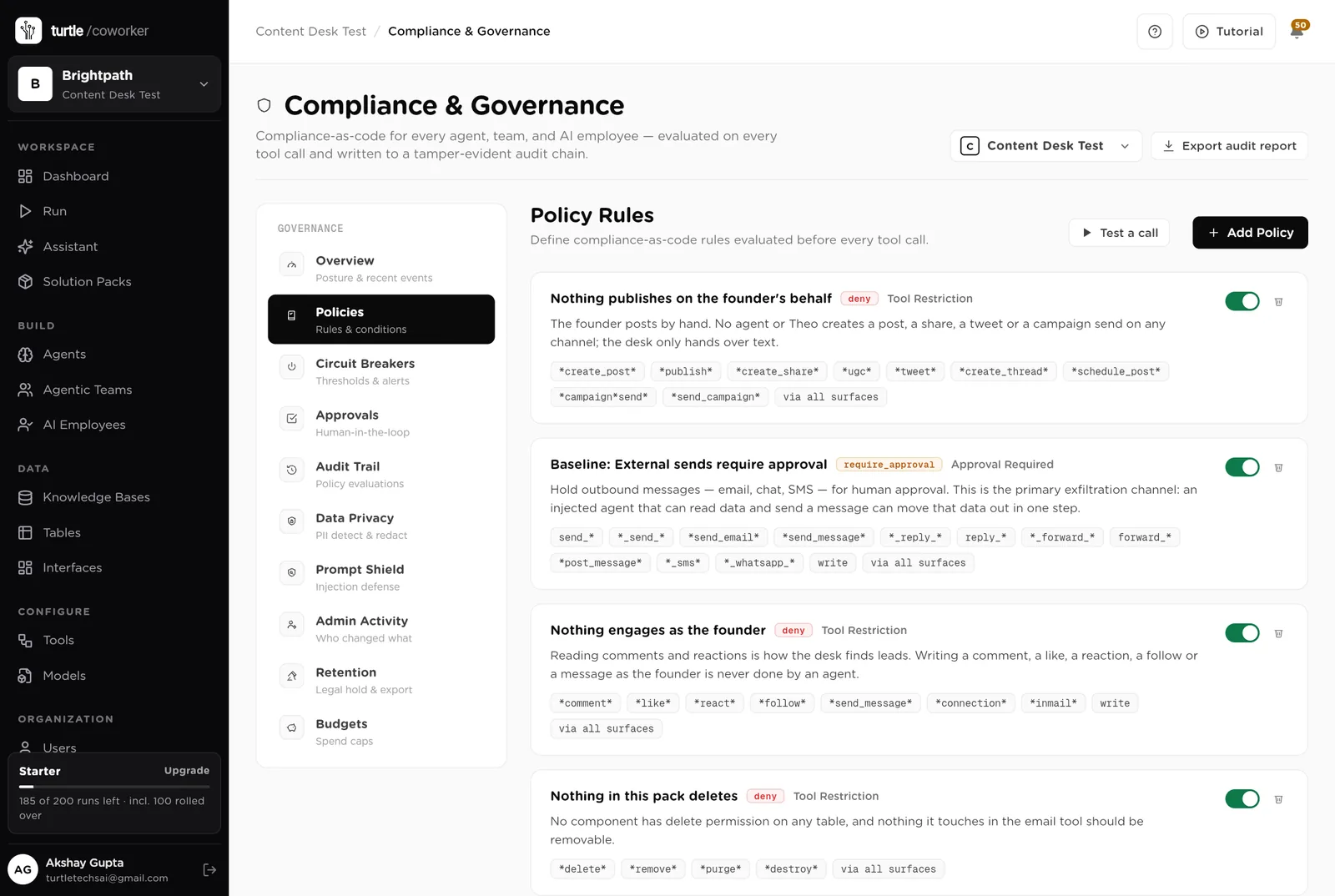
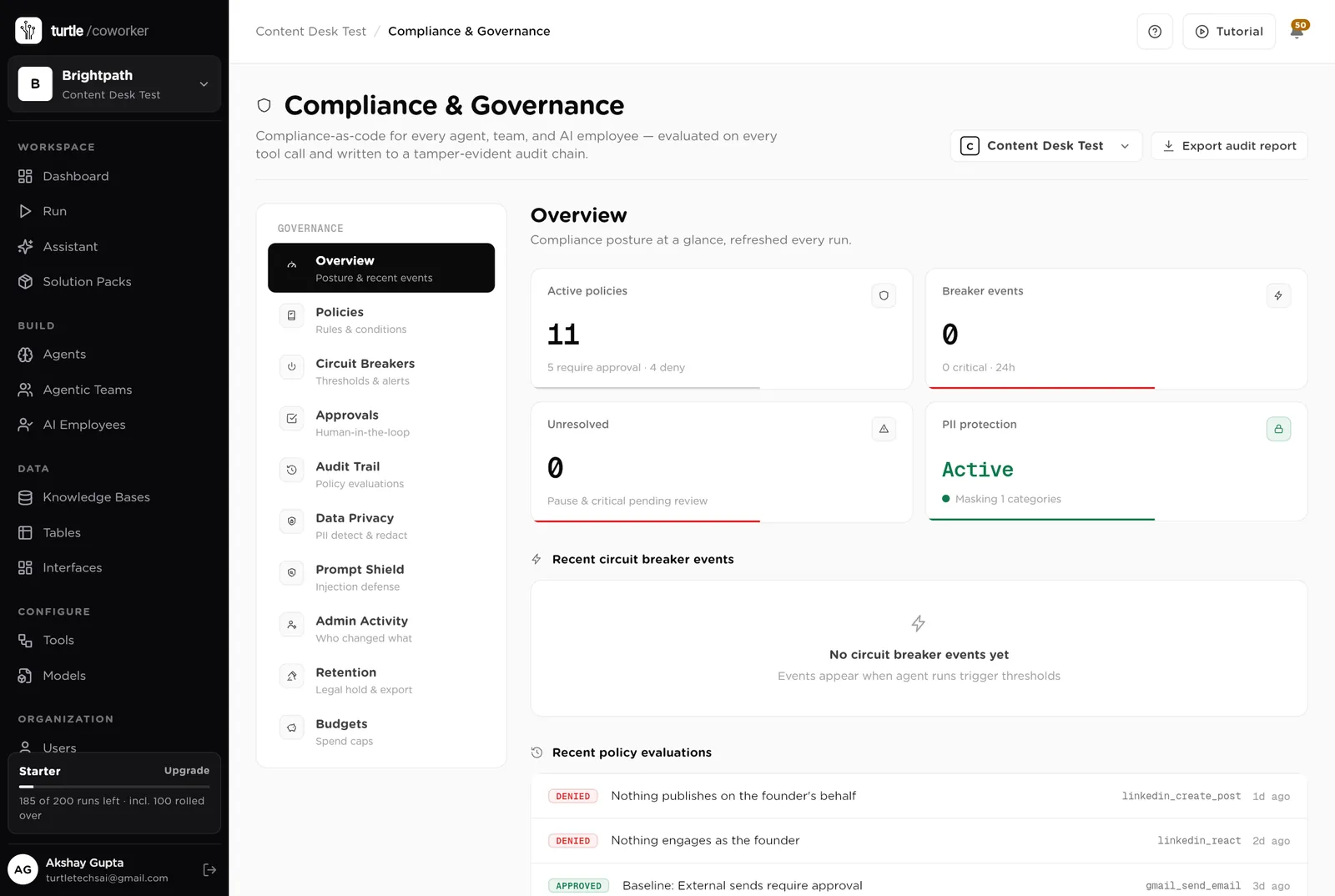
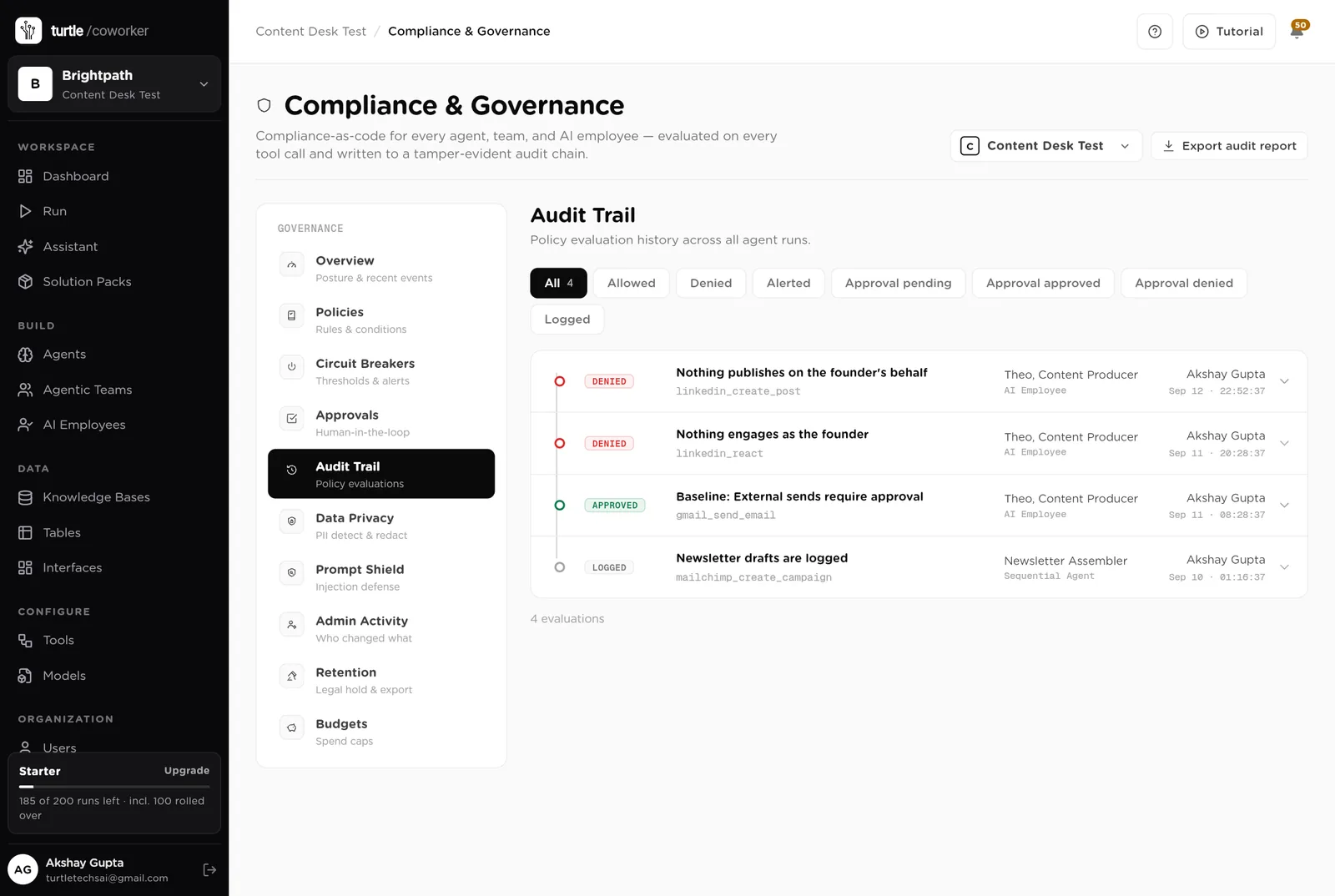
For every run you can see which agent ran, why it ran, every step it took, and every rule that checked it. Passwords and card numbers are blanked out before anything is stored.
A monthly budget with a warning level and a hard stop. Listening tools cost money per call; the budget caps it.
No LinkedIn or X account is connected to the software. It cannot post, comment or follow because it has no way to.
Every draft is written from your voice document and your ten best posts. You approve every word before it goes out.
The desk is shared with the team. Only owners and admins change the layout.
These estimates assume three LinkedIn posts and three X posts a week, a weekly newsletter, and an hour a week reading comments. "Before" is the time by hand; "after" is the reading, approving and posting that is left. Your numbers will differ. These are estimates, not measurements; after a month the audit trail gives you real figures.
| Job | Assumption | Hours before | Hours after | What changes |
|---|---|---|---|---|
| Finding what to write about | 3 h a week | 3.0 | 0.5 | The listener finds it every morning; you pick. |
| Writing the posts | 45 min each, 6 a week | 4.5 | 1.5 | Drafted in your voice; you edit and approve. |
| Formatting and posting | 10 min each, 6 a week | 1.0 | 0.5 | Formatted for you; you paste and post. |
| Reading comments for leads | 1 h a week | 1.0 | 0.3 | Harvested every morning with the matches flagged. |
| The newsletter | 2 h a week | 2.0 | 0.5 | Assembled from the week's posts; you review and send. |
| Working out what performs | 1 h a week | 1.0 | 0.0 | On the Performance page and in the Monday digest. |
| Total per week | 12.5 | 3.3 | About 9 hours a week back, and posts that answer what buyers actually asked this week. |
Every idea starts from something a buyer asked in public this week.
The people who react to your posts and look like customers are on one list, every morning.
The heat map by pillar and format shows what earned attention.
Estimates, not measurements. After a month the audit trail gives you real figures.
Installing takes one click. The real work is your voice document.
Install the pack from the Solution Packs page. Connect Mailchimp if you send a newsletter.
Replace the starter text with your audience, your pillars, the questions to listen for, your voice rules, and ten posts that worked.
Switch on the listener. Pick three ideas. Approve the drafts. Post them. Paste the links back.
Switch on the harvester and the digest, and write more of what the heat map says.
You pay for the platform, not per desk. The plan sets how many agents, employees and workspaces you can run; every desk is included, and runs are billed on your own model key at cost. 8 agents in this desk count against the plan's agent limit.
See plansFor marketing teams of 1 to 10 people running email, forms, search and a little paid media
Sales and marketingFor founders and small sales teams handling inbound leads
Sales and marketingFor founders and small sales teams selling to businesses
We use analytics cookies to see which pages help and which don’t. Nothing loads until you choose. Cookie Policy

Hello there.
AI agent. It can make mistakes, and a human reviews anything that matters.