Software for the finance team's spend side and month-end close. An expense claim is checked against your policy the moment it is submitted, with the approve or query note drafted. A purchase request is routed by amount to the right approver with the budget line checked. Card transactions without a receipt are chased and their coding suggested. Bank lines are matched every morning. On the first of the month the close checklist is built with owners and due dates, the owners are chased, and the variance notes are drafted. Budget lines running hot get a note to their owner every Monday. No agent approves, pays, posts or reimburses anything.
For finance teams of 2 to 10 people in companies of 50 to 500 staff, and for controllers who run the books for several clients
The pack is built for the person who is responsible for spend being checked, approved by the right people, coded, reconciled and closed every month. It fits three kinds of team.
Two to ten people in finance, an expenses tool, a purchasing tool, a bank and a ledger. You get the desk, Quinn, every agent and the approver portal. Your tools stay the record.
One region or one entity with its own bank accounts, budget lines and close. The desk gives the controller the morning list and the close checklist; group reporting is unchanged.
One workspace per client, each with its own policy, bands, accounts and checklist. The checker, the reconciler and the close runner are the same for every client; the policies differ.
| Finance | Claims checked, requests routed, cards coded, the bank matched, the close run, the digest written. |
| People | Owns the expense policy; the helpdesk answers policy questions from it so People does not have to. |
| Department heads | Approve the claims and requests routed to them from their own portal, with the policy check already done. |
| Procurement | Sees every purchase request with its band, its budget line and the vendor history before anyone orders. |
Everything the software produces is a check, a match, a draft or a chase for a person. It never approves a claim or a request, never pays or reimburses anyone, never posts to the ledger, never reconciles or moves money, never sets the lock date, and never deletes or voids anything. Sending a note to a colleague waits for a person.
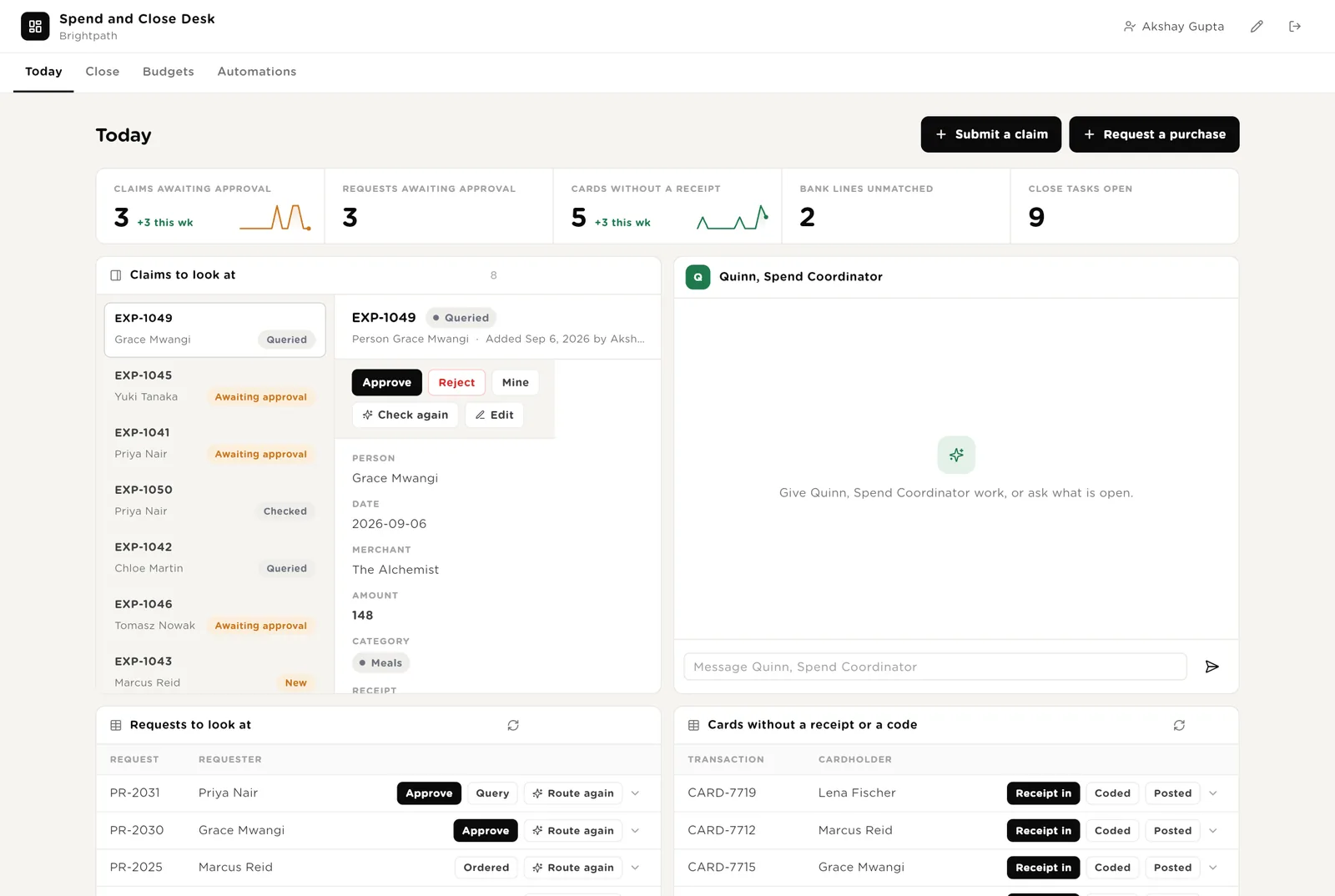
The first screen the finance team opens. Five live numbers. Every claim to look at, with the policy check and the drafted note beside it. Quinn next to them. Purchase requests and card lines waiting.
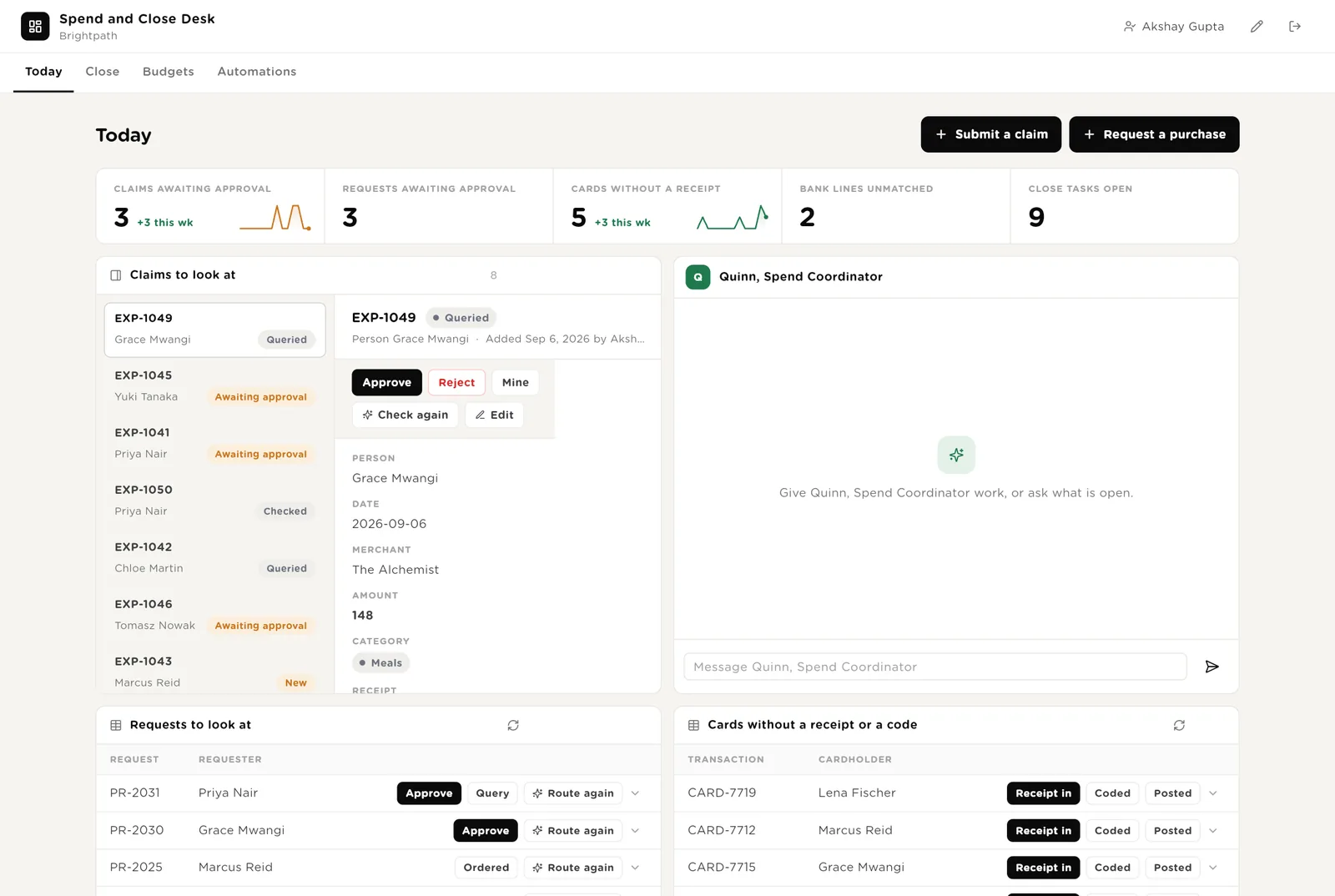
You read the policy check and the drafted note, and you approve. The row moves on; the reimbursement itself happens in your expenses tool on Friday.
Something is missing. The drafted query goes to the person once you approve sending it.
Runs the policy checker once more, after a receipt is added or an amount corrected.
Scroll down for everything the software wants to do that needs your Approve, and Quinn's recent work.
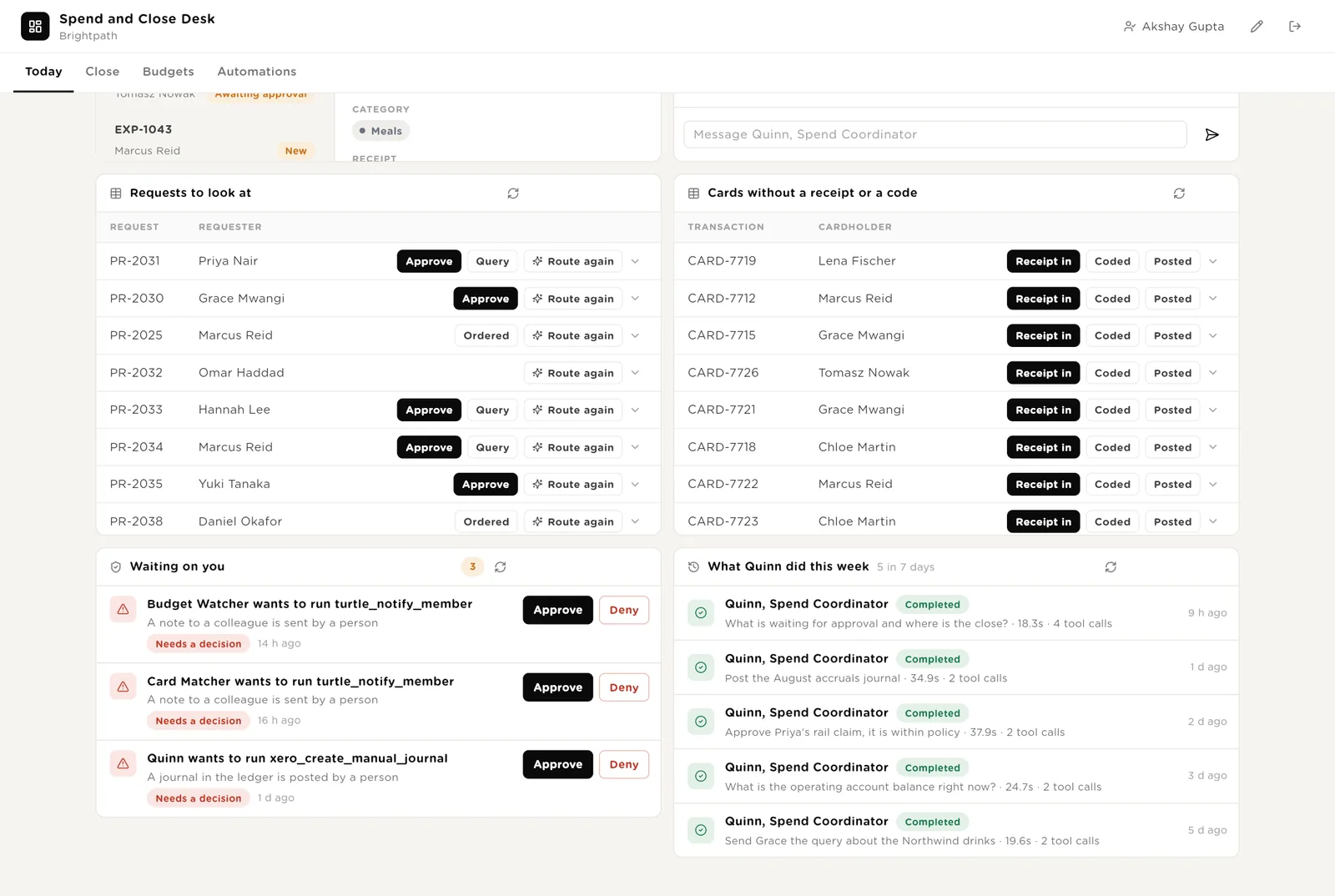
The exact call the software wants to make: the note text, the journal lines. Approve or Deny in place; the audit trail records who decided.
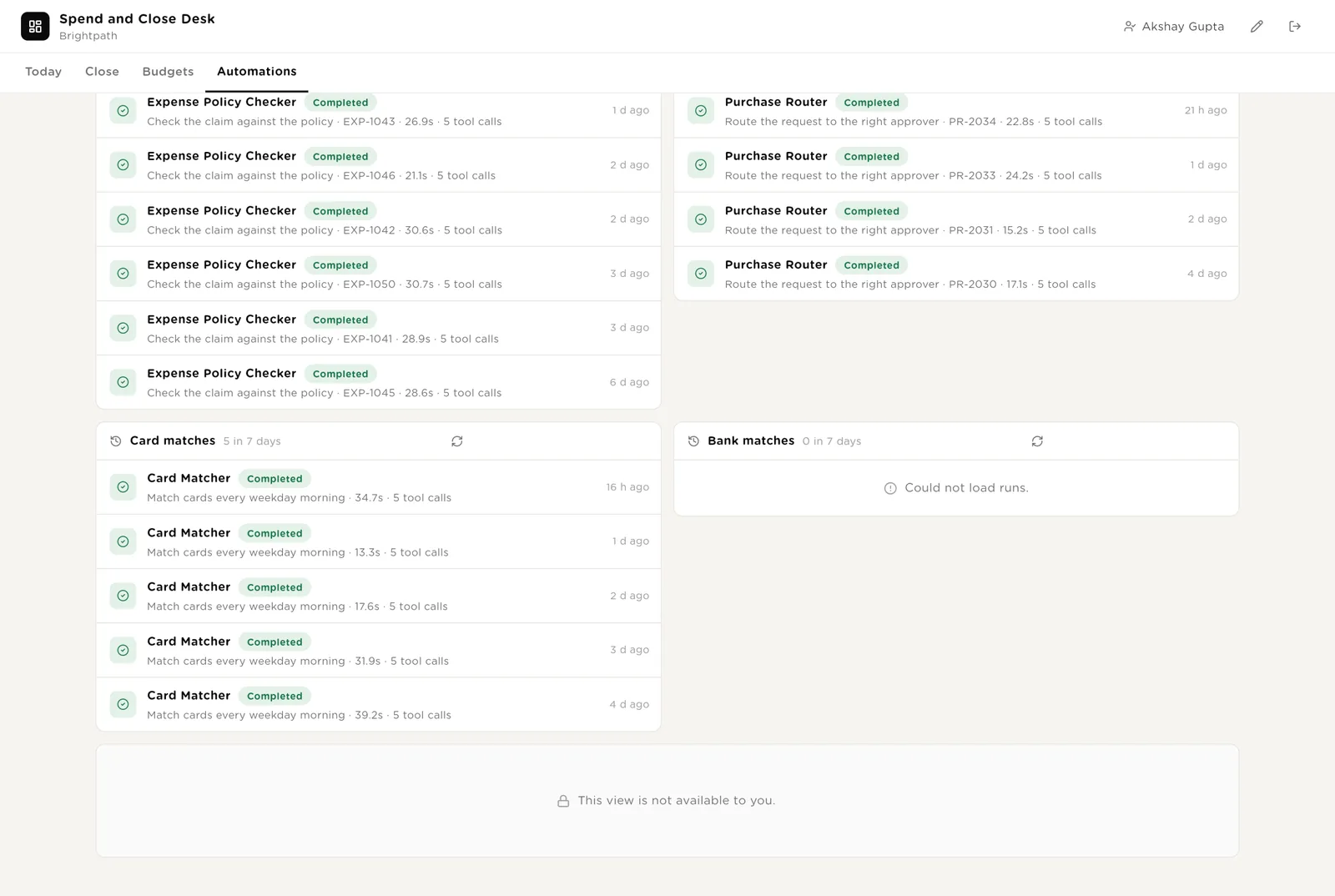
Every run with its duration and the tools it used, including the approval Quinn was refused and the balance Quinn was not shown.
Every open close task with its owner and due date. Every bank line the reconciler could not match on its own, with the note saying what it looked for. Bank lines and card lines by status.
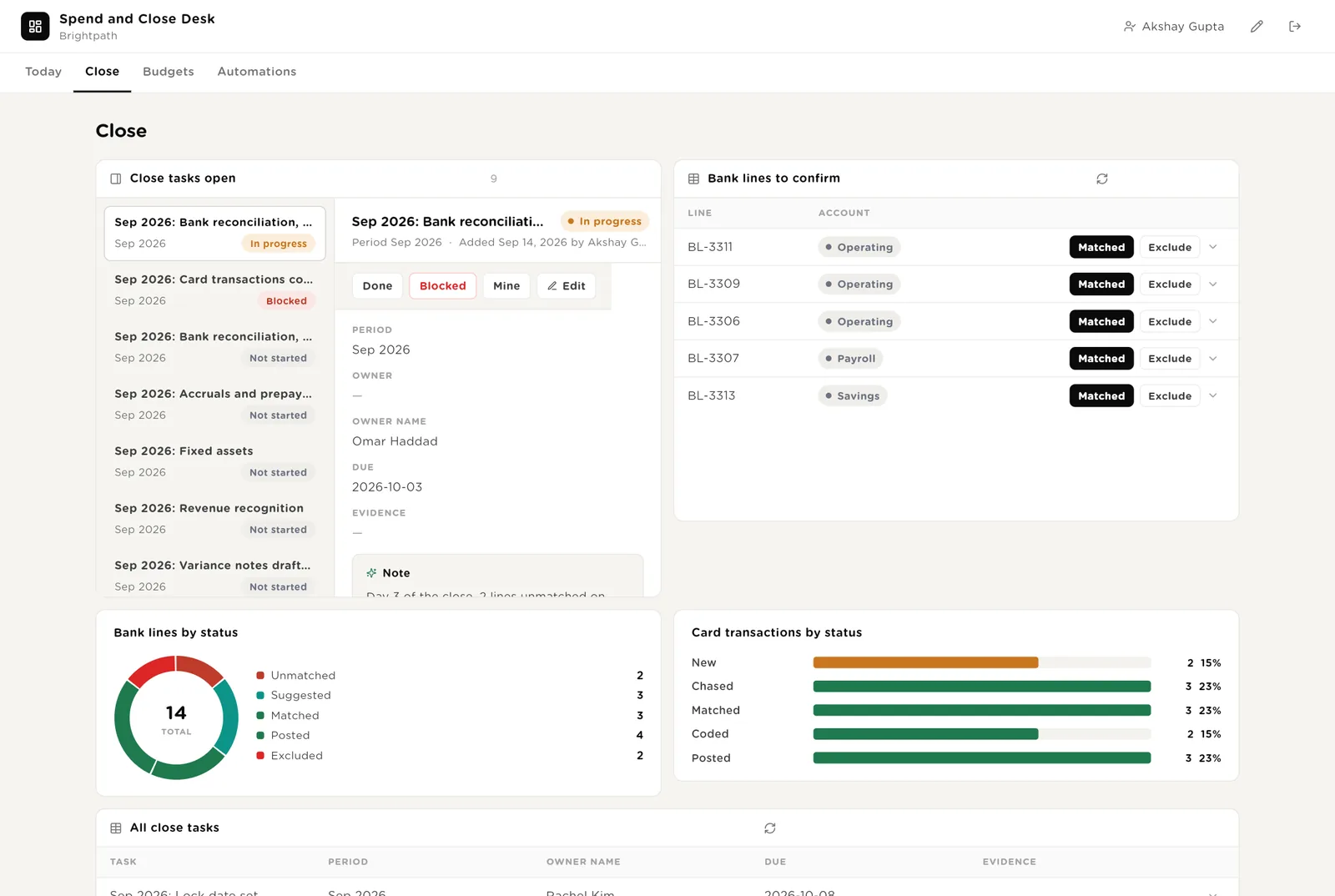
You agree with the suggested match. Post it in your ledger and click Posted.
A transfer between your own accounts, interest or a fee. It leaves the operating match and is posted at the close.
The task is finished and the evidence is on the row. The close runner stops chasing it.
Budget lines at Watch or Over with the numbers and the drafted note to the owner. Claims as cards by status, drag to move. Every budget line, every request, and who can approve what.
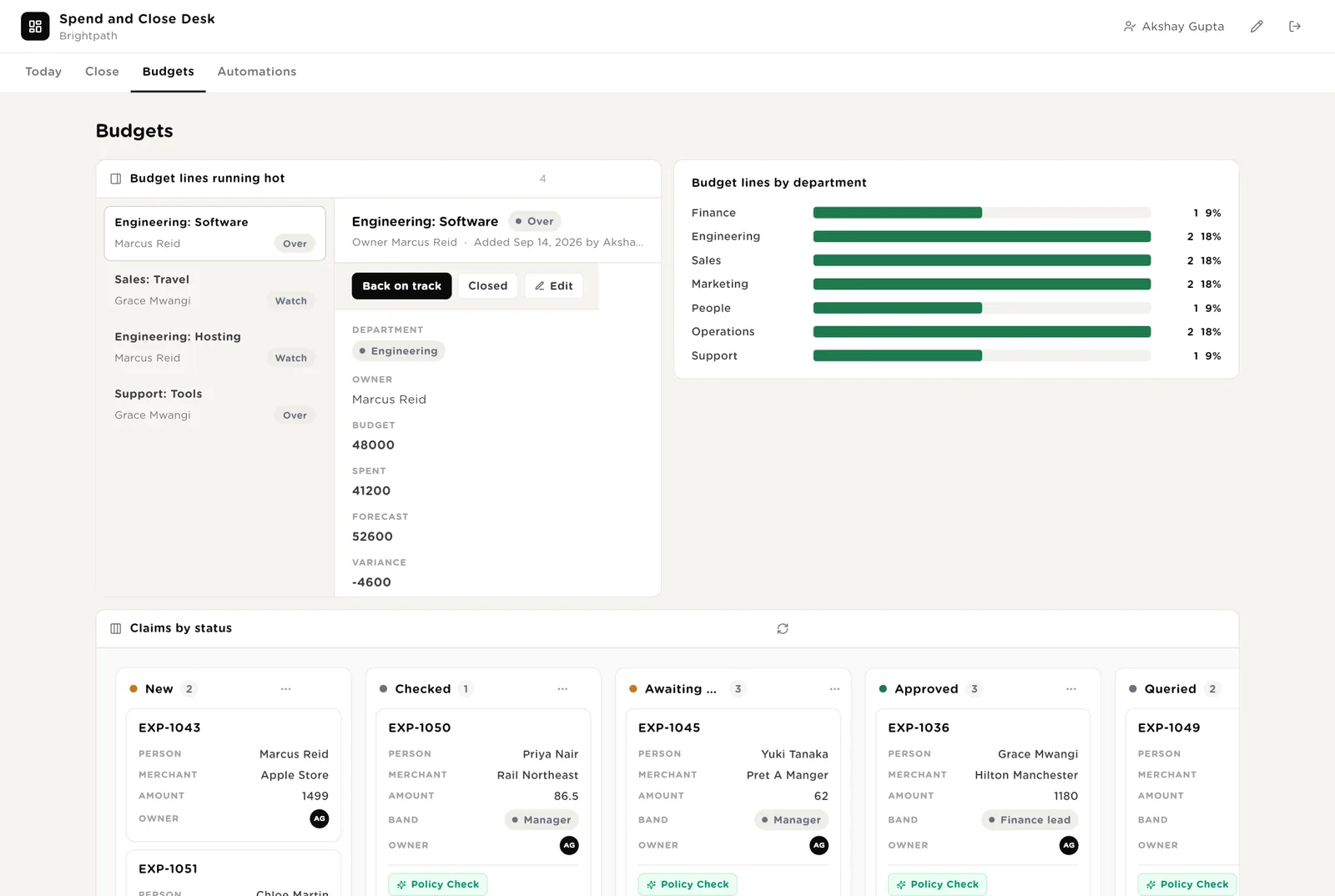
The owner acted or the budget was changed by a person. The Monday note stops.
Moving a claim to Approved or Rejected updates the record.
Every automation with its switch. The pack's guard rails. The record of claims checked, requests routed, cards matched and bank lines reconciled, and the monthly digests.
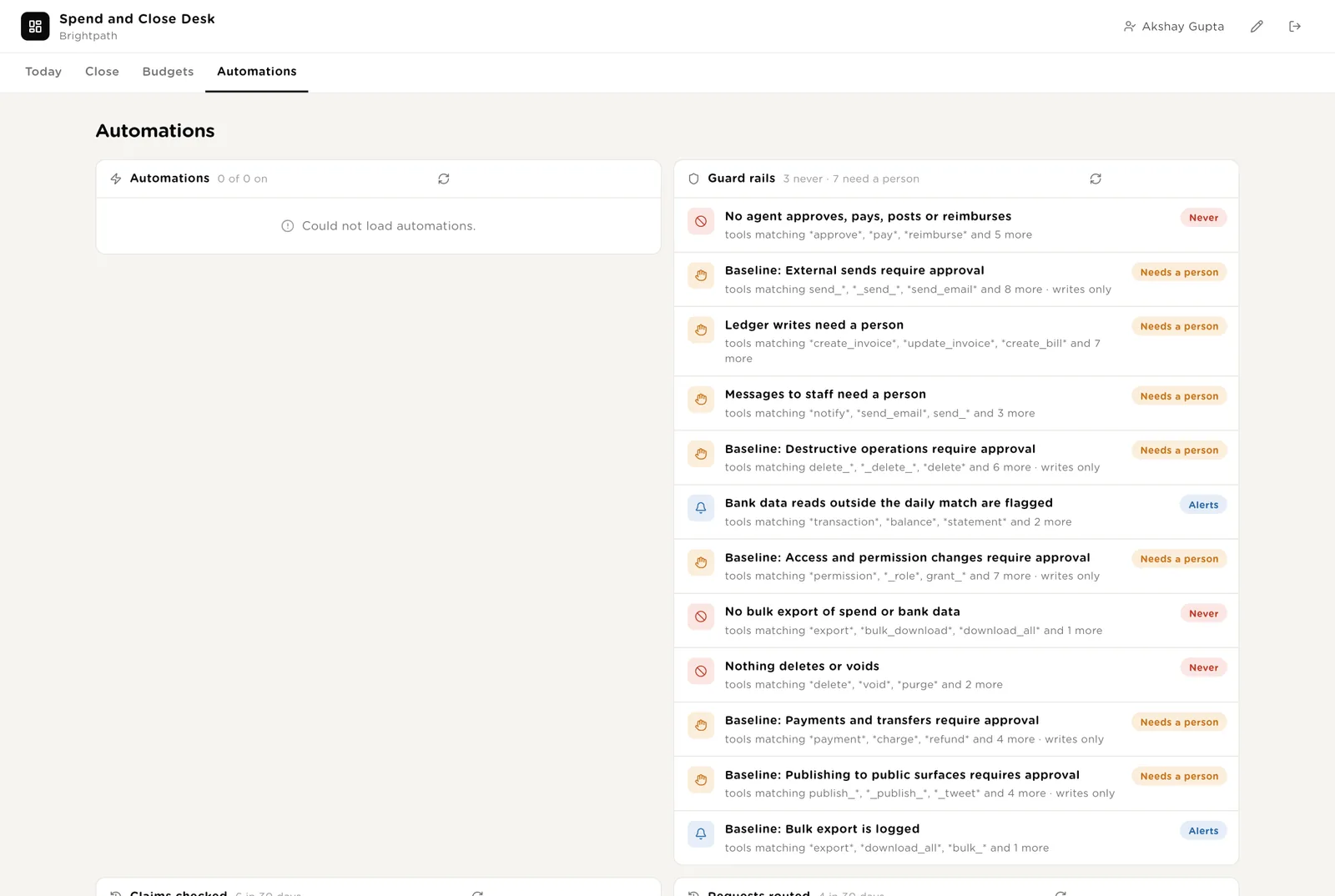
Every check, route, card match and bank match the desk ran, and the monthly digests.
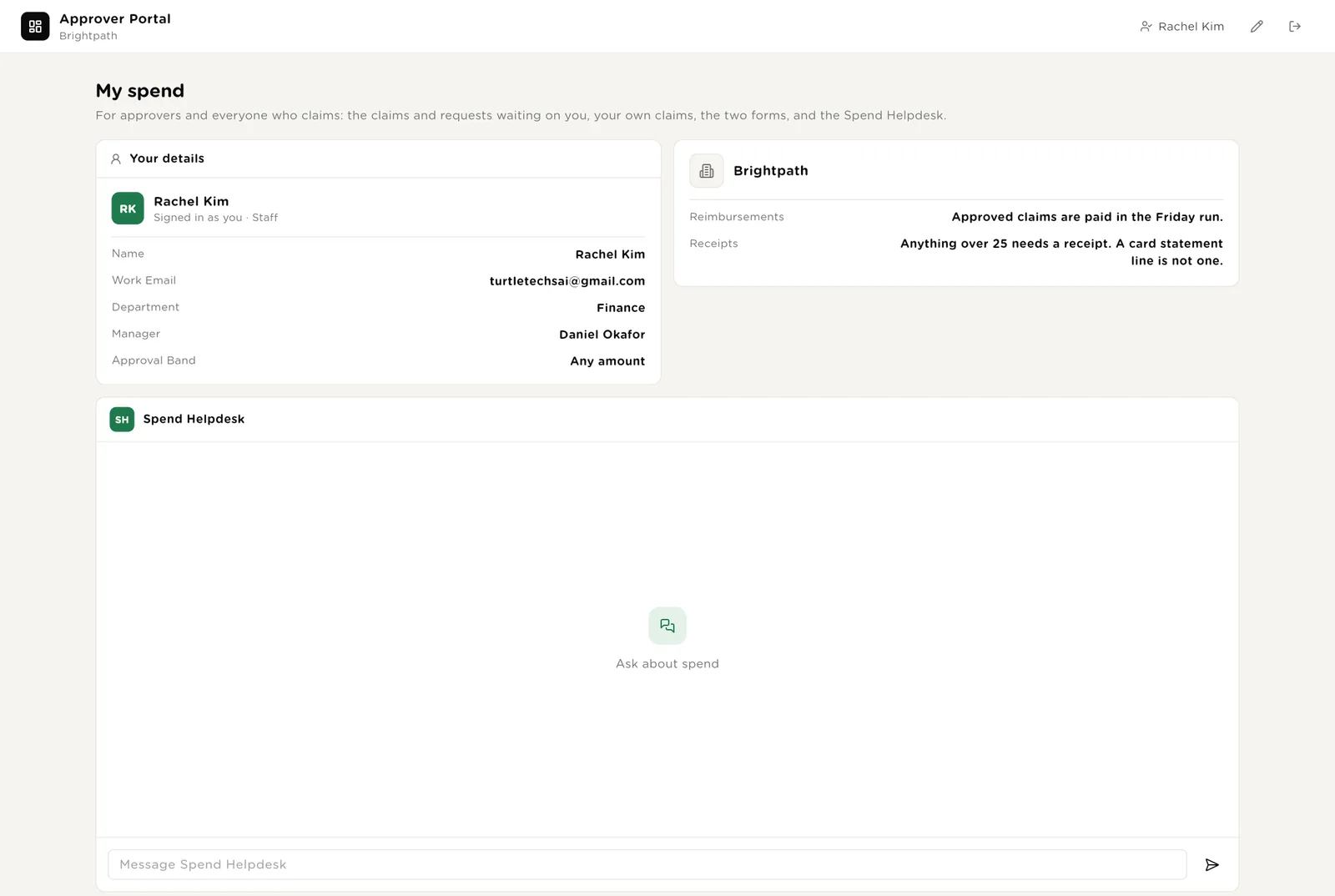
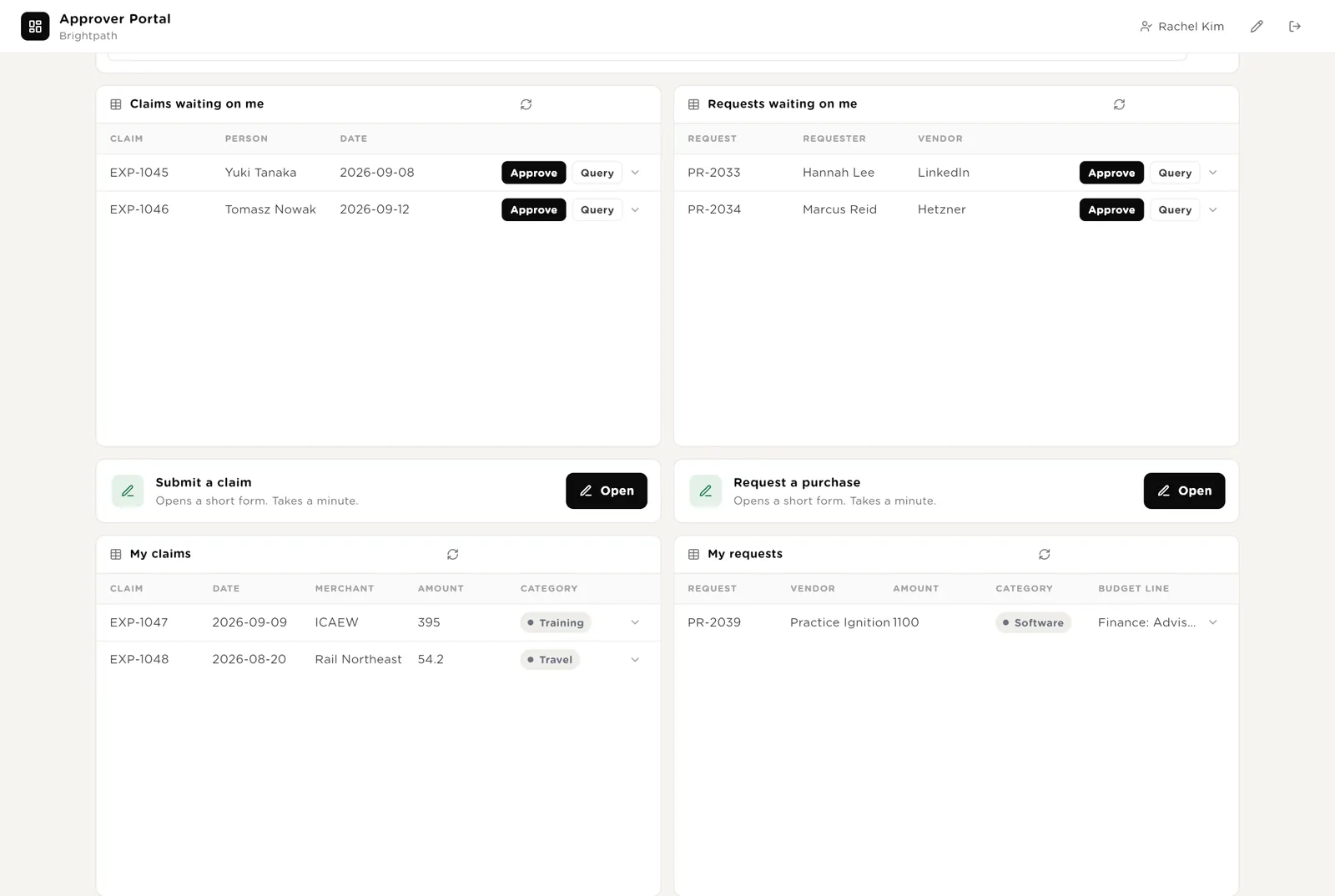
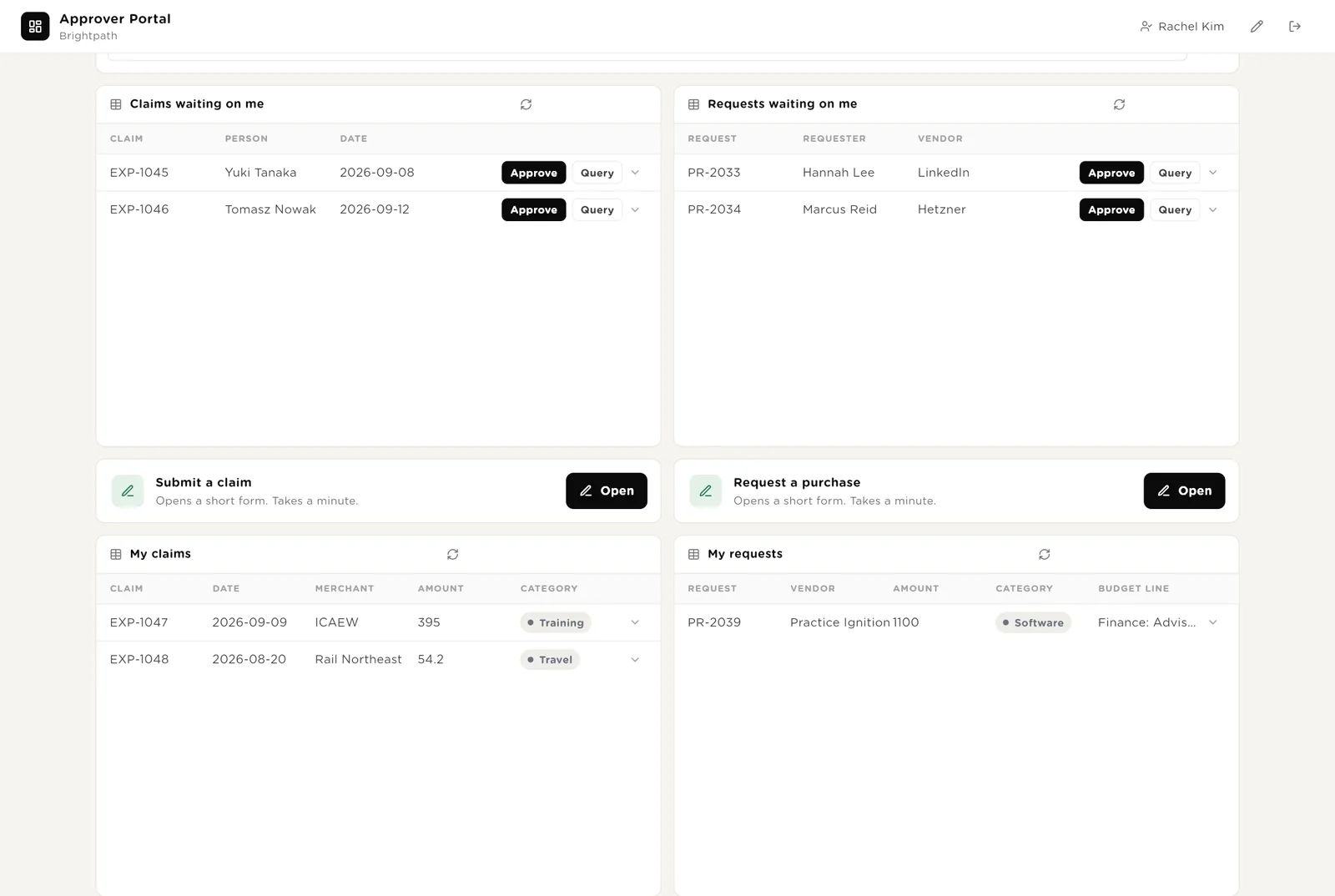
A second screen for people outside finance. Each person sees only their own claims and requests, and approvers see only what is waiting on them. The portal knows who you are from your work email; nobody types their name.
Only the claims routed to you, with the policy check already done. Approve or Query in place.
The Spend Helpdesk answers policy questions and says where your own claim stands. It never approves anything.
Scroll down for the two forms and your own history.
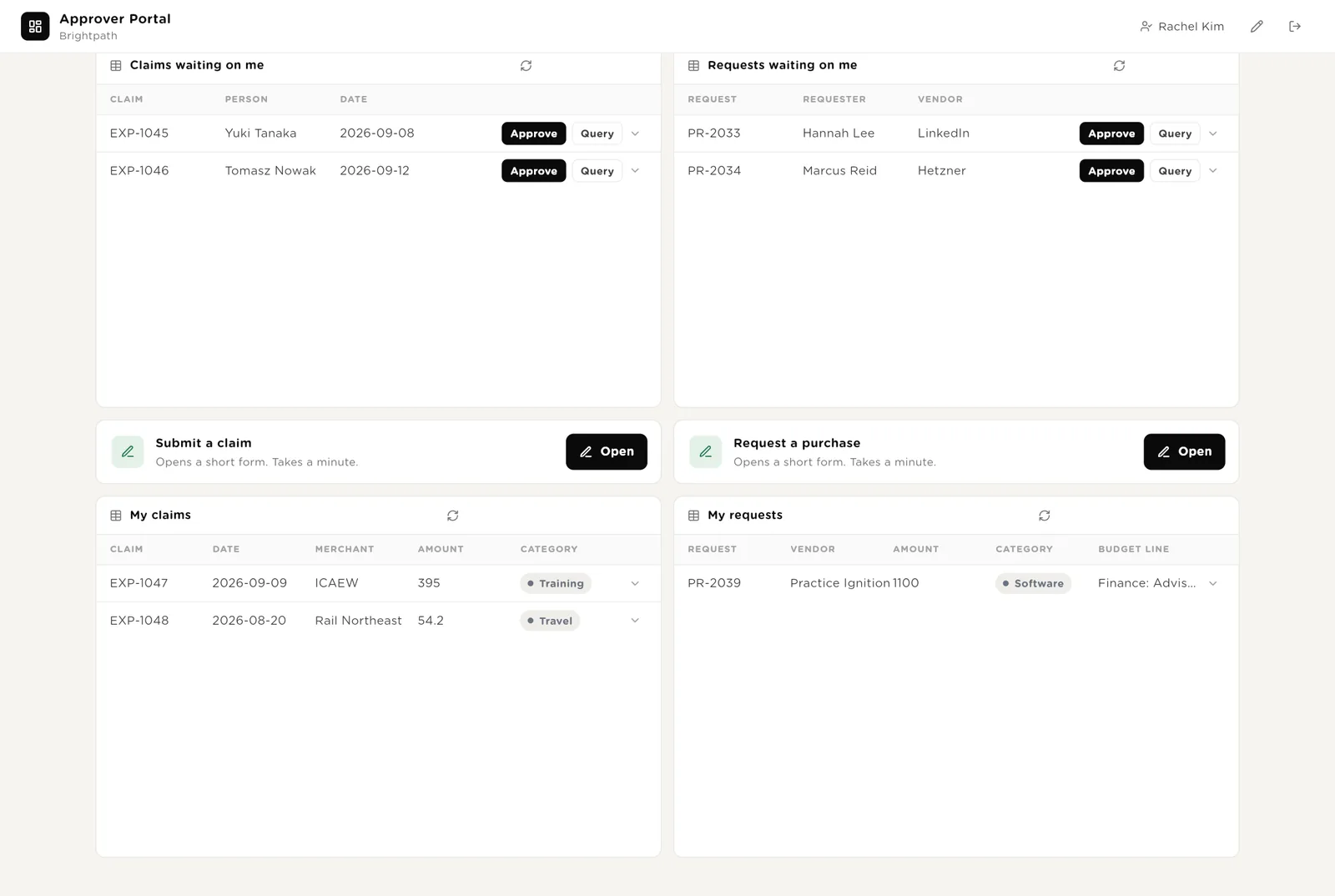
Submit a claim when you paid for something yourself; the policy checker runs within a minute and your approver sees it on their portal. Request a purchase before you buy; the router picks the approver and checks the budget line.
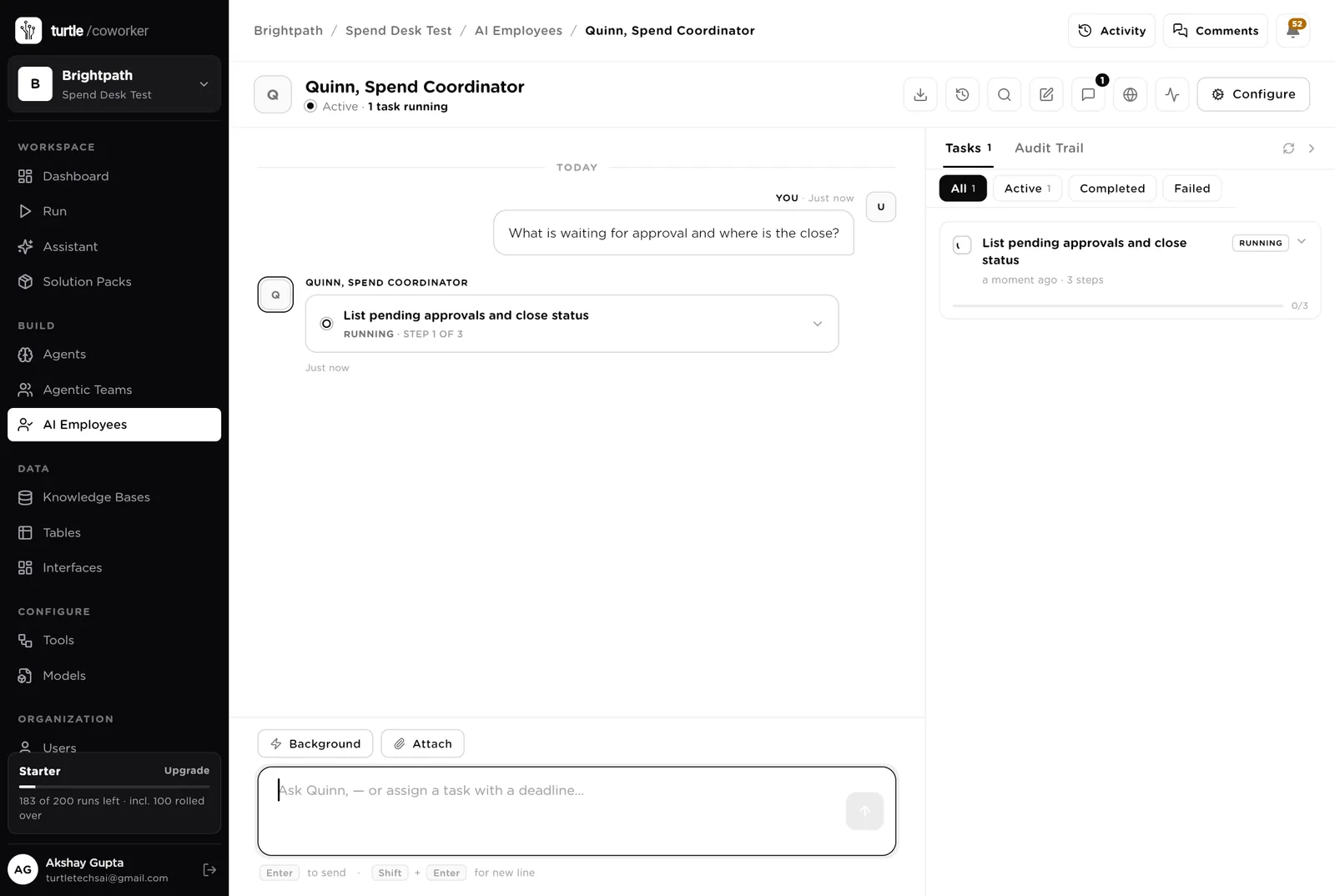
Quinn is a software colleague you can chat with. Quinn runs the morning list, knows which agent to use for what, reads the tables, and never approves, pays or posts.
Every morning: claims and requests waiting more than two days with the approver's name, card lines chased for a week, bank lines unmatched for three days, close tasks due today, budget lines over. One short list, oldest first. Tools: the expenses tool, the purchasing tool, the bank, the ledger, Turtle Notify.
You typed a question. Quinn turned it into a three-step task that reads the tables (claims and requests awaiting approval, the close checklist) and is running it in front of you, step by step. Reading needs no approval; anything that would post, pay or message someone would stop and ask.
An agent does one job. It starts on a schedule, when a row is added, when you press a button, or when Quinn asks it. It reads your tools and your playbook, writes its result into the record, and stops. No agent ever approves, pays or posts.
When a claim is submitted it reads the claim and its receipt from the expenses tool and checks the policy: receipt present, within the limit, merchant allowed, weekend with a reason, not a duplicate of a claim or a card line in the last 90 days. It sets the band, names the approver (never the person themself) and drafts the approve, query or reject note. A person approves.
When a request arrives it works out the band from your approval rules, names the approver, reads the budget line (spent, forecast, months left) and the vendor's history in the purchasing tool, and drafts the note for the approver. A person approves and orders.
Every weekday at 07:00 it reads the card transactions, marks which have a receipt, suggests the code from the merchant's history, and drafts a chase to the cardholder for anything without a receipt (to the manager after seven days). Sending waits for a person; nothing is posted.
The routine that gets skipped when the month is busy.
Every weekday at 07:15 it reads new lines from every connected account and matches each to the ledger: exact reference first, then amount and date, then amount alone with a note. Transfers, interest and fees are suggested for exclusion. It never posts or reconciles in the ledger; a person confirms every match.
On the first of the month it builds the checklist from your playbook with owners and due dates. Each morning of the close it notes what is left on every task, chases the owners whose tasks are due, exports the checklist to the review pack spreadsheet, and drafts the variance notes from the ledger. It never posts a journal or sets the lock date.
Every Monday it reads the actuals by line from the ledger, updates spent, forecast and variance, marks lines over 80 percent with more than two months left as Watch and lines forecast over budget as Over, and drafts the note to the owner with what drove it and two options. Never changes a budget.
On the fifth it counts the month: spend against plan, claims by outcome and days to approval, requests, card lines still without a receipt, unmatched bank lines, how many days the close took. It names the lines to watch and three things to fix, and emails the finance lead.
The help desk is an internal chat on the portal. It answers expense policy questions from your playbook and says where the viewer's own claim or request stands. It reads the tables and the policy and never approves anything.
A router sends the question to a policy specialist (reads the playbook) or a status specialist (reads the viewer's own claims and requests, nobody else's).
Tables are where everything is stored. They look like spreadsheets and your team can open and edit them. The expenses tool, the purchasing tool, the bank and the ledger stay the record; the desk holds the queue, the checks, the drafts and the evidence.
| Table | What is in it | Stages |
|---|---|---|
| Staff | Everyone who claims, requests or approves, with their manager and approval band. The portal knows who you are from this table. | Active · Left |
| Expense Claims | Every claim with the policy check, the band, the approver and the reimbursement date. | New → Checked → Awaiting approval → Approved → Reimbursed · Queried · Rejected |
| Purchase Requests | Every request with the band, the approver, the budget line check and the router's note. | New → Routed → Awaiting approval → Approved → Ordered · Queried · Rejected |
| Card Transactions | Every company card line with the receipt state, the suggested code and how long it has been chased. | New → Chased → Matched → Coded → Posted |
| Bank Lines | Every bank line with what it matched to and the note when it did not. | Unmatched → Suggested → Matched → Posted · Excluded |
| Close Checklist | One row per close task per month with the owner, the due date and the evidence. | Not started → In progress → Done · Blocked |
| Budgets | Every budget line with spent, forecast, variance and the watcher's note. | On track → Watch → Over · Closed |
| Monthly Digest | The month's numbers and three things to fix. | Drafted → Sent |
The software knows nothing about how your company spends money except what the tables and your playbook tell it.
Two documents: your expense policy and approval bands (receipts, limits, excluded merchants, who approves what amount) and your operating rules (card receipts, bank matching order, the close checklist with its due days, when a budget line is Watch or Over). Every agent and the help desk read them. Replace the starter text with your own.
The pack uses whichever AI model your company has already connected. Other vendors of the same kind swap in at install time without changing the desk; a team on Coupa and FreeAgent gets the same desk. Not connectable yet: QuickBooks Online, Plaid, Ramp, Spendesk and ApprovalMax. A team on those can still run the desk from claims and requests submitted through the forms and bank statements read from the ledger, and add the connections when they become available.
Checks on arrival are on from day one. The schedules are off until you switch them on from the desk.
| Automation | Agent | When | Ships |
|---|---|---|---|
| Check a claim | Expense Policy Checker | The moment a claim is submitted | On |
| Route a request | Purchase Router | The moment a request is raised | On |
| Match cards | Card Matcher | Weekdays 07:00 | Off until you switch it on |
| Reconcile the bank | Bank Reconciler | Weekdays 07:15 | Off until you switch it on |
| Run the close | Close Runner | The 1st of the month, 08:00 | Off until you switch it on |
| Watch budgets | Budget Watcher | Monday 08:00 | Off until you switch it on |
| Monthly digest | Monthly Digest Writer | The 5th of the month, 08:00 | Off until you switch it on |
Buttons on the desk run agents too. "Check again" runs the policy checker on one claim; "Route again" runs the router on one request.
Three things always need a person. The software stops and waits at each one.
Approve, Query, Reject, Ordered, Matched, Posted, Exclude, Done, Back on track. Only a person presses them. The software can say a claim is within policy; it cannot approve it. It can say a bank line matches; it cannot post it.
If an agent or Quinn tries to create a journal, an invoice or a bill in the ledger, or send a note to a colleague, it stops. The exact call appears in Approvals. You read it and click Approve or Deny. Approving, paying, reimbursing, posting, reconciling and moving money are refused outright, from every agent.
When you give Quinn a task, Quinn shows what it will do first. Approve and run, change it, or cancel.
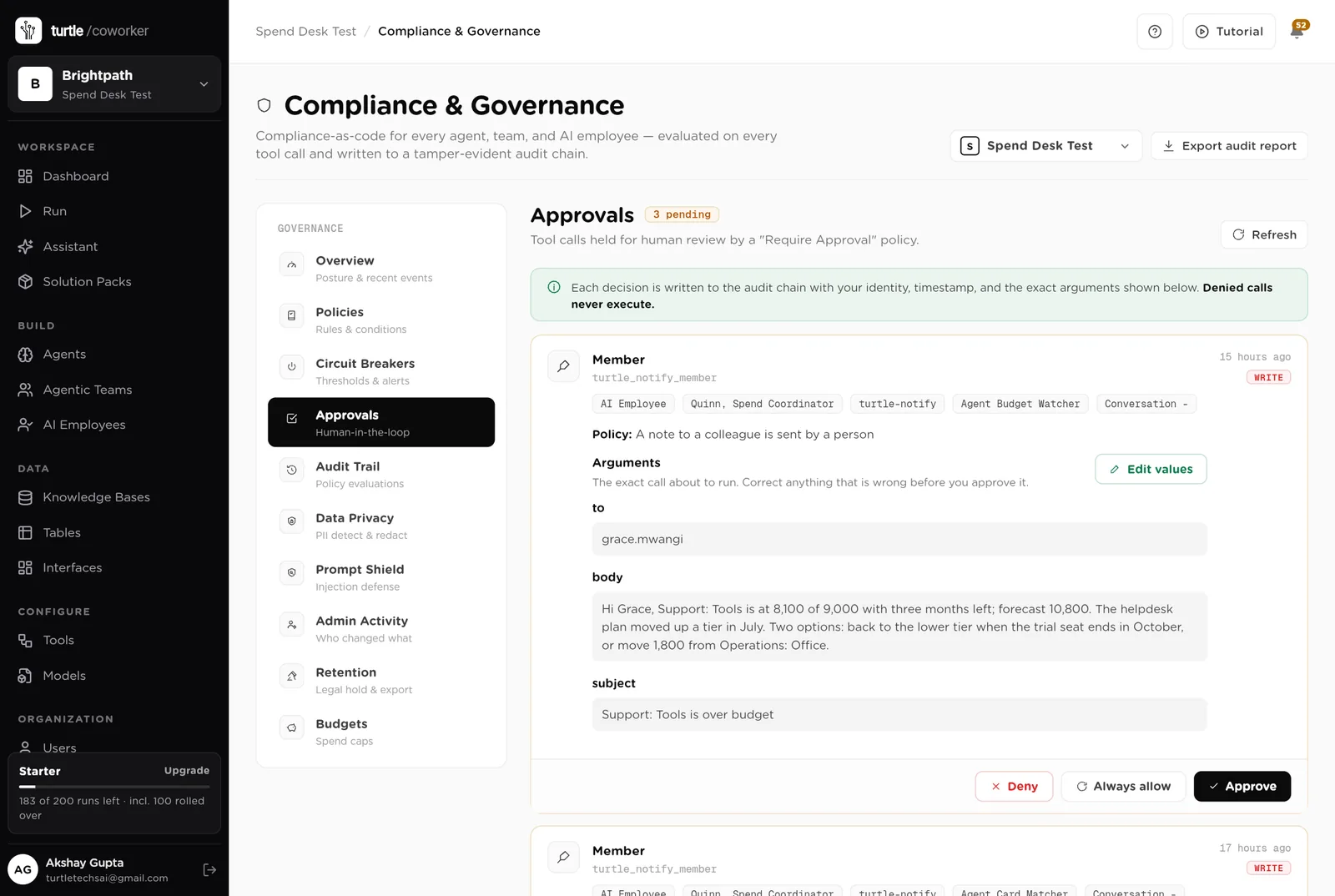
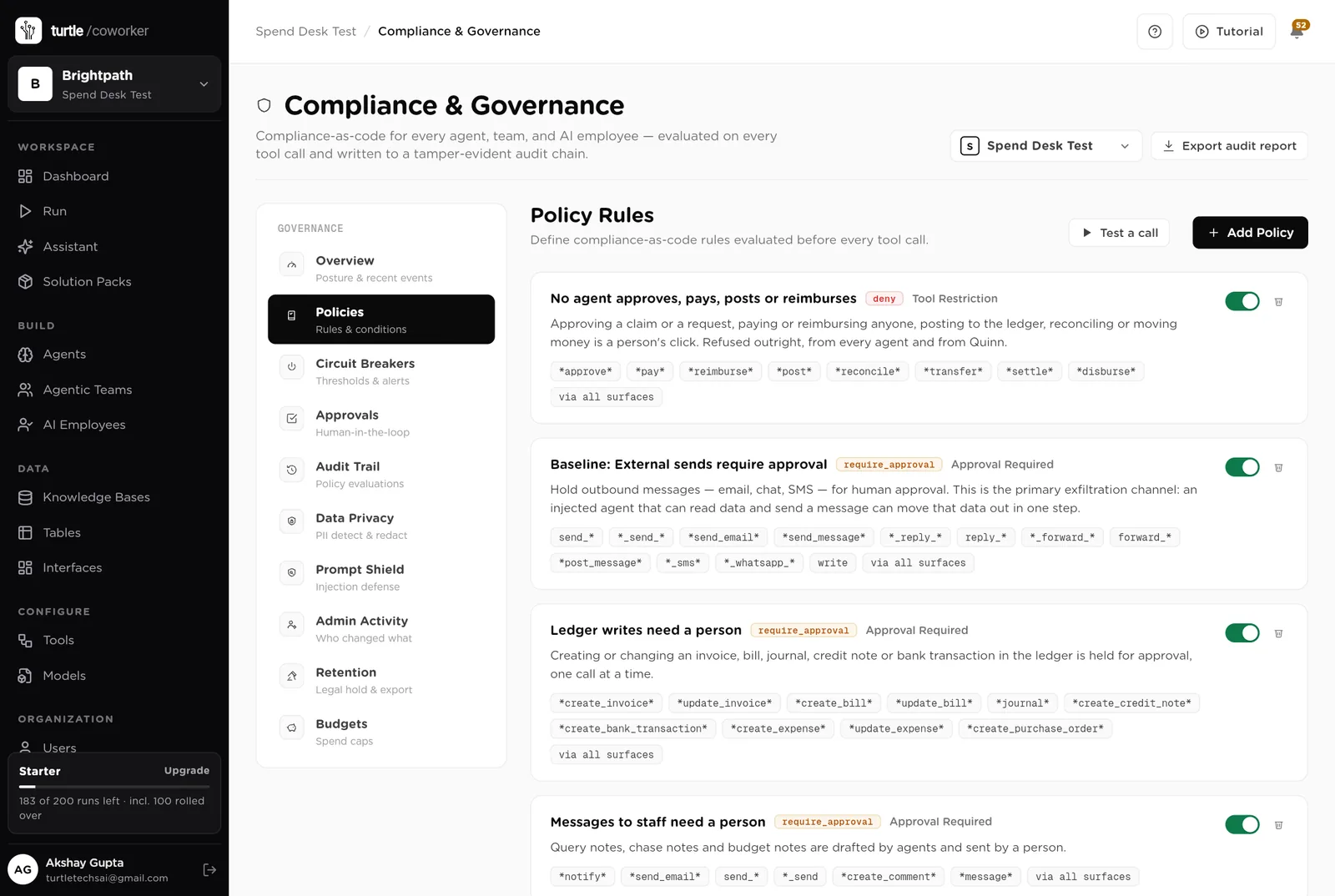
A rule is checked before every single thing the software tries to do. The pack installs six rules of its own on top of the standard ones every workspace starts with.
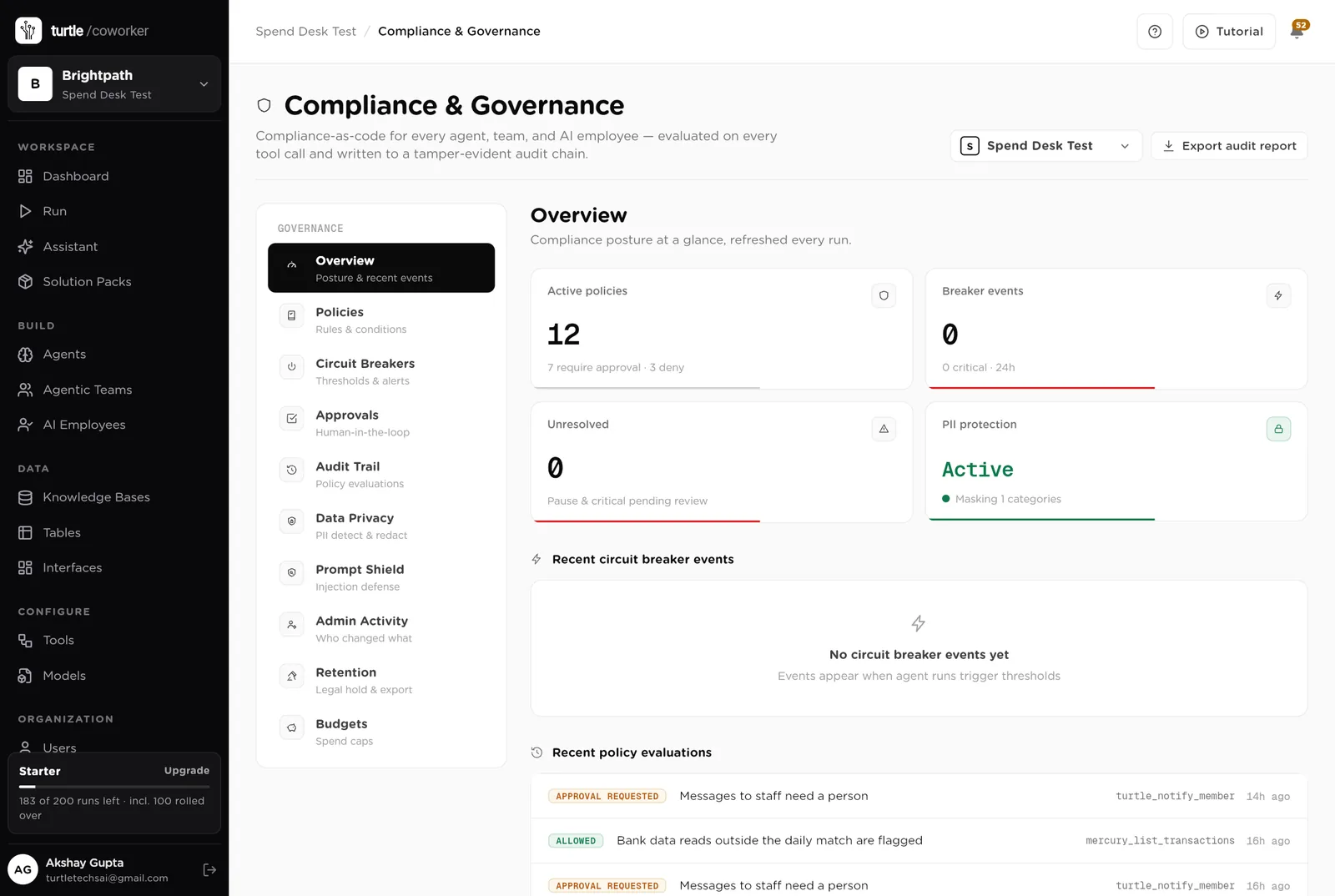
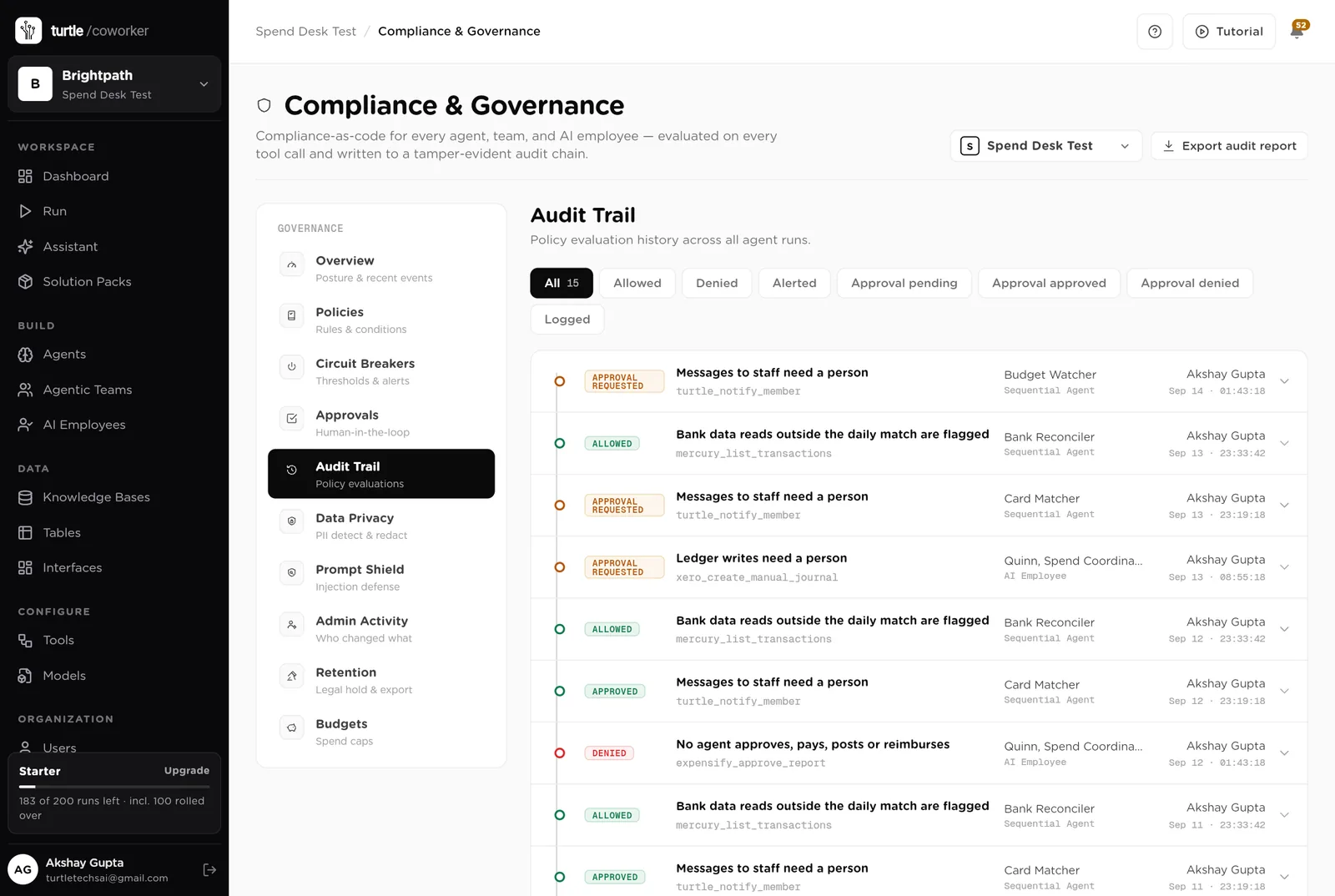
For every run you can see which agent ran, why it ran, every step it took, and every rule that checked it. Passwords and card numbers are blanked out before anything is stored.
A monthly budget with a warning level and a hard stop for the software's own usage.
Agents read claims, card lines and bank lines to check and match; nothing is exported, nothing is paid, and the bank is read only in the morning match.
Who checked it, what the policy said, who approved it, when. The audit trail and the Expense Claims table say the same thing.
The desk is shared with finance. Approvers see only what is waiting on them; staff see only their own claims. Only owners and admins change the layout.
These estimates assume a company of 150 staff with a three-person finance team, about 25 expense claims a week, 10 purchase requests a week, 40 card transactions a week, 60 bank lines a week across three accounts, a monthly close of 8 tasks and 12 budget lines. "Before" is the time by hand; "after" is the reading and deciding that is left. Your numbers will differ. These are estimates, not measurements; after a month the audit trail gives you real figures.
| Job | Assumption | Hours before | Hours after | What changes |
|---|---|---|---|---|
| Checking claims against the policy | 8 min each, 25 a week | 3.3 | 0.8 | Checked and drafted on arrival; you approve. |
| Routing and checking purchase requests | 10 min each, 10 a week | 1.7 | 0.5 | Band, approver and budget line done; you approve. |
| Chasing card receipts and coding | 5 min each, 40 a week | 3.3 | 0.8 | Chased daily, coding suggested; you confirm. |
| Matching bank lines | 3 min each, 60 a week | 3.0 | 0.7 | Matched every morning; you confirm the rest. |
| Running the close | 16 h a month | 4.0 | 1.5 | Checklist built, owners chased, evidence on the row. |
| Writing variance notes | 4 h a month | 1.0 | 0.3 | Drafted from the ledger; you edit. |
| Watching budget lines | 2 h a month | 0.5 | 0.1 | Every Monday, with the options drafted. |
| Answering "can I claim" and "where is my claim" | 3 h a week | 3.0 | 0.5 | The helpdesk answers from the policy and the tables. |
| Total per week | 19.8 | 5.2 | About 14 hours a week back for a three-person team, and no claim waits because nobody had time to check it. |
The claim that waited a week for someone to read the receipt now reaches the approver checked, the same day.
Two lines to confirm at 08:00 instead of sixty on day 3 of the close.
The checklist is there on the 1st with owners; the chases go out; the variance notes are drafted by day 6.
Estimates, not measurements. After a month the audit trail gives you real figures.
Installing takes one click. The real work is the policy and the staff list.
Install the pack from the Solution Packs page. Connect the expenses tool, the purchasing tool, the bank and the ledger when asked; the spreadsheet tool for the review pack.
Replace the starter text with your expense policy, your approval bands, your close checklist and your budget rules.
List everyone who claims, requests or approves, with their manager and approval band, and put this year's budget lines in Budgets.
Send claims and requests through the forms. Switch on the card matcher and the bank reconciler.
Switch on the close runner before the 1st, the budget watcher and the digest, and share the portal with the approvers.
You pay for the platform, not per desk. The plan sets how many agents, employees and workspaces you can run; every desk is included, and runs are billed on your own model key at cost. 7 agents in this desk count against the plan's agent limit.
See plansWe use analytics cookies to see which pages help and which don’t. Nothing loads until you choose. Cookie Policy

Hello there.
AI agent. It can make mistakes, and a human reviews anything that matters.