Software that runs your review cycle without the spreadsheet. Goals and 1:1 notes live in one place. Every 1:1 is summarised with its actions. The manager's review is drafted from the whole year of evidence, not the last month. Late reviews are chased. Calibration outliers are flagged before the meeting. Monday brings the cycle report. Employees get a portal for their goals and self-review; managers get one for their team. A person decides every rating.
For People teams running review cycles at companies of 50 to 5,000 people
The pack is built for the team that owns performance reviews, and for every manager and employee who takes part. It fits three kinds of team.
One to three people running two cycles a year for 50 to 500 staff. You get the desk, both portals, Leo, and every agent. No more chasing by spreadsheet.
A regional or business-unit People team in an MNC running the cycle for their part of the business. Managers and employees use the portals; the desk is where the team watches the cycle.
A department head who wants every 1:1 logged and every review written from evidence, without waiting for HR to run a cycle.
| People / HR Operations | Opening the cycle, chasing late reviews, running calibration, the Monday report. |
| Every manager | The My Team portal: log 1:1s in two minutes, write reviews from a draft, see the team's goals. |
| Every employee | The My Reviews portal: keep goals current, write the self-review, ask how the cycle works. |
| Leadership | Calibration flags before the meeting; the cycle report on Monday. |
Everything the software produces is a draft or a flag for a person. It never sets a rating, never submits a review, never discusses anyone's rating in a chat, and never sends a message without a person approving it first.
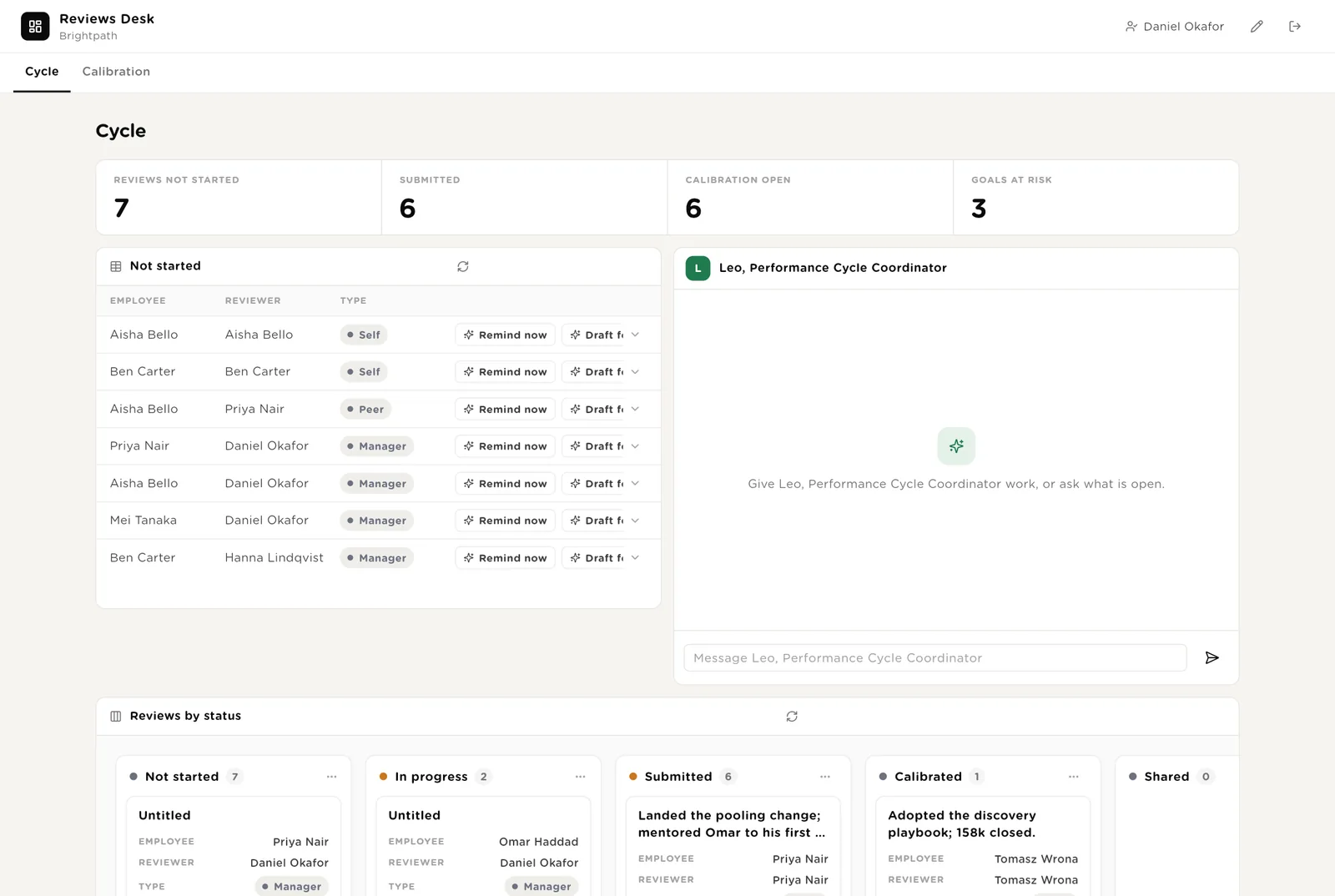
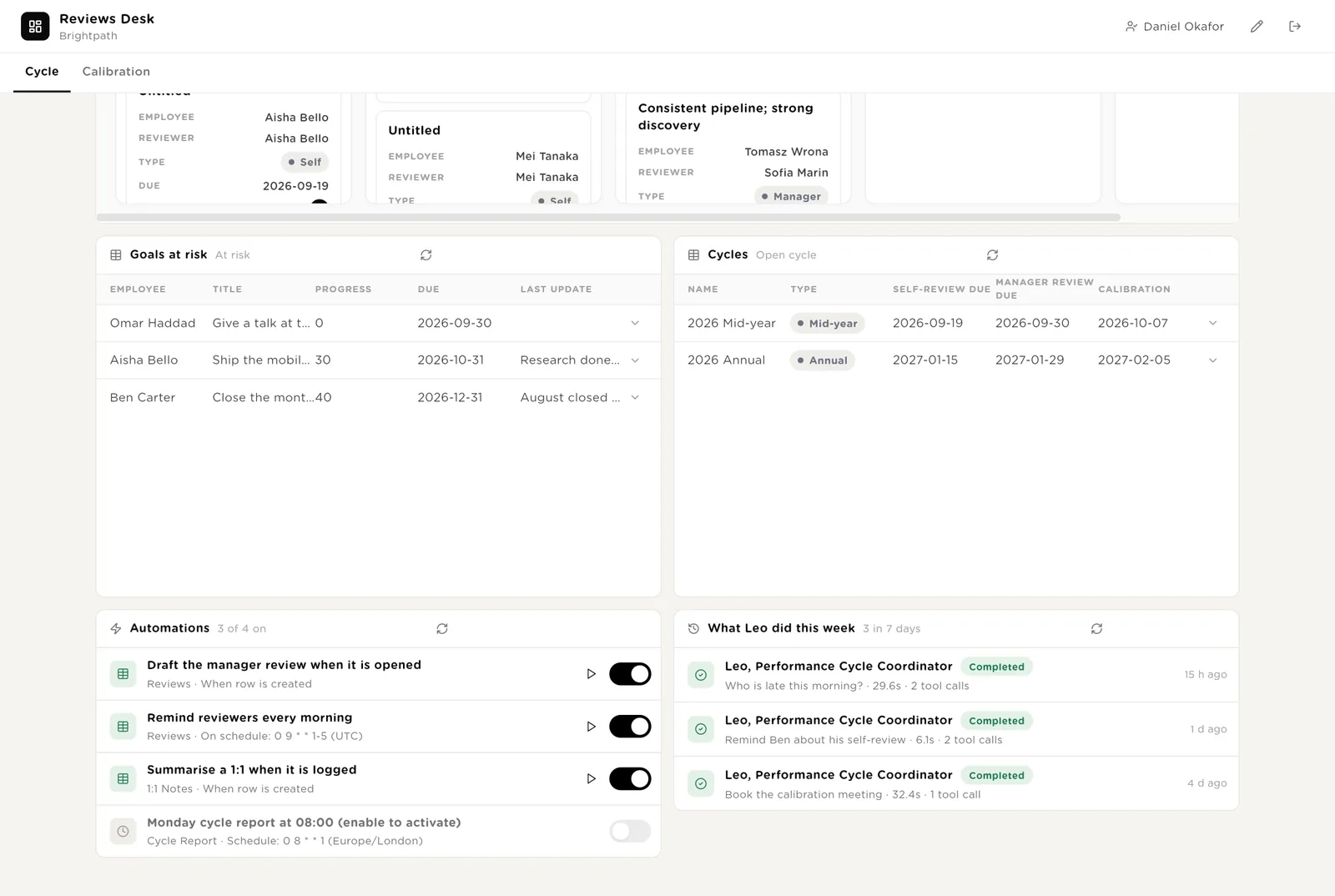
The People team's view of the open cycle. Four live numbers. Reviews not started, each with Remind now and Draft for the manager. Leo beside them. Reviews as a board by status, goals at risk, the cycle dates.
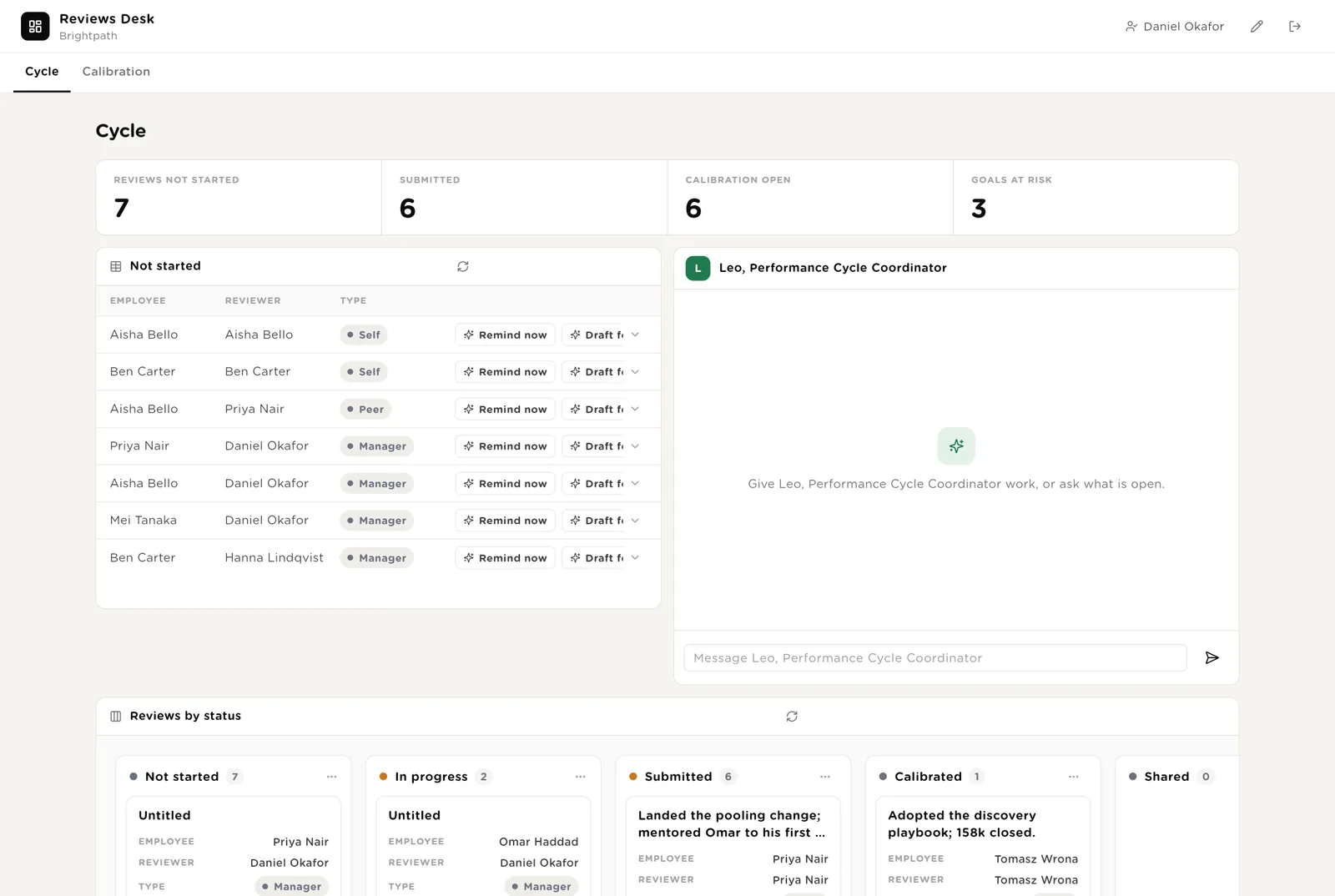
Sends the drafted reminder to the reviewer, after you approve it.
Writes the manager's review draft from the goals, the 1:1 summaries and the self-review, so the manager starts from evidence rather than a blank page.
Every goal marked at risk, or with no update in 30 days.
The morning reminder has its switch here, and Leo's recent work is listed with what it touched.
Before the meeting, every proposed rating has been checked against the self-review, the goals and the manager's examples. The ones that need a conversation are listed with the reason. Charts show the spread of ratings and the flags.
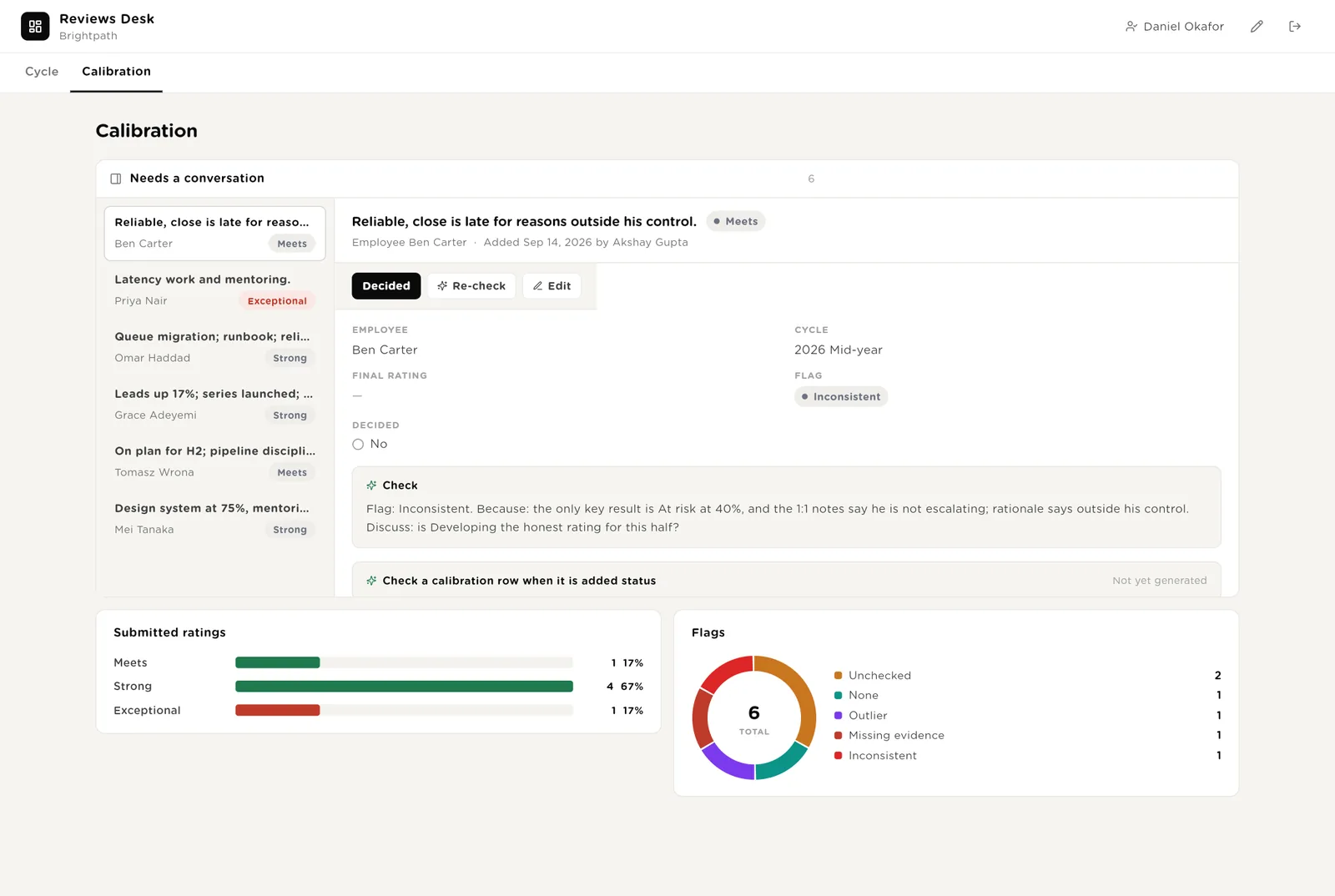
The proposed rating does not match the evidence, or the self-review and the manager disagree by two steps.
The review has no examples, or the manager review is not written yet.
You record the final rating after the meeting. The software never proposes one.
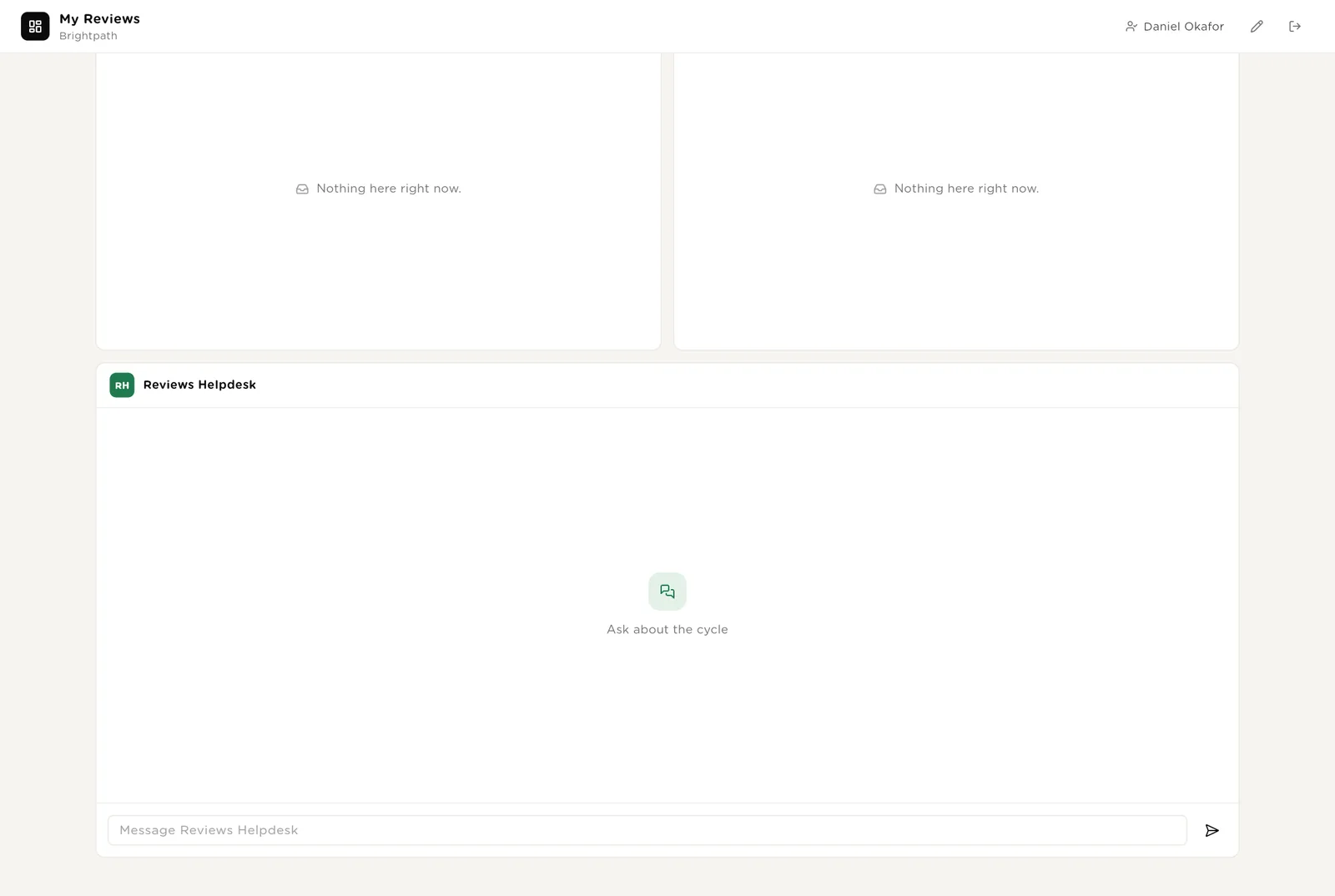
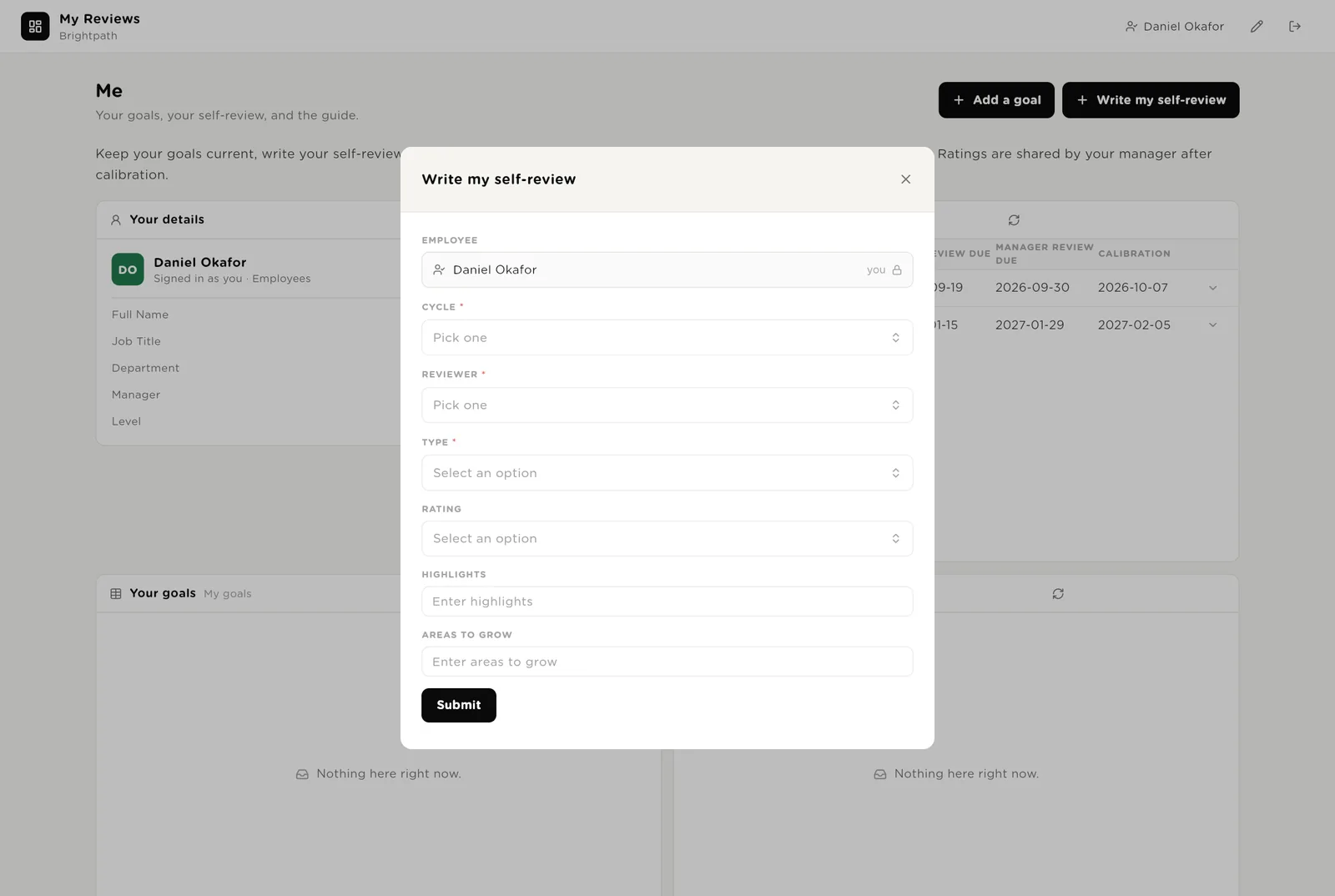
An employee logs in and is matched to their own record by work email. They see the cycle dates, their goals, their self-reviews, and a helpdesk that explains the scale and the timeline. Two buttons: add a goal, write the self-review.
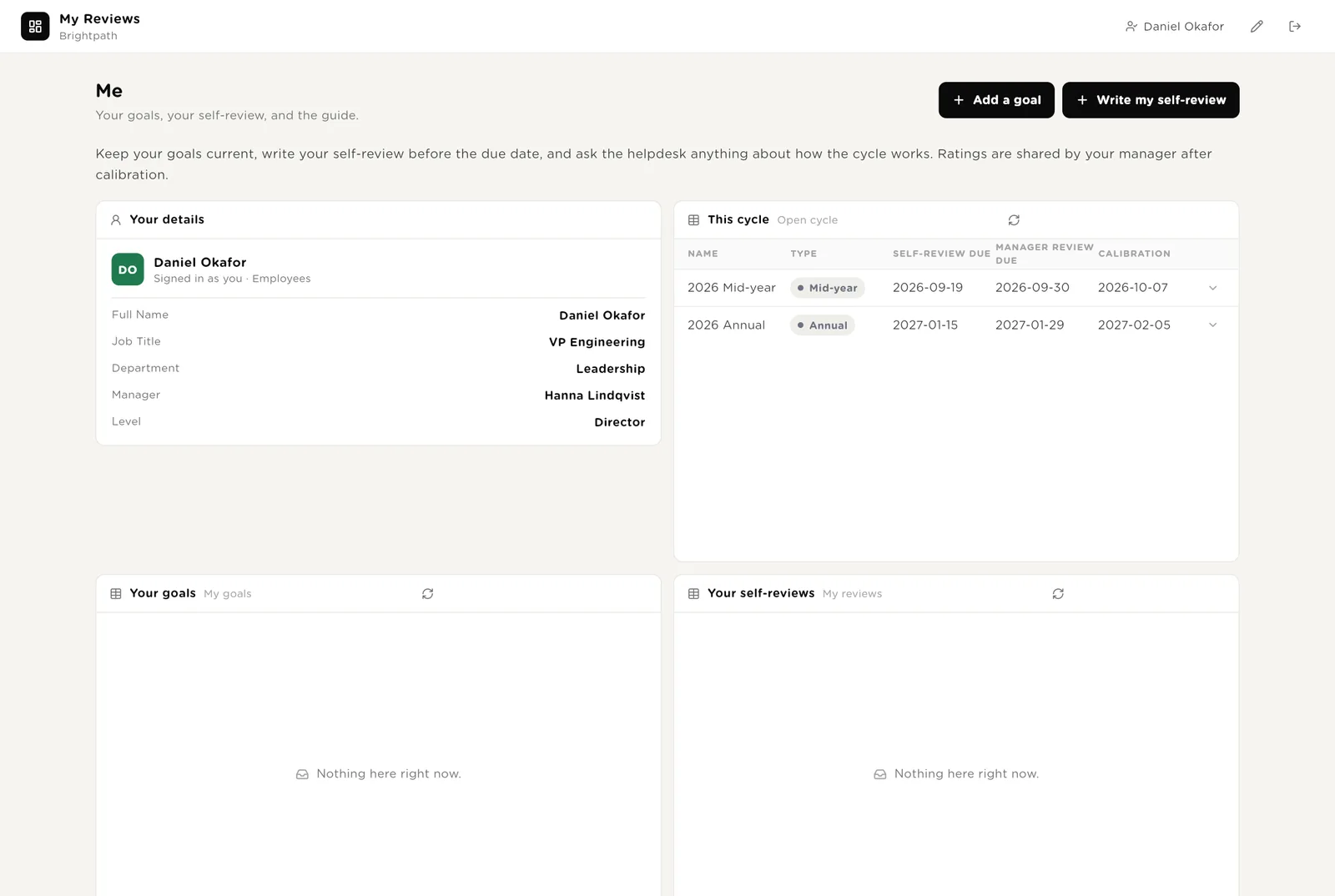
Title, type, target, due date. The employee is filled in from the login.
Highlights, areas to grow, a rating. Saved as a Self review for the open cycle.
Other people's goals, the manager's draft, anyone's rating.
The employee's own goals with progress, and every self-review they have written.
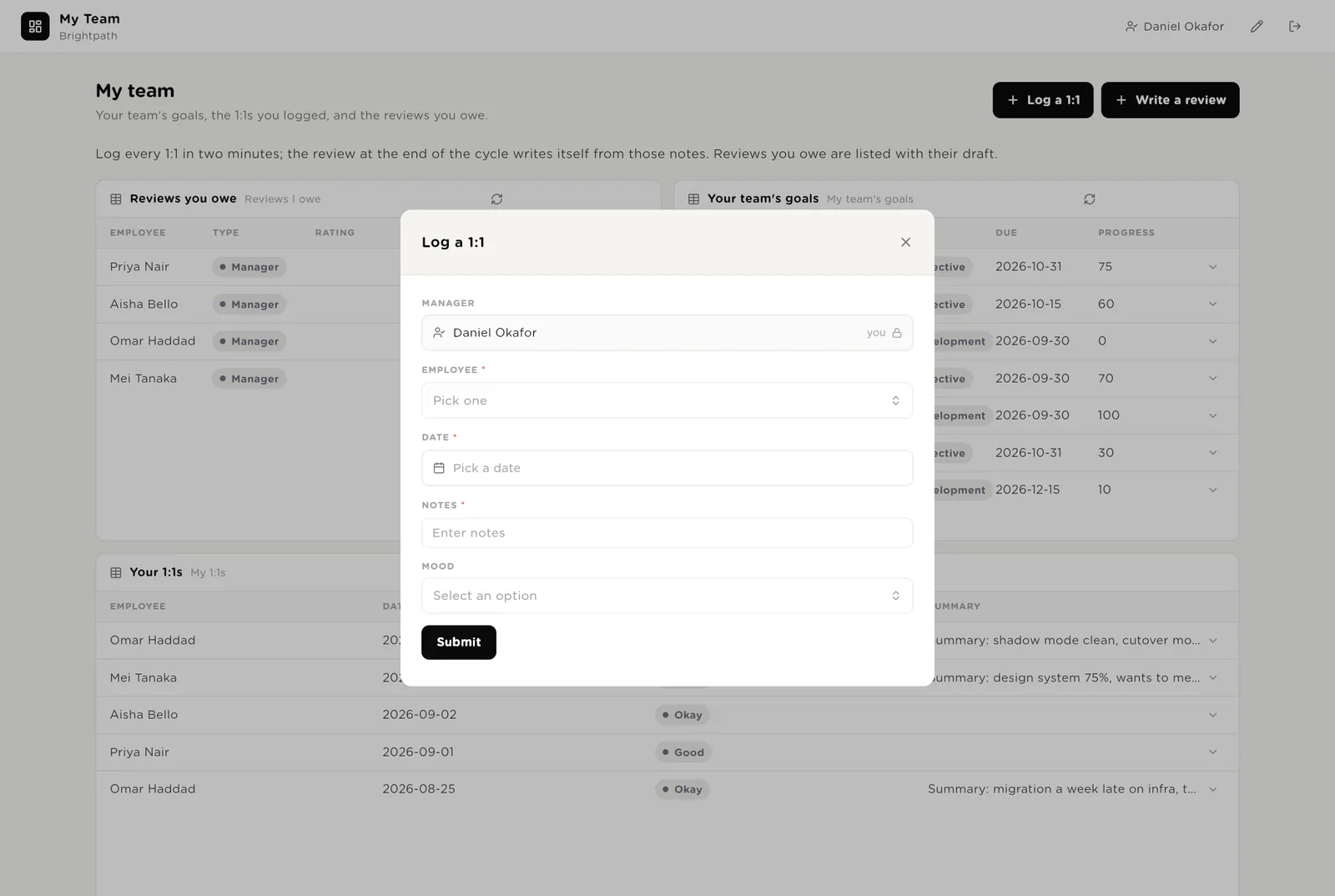
A manager logs in and sees their team, found through the Manager column. Two buttons: log a 1:1, write a review. Below: the reviews they owe, the team's goals, the 1:1s they logged.
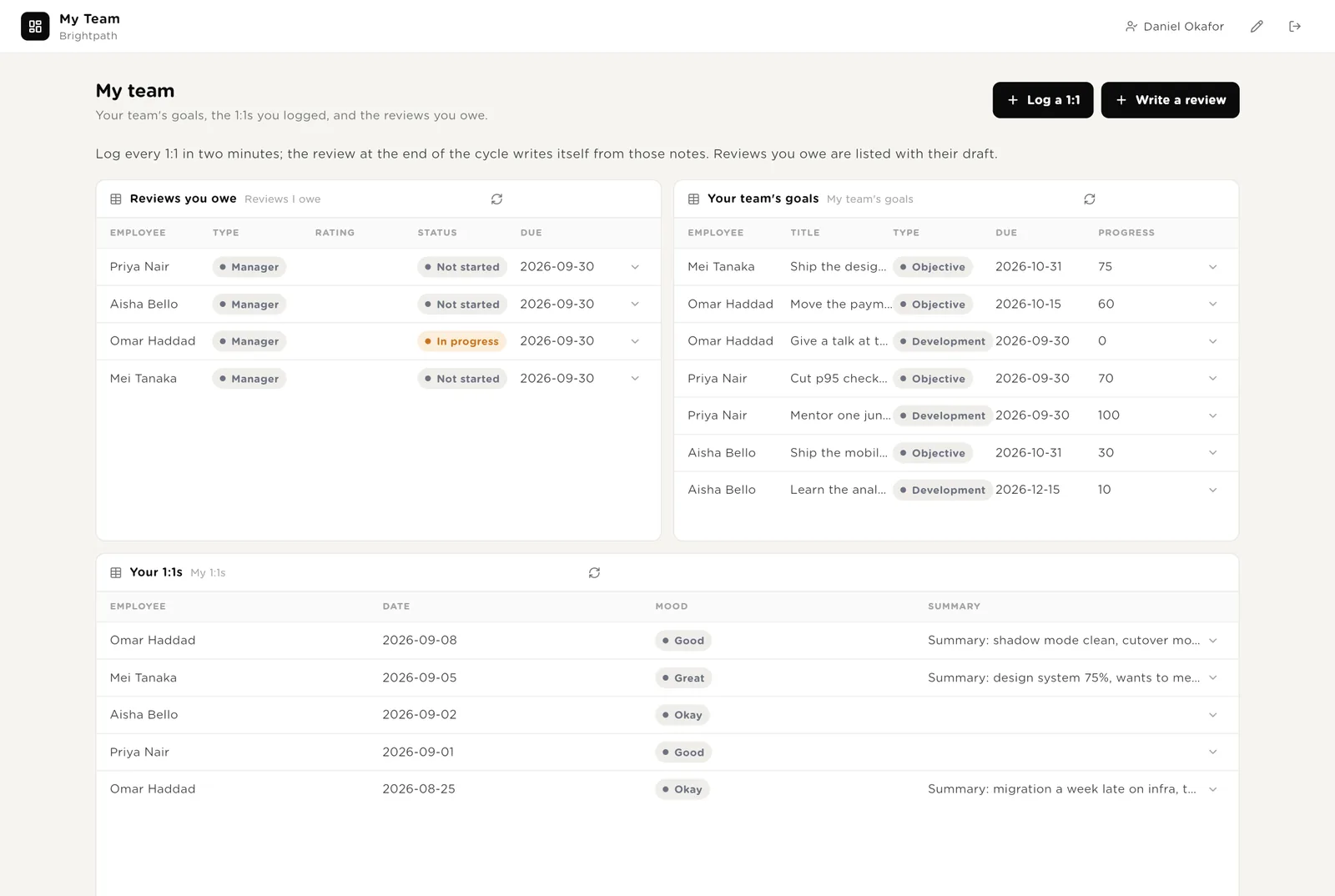
Employee, date, notes, mood. Two minutes. The summary and the actions are written within a minute.
Opens the review with the draft already written from the year's evidence. The manager edits and submits.
Every review with this manager as reviewer, with its due date.
Every goal across the manager's reports, and every 1:1 logged, with its summary.
Forms open in a small window. The employee or manager is filled in from whoever is logged in.
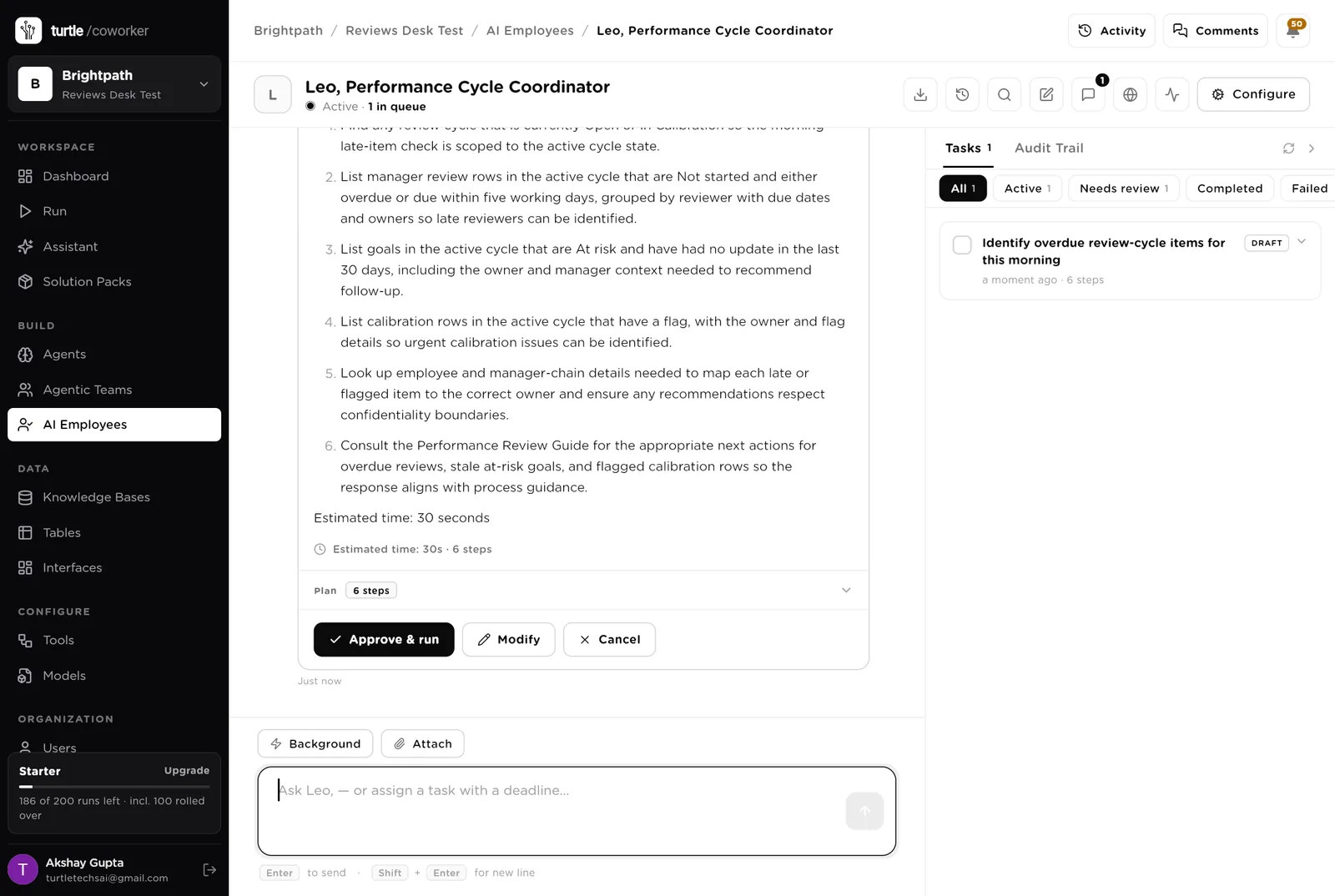
Leo is a software colleague you can chat with. Leo knows which agent to use for what, reads and writes the six review tables, and turns a sentence into a plan you approve before it runs.
Every morning while a cycle is open: who is late, which goals are at risk, which calibration rows are flagged. Makes sure every manager review has a draft. Never discusses anyone's rating. Tools: HRIS (BambooHR through StackOne), Gmail, Google Calendar, Slack, Turtle Notify.
You typed a question. Leo wrote a plan and is waiting. Nothing runs until you click "Approve and run".
An agent does one job. It starts when something new arrives, on a schedule, or when Leo asks it. It reads your tables and your guide, writes its result into the record, and stops. No agent ever sets a rating.
Turns a manager's raw notes into a three-line summary, the actions with owners and dates, and one thing to watch. Written within a minute of the notes being logged.
Reads the person's goals, all their 1:1 summaries for the cycle and their self-review, and drafts the manager review: three highlights with examples, two areas to grow with a next step, a suggested rating with the reason. The manager edits and submits.
Compares the proposed rating with the self-review, the goals and the review's examples. Flags Outlier, Missing evidence or Inconsistent, with two lines of facts and one question for the meeting. Never proposes a rating.
The two jobs the People team does by spreadsheet and email today.
Every weekday morning while a cycle is open, it finds reviews due within five working days or overdue and drafts a two-sentence reminder to the reviewer. Overdue ones add a line for the reviewer's manager.
Every Monday it counts reviews by status per department, lists overdue reviewers, calibration flags and goals at risk, and emails the three decisions the week needs to the People lead.
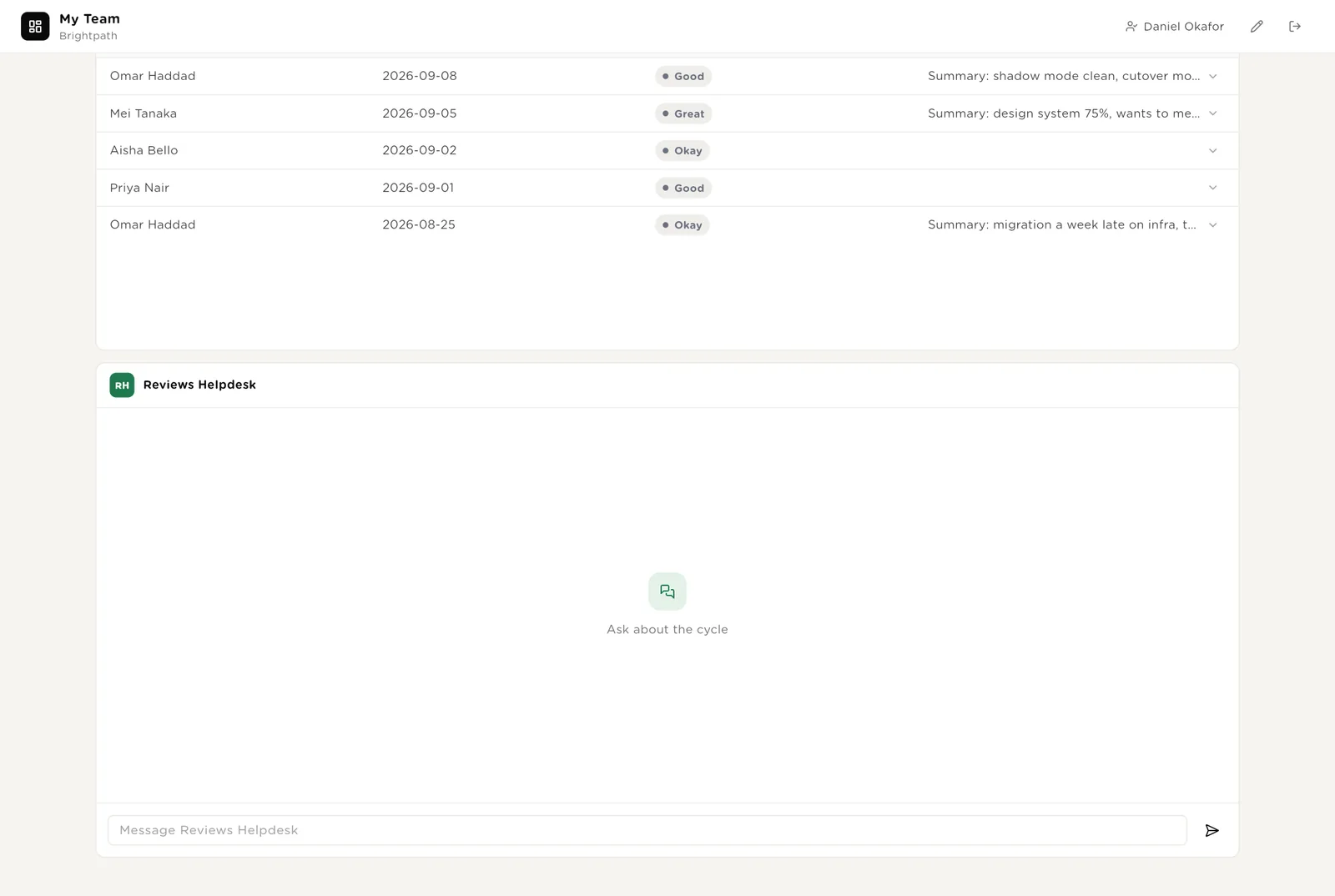
The help desk is a chat on both portals. It explains the rating scale, the timeline and how to write goals and reviews, from your guide. It never discusses anyone's rating.
A People lead routes the question to a guide specialist or a cycle specialist. Answers come from the guide and the cycle dates.
Tables are where everything is stored. They look like spreadsheets and the People team can open and edit them. The Manager column on Employees is what decides whose team is whose.
| Table | What is in it | Stages |
|---|---|---|
| Employees | Everyone in the cycle, with their manager and level. | Active · On leave · Left |
| Review Cycles | One row per cycle with the due dates. | Planned · Open · Calibration · Closed |
| Goals | Objectives, key results and development goals per person and cycle. | Draft · Active · At risk · Done · Dropped |
| 1:1 Notes | Manager notes from each 1:1 with the summary. | One row per 1:1 |
| Reviews | Self, manager and peer reviews with the draft and the rating. | Not started → In progress → Submitted → Calibrated → Shared |
| Calibration | One row per person per cycle with the proposed rating, the flag and the final rating. | Unchecked · None · Outlier · Missing evidence · Inconsistent |
The software knows nothing about how you review except what the tables and your guide tell it.
One document: the rating scale with what each word means, how to write goals and reviews, what calibration checks, and the timeline. Every agent and the helpdesk read it. Replace the starter text with your own.
The desk uses whichever AI model your company has already connected. You do not choose or manage a model for each agent.
Everything that runs on arrival is on from day one. The two schedules are off until you switch them on from the desk.
| Automation | Agent | When | Ships |
|---|---|---|---|
| Summarise a 1:1 | 1:1 Summariser | The moment a 1:1 is logged | On |
| Draft the manager review | Review Drafter | The moment a manager review is opened | On |
| Check a calibration row | Calibration Checker | The moment a row is added | On |
| Remind reviewers | Review Reminder | Weekdays 09:00 while a cycle is open | Off until you switch it on |
| Monday cycle report | Cycle Report | Monday 08:00 | Off until you switch it on |
Buttons on the desk run agents too. "Remind now" runs the reminder for one review; "Draft for the manager" runs the drafter; "Re-check" runs the calibration checker again.
Three things always need a person. The software stops and waits at each one.
Submitting a review, recording a calibration decision, marking a goal done. Only a person can do these. The software drafts; the manager submits. The meeting decides; the People team records it.
When an agent or Leo wants to send a reminder or a calendar invite, it stops. The exact message appears in Approvals. You read it, fix anything wrong, and click Approve or Deny.
When you give Leo a task, Leo writes a plan and shows it first. Approve and run, change it, or cancel.
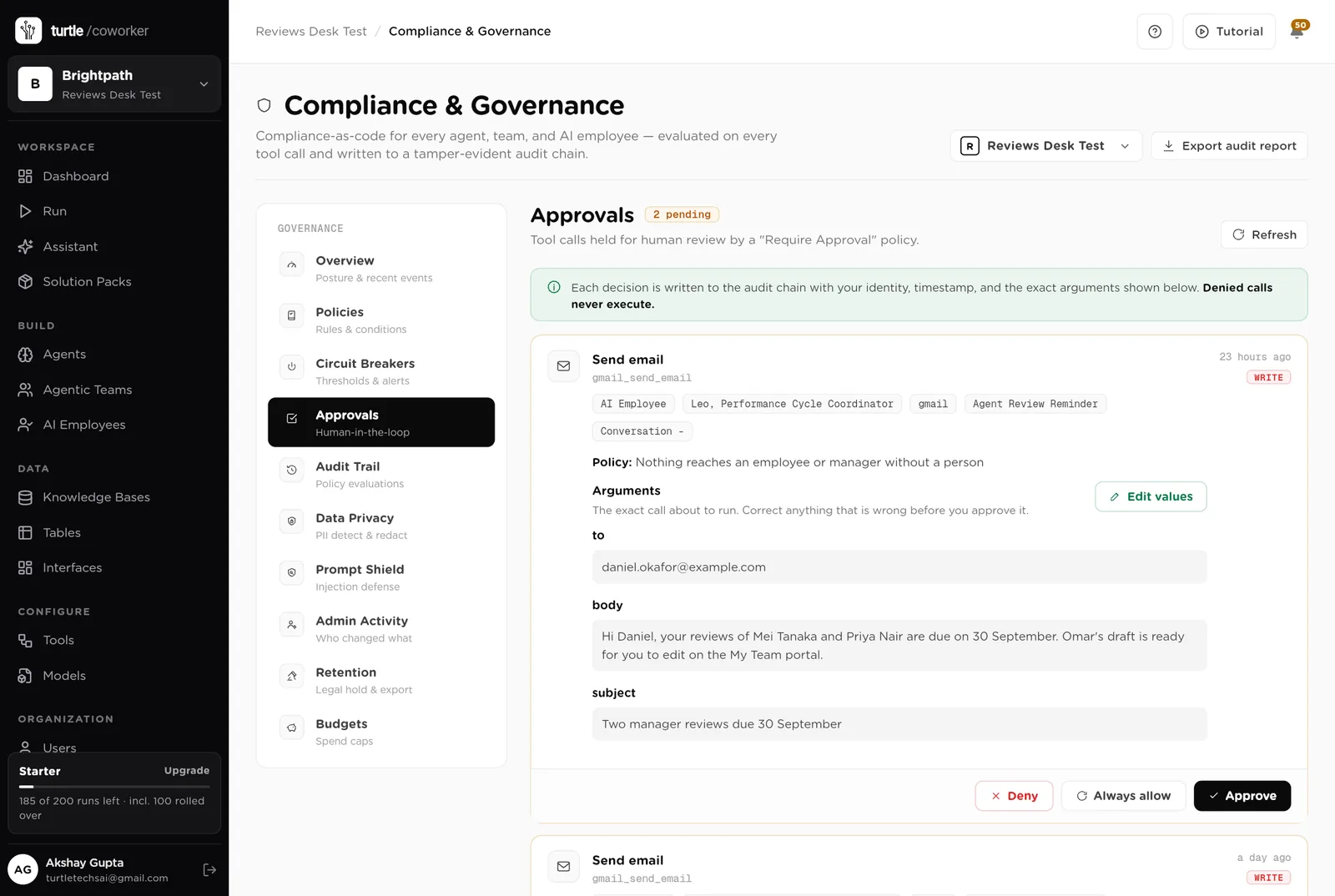
A rule is checked before every single thing the software tries to do. The pack installs six rules of its own on top of the standard ones every workspace starts with.
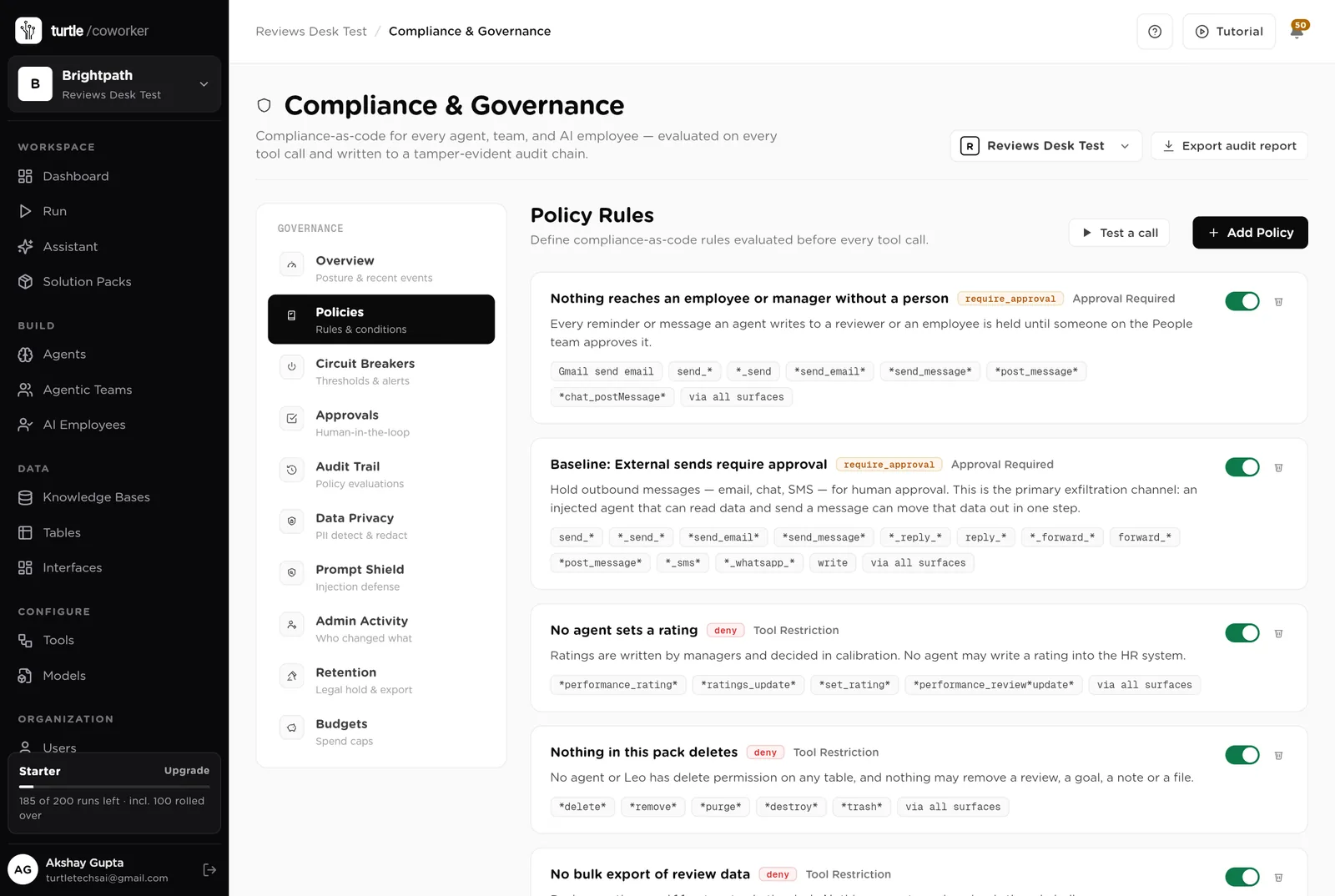
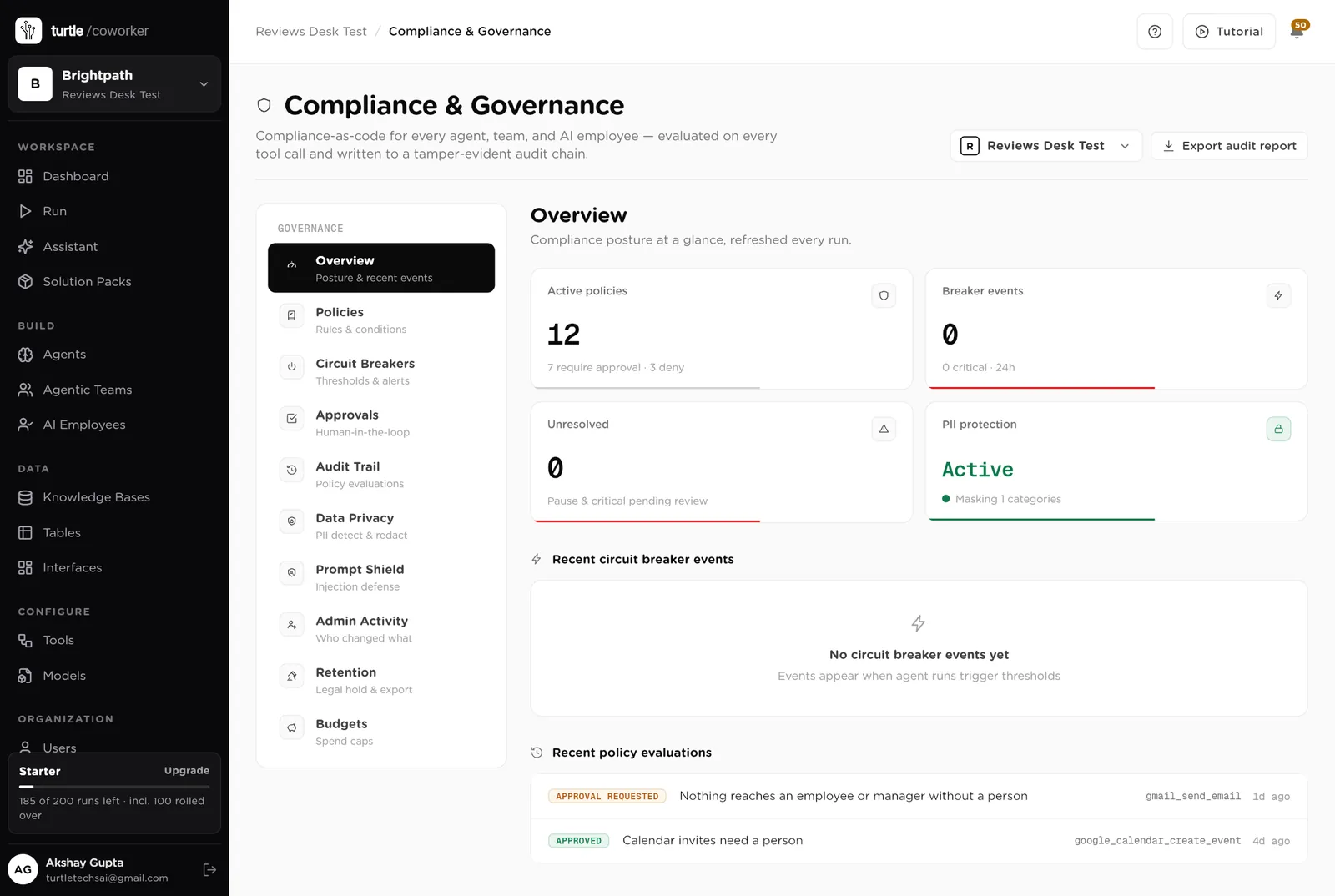
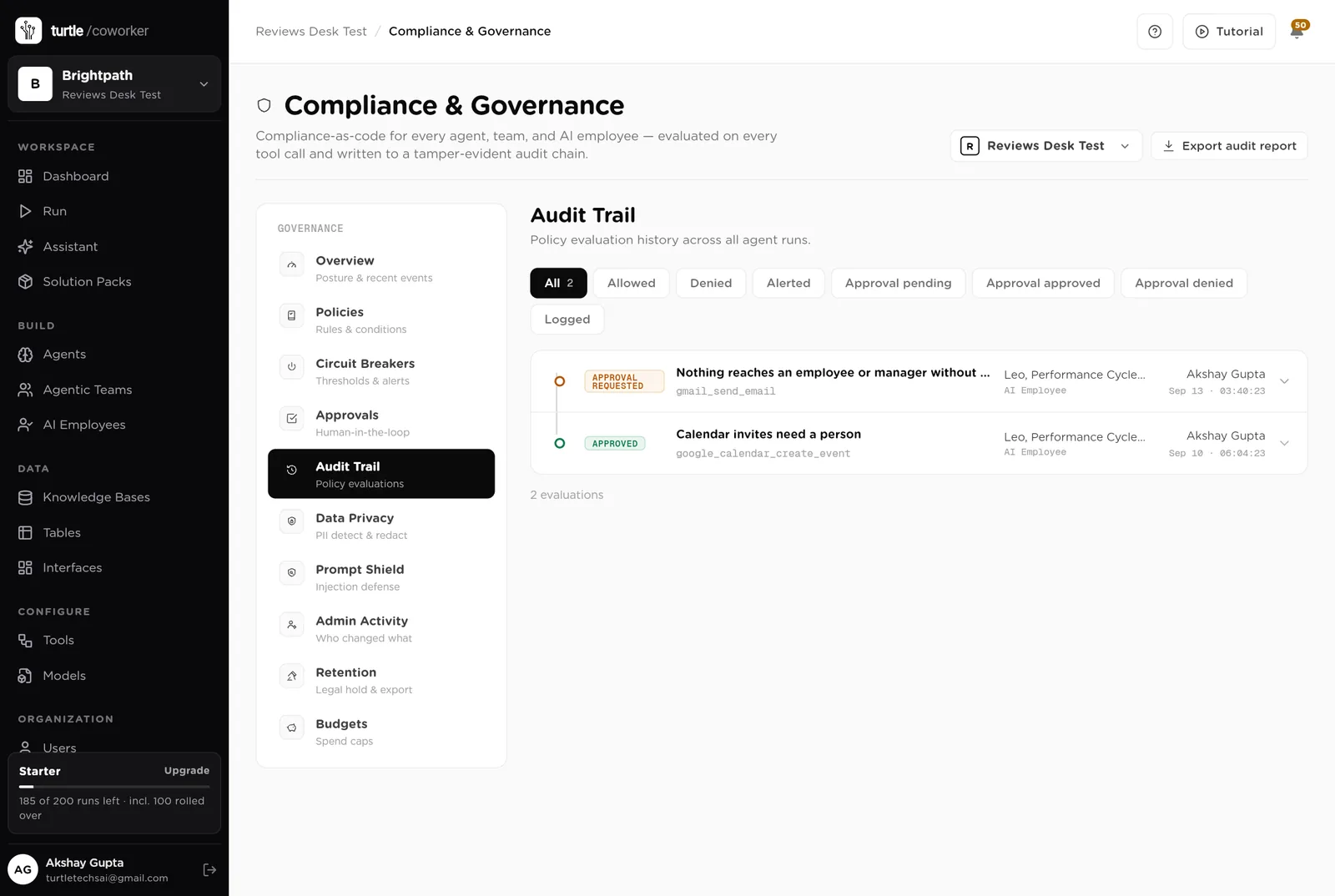
For every run you can see which agent ran, why it ran, every step it took, and every rule that checked it. Passwords and card numbers are blanked out before anything is stored.
A monthly budget with a warning level and a hard stop. An agent that starts failing is paused until someone looks.
Review text and 1:1 notes are sensitive. They are masked in what the software reads and writes, and every key is encrypted.
The drafter writes from evidence with named examples and suggests, never sets, a rating. The checker flags where the evidence and the rating disagree, in every team, the same way.
The People team sees the desk. Each employee sees only their own goals and self-reviews. Each manager sees only their own reports. Only owners and admins change the layout.
These estimates assume a company of 200 staff and 30 managers running a mid-year cycle with a two-person People team. "Before" is the time by hand across the team and the managers; "after" is the reading, editing and deciding that is left. Your numbers will differ. These are estimates, not measurements; after one cycle the audit trail gives you real figures.
| Job | Assumption | Hours before | Hours after | What changes |
|---|---|---|---|---|
| Writing manager reviews | 2 h each, 200 reviews | 400 | 120 | Drafted from goals, 1:1 summaries and the self-review. Managers edit rather than write. |
| Summarising 1:1s | 10 min each, 600 a cycle | 100 | 0 | Written within a minute of the notes. |
| Chasing late reviews | 6 h a week for 6 weeks | 36 | 6 | Reminders drafted every morning; you approve them in one sitting. |
| Preparing calibration | 20 h per cycle | 20 | 6 | Outliers and missing evidence flagged before the meeting. |
| Answering "how does the cycle work" | 4 h a week for 6 weeks | 24 | 4 | The helpdesk answers from the guide. |
| The weekly report | 2 h a week for 6 weeks | 12 | 2 | Written every Monday. |
| Total per week | 592 | 138 | About 450 hours back per cycle, most of it managers' time. Two cycles a year makes that 900 hours. |
A review drafted from a year of 1:1 summaries is fairer than one written from memory in the last week of the cycle.
Flags before the meeting mean the room spends its time on the three names that need it.
Reminders every morning, with the manager copied when overdue, and the People lead sees the numbers every Monday.
Estimates, not measurements. After a month the audit trail gives you real figures.
Installing takes one click. The real work is the guide and the org chart.
Install the pack from the Solution Packs page. Connect your HRIS and Gmail when asked.
Replace the starter text with your rating scale, your goal and review guidance, and your calibration rules.
Let Leo pull the org chart from the HRIS, or paste it in. The Manager column is what decides whose team is whose.
Share My Reviews and My Team with the organisation. Add the cycle with its dates.
Ask managers to log 1:1s from day one. Switch on the reminders when the cycle opens. Approve reminders from the desk.
Read the Monday report, run calibration from the flags, and let the helpdesk take the questions that used to be emails.
You pay for the platform, not per desk. The plan sets how many agents, employees and workspaces you can run; every desk is included, and runs are billed on your own model key at cost. 5 agents in this desk count against the plan's agent limit.
See plansWe use analytics cookies to see which pages help and which don’t. Nothing loads until you choose. Cookie Policy

Hello there.
AI agent. It can make mistakes, and a human reviews anything that matters.