
Quickstart: your first agent
Build a working Sequential Agent, run it once, and read its trace. About ten minutes, no prior setup.
This walkthrough builds the smallest useful thing in Turtle AI Coworker: one Sequential Agent that takes an input, does a task, and writes a traced result. It introduces the editor you will use for every worker. If you would rather not start from a blank page, skip toinstalling a Solution Pack instead.
1. Create the agent
From the agents list, create a new agent and give it a name and a short description of its job. The description is also how teammates and AI employees know when to reach for it.
Open the agents list and create a new agent
This is where every agent in the workspace lives, with its status, model and recent runs.
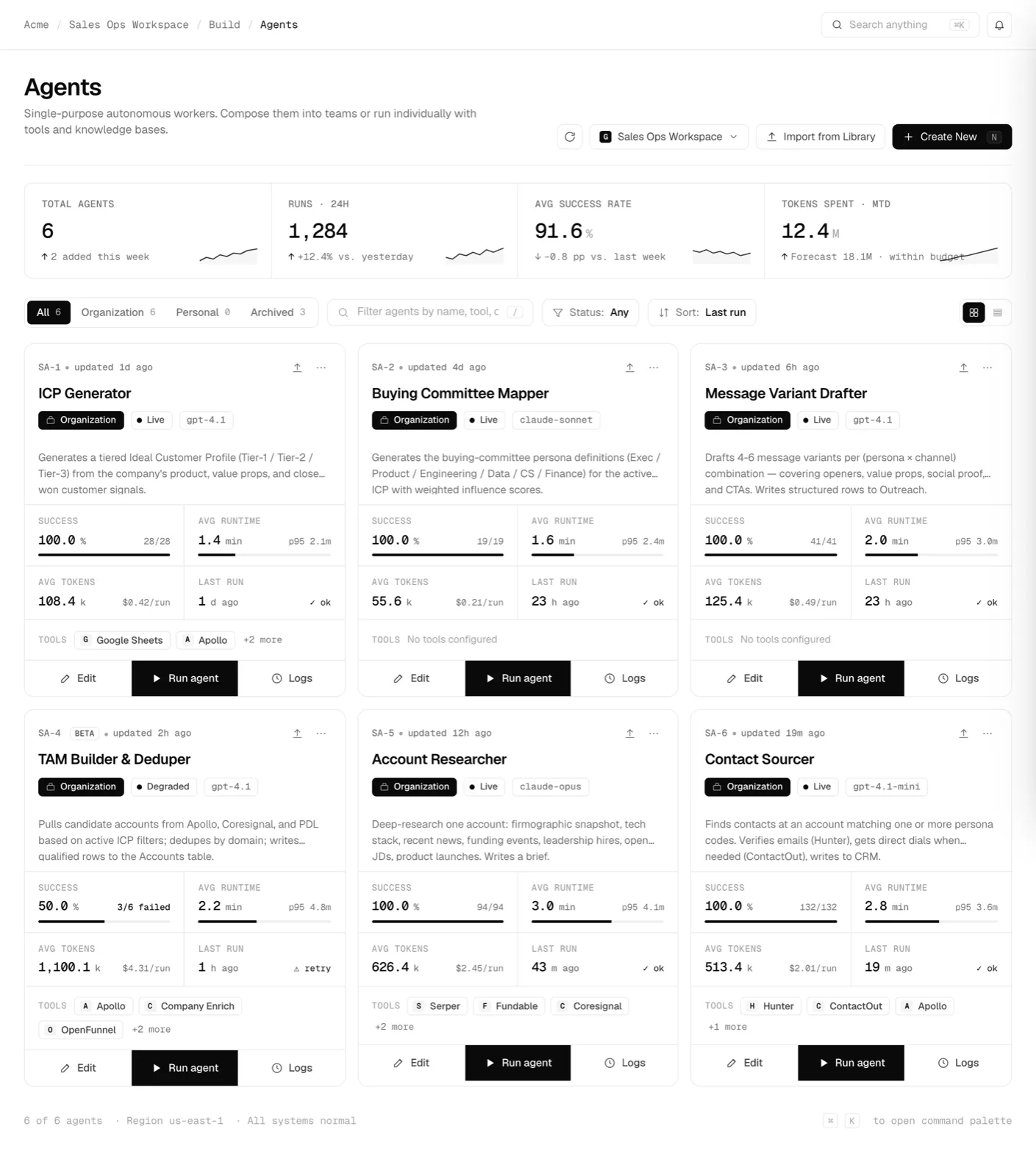
The agents list. Create opens the editor.click to enlarge Fill in Basic settings
Name the agent, write its description, and pick the model it should reason with. You can change the model per agent at any time.
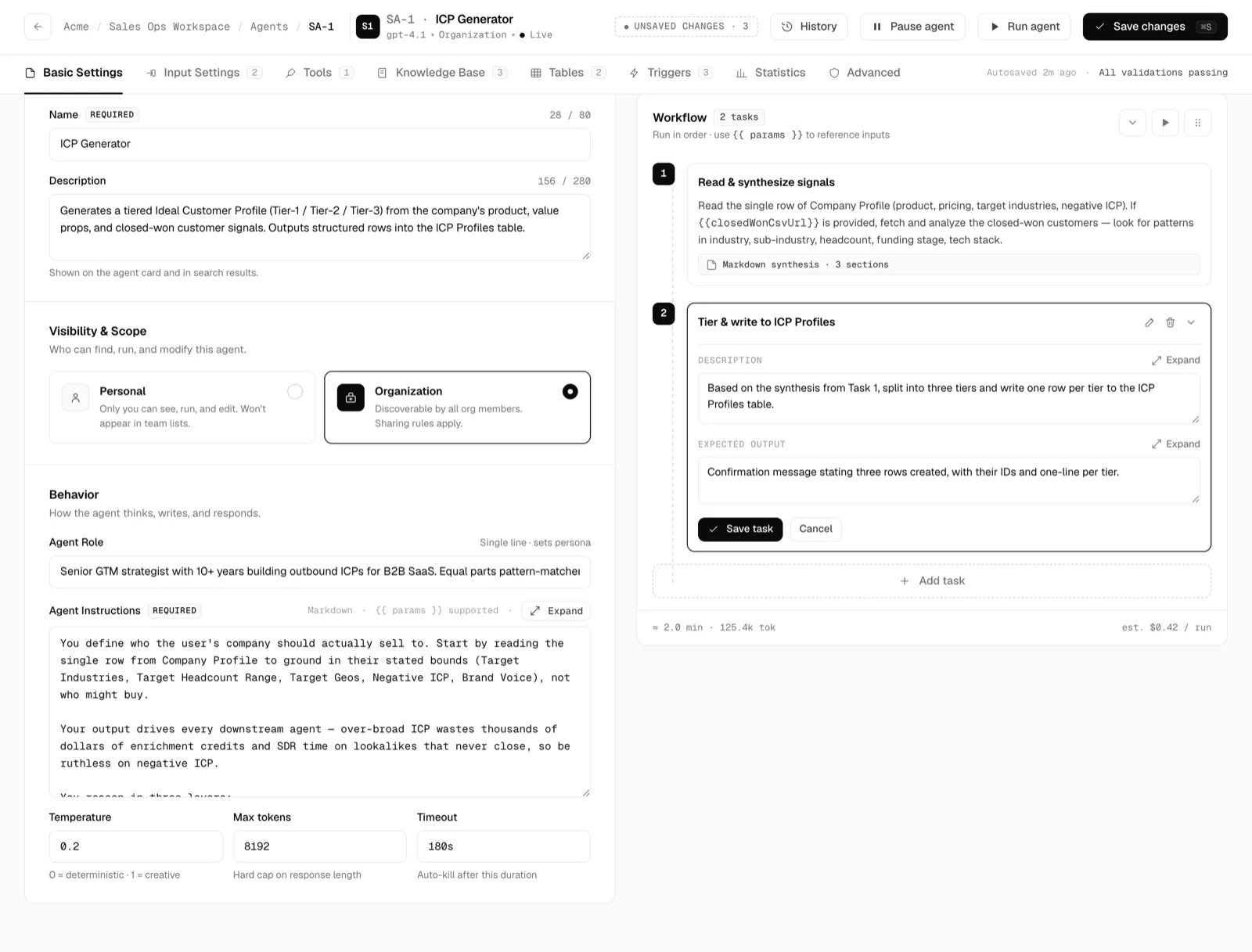
Basic settings: name, description and model.click to enlarge
2. Give it an input
Inputs are typed parameters the agent receives when it runs. Add one so the agent has something to work on, for example a topic, a URL, or a record id.
Add a typed input parameter
Open the Inputs tab and add a parameter. Give it a name, a type, and mark whether it is required.
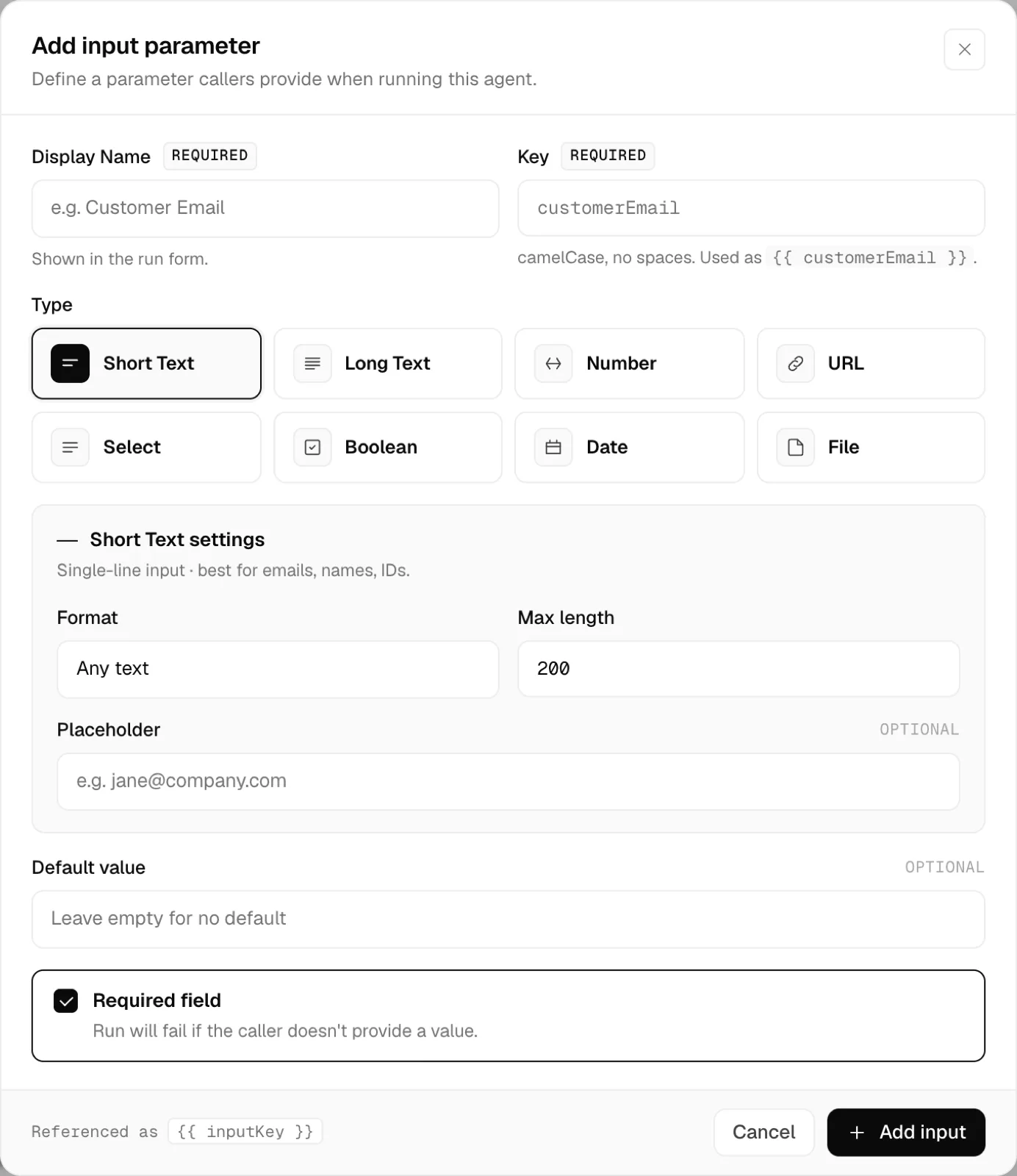
Adding a typed input parameter.click to enlarge
3. Write the task
Tasks are the ordered steps the agent performs. For a first agent, one task is enough: tell it what to do with the input and what a good result looks like. The expected output keeps the run honest and gives the trace something to check against.
4. Run it and read the trace
Run the agent with a sample input from Run Control. Watch it work step by step, then open the trace to see exactly what it read, which tools it called, and what it produced. This trace is the same record your security team can audit later.
Launch a run and follow it live
Run Control streams the run token by token. When it finishes, the result and the full step-by-step trace are attached to the run.
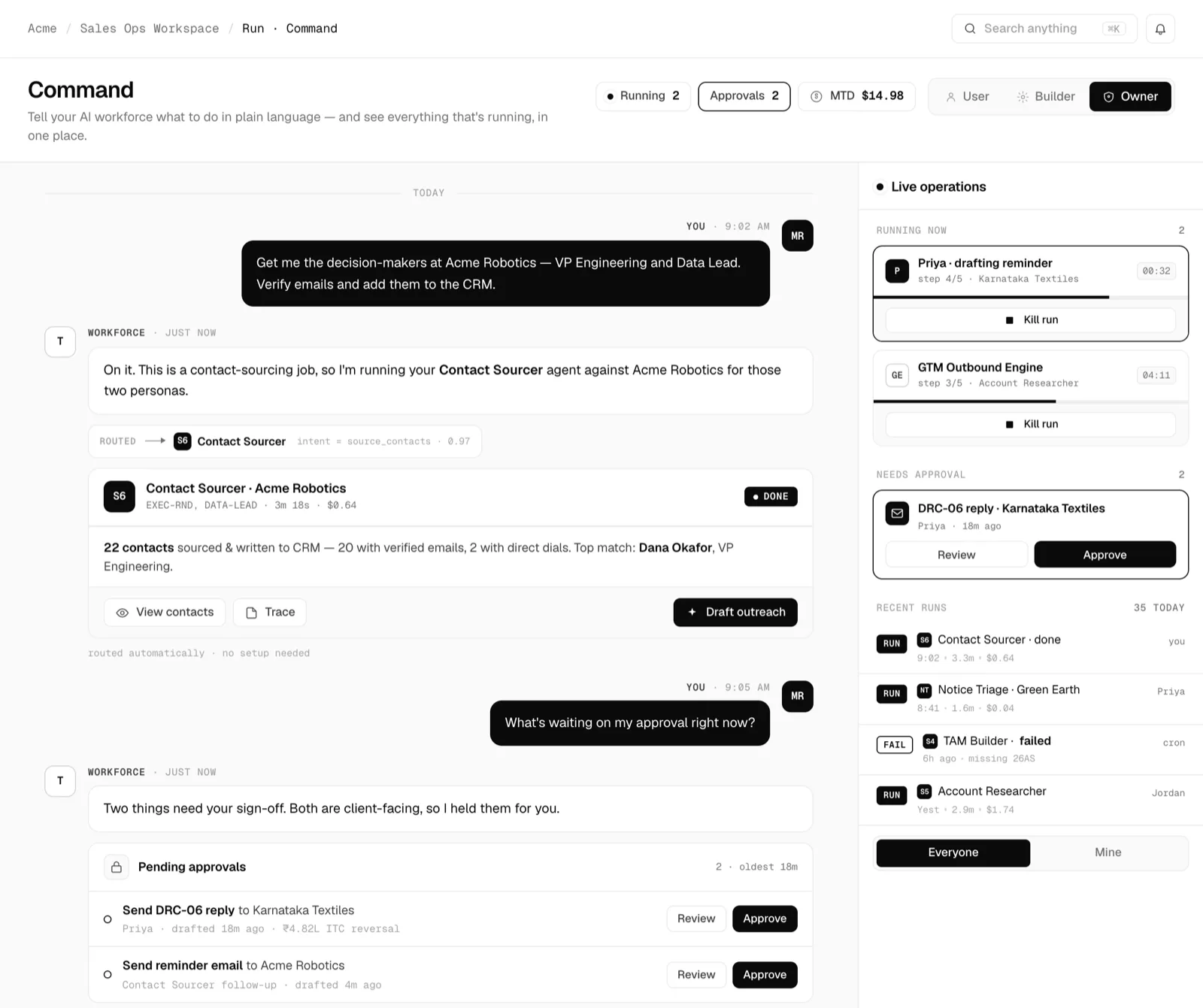
Running the agent and watching the trace build.click to enlarge
Where to go next
- Sequential Agents: attach tools, knowledge, tables and triggers, and set permissions.
- Tables: give your agent a place to write results that persist.
- AI Employees: hand a whole role to a worker that remembers and runs in the background.