Giving AI hands in an enterprise stack is normally a quarters-long integration project — and every connector it produces is another placecredentials leak and actions go unlogged. Here the stack is a catalog: 70+ systems connected once at the org level, any internal REST API wrapped as a governed tool, every call policy-checked against a function catalog, and every credential in an encrypted vault a model never sees.
In a pack, tool access arrives scoped: each agent gets exactly the integrations it needs, nothing more.
See Solution Packs →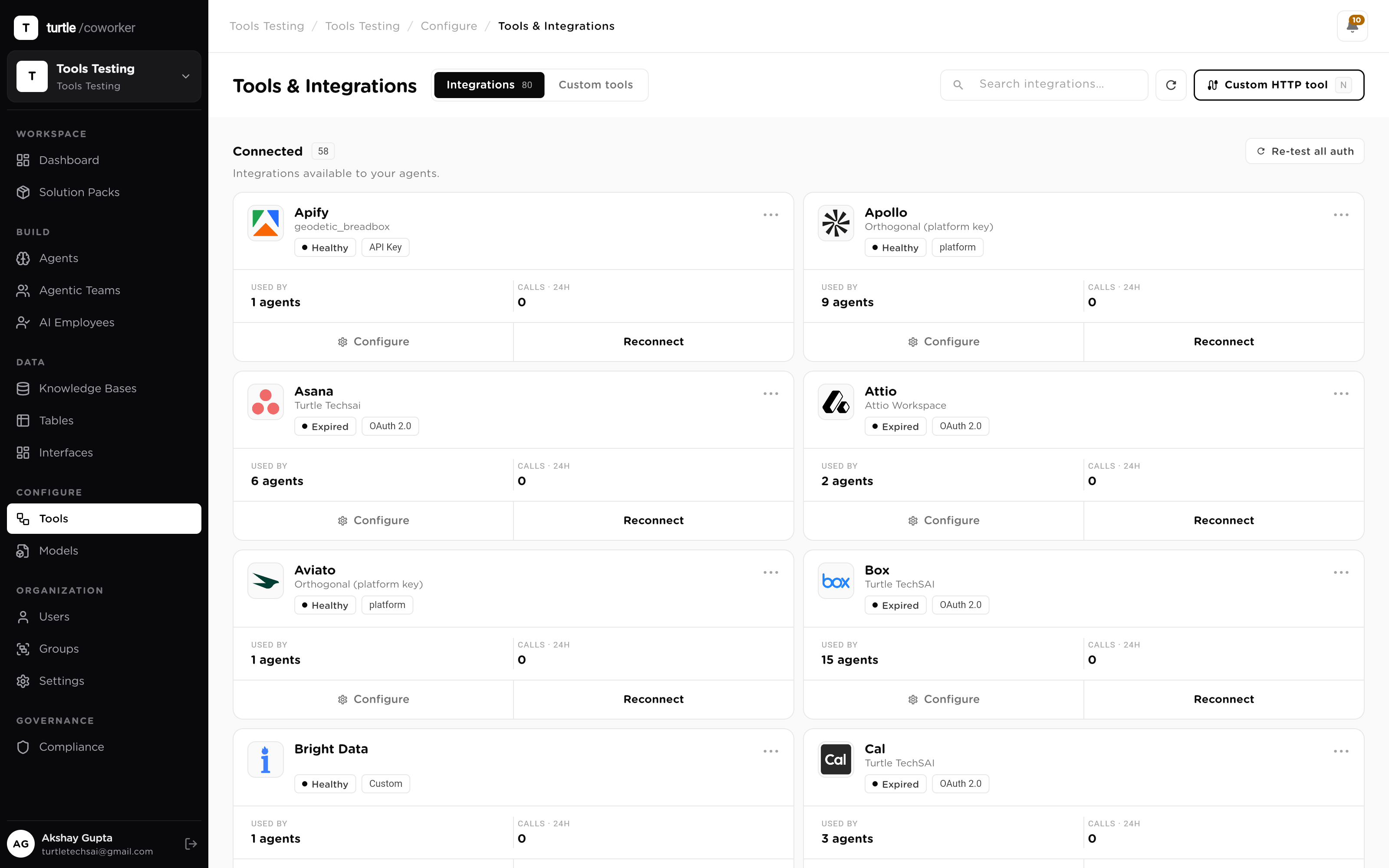
The standard playbook — one connector per system, credentials in config files, logging as an afterthought — produces exactly what a security review fears: secrets in too many places and actions in none of the logs. And it takes quarters to build.
So the module inverts it. Systems connect once, at the org level; agents are granted least-privilege slices of them; every call passes thepolicy engine on its way out; every credential lives in an encrypted vault, decrypted only at request time; and every action lands in the audit trail. The integration project collapses into an afternoon — with more control at the end of it, not less.
Update a CRM, wrap an internal microservice, expose a whole product API, vault a finance key, fire on an in-house event, or test before you ship — each one scoped, policy-checked and vaulted.
Your agents already read deals. Now you want them to write back: log the touch, move the stage, update the amount, not hand a human a to-do.
The CRM is authorized once at Organization scope; OAuth issues a revocable token, encrypted the moment it lands, reusable by every agent you grant it to.
The CRM-writer agent is granted Read + Update; every other agent keeps read-only. Least-privilege, per agent.
It updates the deal in place. The write is policy-checked, executed, and logged — no copy-paste, no swivel-chair.
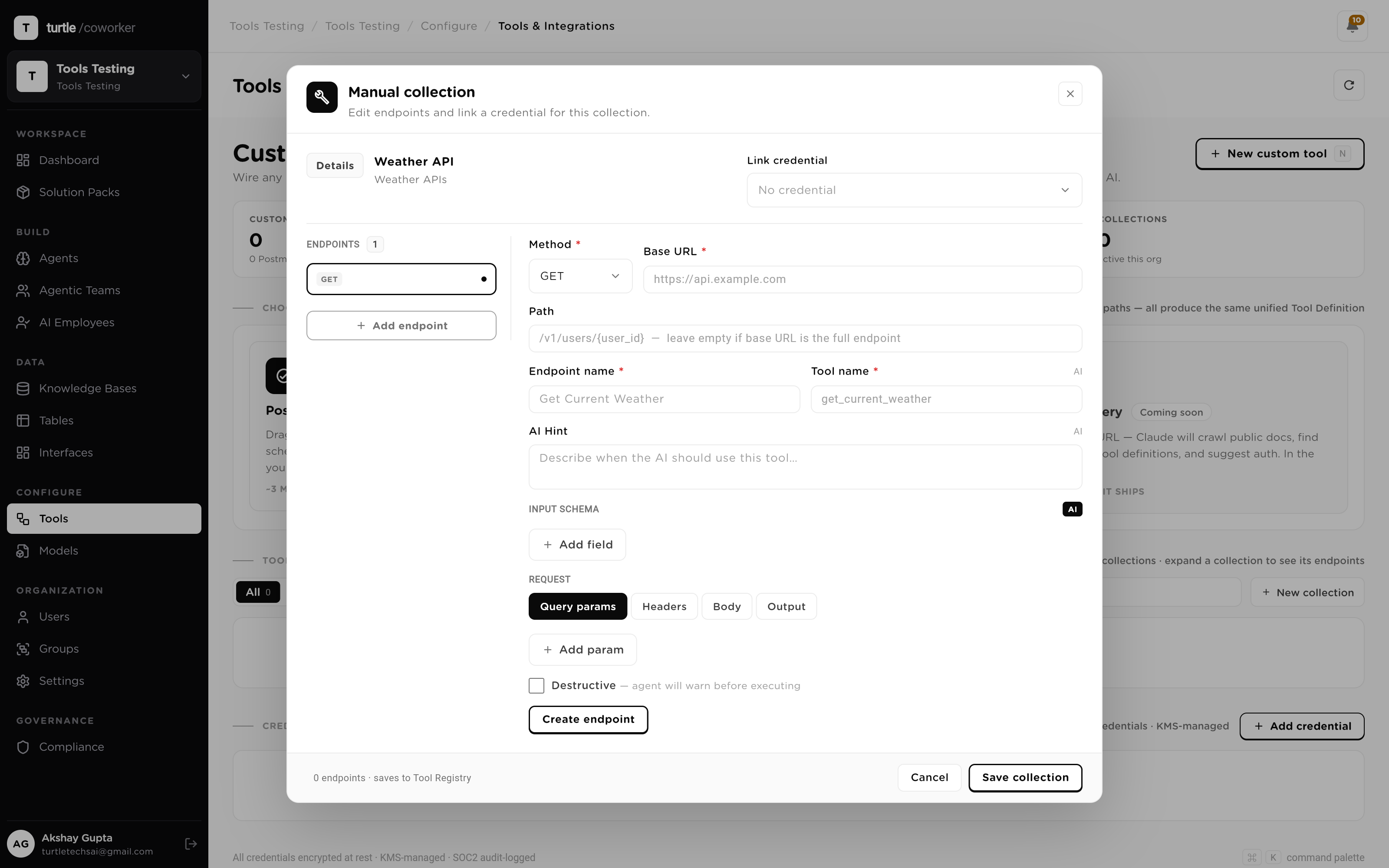
Your pricing microservice runs behind the firewall and isn't in any catalog. You need agents to call it by name, without writing glue code for each one.
From its REST spec: method, URL template, an AI hint for when to call it, and a typed input schema.
Output mapped with JSONPath, so downstream steps get typed fields, not guesswork.
A credential from the vault backs the whole collection — decrypted only at request time, never in a prompt or a log.
You have a documented Postman or OpenAPI collection with a dozen endpoints. You want your workforce to reach the whole API at once, not endpoint by endpoint.
Every request, path and example in the Postman/OpenAPI file is read in one pass.
Auto-discovery infers input schemas, output mappings and a call hint for each endpoint: you review, not author.
The collection lands in the registry as ready-to-run tools, sharing one vaulted credential.
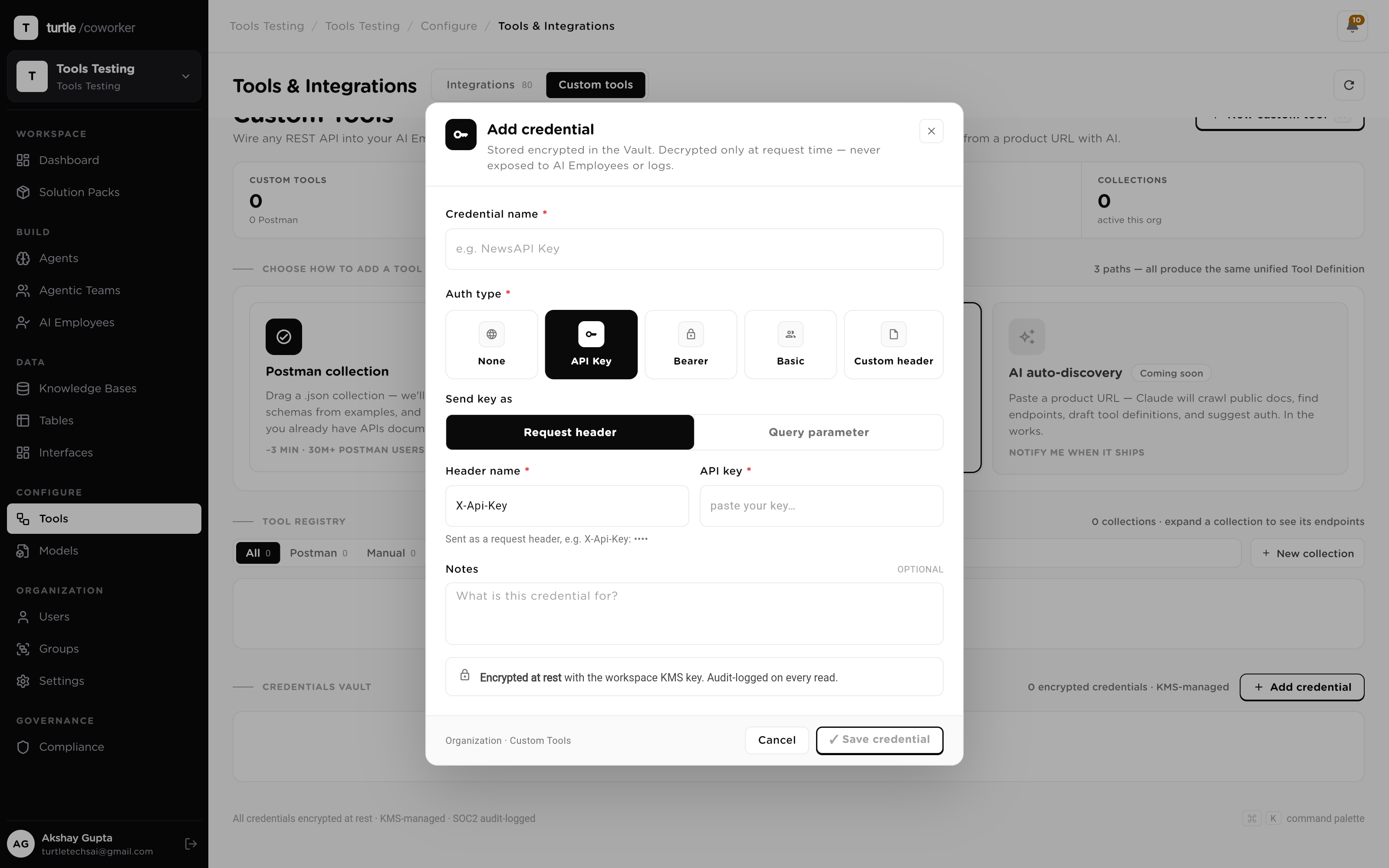
A finance tool needs an API key, but you'll never paste a secret into a prompt or a workflow. One agent, not all of them, should hold it.
Encrypted at rest the moment it's stored; decrypted only at request time, never shown to an agent or a log.
The credential backs just the refund tool, granted to just the one agent that needs it. Every other agent is blind to it.
Each credential read lands in the audit trail, and the mutating call is held by policy for human approval.
When your internal order system emits an event, someone should act on it in real time. You don't want to poll, and you don't want a human relay.
Your in-house system posts to a universal webhook; the payload lands deduped and filtered.
An agent or employee wakes on the event and calls the scoped tools it's been granted, in the systems that own the work.
It acts only within its least-privilege grant; risky writes wait for approval, and every call is logged.
Before an agent can call a new tool for real, you need to know it works: with the real credential, without touching production state.
The test runner sends an LLM-shaped JSON input and injects the vaulted credential, decrypted only for the request.
Resolved request, live response with status and latency, and mapped output show together: a 200 or the exact error code.
A green run marks the row OK; the dry run is tagged source: test and never counts as a real mutation.
Connect your apps and internal APIs once; every agent, team and employee calls only the scoped actions you grant. Credentials stay vaulted.
Eight surfaces between your stack and your workforce — each one closing a hole the hand-built version leaves open.
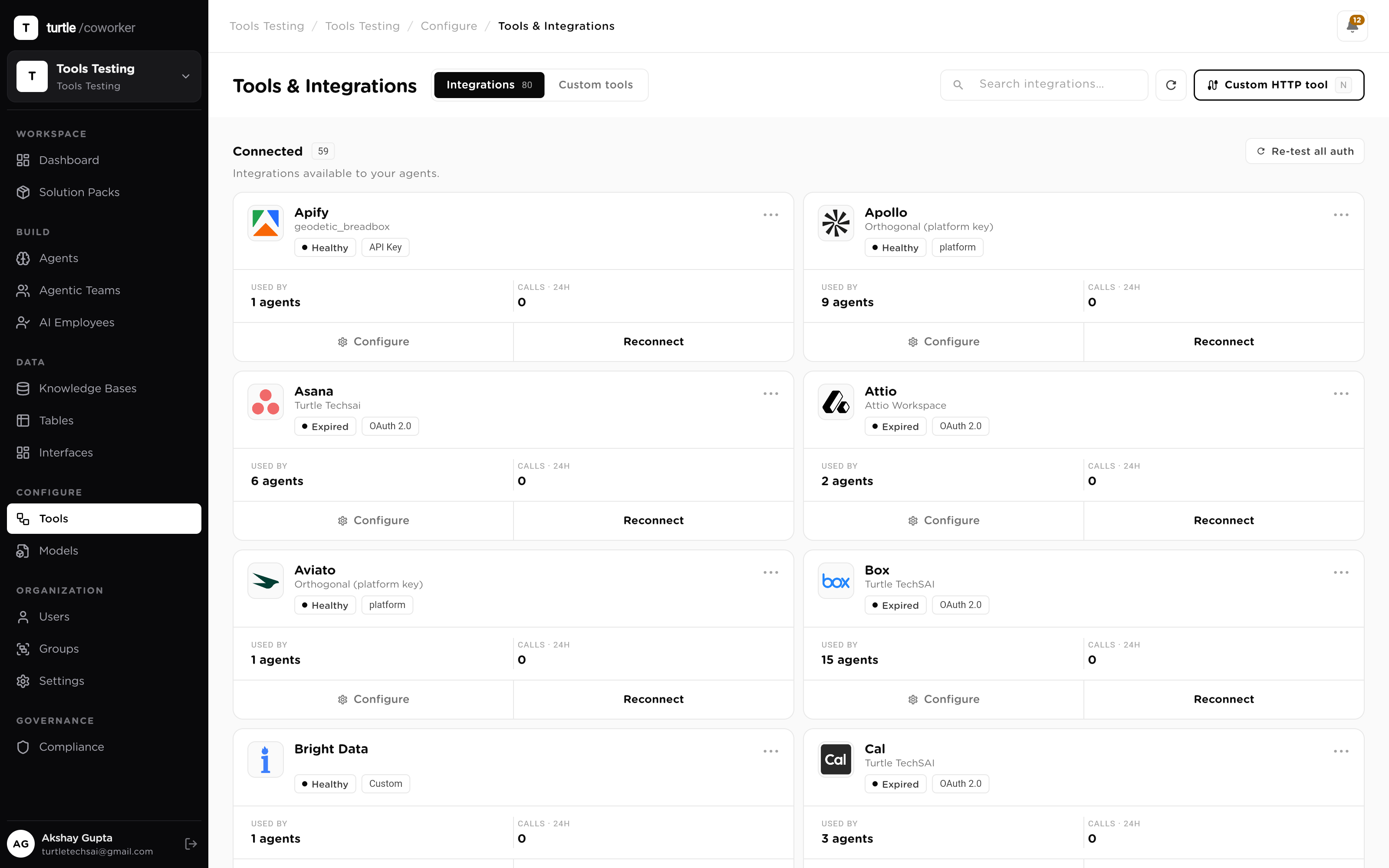
The usual way to give AI hands is a backlog: one connector per system, each with its own auth dance, error handling and owner. Here the stack is a catalog — 70+ systems your workforce can act in, from CRMs and comms to docs, trackers and dev tools. Each card names the system, its category and the auth flow it will run; connecting one is a single authorization, not a sprint.
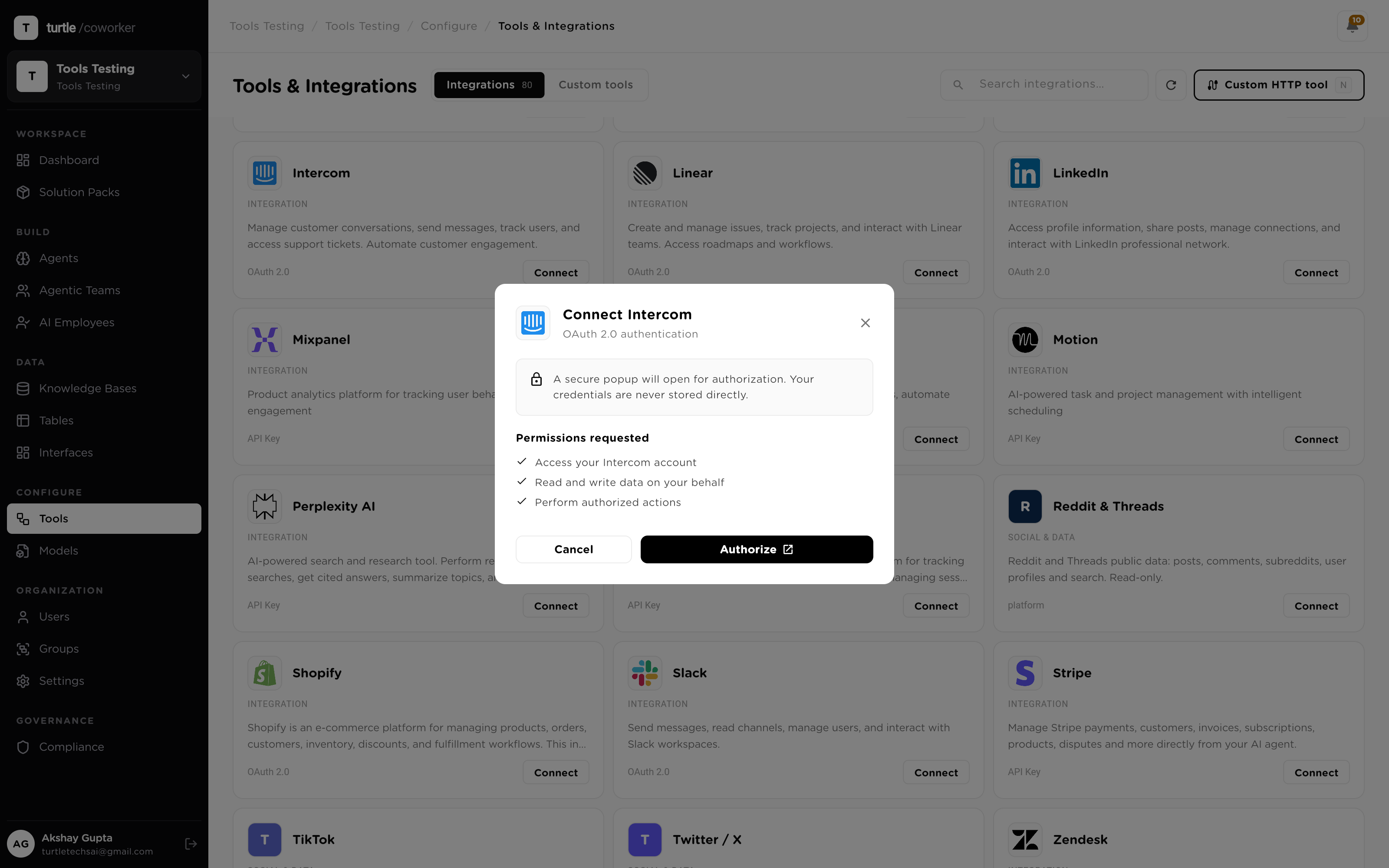
Every ad-hoc integration is another place a credential gets pasted, copied and forgotten. Connecting here is deliberately separated from granting: you authorize a system once, the credential and its scope live at the workspace level, and it becomes a reusable tool. OAuth 2.0 issues a revocable, refreshable token for user-facing apps; a pasted API key covers metered account-level services. Either way, the secret is encrypted the moment it lands.
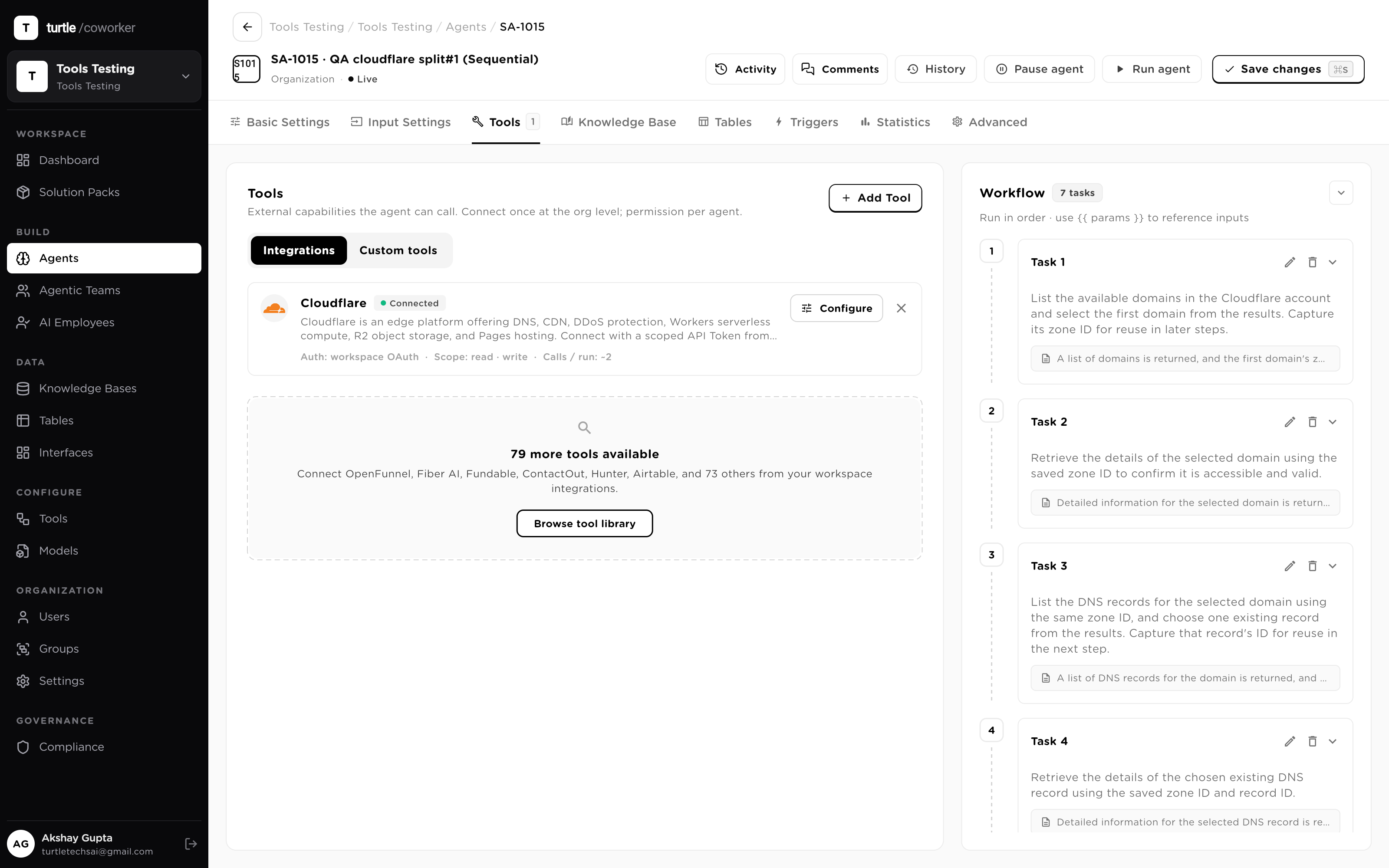
A connected system doesn't automatically reach every agent — that default is how integrations turn into liabilities. Each agent is granted only the tools its job needs, with the scope that job requires: an outreach agent can draft and send email; it cannot touch the CRM it was never given. Access stays least-privilege by construction, and removing a tool from one agent touches nothing else.
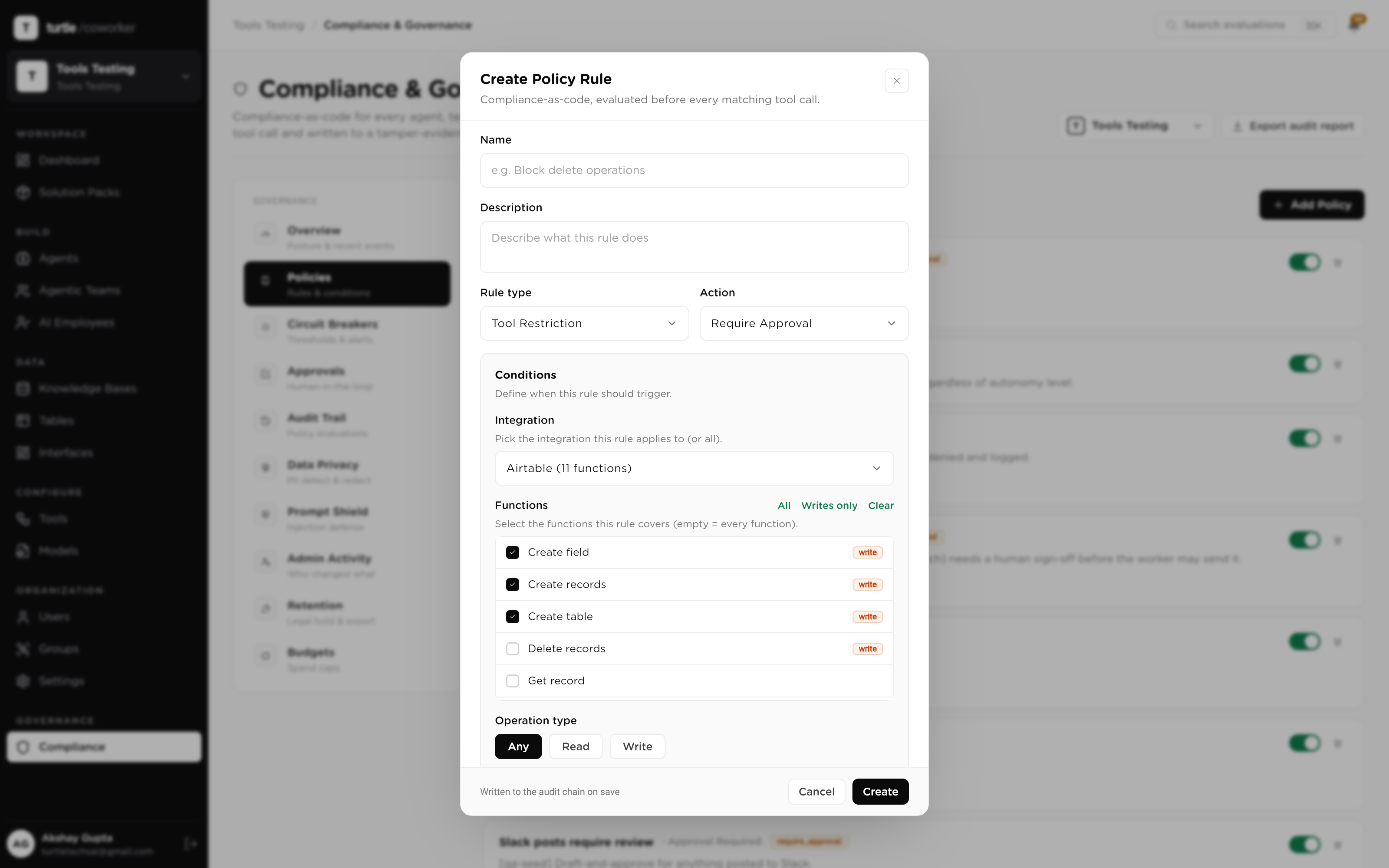
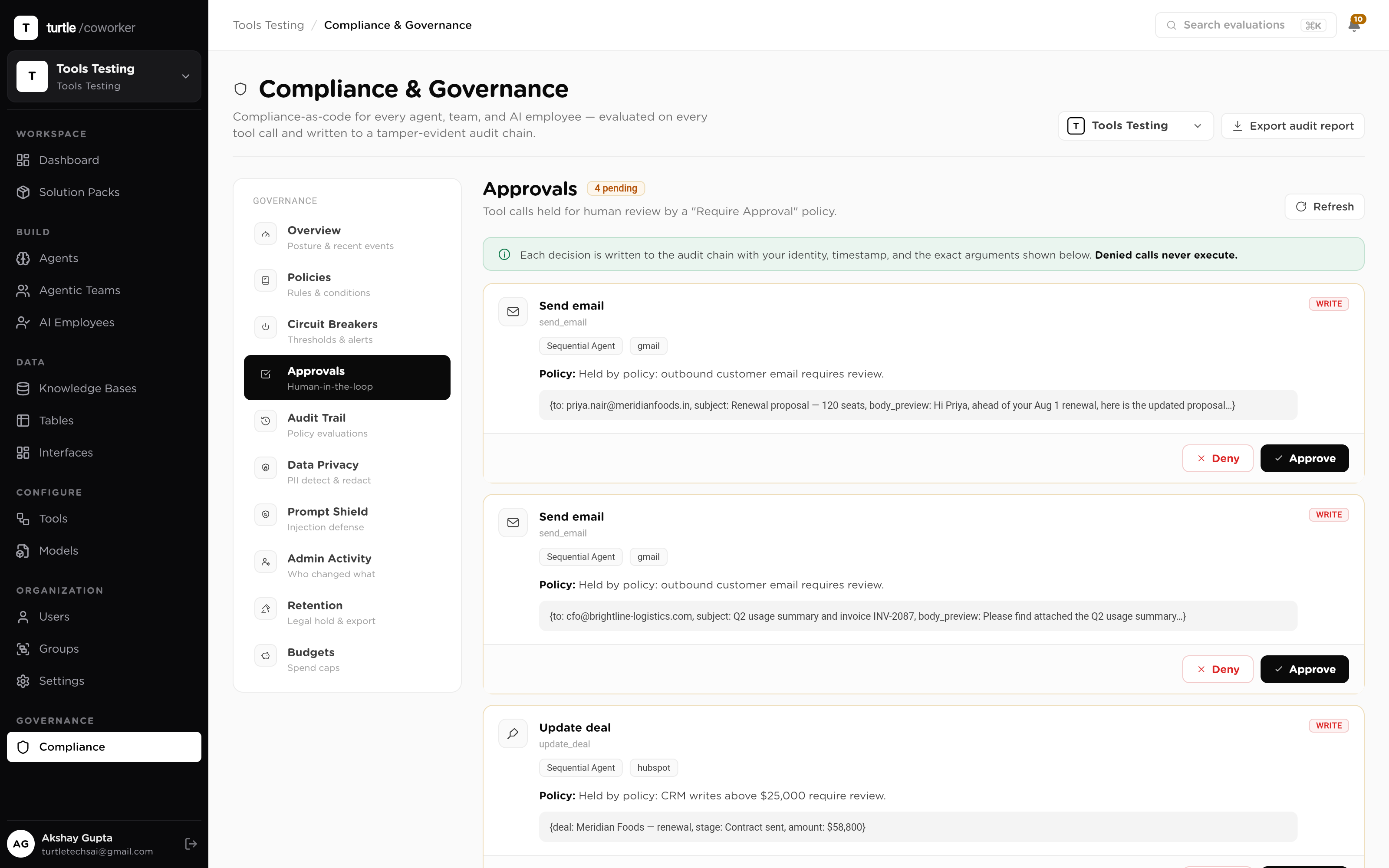
A grant says an agent may hold a tool. The policy engine decides what happens each time it's used. Every tool call is resolved against a catalog of 1,095 named functions across 50 integrations, each classified read or write, and evaluated against your rules before it executes — allow, deny, require approval, alert, or log. 'Hold every external write' is one rule, and a held send waits for a human, not a timeout.
The systems that actually run your business aren't in anyone's catalog: the pricing service, the ops microservice, the ERP behind the firewall. Custom tools turn any REST API into a first-class, governed tool your workforce calls by name. Import a documented Postman or OpenAPI collection and expose a whole product API at once, or define a single endpoint by hand — method, URL, input schema, output mapping. MCP servers register the same way.
The classic integration failure mode is a secret in a prompt, a workflow, a log. Here tool definitions and secrets are separated on purpose: definitions live in the registry, credentials live in an encrypted vault. A credential is encrypted at rest, decrypted only at the moment a request fires, injected server-side — never exposed to an agent, a prompt or a log — and every read of it is written to the audit trail.
Shipping an untested tool means debugging it inside a live run. The built-in test runner feeds a synthetic, LLM-shaped input to the endpoint, injects the vaulted credential, and shows the resolved request, the live response with status and latency, and the mapped output side by side. A green run marks the registry row OK; a failure records the exact code. Dry runs are tagged as tests and never count as real mutations.
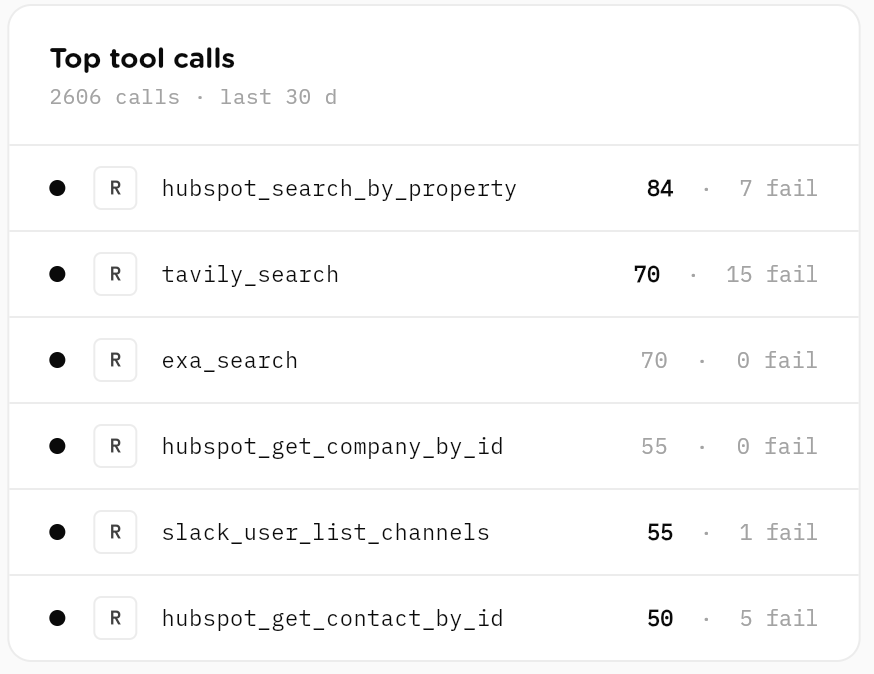
OK or the failure codesource: test — logged, never counted as mutationsThe question a security review asks about integrations is simple: what did the AI actually do in our systems? Here every tool call lands in the audit trail — the integration, the function, the operation classified read or write, inputs and outputs sanitized, secrets redacted — joined to the run that made it and pinned to the config version it ran under. Unlogged action is not a risk you manage; it's a thing that can't happen.
Connect once at the org level, then scope per agent. Two auth methods cover it: OAuth 2.0 or a pasted API key. Every credential is encrypted at rest, decrypted only at request time, and never shown to a model. Below is a selection of the 70+ connectors, grouped by category. And when a system isn't here, any REST API or MCP server becomes a tool.
Anything with an API becomes a first-class tool. Import a documentedPostman or OpenAPI collection to stand up a whole product API at once, hand-define a single endpoint with full control over method, schema and output mapping, or attach an MCP server. Secrets live apart in the encrypted Credentials Vault, permissioned and policy-checked like any native integration.
A mid-market B2B sales team gives one agent hands in four systems — HubSpot, Gmail, Slack, and an internal pricing API — and every call it will ever make is governed before the first one fires. This is what the system does, not a click-path.
Read, enrich and update records org-wide: granted read-only to sources, write to targets.
Turn an internal lookup, calc or notify endpoint into a tool an agent calls by name.
Drop a Postman or OpenAPI collection and stand up a dozen governed tools in minutes.
Expose a charge or refund endpoint with a policy rule that holds it for human approval.
Bring an MCP server's tools in through the same registry, vault and policy gate.
Pull rates, catalogs or tables from a read-only endpoint at run time, un-gated.
End-to-end procurement operations solution pack with vendor registry, purchase request review, contract path assessment, embedded review team, and AI employee coordination.
Complete operating system for a Chartered Accountant practice. Tracks clients, engagements, statutory deadlines, and IT/GST notices. Includes AI agents for notice triage, GST reconciliation, filing reminders, and client communication. Comes with an AI Employee (Priya) who coordinates compliance work end-to-end.
Move candidates faster without cutting corners on fair hiring. Riley, your AI recruiting coordinator, screens each new candidate against the job's must-haves with must-have-by-must-have reasoning, coordinates interview scheduling by drafting availability requests, drafts honest candidate outreach and status updates, builds submittal packages for hiring managers or clients mapping experience to requirements, and gives the team a daily pipeline read. Screening never considers anything beyond skills and qualifications, and it never rejects a candidate or extends an offer; those stay human decisions. Everything else is draft-and-approve: candidate messages are prepared for a human to send, and interview times are proposed, never confirmed, by the agent. Four tables hold your job orders, candidates, interview scheduling, and pipeline metrics. A knowledge base holds your screening standards, submittal format, communication voice, and compliance guardrails, which every assessment and message follows. Automations included: new candidates are screened on arrival, plus an optional daily pipeline digest. Works out of the box with the roles and candidates you add; connect an ATS or job board later to sync candidates, and Gmail and Calendar to send outreach and confirm interviews from the platform. Best first step: replace the placeholder screening standards and compliance rules with your own and add an open job.
A complete outbound-to-pipeline sales engine for a small team. Define your ideal customer profile once in the ICP Profiles table and paste your product details into the Product Knowledge Base, then Sasha, your AI SDR, discovers and vets target accounts, enriches prospects, researches companies, scores leads, and drafts outreach, all grounded in your data. Inbound leads and your deal pipeline live in tables the founder can watch. Automations included: new prospects are auto-enriched on arrival, and an optional daily discovery run finds fresh accounts from your Active ICP. Requires an LLM provider plus the Apollo, Serper, Exa, and Google Search connectors. Replace the sample knowledge base content and the example ICP row with your own.
Answer more support tickets, faster, without losing the human touch. Sam, your AI support specialist, classifies every incoming ticket by category, sentiment, and priority, drafts an accurate reply grounded only in your knowledge base, and escalates anything it is not confident about instead of guessing. It matches recurring problems to approved canned responses, mines new tickets into known issues so answers stay consistent, tracks the feature requests buried in tickets, and produces a weekly insights digest of volume, deflection, and top drivers. Everything is draft-and-approve: replies are prepared for a human to review and send, and sensitive tickets (anger, churn, refunds, account deletion, legal or privacy) are always escalated. Four tables hold tickets, known issues, feature requests, and daily metrics. A knowledge base holds your help-center content and support voice, which every reply cites. Automations included: a reply is drafted the moment a ticket arrives, plus an optional daily sweep of anything still unanswered. Works out of the box with no external tool; connect Gmail later to send from the platform and Slack for the digest. Best first step: replace the placeholder knowledge base with your real help-center articles or URLs.
A complete, full-lifecycle sales engine for a growing team, spanning outbound prospecting and account management across one shared data layer, with a companion inbound concierge. Outbound: Sasha, your AI SDR, discovers and vets accounts, enriches prospects, scouts buying signals, researches companies, scores leads, and drafts cold email, LinkedIn, and nurture outreach. Account management: Maya, your AI Account Manager, qualifies opportunities, drafts and reviews proposals, flags pipeline risk, forecasts renewals and expansion, and keeps the CRM clean. Seven tables hold ICP profiles, target accounts, prospects, website leads, CRM contacts, opportunities, and customer accounts. Automations included: new prospects are auto-enriched on arrival, and an optional daily discovery run finds fresh accounts from your Active ICP. For the inbound engine, install the companion Website Sales Concierge team template, which routes visitor questions to product, pricing, and objection specialists and captures leads into the Website Leads table. Requires an LLM provider plus the Apollo, Serper, Exa, and Google Search connectors. Replace the sample knowledge base content and the example ICP row with your own. Outreach and proposals are drafted for a human to review and send.
