Every team runs procedures a person shouldn't have to: the same document read, the same fields keyed, the same checks made, hundreds of times a month. The scripts and no-code chains built to absorb that work can't read a document, can't handle an exception, and break silently when a form changes. A Sequential Agent is the procedure rebuilt as a worker: typed inputs, ordered tasks, scoped access — and a full trace on every run.
In a pack, these agents arrive configured: tasks, scoped access, and triggers already wired.
See Solution Packs →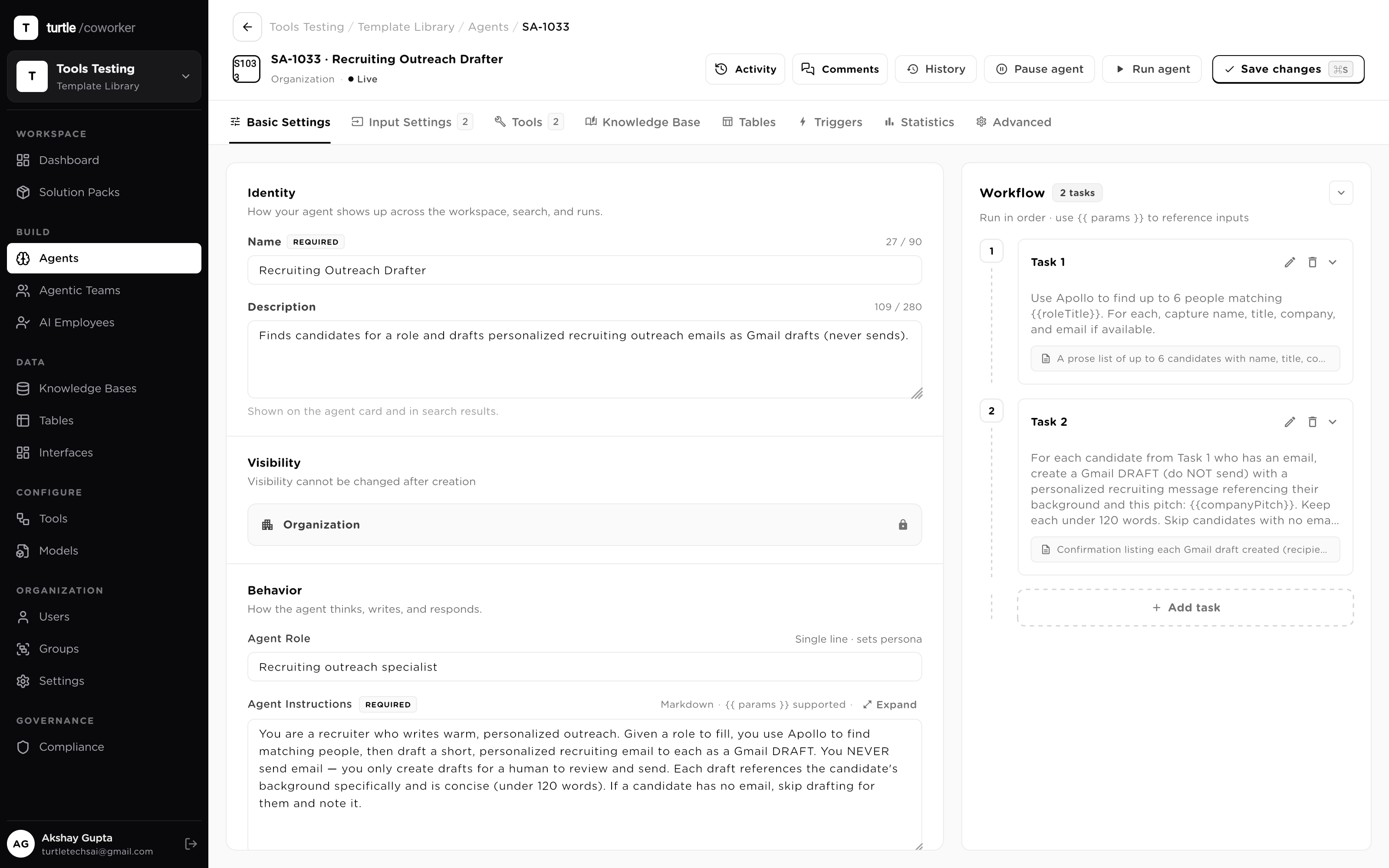
RPA clicks where the button used to be. A no-code chain passes fields it cannot read. Both do the happy path — and the happy path was never the expensive part. The expensive part is the invoice that doesn't match, the form that changed on Tuesday, the exception nobody caught for three weeks.
A Sequential Agent is built for exactly that part: it reads documentsinstead of scraping pixels, it recognizes exceptions and routes them to a human instead of keying them anyway, and it cannot fail silently — every run either completes with a trace or stops with one.
Pick a job. There are a dozen here and the pattern never changes: typed inputs, ordered tasks, scoped access, a traced result.
A new lead hits your CRM with just a name and an email. You need firmographics, a fit score and a clean row, before a rep ever sees it.
The lead's email and domain, validated on the way in. A malformed row fails fast, not silently.
Enrich firmographics → score fit against your ICP → format the row. Each step passes its output to the next.
Read + Create on your Leads table; Delete stays off, and the write is attributed to the agent.
A vendor invoice lands as a PDF. You need vendor, amount, due date and line items as structured fields, not a human squinting at a scan.
A file input typed to PDF; the agent parses it on the run.
One task emits vendor, amount, currency, due date and line items, so downstream steps never have to guess.
Writes one clean row to your Invoices table, ready for approval routing.
Tickets arrive unlabeled. You need each one categorized, prioritized and routed to the right queue in seconds, around the clock.
Grounds itself in your macros knowledge base, read-only, to classify the way your team actually does.
A single task returns a tag and a priority with a short rationale you can audit.
Updates the ticket's queue field with Update permission; every change is traced.
Applications pour in for one req. You need each one read against the scorecard and ranked, so recruiters only see the top of the stack.
A file input parses the résumé; the job's rubric comes in as a second input.
One task rates must-haves, nice-to-haves and red flags with a written rationale per candidate.
Writes a scored row to your Candidates table so the shortlist sorts itself.
A signed contract arrives and someone has to find the term, the renewal date and the liability cap, buried on page nine.
Reads a read-only knowledge base of your standard clauses so it knows what 'normal' looks like.
Extracts term, auto-renewal, liability and governing law into named fields, flagging anything off-market.
Writes one row to your Contracts table and sets the renewal date for a downstream reminder agent.
A lead is enriched and ready. You want a personalized first email that sounds like your rep, not a mail-merge blast.
Pulls firmographics and the fit rationale from the Leads table, read-only.
Grounds tone in your messaging knowledge base and drafts a three-line email with a specific hook.
Writes the draft back to the lead's row. A human approves before anything sends.
User-generated posts need a policy check the moment they're created, faster than a human queue can move.
A table trigger runs the agent whenever a post is created. No polling.
Grounds in your policy knowledge base and returns allow / review / block with the offending clause cited.
Only genuine edge cases get an Update to the review queue; clean posts pass silently.
A payment clears but nobody's matched it to an invoice yet. You want the match made and the mismatches surfaced, before month-end close.
Read-only on Payments and Invoices; it looks for the matching amount, vendor and date.
A task links a clean match, or writes a short note explaining why a payment couldn't be reconciled.
Sets the invoice to Paid with Update permission; unmatched items land in an exceptions view.
A target keyword needs a brief before a writer starts: outline, angle, questions to answer, grounded in what actually ranks.
A short-text input plus the target persona; both validated before the run spends anything.
Researches intent, drafts an H2 outline, a suggested angle and the questions a page must answer.
Writes the brief to your Content table so it's ready in the writer's queue.
A call transcript lands from the recorder. You want a crisp summary and the action items in the CRM, while it's still fresh.
An integration trigger runs the agent when a new transcript is posted.
One task writes a five-line summary; the next pulls owners, dates and next steps as structured action items.
Appends the summary and creates task rows against the account. Every write is attributed.
Some open tickets are quietly about to breach their SLA. You want them caught and escalated, before the customer notices.
A cron trigger sweeps open tickets against their SLA clock on a tight cadence.
Reads the Tickets table and flags anything inside the breach window with time-remaining.
Posts the at-risk list to the on-call Slack channel and bumps priority with Update permission.
Every Friday at 5pm someone should summarize the week's pipeline changes and post it to Slack. Nobody wants that to be a person.
A schedule trigger runs the agent every Friday. No one clicks anything.
Reads the week's table deltas and writes a tight digest with the numbers that moved.
Posts to your channel via the Slack tool; the run is logged with its payload and cost.
Each one exists because something in hand-built automation breaks without it.
The reason manual procedures rot is that they live in someone's head; the reason scripts rot is that nobody can read what they were supposed to do. An agent's instructions are its operating manual in plain Markdown — the role, the rules, the never-dos — and every run inherits them. Change them and a new immutable config version is cut; every run stays pinned to the version it executed under.
{{ inputs }} woven in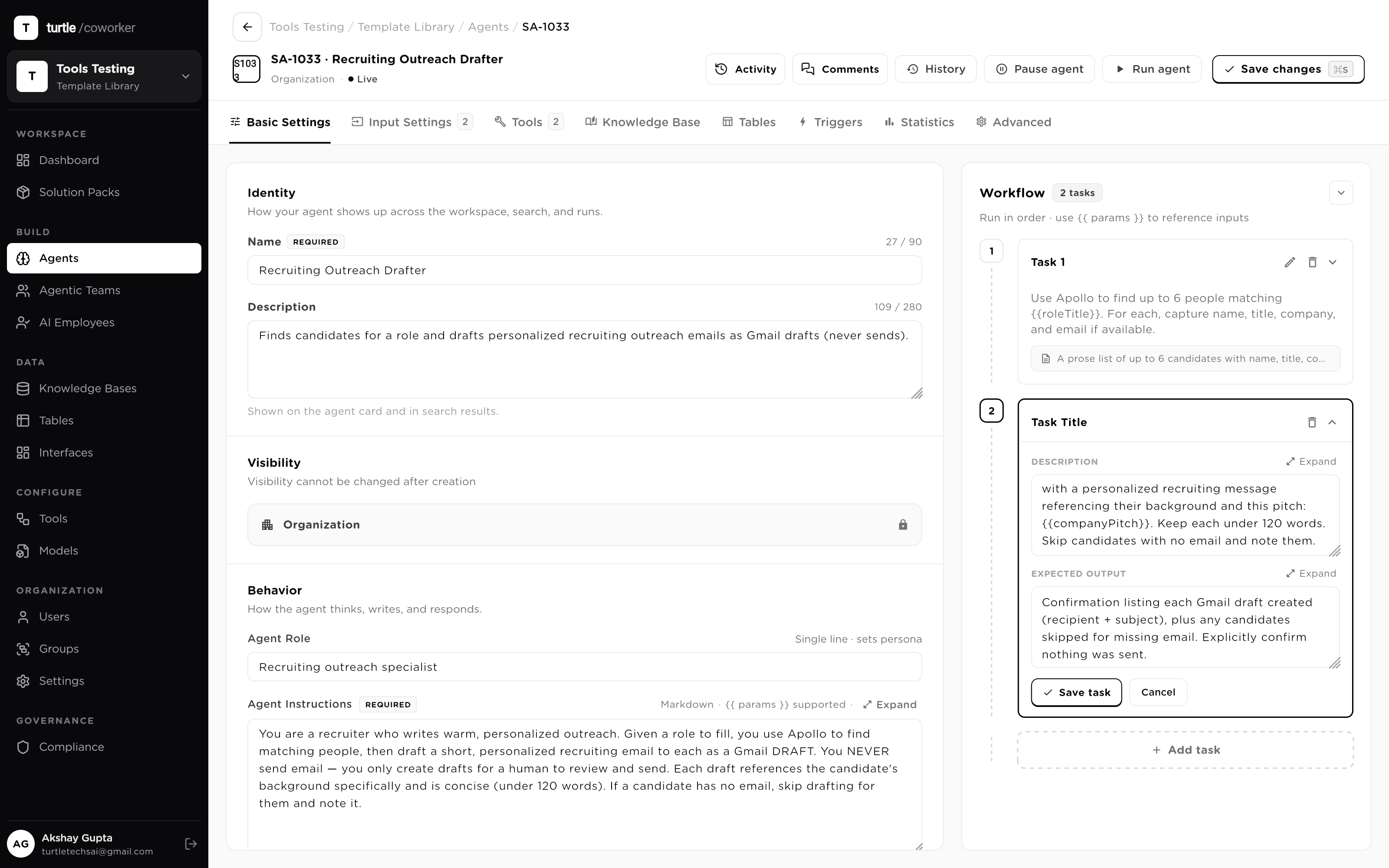
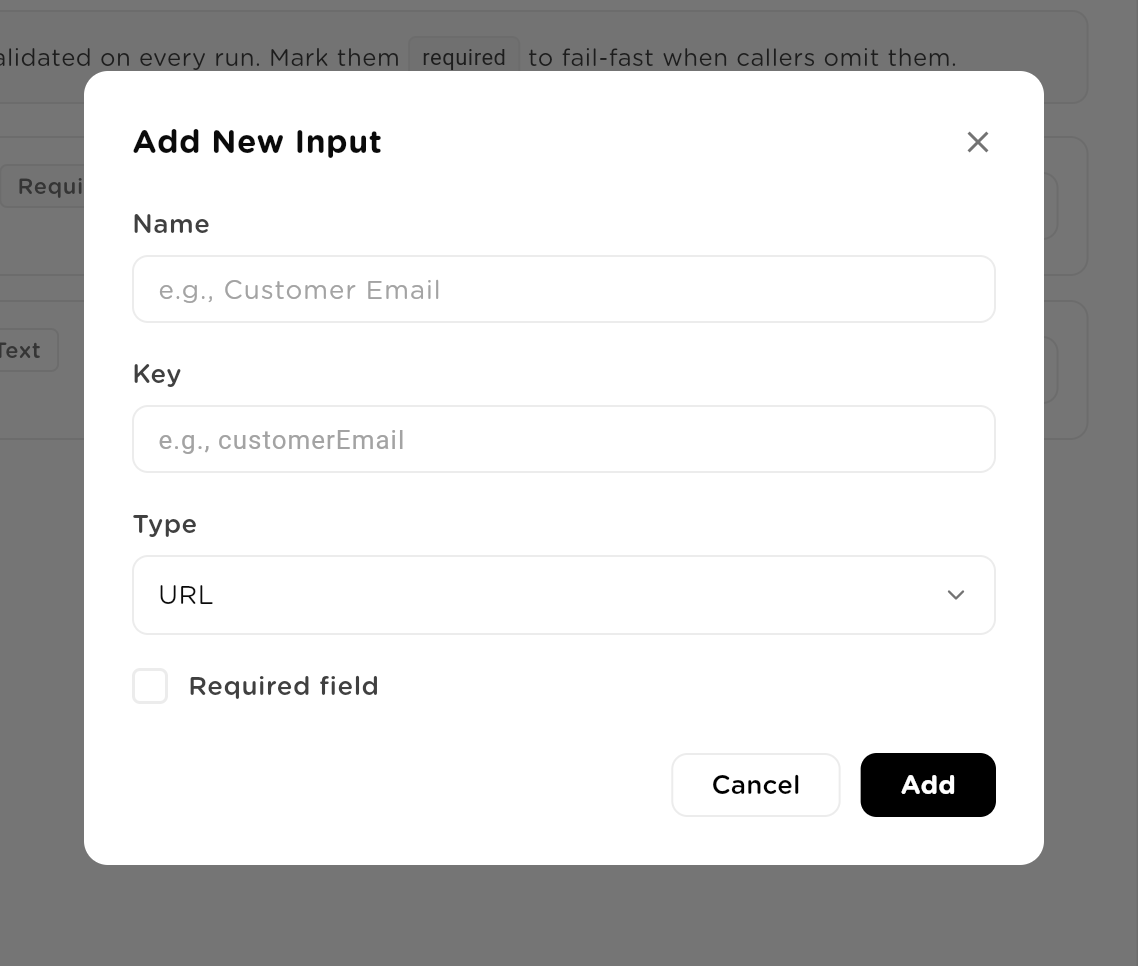
Brittle automations don't fail loudly — they ingest a malformed value and produce confident garbage. Every agent declares exactly what a caller must provide: eight input kinds, each with per-type validation, checked before the run spends anything. A run that would have gone wrong never starts.
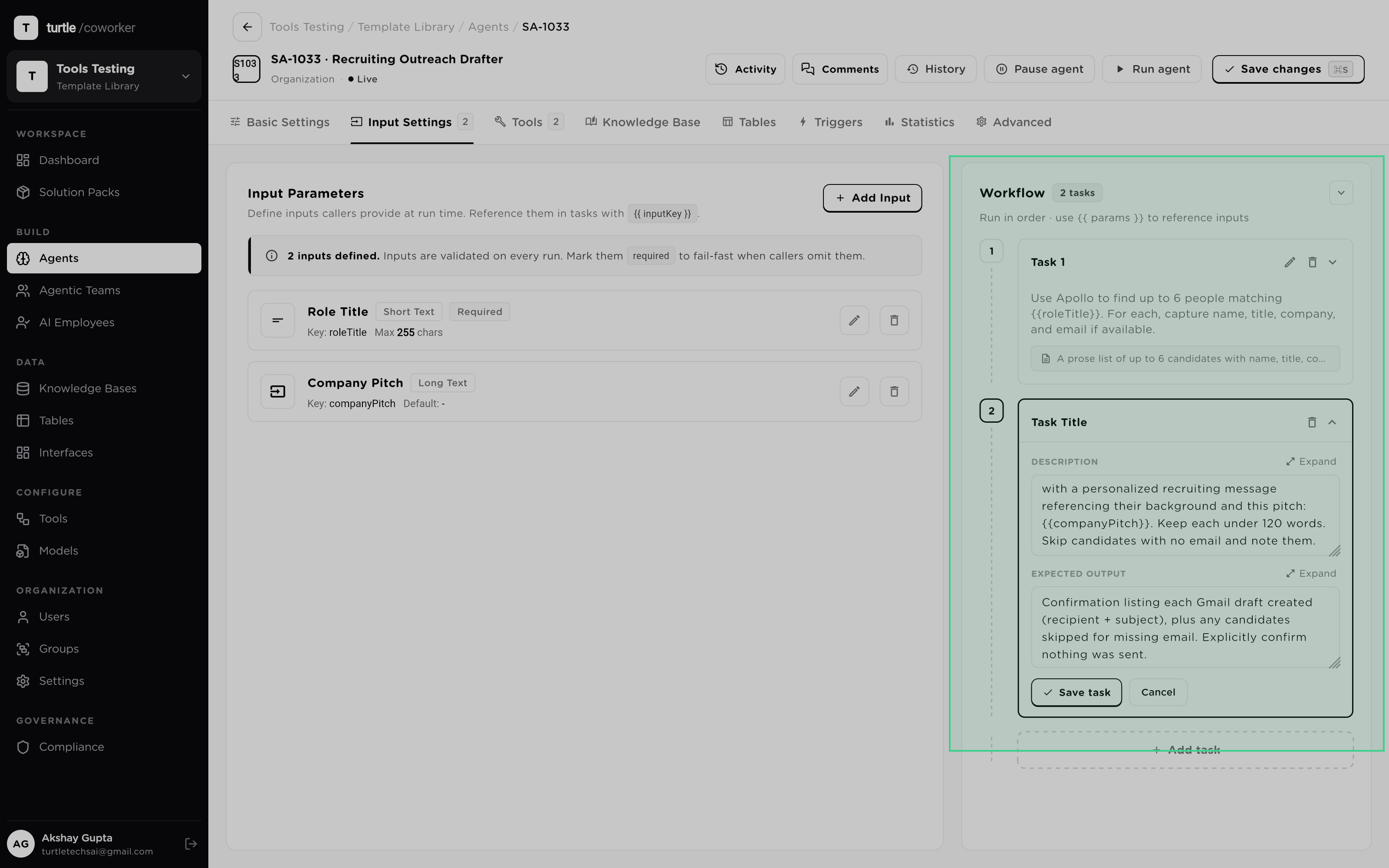
The work itself is an ordered list of tasks, each with its own instruction and expected output, each passing its result to the next with {{ params }}. Runs execute on a LangGraph runtime that streams every step as it happens — so 'what is it doing right now' is something you watch, not something you infer from a log afterward.
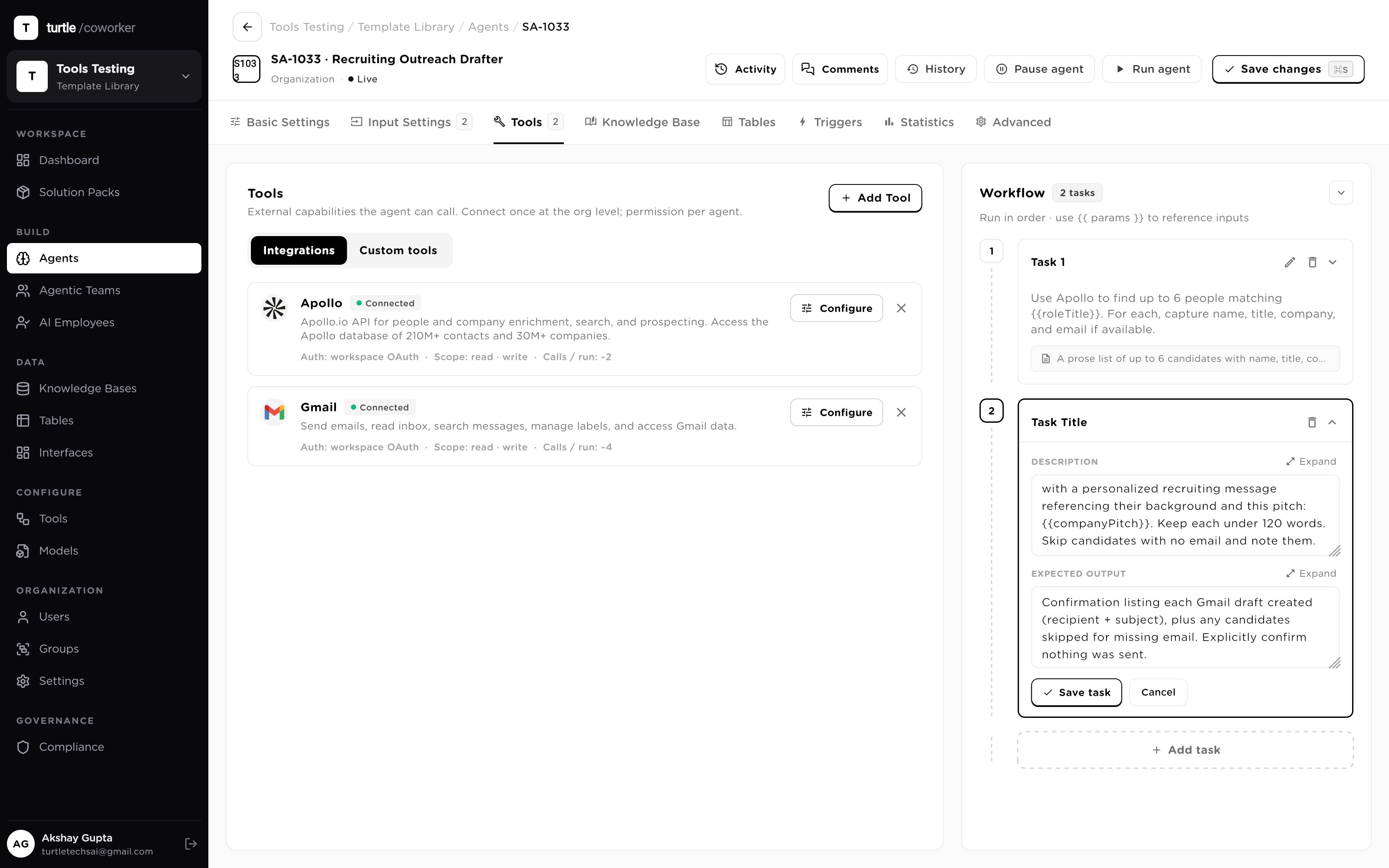
An automation that can reach everything is a liability with a login. Tools are connected once at the org level, then granted per agent with only the scope that job needs. Every call the agent makes goes through the same policy engine that governs the rest of the platform, so 'what can this thing touch' has a checkable answer.
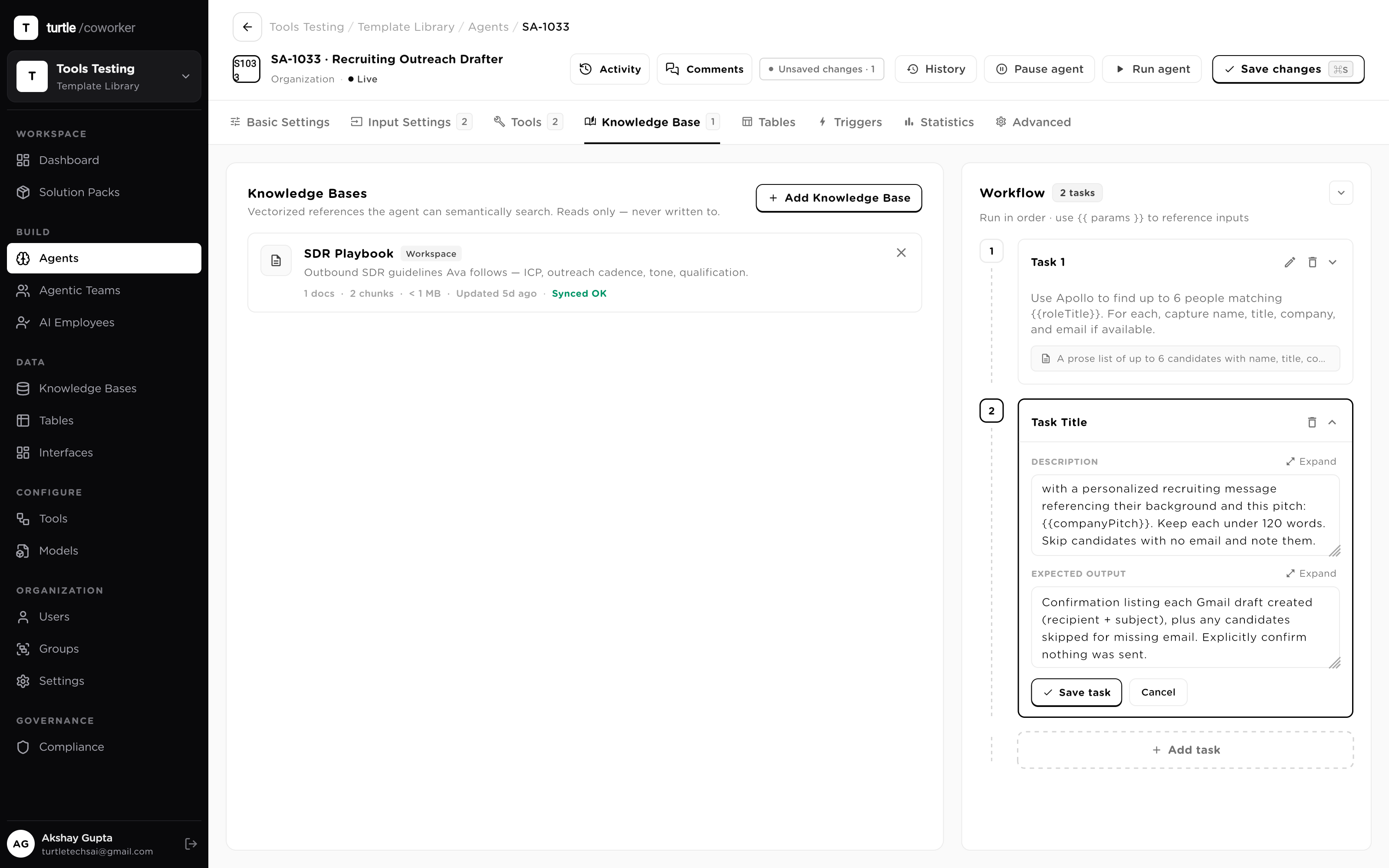
Exception handling is where hand-built automation gives up — the script has no idea what 'normal' looks like. An agent grounds its judgment in attached knowledge bases it semantic-searches at run time: your policies, your vendor terms, your playbooks. Knowledge is strictly read-only, so the reference material can never be mutated by the thing consulting it.
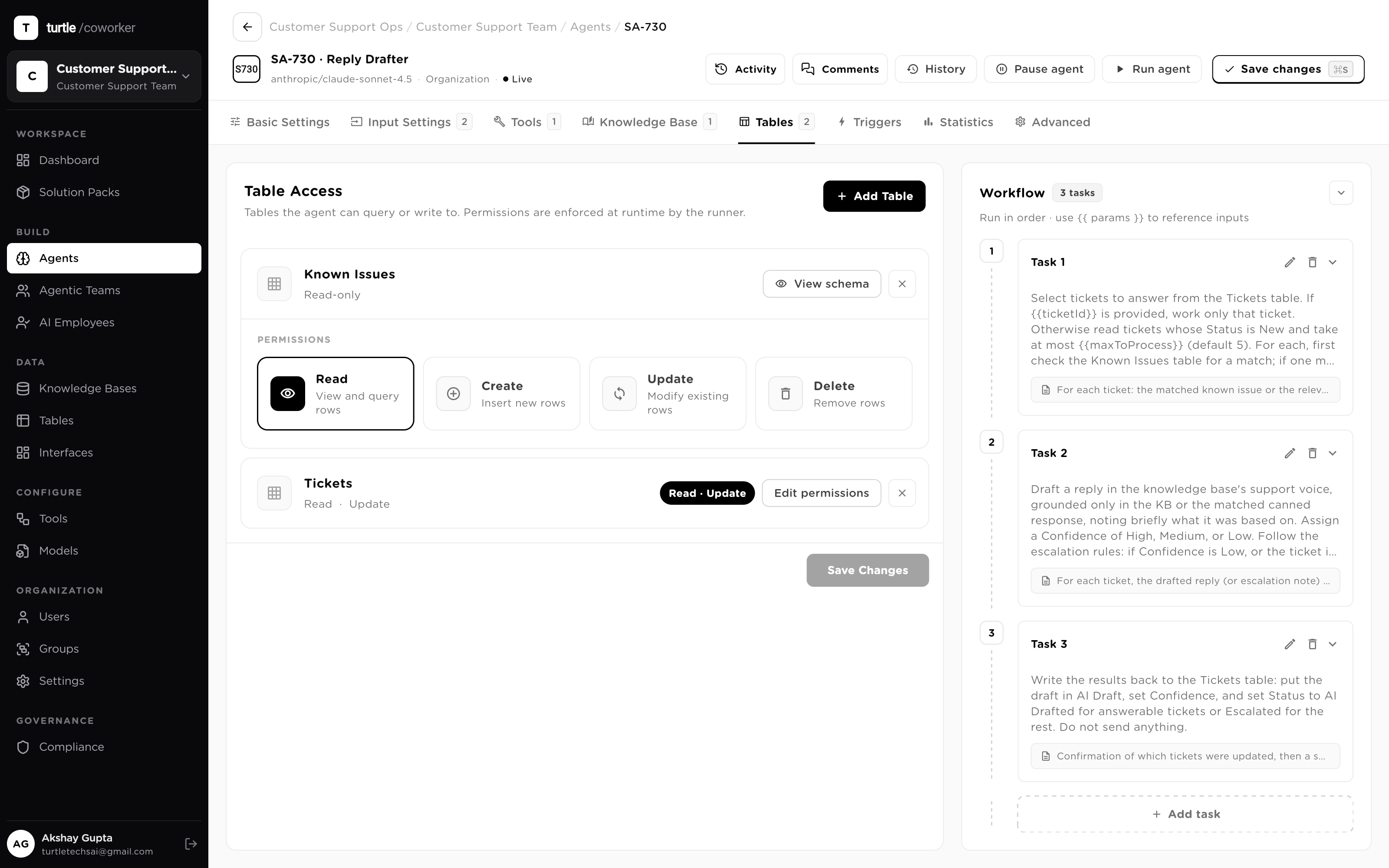
The output of a procedure belongs in a system of record, not a chat transcript. Table access is granted per table with four independent permissions — Read, Create, Update, Delete — enforced by the runner at execution time, not by the prompt. Delete stays off unless you turn it on, so a bad run can file wrong rows but can never wipe right ones.
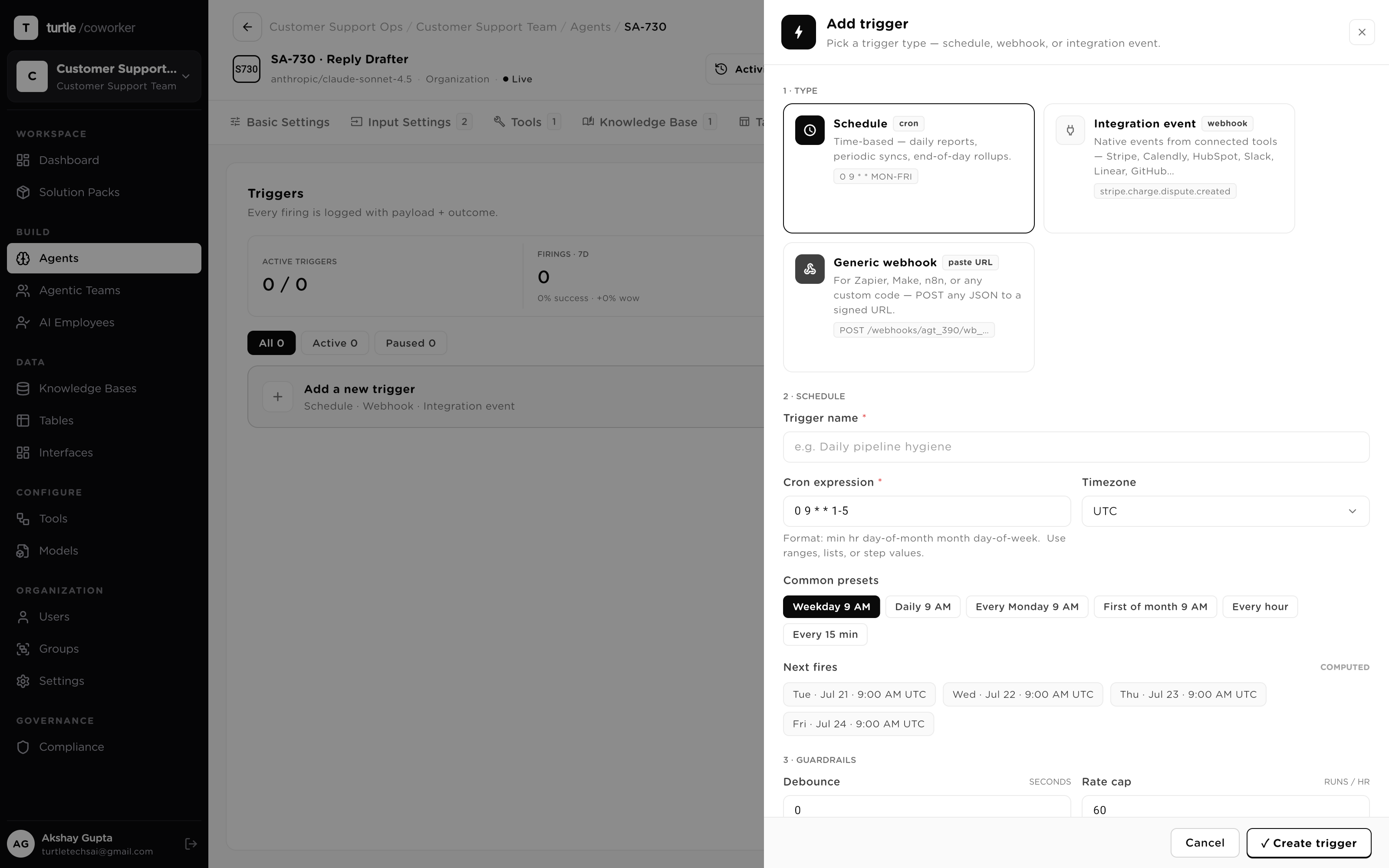
A procedure that waits for a human to start it is still a human's job. Agents fire on their own: a timezone-aware cron schedule, an integration event, a rotatable webhook any system can POST to, a table trigger when a row is created or a field changes, or another agent chaining into this one. Event triggers carry filters, debounce and rate limits, and every firing is logged with its payload and outcome.
The worst property of brittle automation is that it breaks quietly. Here, every run and every tool call lands in the audit trail — inputs and outputs sanitized, reads and writes classified, pinned to the immutable config version the agent ran under. Consequential writes can be held by policy for a single-use human approval, and a failed step stops the run with a full trace of what happened up to that point.
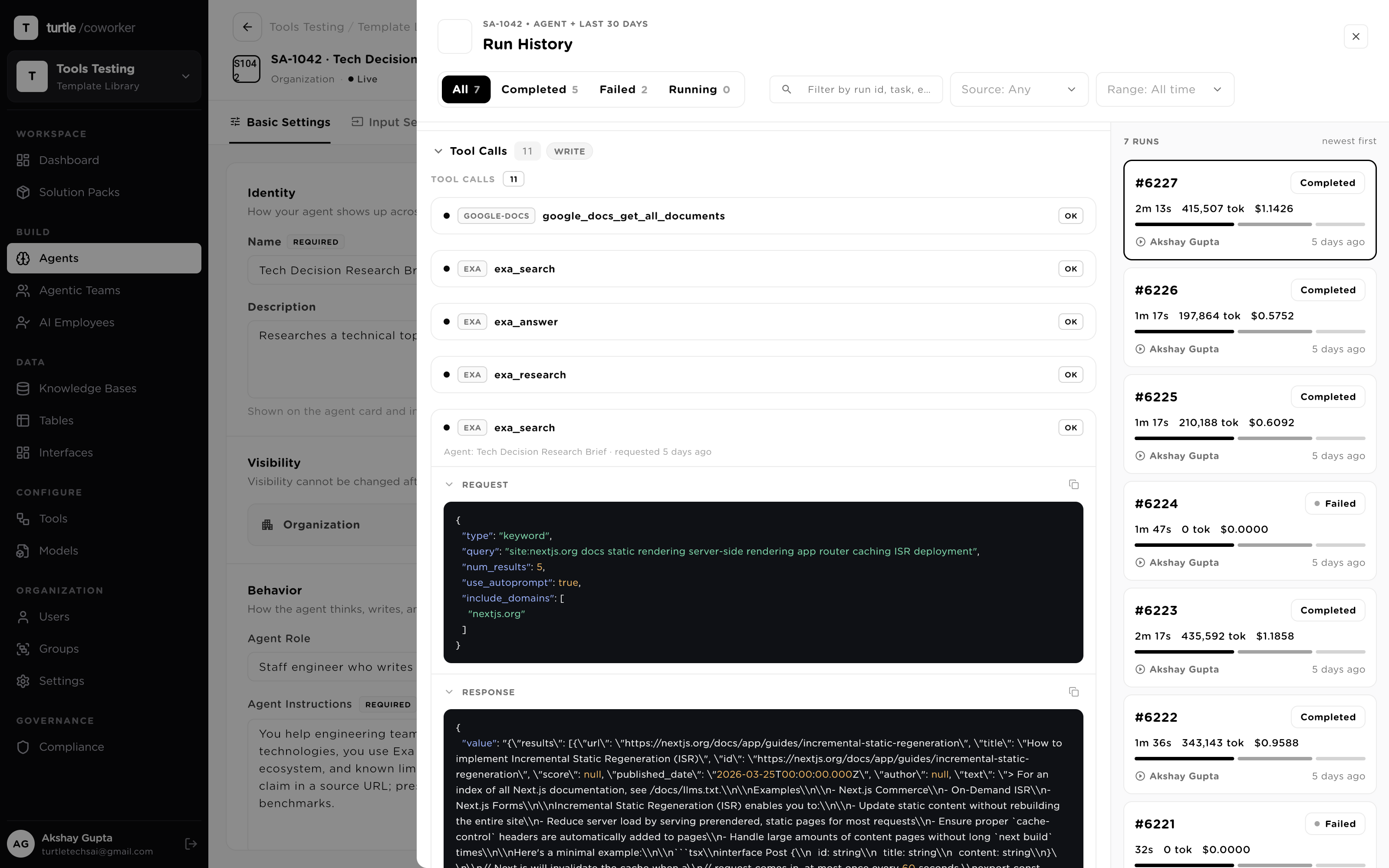
A scenario: a shared-services AP team takes in about 4,000 vendor invoices a month by email. Here is what the runtime does with each one — on its own, the same way, every time. Not a click-path; this is the machine working.
Take an inbound lead, enrich firmographics, score fit, write it to your Leads table.
Parse an invoice PDF into vendor, amount and line items, filed straight into a table.
Read a support ticket, tag category and priority, route it to the right queue.
Turn one long-form post into a thread, a newsletter blurb and three social posts.
Pull term, liability and renewal clauses out of a contract into structured fields.
Summarize the week's pipeline changes and post the digest to Slack every Friday.
Scores any B2B lead for fit against your Ideal Customer Profile on a 1-100 scale using a fixed, weighted rubric (firmographic, persona, engagement and intent, offer-need fit, minus disqualifiers), then returns a tier (Hot, Warm, Cool, Low, or Disqualified), specific reasons, risks and unknowns, and a recommended next action and channel. Pure standalone: paste your lead details and ICP, get a consistent, readable qualification call. No tools or tables required.
You are a top-performing real estate copywriter with 15 years of experience. You always highlight unique selling points first. You use market comparable data to justify pricing and create urgency. You write in a persuasive yet honest tone. You never exaggerate square footage or features. You include neighborhood lifestyle benefits, not just property specs. You adapt your writing style per platform: professional for MLS, conversational for social media, visual for Instagram
Reviews outside counsel invoices line-by-line against billing guidelines, flags excessive hours, block billing, vague descriptions, unauthorized timekeepers, rate violations, and duplicate entries. Calculates recommended adjustments, updates the legal spend tracker in Google Sheets, and emails audit results to the billing partner.
Turns your account and contact context into a focused discovery-call game plan: a briefing that separates facts from inferences, tailored open-ended discovery questions (Situation, Pain and Impact, Decision Process), the objections this specific buyer is likely to raise with honest responses, and a call agenda with the one outcome to drive toward. Pure standalone, no tools or tables required.
Writes a short-form SMS or WhatsApp sequence from your audience and offer: a messaging plan with tone, call to action, and compliance notes, then a ready-to-send sequence with character counts, an A/B variant, send timing, and a built-in opt-out on the first message. Brief, human, and compliant. Pure standalone, no tools or tables required.
Turns raw call notes or a transcript into a clean, CRM-ready summary in seconds: attendees, a short recap, the prospect's pains and needs, action items each with an owner, buying signals, risks, plus a suggested deal stage, the primary next step, and a paste-ready CRM note. Extracts only what was actually said. Pure standalone, no tools or tables required.
