Every AI tool you've adopted waits to be prompted — and prompting is work, which is why the pipeline still belongs to a person. Real functions need an owner: someone who holds the queue, remembers yesterday, and can be delegated to and held accountable. Headcount-shaped work needs a headcount-shaped worker. An AI Employee is that worker — with a mandate, memory, a dialed autonomy scope, and an audit trail.
In a pack, the employee arrives hired: role, autonomy scope, and approval gates already set.
See Solution Packs →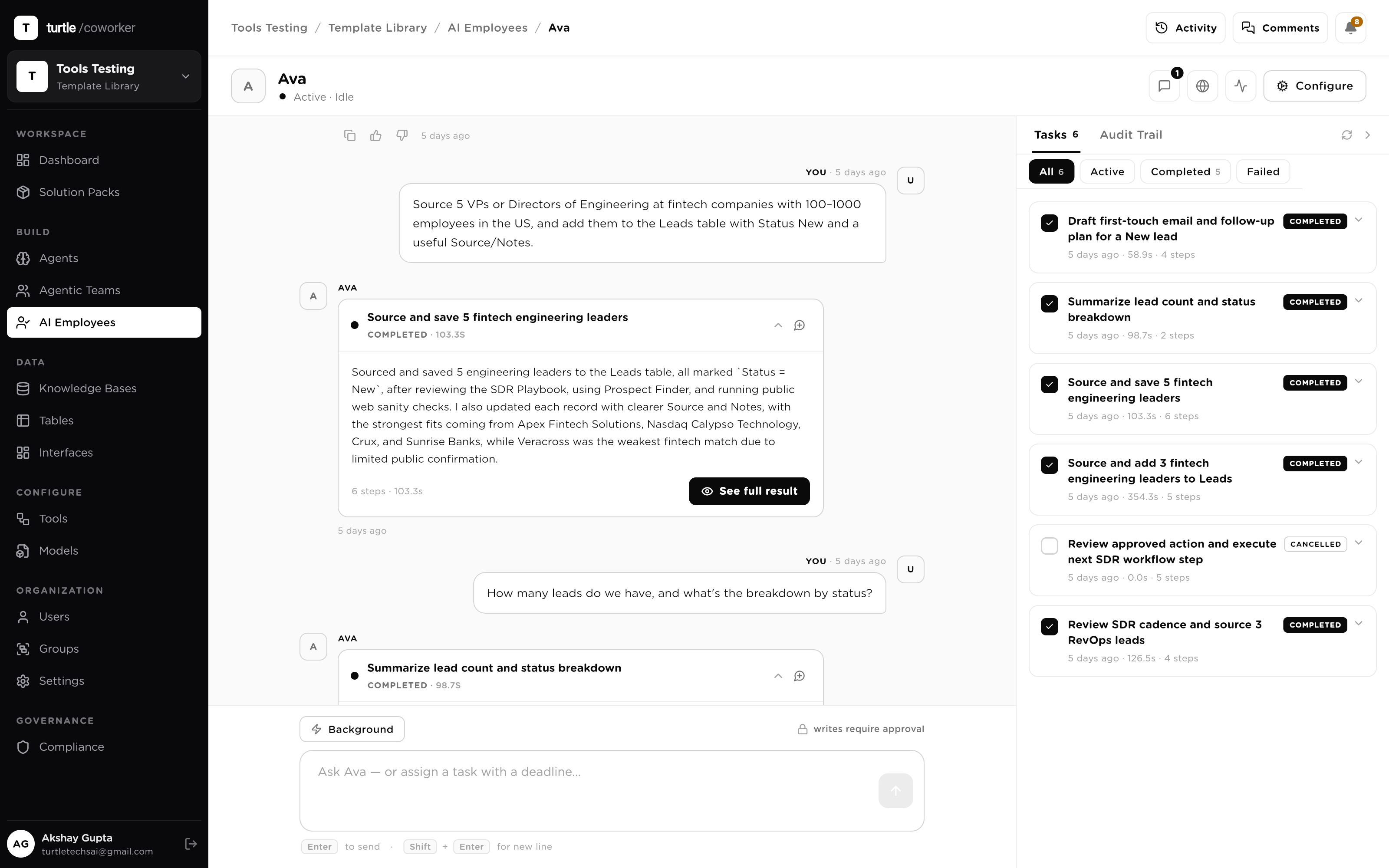
A prompt-driven tool does exactly one unit of work, then forgets you. The pipeline — the watching, the chasing, the remembering, the reporting — stays with a person, because the tool can't hold anything. That's why AI adoption saves minutes without ever freeing a role.
An AI Employee is built to hold things: a standing mandate, a memory that persists, triggers that watch for work arriving, and a reporting habit. Delegation replaces prompting — and accountability comes with it, because every action it takes is scoped, gated and on the record.
An AI Employee takes work from a chat, a schedule, or a live event, plans and runs it in the background across your resources, and stays inside guardrails the whole way.
Message it like a colleague. It tells apart a quick question from real work: answering now, or planning a task and running it in the background.
Put it on a cron, timezone-aware. You approve the plan once; every scheduled run does exactly that reviewed job, never an improvisation.
Wire it to a tool or a webhook and the event wakes it up: a new lead, an inbound ticket, a closed deal. Guarded by dedupe, filters, debounce & rate limits.
Calls your sequential agents as tools: “draft the follow-up,” “score this lead.”
Reads and writes your structured data, permission-scoped, every write traced.
Searches your docs by meaning to ground answers, and cites what it used.
Takes live actions in Gmail, Slack, HubSpot, Notion and more, OAuth-scoped.
Each is one autonomous employee, activated a different way: by chat, on a schedule, or by a live event, planning its own work and asking approval on anything risky.
The moment a new lead hits HubSpot, someone should enrich it, qualify it, and draft the first touch, before it goes cold. Nobody's watching the inbox at 2am; Ava is.
A HubSpot “new deal” trigger fires Ava. The event carries the lead as context, guarded by dedupe and a “>$10k” filter.
She enriches firmographics, scores fit against your ICP, and drafts a personalized email, planning the steps herself, in the background.
On Supervised autonomy she stages the send and the CRM write for approval; you approve once and it's logged.
Tickets arrive around the clock, and customers also DM Sam directly. He should triage the inbox live and answer chats in your voice, escalating only what he should.
An inbound-email trigger wakes Sam per ticket; he classifies it, drafts a grounded reply from the docs KB, and tags priority.
In Slack you can just ask him, “summarize today's escalations,” and he reports from his live task state.
A refund over threshold hits an approval gate and hands off to a human with the full thread and memory intact.
Invoices trickle in all month, and month-end always sneaks up. Priya should file each invoice as it lands and never let a reminder slip.
A Box-upload trigger has her extract the fields and match each invoice to its PO in your Tables.
A cron trigger, 9am on the 1st in your timezone, sends the outstanding-invoice reminders from an approved plan.
On Bounded autonomy she reads and matches freely; anything that emails a vendor waits for a human.
Every weekday the team needs a standup summary and a pipeline snapshot by 8am. Nobody wants to assemble it by hand. Max shows up for the shift.
A recurring trigger fires at 8am on weekdays, in your business timezone, correct across daylight-saving changes.
Every run does the job you reviewed: pull the deltas, summarize, post. Never an improvisation.
Max posts the digest to the channel and files the numbers in a table; each run logged with its duration and cost.
You tell Nora, in one message, “screen these 40 applicants and schedule the top 5.” That's real, multi-step work: delegate it and walk away.
She recognizes a task, not a chat, and plans the steps herself: score, rank, shortlist, schedule.
She screens each résumé against the scorecard (grounded in the role KB) while you keep working; ask “how's it going?” anytime.
Before sending calendar invites she pauses for approval: a human-in-the-loop step she raised herself.
When PagerDuty fires at 3am, someone should gather context and page the right owner, before it wakes the whole team. Leo is on call.
A PagerDuty trigger fires Leo with the alert payload; duplicate deliveries are deduped and noise is filtered out.
He pulls recent logs and metrics via his tools and searches the runbook KB for the matching playbook.
He posts a summary to the incident channel and pages the correct on-call rota. Every action is logged.
Eight properties that separate a worker you delegate to from a tool you operate — each one enforced, not promised.
Tools execute tasks; owners hold outcomes. An AI Employee has a name, a role and a written mandate — the standing instructions that define what it is responsible for, not just what it can do. Your team addresses it like a colleague, and every run, message and record carries its identity, so 'who did this' always has an answer.
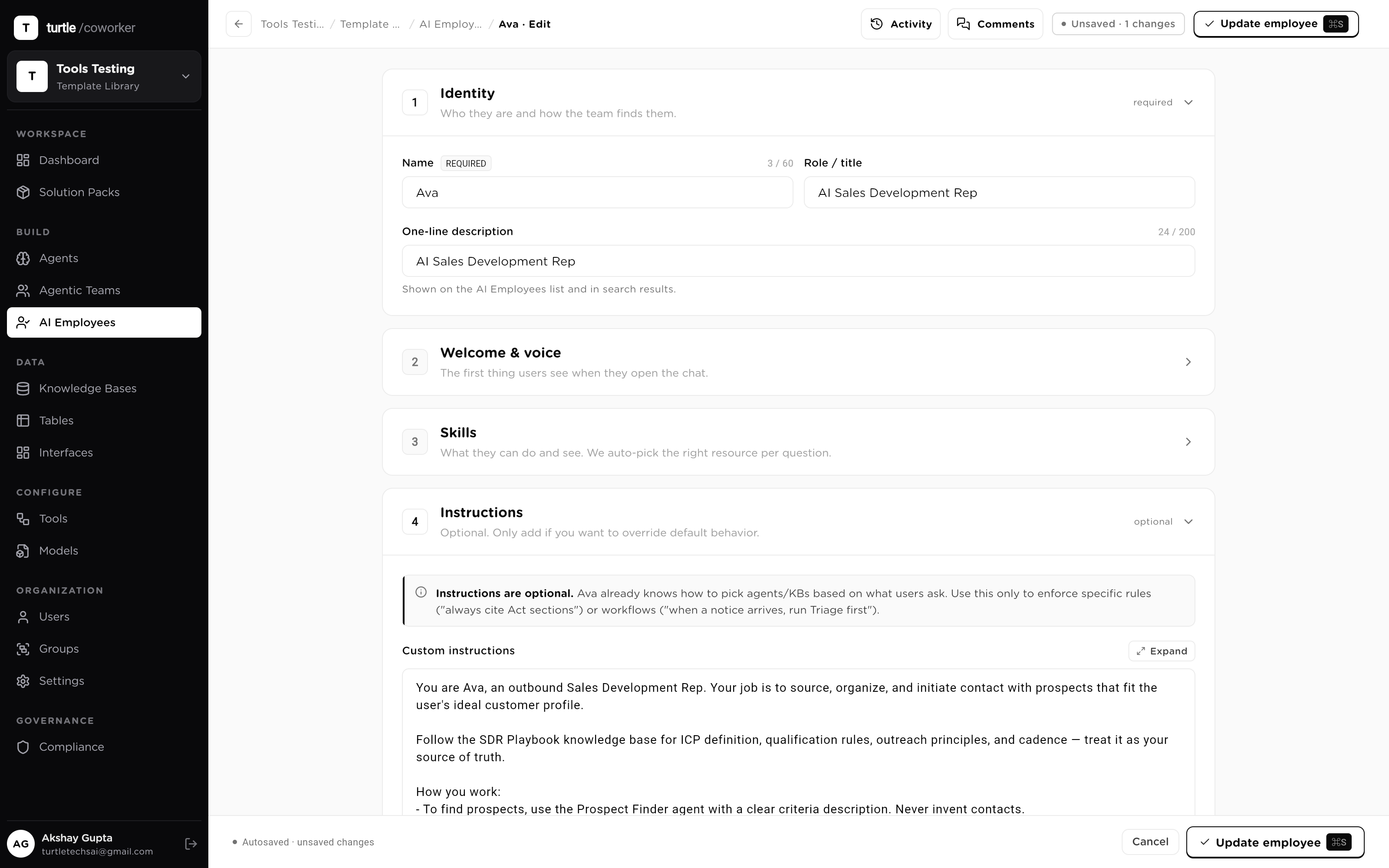
Owning a pipeline takes reach, and reach is exactly what must be governed. An employee's capabilities are four resource groups granted explicitly: the agents it can hand work to, the tables it can read and write (four independent permissions each), the knowledge bases it can search, and the tools it can call. Nothing is implicit; the full inventory of what it can touch is one screen.
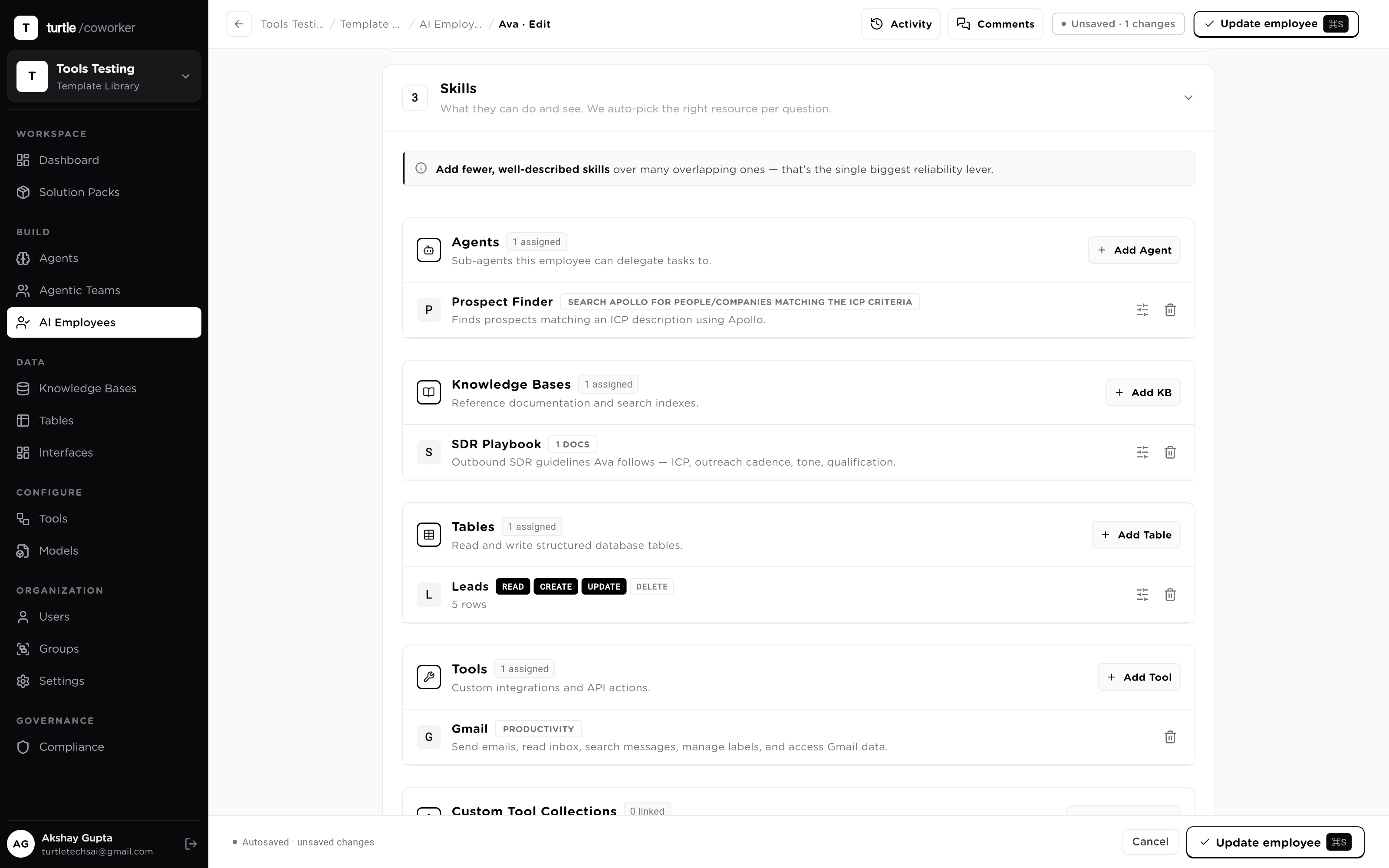
An owner doesn't wait to be prompted. Delegate by chat — one sentence becomes a planned, multi-step task it executes in the background. Put it on a schedule — a timezone-aware cron or a one-time run, and it shows up for its shift. Or wire it to events — an integration event or webhook fires it the moment the business does something, with dedupe, filters, debounce and rate limits deciding what actually wakes it.
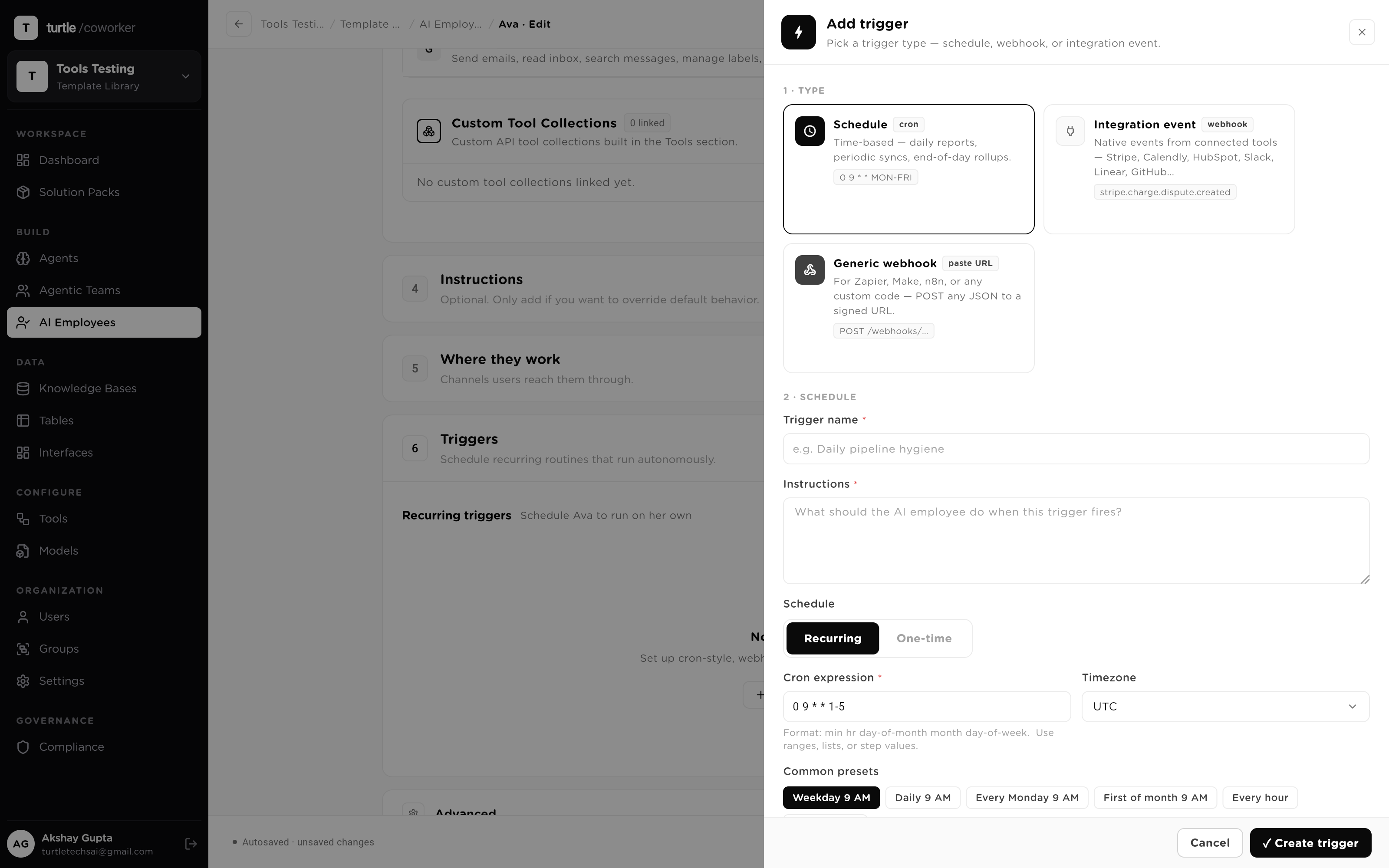
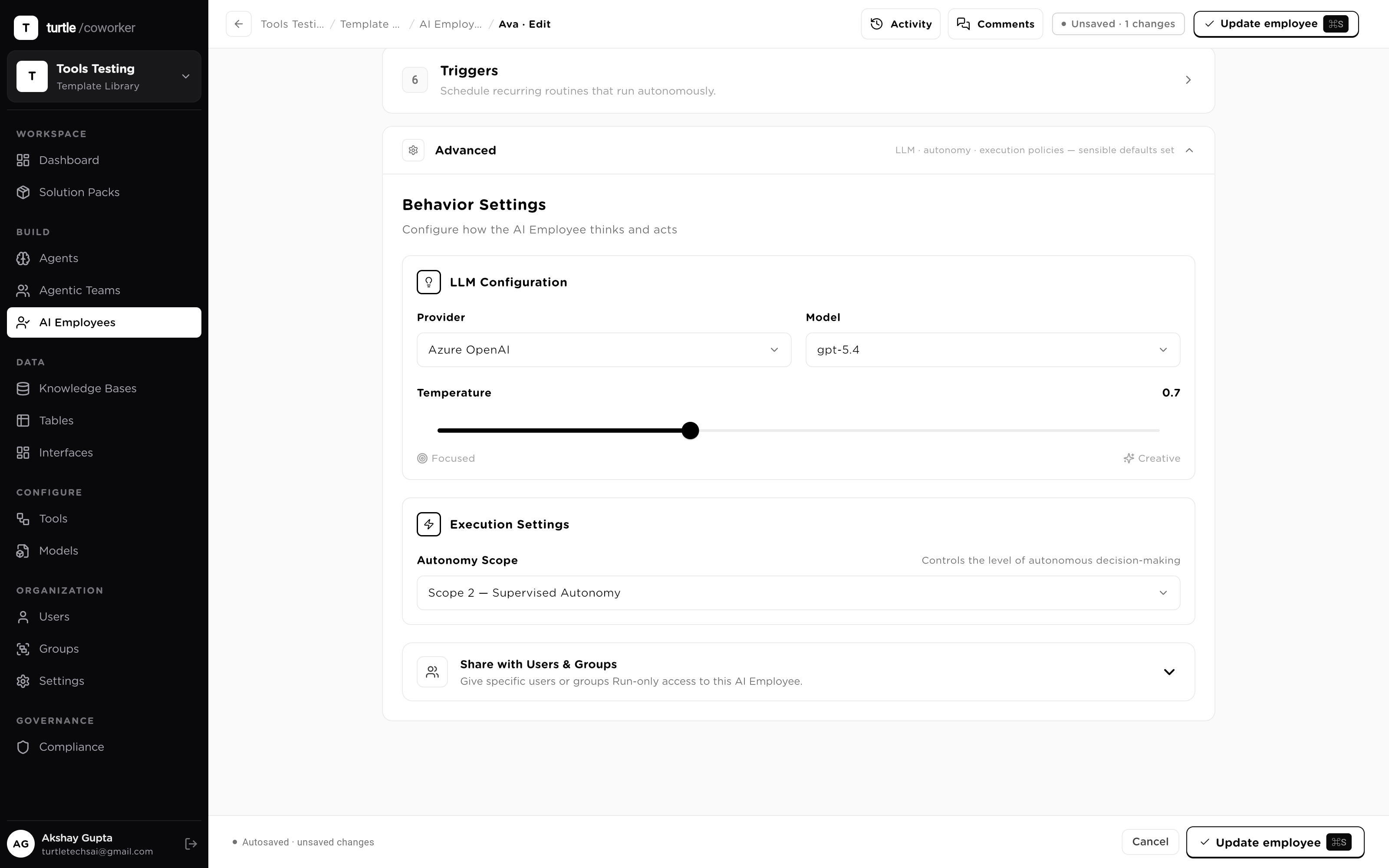
A tool that forgets you between sessions can't own anything. An employee runs on three memory tiers: short-term (the live conversation window), working (the context of the task in flight), and long-term (durable facts, preferences and standing instructions that persist across sessions and get retrieved by relevance). The worker you talk to in month three knows what happened in month one.
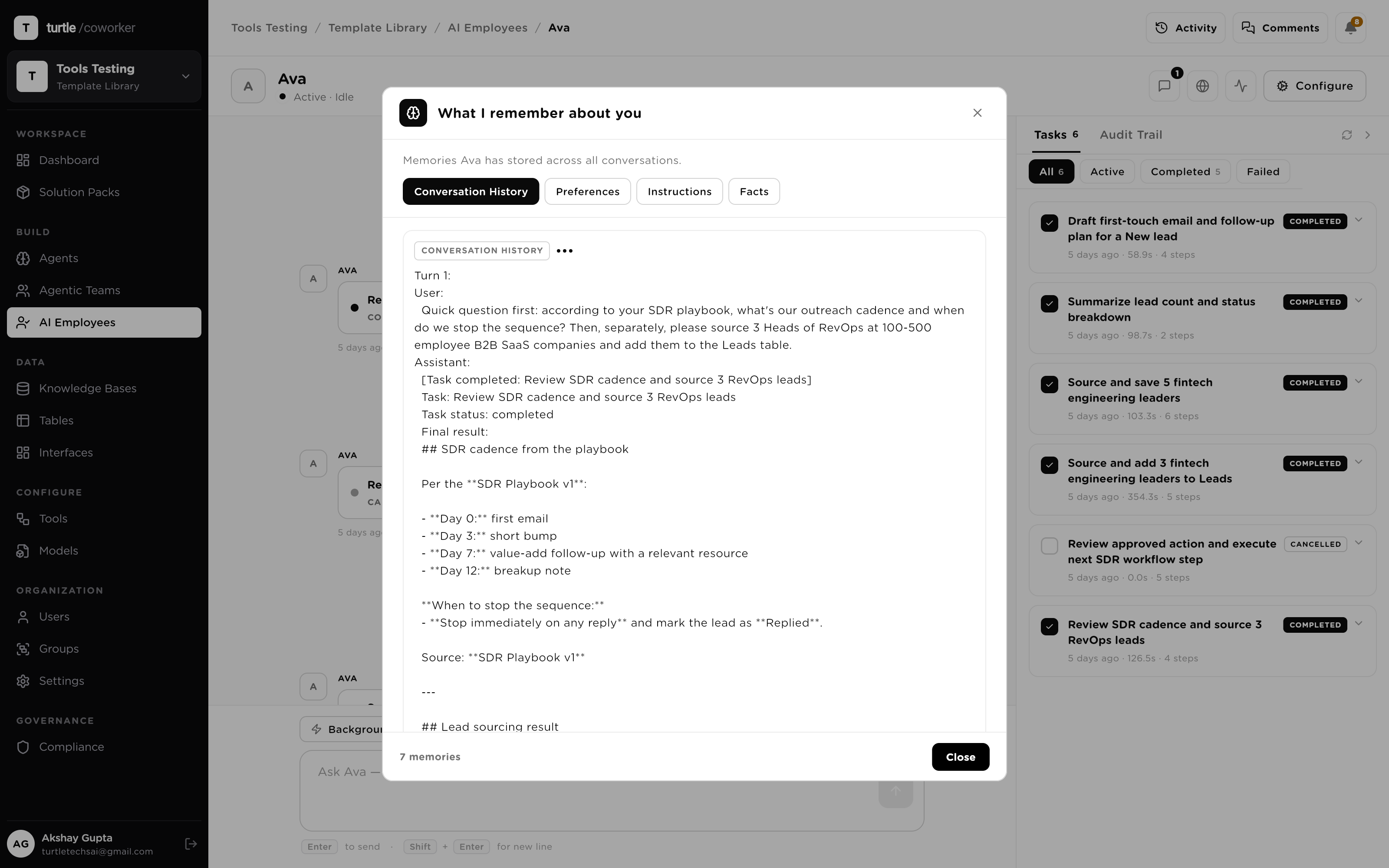
Trust in a new hire is earned in stages, and the platform makes the stages explicit. Each employee carries one of four autonomy scopes — Human in the Loop, Supervised, Bounded, Full — with hard caps on actions per task whatever the scope. Start conservative, widen as its record earns it, and narrow it back in one audited move.
Approving a plan is not the same as approving its side effects, so the platform separates them. Under every autonomy scope sits a runtime authorization floor: each write is checked at the moment the tool call executes, and an unapproved write does not run — even if a clever prompt or a misbehaving model put it in the plan. Approvals are single-use grants that expire; nothing accumulates quietly.
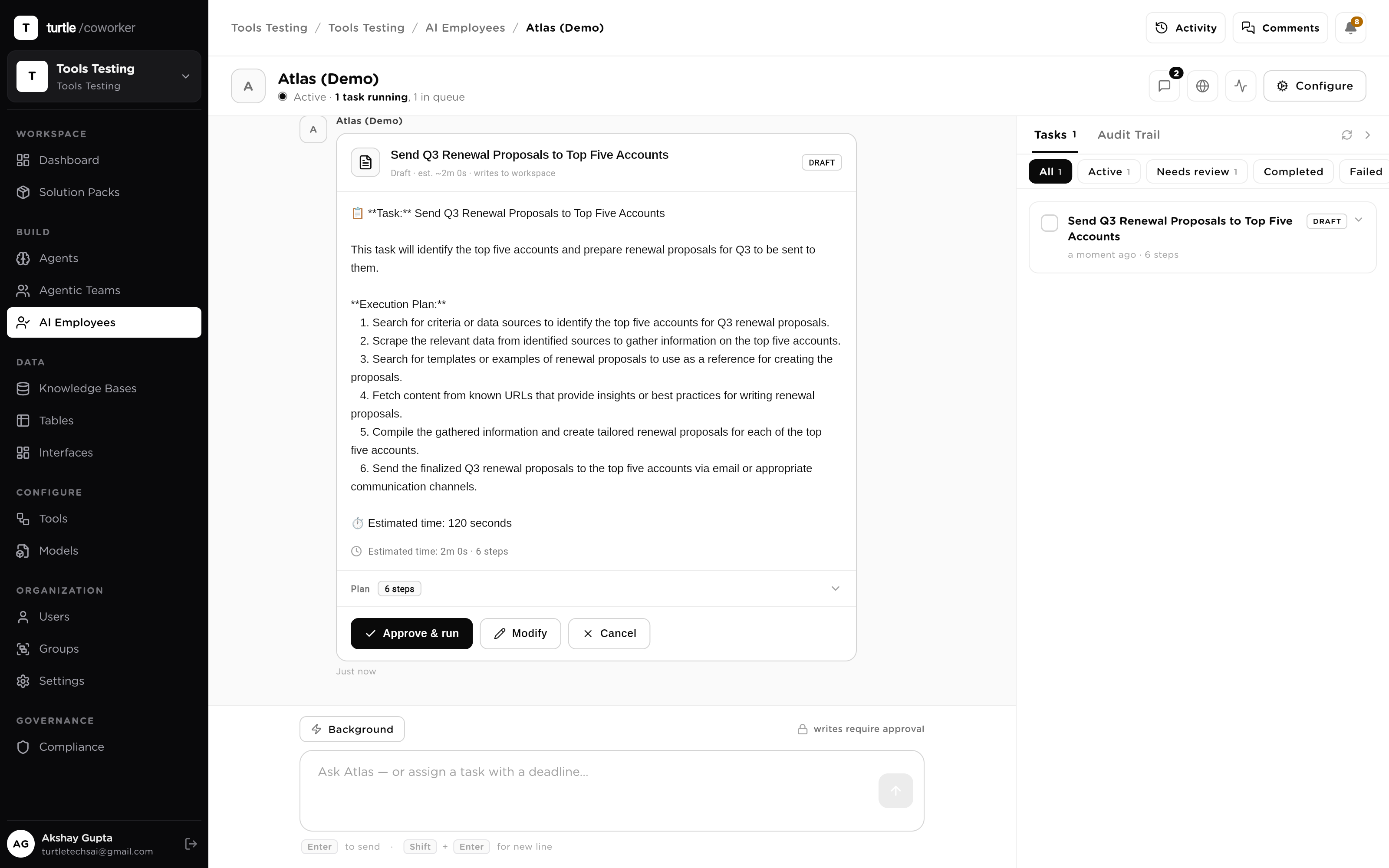
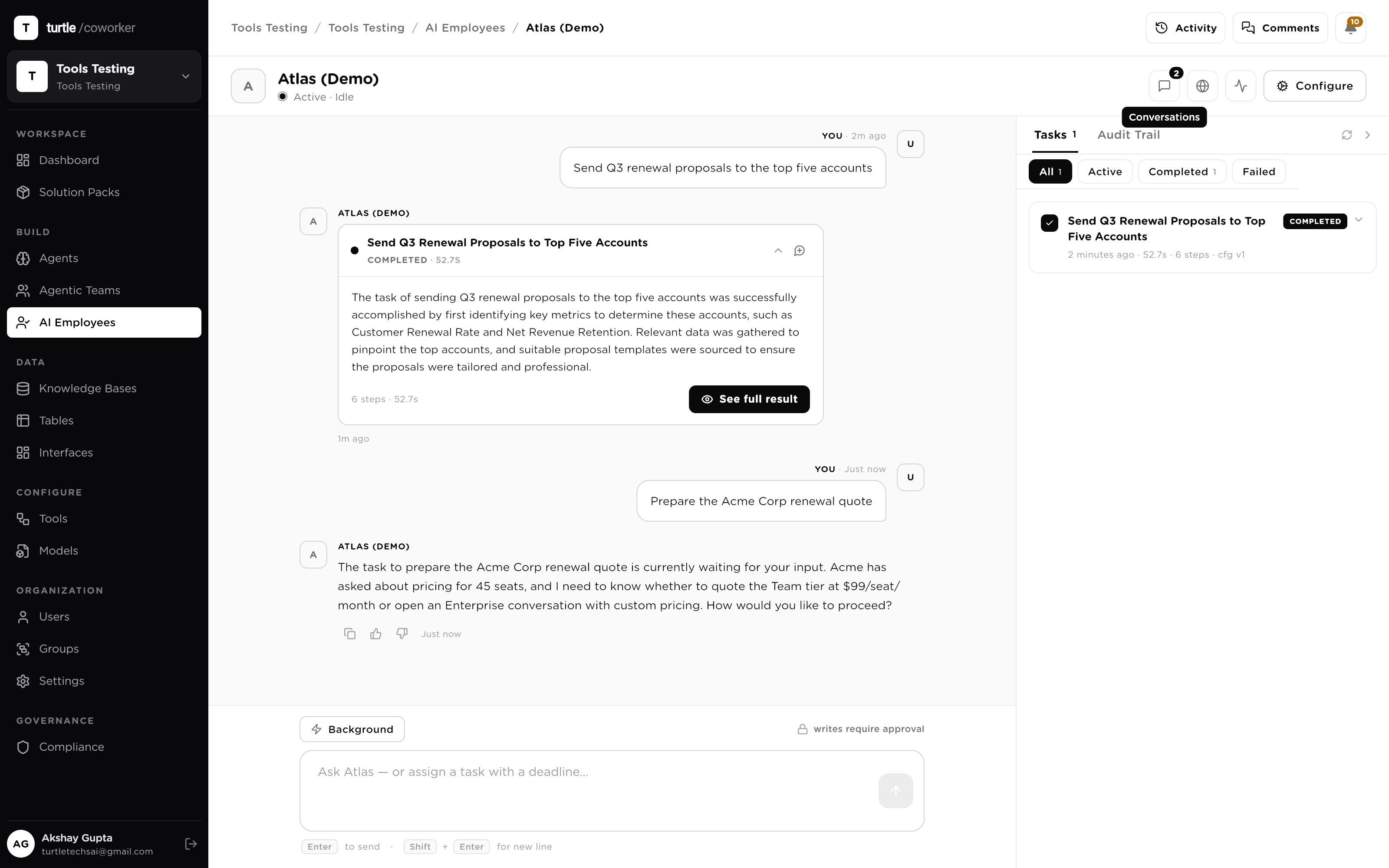
The difference between automation and an owner is knowing where the edge is. When an employee hits something outside its mandate — a dispute, a judgment call, a write above its scope — the task pauses and asks a human, with the full context attached. You answer in chat; the task resumes where it stopped. Nothing is guessed through, and nothing is silently dropped.
An owner accounts for the pipeline without being asked twice. Every task the employee runs is logged step by step, every tool call lands in the audit trail pinned to the config version it ran under, and a daily summary rolls up what it did, what it finished and what's stuck. Ask 'how's it going?' in chat at any hour and it answers from its live task state.
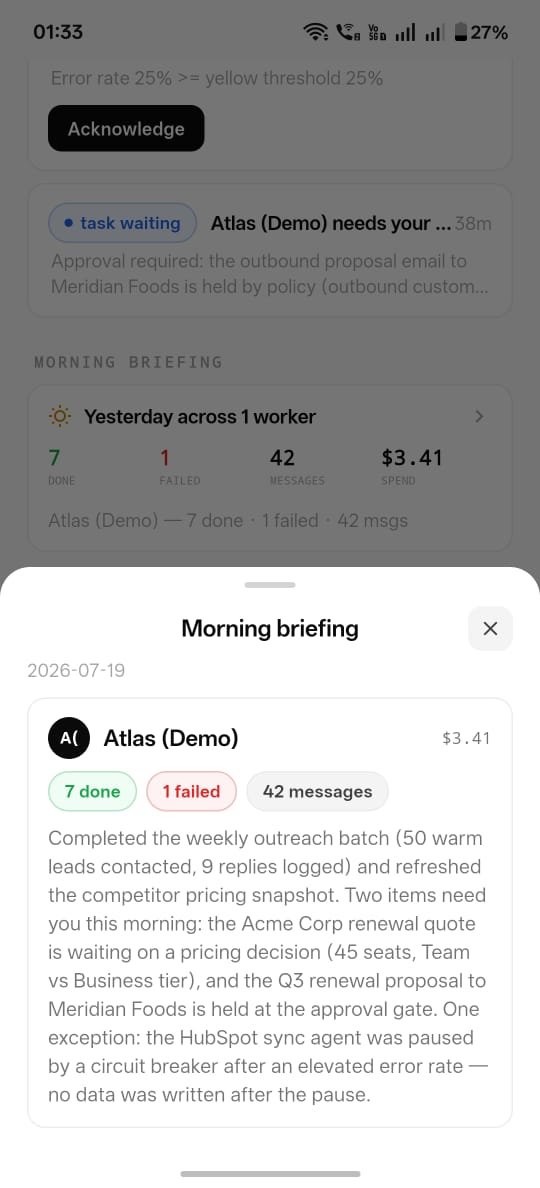
A scenario: a finance team hires an AI Employee to own collections — a few hundred open invoices at any time, on Bounded autonomy. Here is the role as the system runs it: not a script that fires, an owner that holds the pipeline.
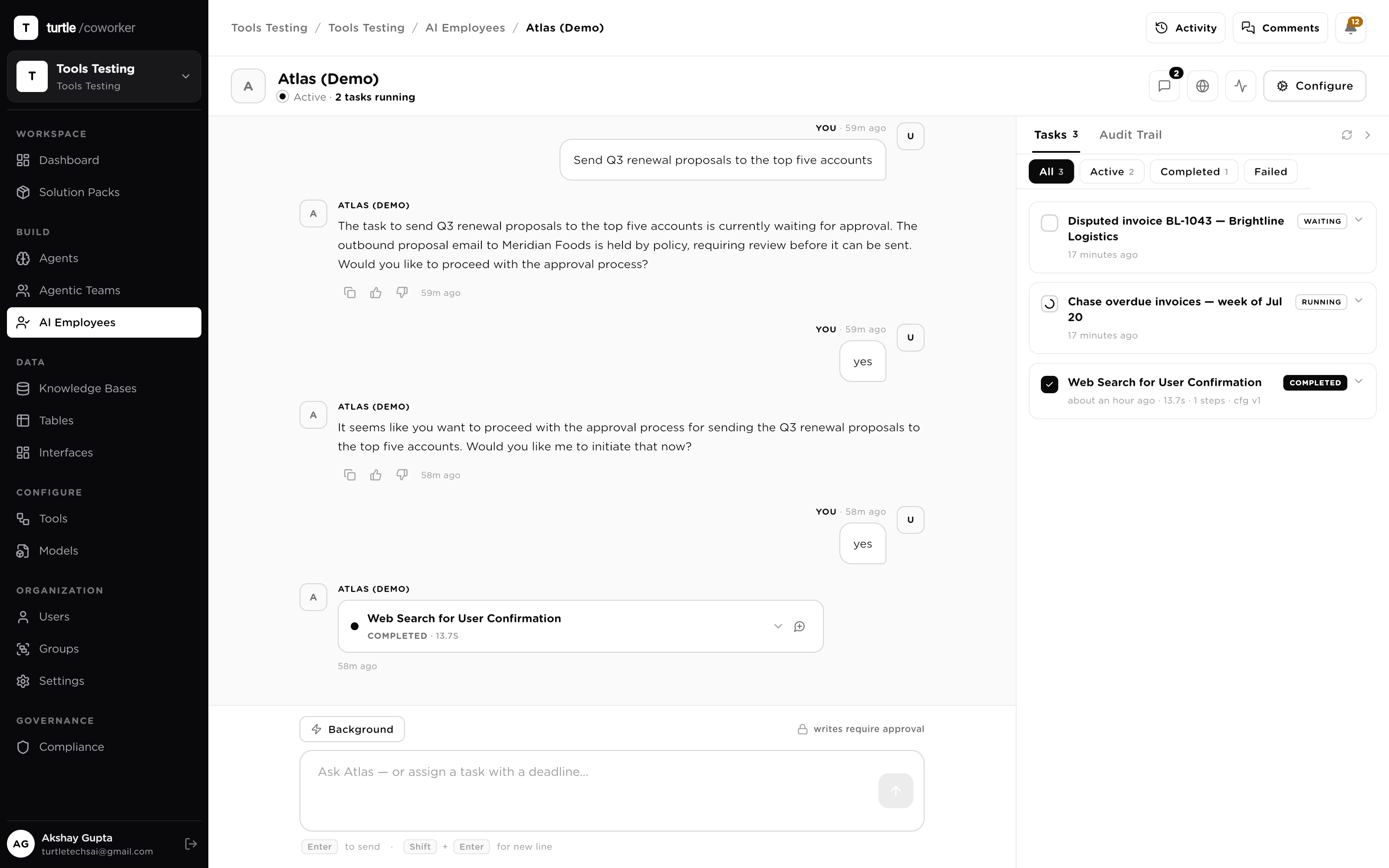
Owns the receivables pipeline: watches invoices, chases overdue payments, escalates disputes, reports each morning.
Answers on web and Slack, searches your docs, opens and updates tickets. Every write is held for review.
Runs a nightly reconciliation on a cron, flags exceptions, and drafts the fix for a human to approve.
Enriches inbound leads, drafts follow-ups, and writes qualified ones to the CRM on your say-so.
Triages incoming items against policy KBs, remembers prior rulings, and never commits a write unattended.
Answers benefits and policy questions from the handbook KB across a public link, escalating edge cases.
Operations AI employee for service operations, incident triage, stakeholder updates, postmortem preparation, and change risk review. Includes three relational tables, AI-enriched columns, two operations knowledge bases, and four specialist embedded agents.
AI Marketing Content Manager
Sales operations AI employee for pipeline reviews, prospect research, lead qualification, email drafting, and handoff coordination. Includes embedded deals/prospects tables, a sales playbook KB, and three specialized agents.
Sales Operations Assistant for the B2B sales team. Manages pipeline tracking, prospect research, email drafting, and deal follow-ups. Has access to the Deals and Prospects tables, Sales Playbook knowledge base, and specialized agents for research, email writing, and lead qualification.
An always-on care-coordination assistant that supports patient intake and triage, scheduling, insurance eligibility and prior-auth, clinical documentation and coding, referrals, patient education, and denial appeals: always as drafts, suggestions, and guidance for a licensed clinician or staff to approve.
An always-on insurance operations assistant that handles FNOL intake, claims triage, coverage verification, fraud and subrogation screening, underwriting risk summaries, renewals, claimant communications, and settlement drafting: always as drafts and recommendations for a licensed adjuster or underwriter to approve.
