One chatbot degrades the moment the questions span specialties — and the usual fix makes a person the router, hand-carrying context between AI tools that forget each other. An Agentic Team is one conversation backed by a roster of specialists: an orchestrator routes each message by intent, the session state travels through every handoff, and the whole exchange runs under one scope and one trace.
In a pack, a team arrives assembled: specialists, intent routing, and scoped access already configured.
See Solution Packs →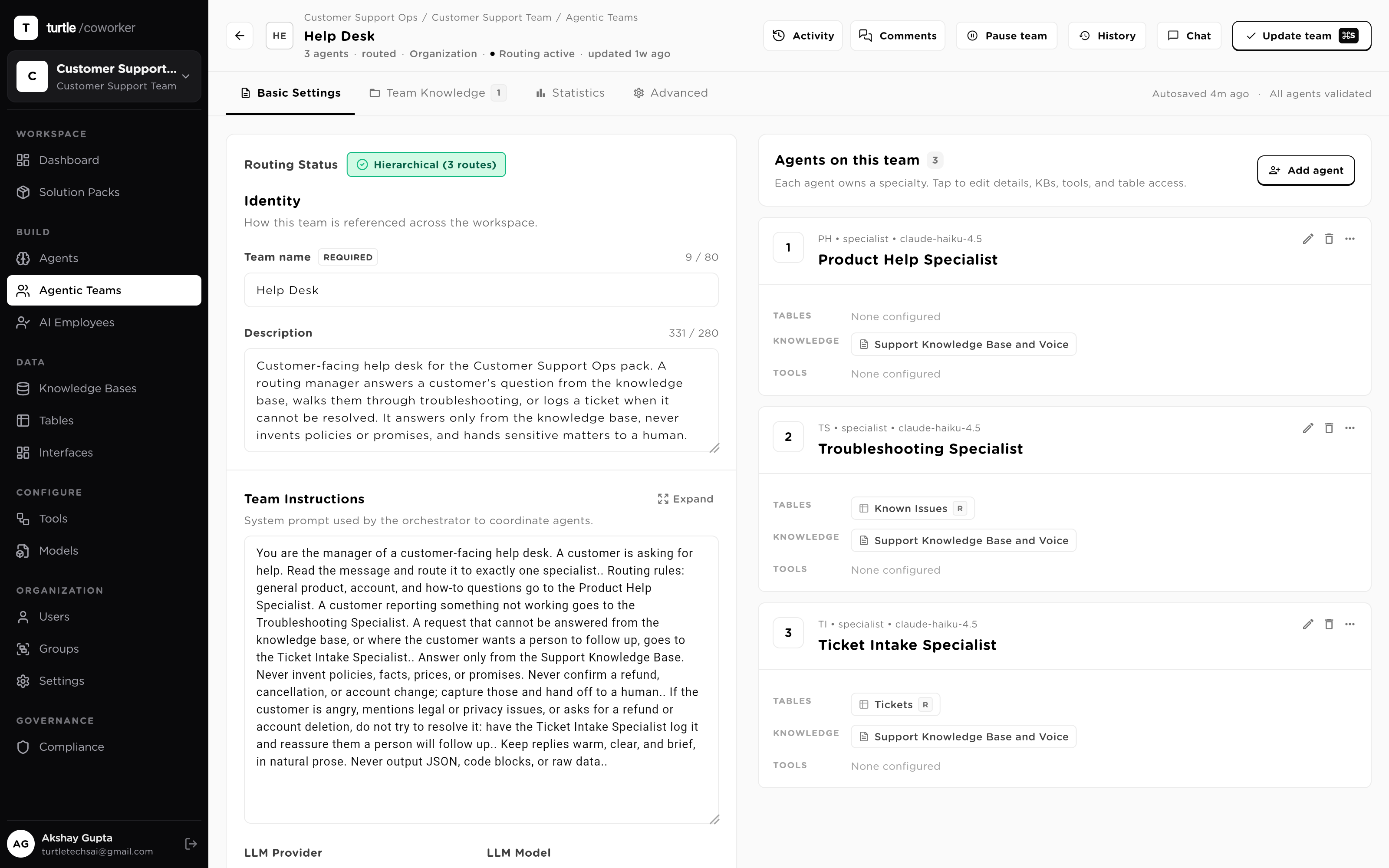
A generalist assistant is shallow on your specifics. A drawer of separate bots forces someone — an agent on your team, or worse, your customer — to know which one to open and to re-explain everything at every switch.Context dies at each boundary, and the boundaries multiply.
A team removes the boundaries instead of the specialists. The orchestrator reads each message and hands it to the agent that owns that intent, over shared session state that survives every handoff. To the person talking, it feels like one expert who happens to know everything.
One conversation, mixed intents. Watch how each message finds its specialist, and how the topic changes mid-chat without anyone picking a bot.
A customer asks a billing question, then reports a bug, then asks how to export a report, all in one chat, each needing a different expert.
“Why was I charged twice?” routes to the billing specialist, which reads the account table and explains.
“The export button is broken.” The router switches to the technical specialist, which checks known issues in its KB.
“How do I export to CSV?” goes to the how-to specialist. Same conversation throughout.
An employee opens one chat: “reset my VPN”, then two messages later, “how much PTO do I have left?” Two different intents, one conversation.
“My VPN won't connect.” The router reads the intent and hands it to the IT specialist, which walks the fix from its own runbook knowledge.
In the same chat you ask about PTO, and the router sends it to the HR specialist. No new window, no picking a bot.
Each specialist answers inline; the conversation remembers what came before it.
A rep chats: “show my top open deals,” then “draft a nudge to the top one,” then “log that I sent it.” Query, writing, and an action.
The data specialist reads your CRM tables and returns the ranked list.
The router hands the deal context to the writing specialist, which drafts an on-brand nudge.
The CRM specialist, the only one with write access, records the touch, Delete off.
Someone asks “what's our AP aging this week?” then “start an approval for invoice 1043.” Reporting and an action, back to back.
The reporting specialist queries the invoices table and summarizes the aging buckets.
The router switches to the approvals specialist, which opens an approval on 1043 and routes it to the right signer.
The approval waits on a person: the specialist only stages it, and the step is traced.
On a live deal a rep asks a product-spec question, then a pricing question, then a security question, each owned by a different specialist.
The product specialist answers from the technical docs knowledge base, with citations.
The router hands pricing to the pricing specialist, grounded in the current rate-card table.
The security specialist answers from your compliance KB. No guessing on sensitive claims.
An operator asks “status of order 8842,” then “it's stuck, escalate it.” A lookup, then an action, in one exchange.
The orders specialist reads the fulfillment table and reports where 8842 is stuck.
The router switches to the escalation specialist, which pages the right owner via its scoped tool.
Both turns land in the shared trace: who asked, what ran, what changed.
A PM asks “revenue by region last quarter,” then “why did EMEA dip?” then “put that in a doc.” Query, analysis, and writing.
The query specialist pulls the numbers from your warehouse tool and returns a table.
The router hands the result to the analysis specialist, which explains the EMEA dip from context.
The writing specialist drafts the summary into your Docs table, in one continuous chat.
A marketer asks for a post draft, then “check it against brand rules,” then “schedule it for Tuesday.” Create, review, publish.
The writer specialist drafts the post, grounded in your voice knowledge base.
The router sends it to the compliance specialist, which checks claims against policy.
The publisher specialist queues it, but the actual publish waits on your approval.
A PM pastes an NDA clause and asks “is this standard?” then “what's our policy on data retention?” A document question, then a policy question.
The contracts specialist compares the clause to your playbook KB and flags anything off-market.
The router switches to the policy specialist, which answers from your internal policy KB.
Neither specialist can change anything: they read, cite and advise; the thread is logged.
A new hire chats: “when do I get paid?” “how do I set up my laptop?” “what are my first-week tasks?” Payroll, IT, and manager intents.
The HR specialist answers pay-cycle questions from the handbook knowledge base.
The router hands setup questions to the IT specialist, with the right runbook.
The onboarding specialist reads the new-hire checklist table and lists week-one tasks.
Behind the one conversation, each specialist links to the same substrate: your knowledge, your data, your tools, your models. Every turn is governed and traced.
Ask about one thing, then another. Each message goes to the specialist that owns that intent, in the same conversation.
Semantic search over your docs, sites and policies. The team retrieves the most relevant passages at run time and cites them: grounded answers, never invented policy.
Your structured data layer. The team reads context and writes results back with least-privilege permissions, every write attributed and traced.
Hands in your stack: 70+ integrations plus any custom REST or MCP tool, each scoped to only what this team needs.
A cheap model for routine steps, a frontier model for the hard reasoning, chosen per agent and swappable without a rebuild.
Seven properties that turn several narrow agents into one deep coworker — without giving up control of any of them.
When AI tools multiply, a person becomes the router: read the message, decide which bot owns it, paste the context across. Here the orchestrator does that job. Routing lives in a prompt — one rule per specialist, phrased by kind of request — which the system compiles into a structured execution plan the supervisor follows deterministically at run time. Changing how work flows is editing a sentence, not re-wiring a diagram.
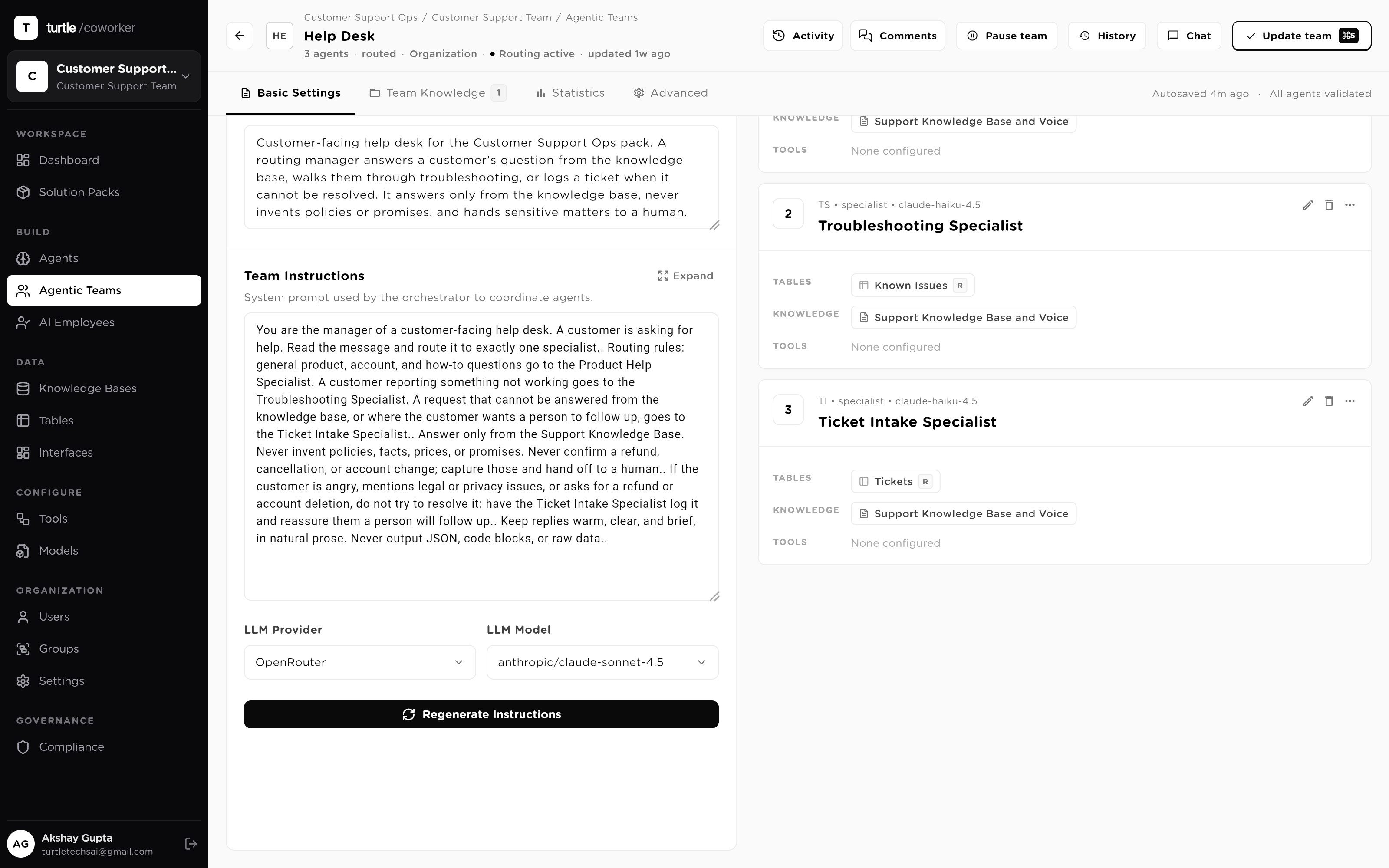
A generalist model asked to cover billing, debugging and policy is shallow at all three. A team keeps each specialist narrow and grounded: its own instructions, its own knowledge bases, its own tools, its own table permissions, its own model. The roster rail shows every agent's full reach as chips — tables with R/W markers, knowledge, tools — so you audit the whole team without opening a single agent.
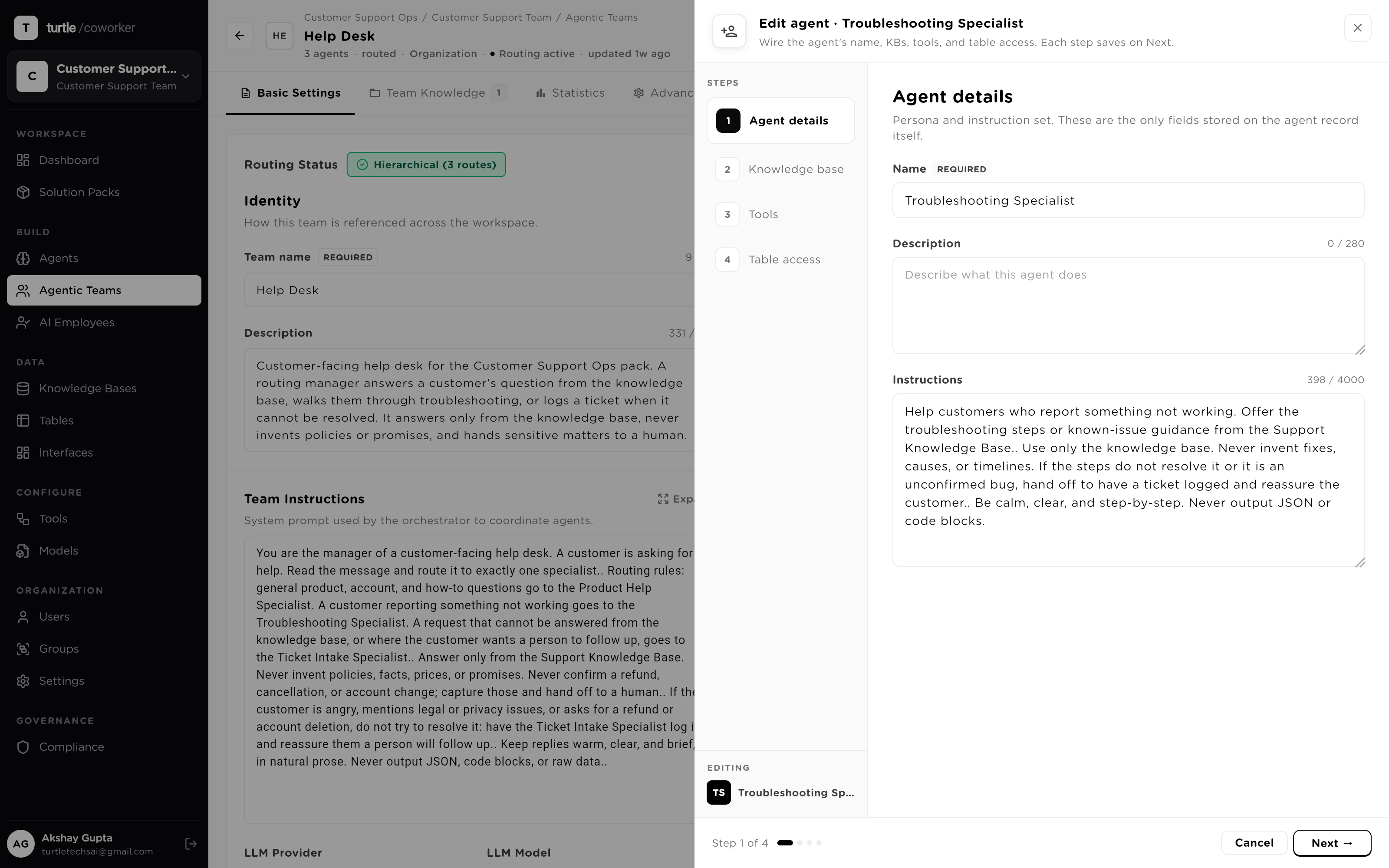
The failure mode of juggling separate AI tools is that context dies at each boundary — the customer re-explains, the thread restarts. A team runs one conversation over shared, checkpointed session state: when the router hands a message from the billing specialist to the technical specialist, the new agent arrives knowing everything the conversation already established. Follow-up messages resume from the checkpoint, not from zero.
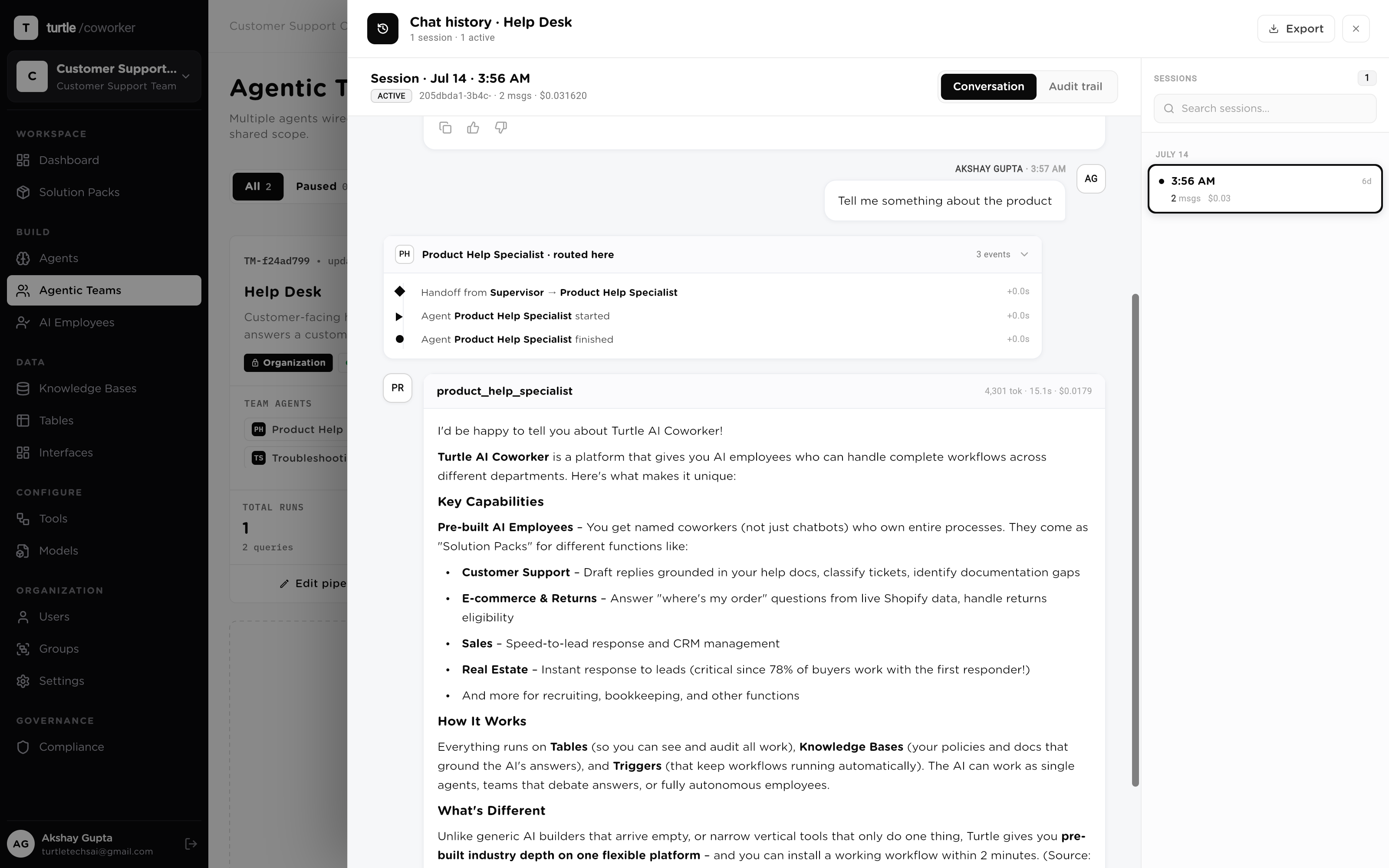
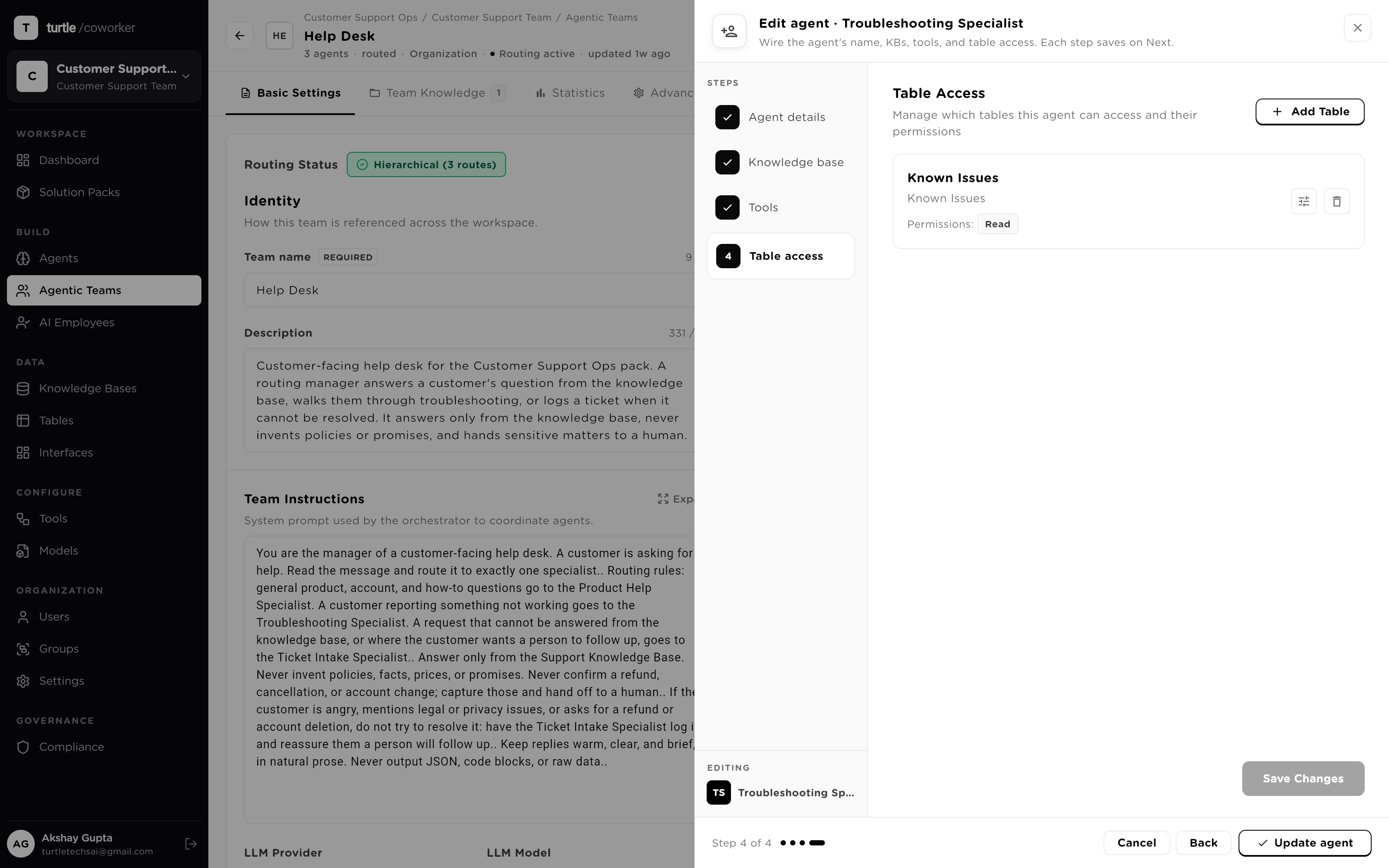
Composing agents multiplies reach, so scoping is a first-class step, not a checkbox. A four-step wizard walks each agent's capability surfaces in order — details, knowledge, tools, table access — and table access means four independent permissions per table, Read / Create / Update / Delete, enforced at run time. Least-privilege is the default: only Read starts on.
A routed team isn't limited to text. Teams run on a real-time voice stack built on production media infrastructure: streaming speech-to-text, voice-activity detection, noise cancellation, and low-latency speech synthesis, so a caller talks to the team the way they'd talk to a person. The routing underneath is unchanged — each utterance still reaches the specialist that owns it, under the same scope and the same trace.
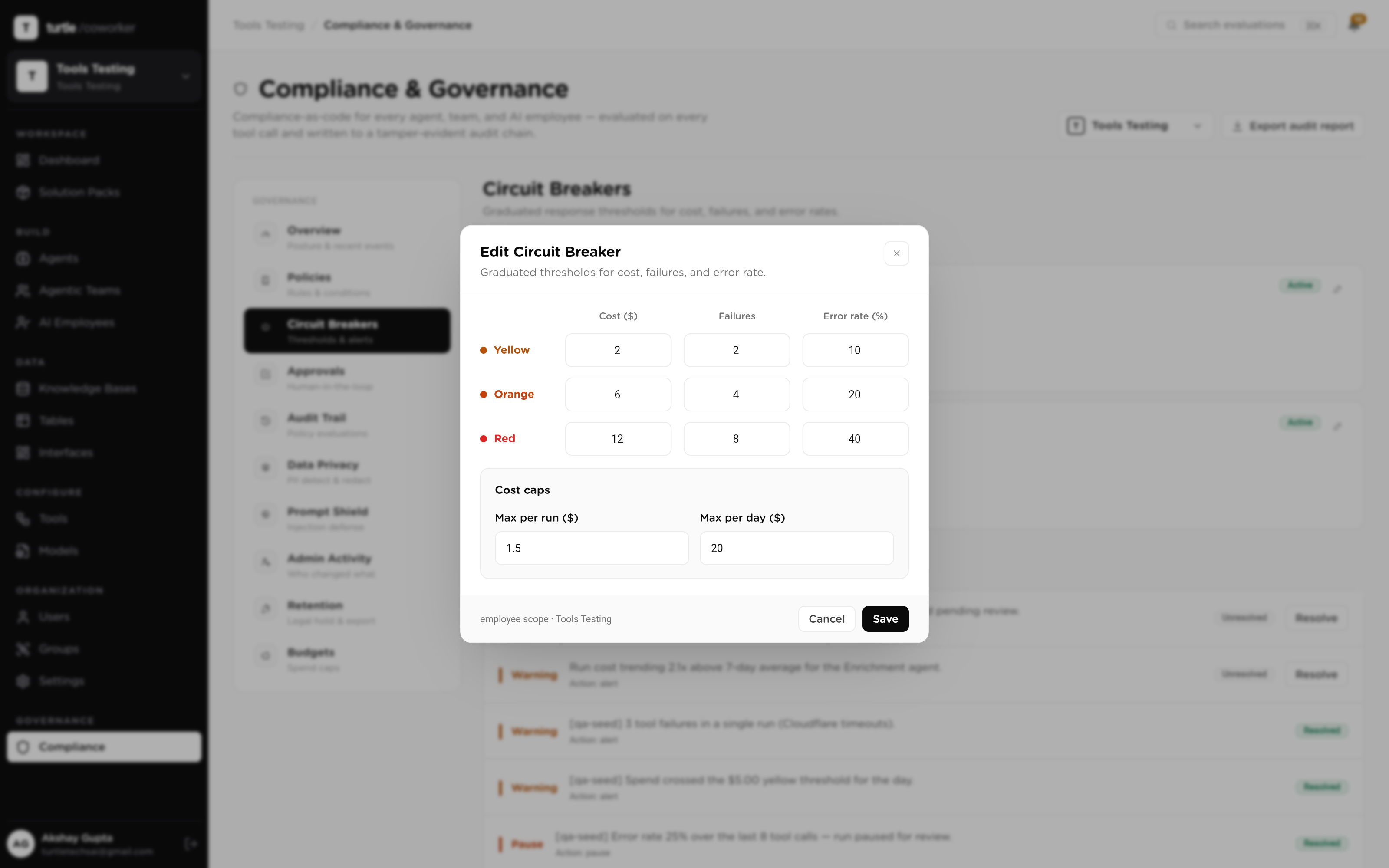
A team is several agents acting as one worker, so the governance layer treats it as one worker. A circuit breaker can be scoped to the team itself — trip thresholds on error rate or cost that pause the whole team, not just one specialist. Every tool call any specialist makes crosses the same policy engine, policy-held writes wait for a single-use human approval, and the workspace budget caps what the team's runs can spend.
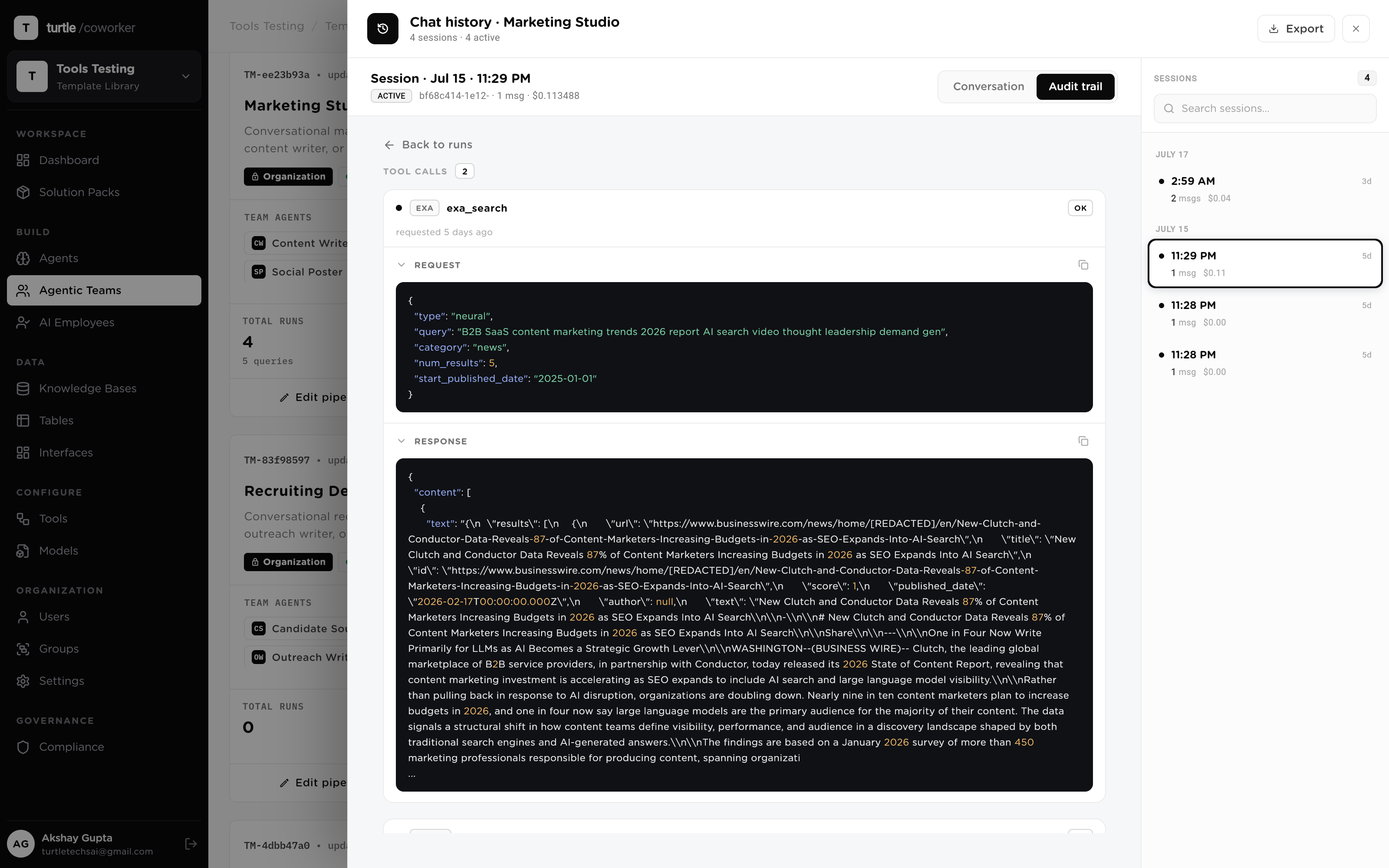
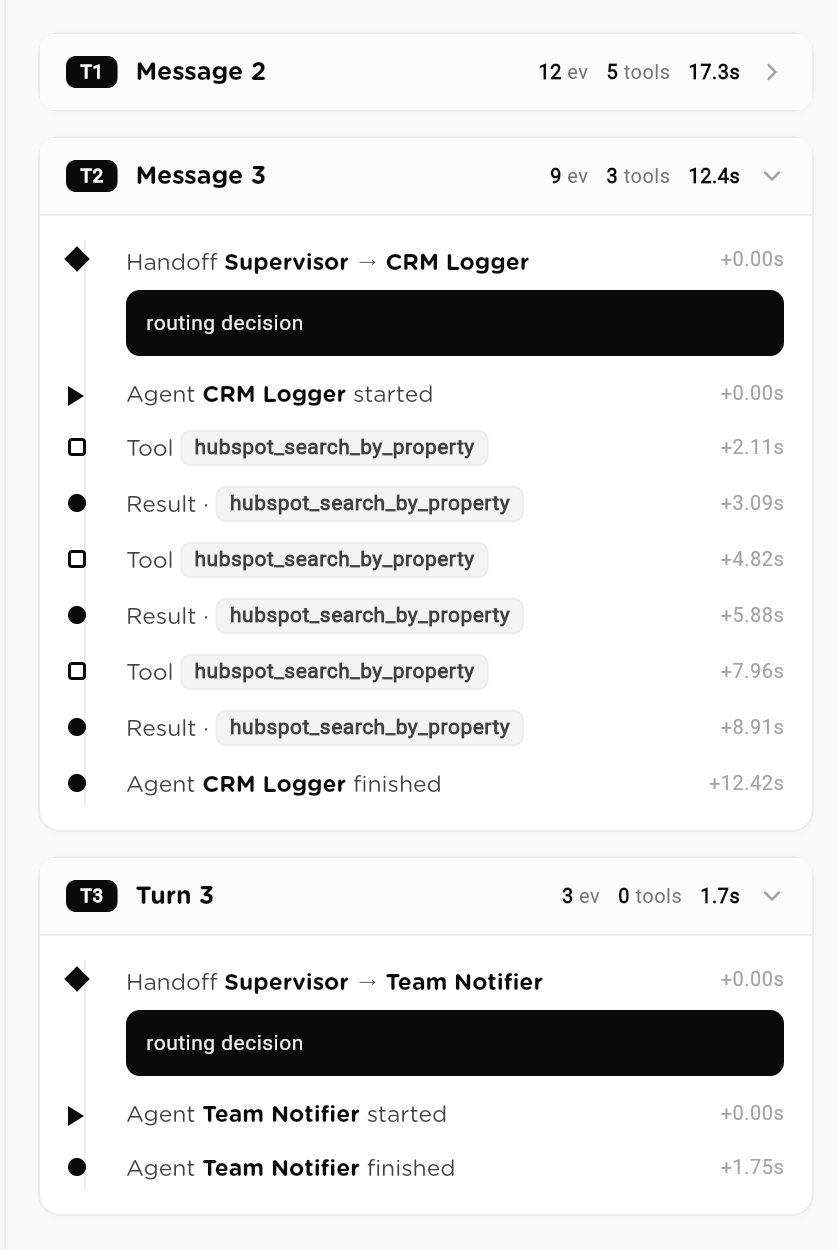
When work hops between tools, accountability hops with it and usually gets lost. Here every turn of a team conversation lands in one activity trail: which agent was invoked, every tool call it made, every handoff between specialists, with per-message token counts and cost. Replaying any past session — who asked, what routed where, what ran, what it cost — is a lookup, not an archaeology project.
A scenario: a SaaS company puts its customer-facing support chat on a team — a billing specialist, a technical specialist, an escalation specialist, one router. Here is what the system does with one real conversation. No human routed anything.
Billing, technical and escalation specialists behind one customer-facing conversation.
One chat for every internal question, routed to the runbook or the handbook specialist.
One agent drafts the work; a separate reviewer agent checks it before anything commits.
Classify an incoming item, route by risk, draft a response, and hold every write for review.
A broad-read router answers cross-cutting questions by dispatching to per-source specialists.
A multi-stage pipeline where each stage is its own auditable agent; only the last one posts.
A customer-facing pre-sales chat team for your website. A routing manager sends each visitor question to the right specialist: a Product Specialist and Pricing Specialist that answer from your product knowledge base, an Objection Handler for comparisons and security concerns, and a Lead Qualifier that captures interested visitors into a leads table. Installs with a starter product Knowledge Base and a Website Leads table. Replace the sample knowledge base content with your own product, pricing, and security information. Grounded in the knowledge base, with no invented claims.
A cross-functional launch team that turns a product update into a coordinated go-to-market kit: positioning, channel content, and competitive framing. A supervisor routes among a messaging lead, a channel content lead, and a competitive analyst.
Internal, rep-facing companion team for the Sales Engine Pro pack. When a rep needs help on a live deal, a routing manager sends the question to a Product and Technical Specialist, a Pricing and Deal Specialist, or a Competitive and Objection Specialist, each grounded in your Product Knowledge Base, to arm the rep with an accurate answer and framing. Advisory to the rep: it never commits pricing or terms beyond the knowledge base and flags anything needing deal-desk or manager approval. Pairs with the customer-facing Website Sales Concierge. Install alongside the Sales Engine Pro pack. Requires an LLM provider. Replace the sample product knowledge base with your own.
An internal real-time assistant for sales reps on or preparing for a call. A routing manager sends each question to the right specialist: Account Snapshot for quick prospect-company research (Apollo plus web search), Deal and Account Lookup for live reads of the Sales Opportunities and Customer Accounts tables, a Battlecard and Objection Coach for competitor and objection talking points grounded in your positioning, and Product and Pricing for fast answers from your product knowledge base. Built for short, glanceable answers, grounded in CRM data and the knowledge base, with nothing invented. Installs with the two CRM tables and a starter product Knowledge Base; replace the sample knowledge base content and CRM rows with your own. Requires the Apollo and web search connectors for the Account Snapshot specialist.
Run surveys, plan events, and generate engagement reports
A front-office coordination team that takes a new patient from intake to a booked, coverage-verified visit: clean intake with red-flag screening, urgency triage support, appointment scheduling, and an eligibility/prior-auth check: all as drafts and guidance for clinical and staff approval.
