Product · Surfaces · One platform, everywhere

Wherever work happens.

An AI workforce doesn't keep office hours, so its oversight can't either. The same platform — same identity, same policies, same audit trail — is on the web, on your phone, on the desktop, in the browser toolbar, inside Claude, and on a voice line. Six surfaces. One control plane.
Book a demo Approvals & HITL
At a glance
  • Webthe full platform
  • Mobileapprovals · briefing · audit
  • Desktopchat + queue, resident
  • Extensiondelegate from any page
  • MCPClaude, ChatGPT, Cursor
  • Voicesame session, spoken
app.turtlecoworker.com
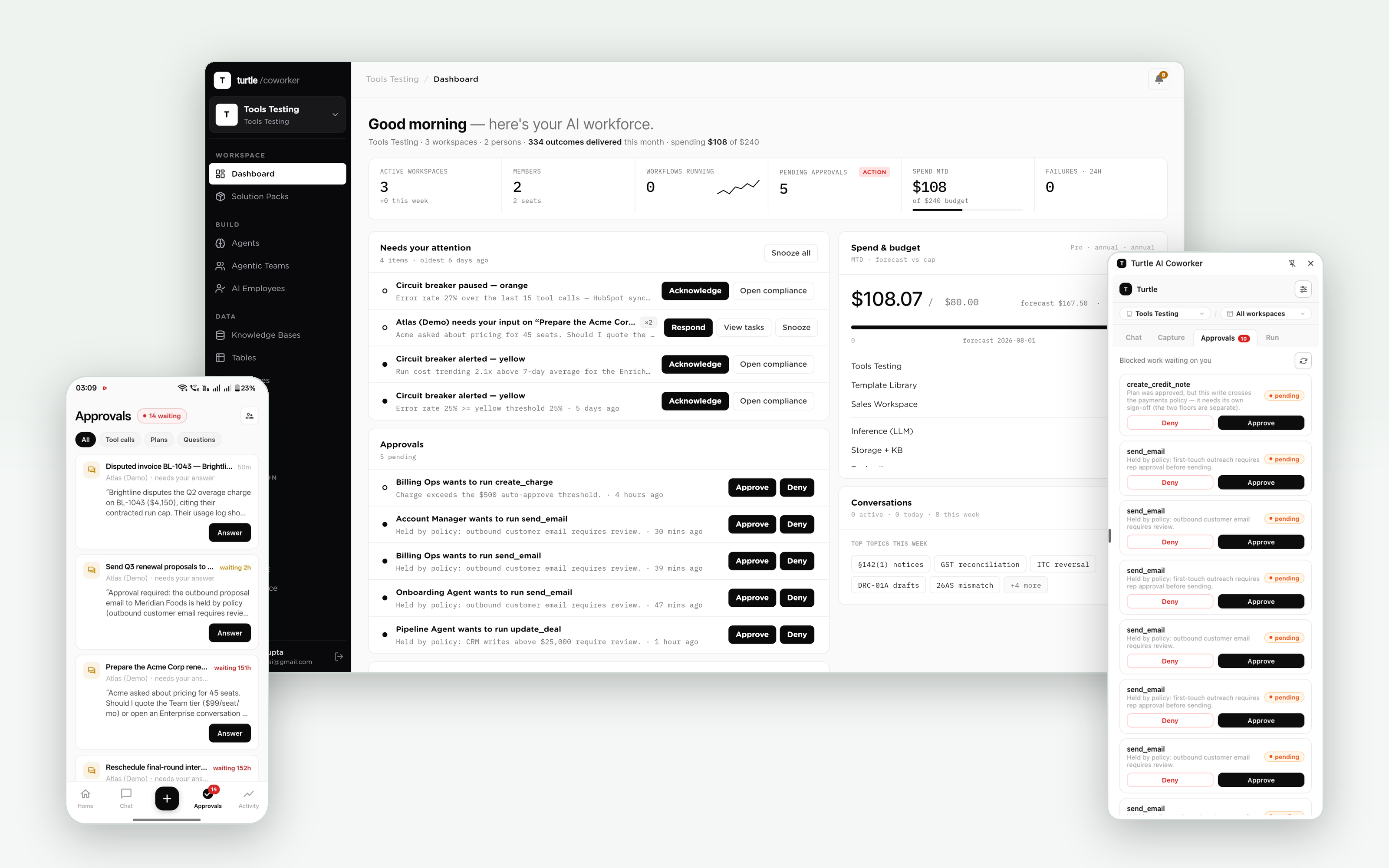
The surface family: web dashboard flanked by the mobile app and the extension popup, all showing the same approvals queue
One queue, one audit trail, one policy engine — rendered wherever the accountable human happens to be.
Why it's built this way

Autonomy runs around the clock.
Accountability has to keep up.

The governance layer holds consequential actions for a human. That promise is only real if the human can act from wherever they are — otherwise held work piles up until someone loosens the gate to make the pain stop.

So every surface carries the queue, the policy context and the trail. The controls stay tight because acting on them stays easy.

The surfaces

Six ways in. One platform underneath.

01 · Web

The command center.

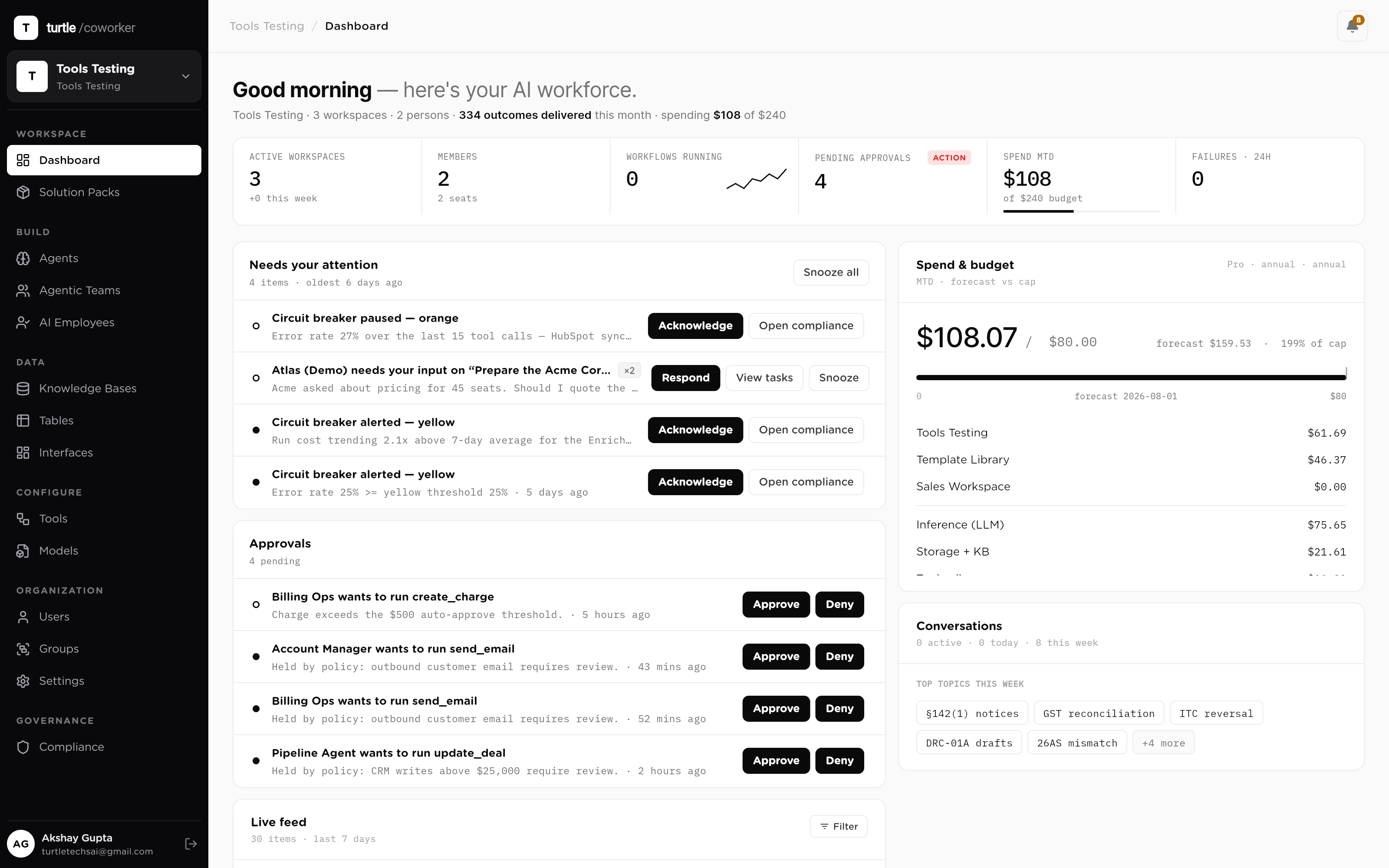
The full platform: build agents, teams and AI employees, wire tables and knowledge, write policy, watch runs stream token by token, and read the audit trail one tool call deep. Everything on this site describes what the web app can do — it is the deepest surface, and the one your builders live in.
  • Every module: build, data, models, triggers, policy, audit
  • Live run control: watch, pause, approve or kill any run
  • Role-scoped analytics and the full approvals queue
The web dashboard: outcomes, live activity feed, approvals and spend in one view
The dashboard: the whole workforce on one screen
02 · Mobile

Oversight in your pocket.

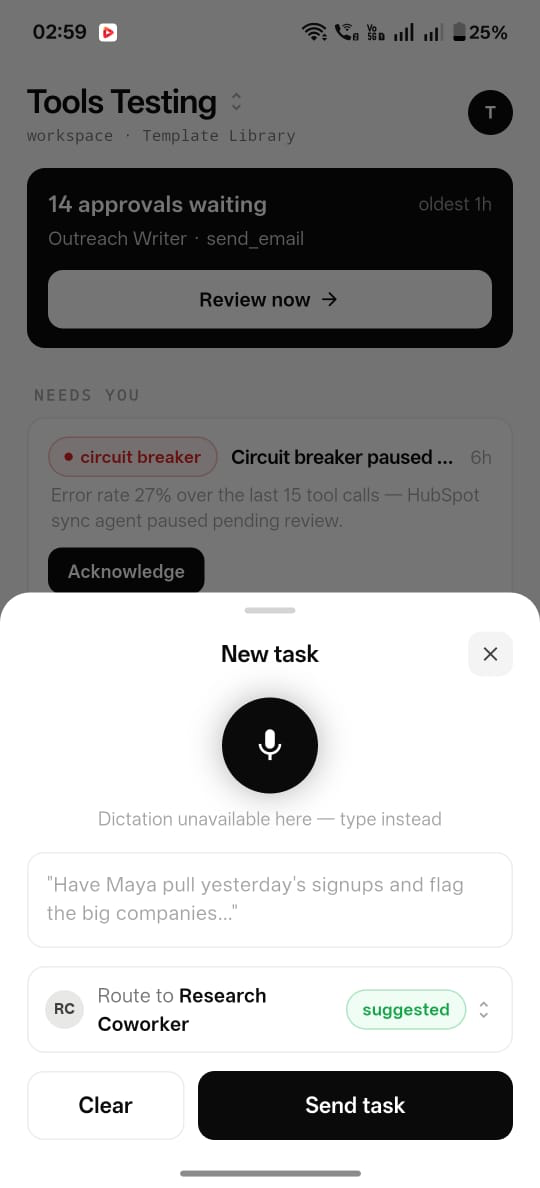
The mobile app is built around the moments that can't wait for a laptop. The approvals queue with aging chips and grouped asks. A morning briefing of what every worker shipped yesterday. Any run, drilled down to its tool calls with sanitized payloads. Budget forecasts with the projected breach date. And critical alerts — a circuit-breaker halt, a hard cap — that push through quiet hours when you've said they should.
  • Approve, deny or delegate with full policy context, anywhere
  • Morning briefing: yesterday across the workforce, per-worker detail one tap in
  • Run audit drill-down, budget breach forecasts, critical push alerts
The mobile app: morning briefing card, approvals with aging chips, and a run opened to its tool calls
The gate, the brief and the trail — on a phone
03 · Desktop

The workforce, resident.

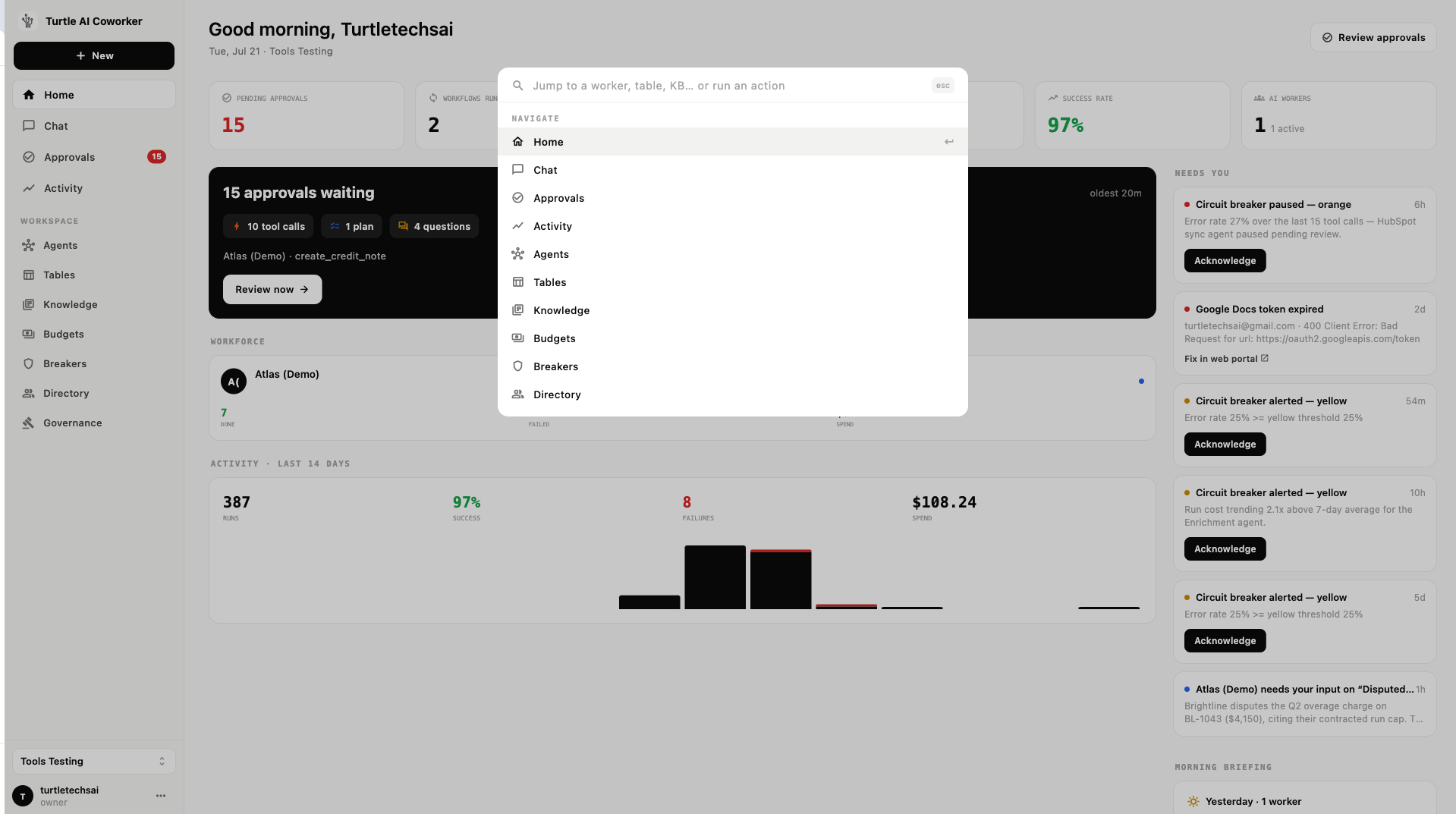
A native desktop app for the people who work alongside their AI coworkers all day: chat with employees and teams, watch live runs, and keep the approvals queue one keystroke away instead of one browser tab among forty. Notifications land at the operating-system level, so a held action surfaces even when the browser is closed.
  • Chat with employees and teams from the desktop
  • System-level notifications for approvals and alerts
  • The queue and live runs, always one shortcut away
The desktop app's home: the command palette open over the day's numbers — pending approvals, running workflows, the needs-you rail and the morning briefing
Resident on the desktop: the whole workforce one keystroke away
04 · Browser extension

The workforce, wherever you already are.

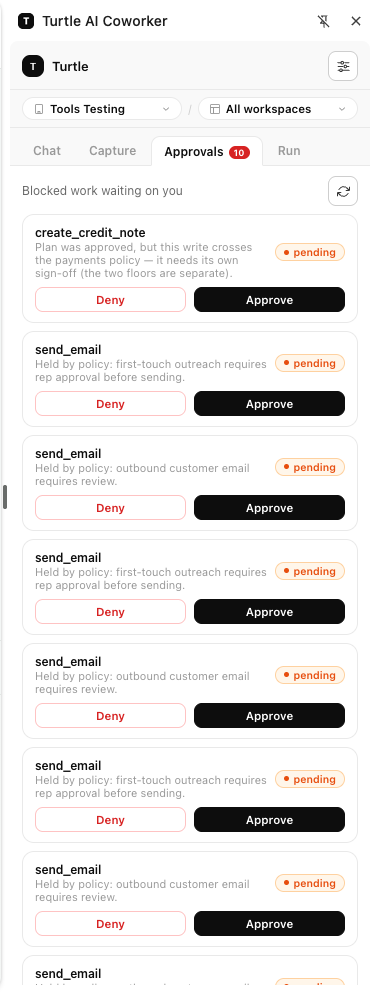
The Chrome extension brings the coworker to the page you're on. Hand work to an employee from any site, check what's running, and clear approvals without leaving the tool you were in. The gate doesn't require a context switch — which is what keeps it from being bypassed in practice.
  • Delegate work to an AI employee from any page
  • See running work and clear approvals in place
  • Same auth, same policy, same audit trail as every other surface
The Chrome extension popup: Chat, Capture, Approvals and Run tabs, with blocked work waiting on approve/deny — scoped to the active org and workspace
One click from any tab to the queue
05 · MCP clients

Drive it from Claude, ChatGPT or Cursor.

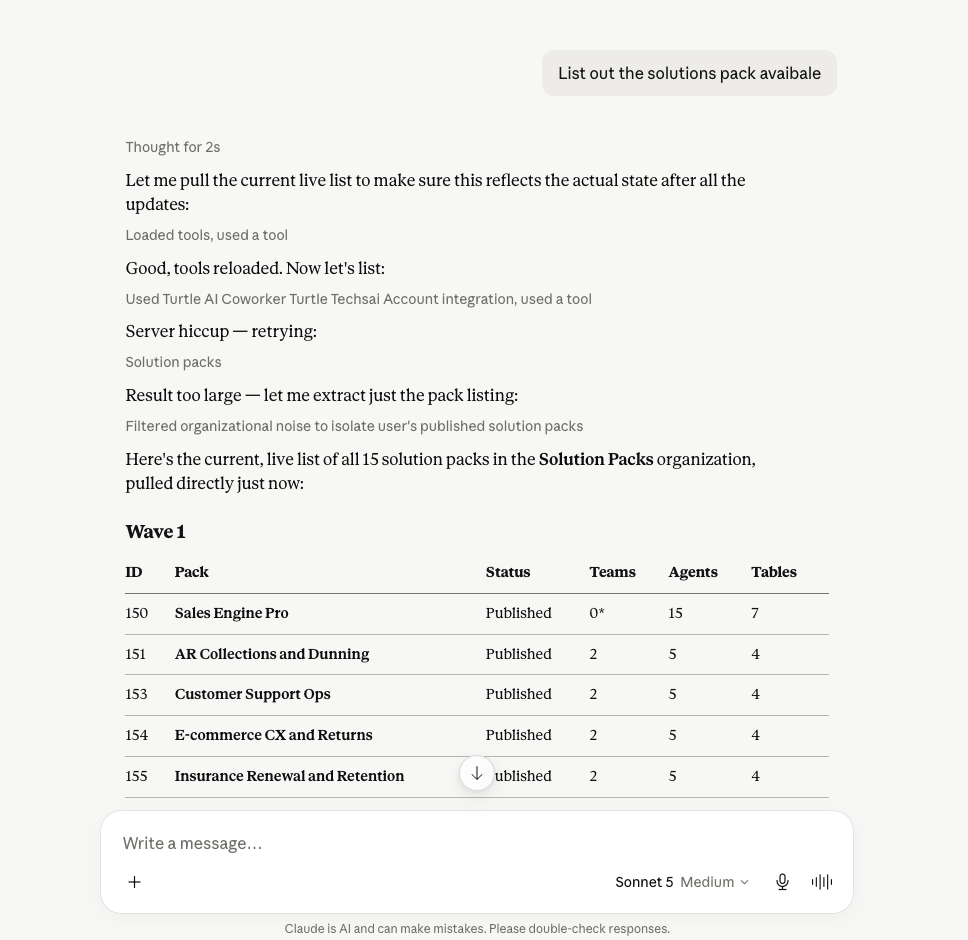
The platform is its own MCP server. Connect it to Claude and describe what you need — the client can search the gallery, install packs, configure agents, run work and read results, all through the same permissioned API your users get. AI operating AI, inside the same governance layer.
  • Full setup and operation from any MCP client
  • Same tenancy, roles and policy engine as the web app
  • Every MCP-driven action lands in the same audit trail
A Claude conversation querying the platform over MCP: tool calls against the Turtle connector and a live table of the org's solution packs in the reply
Claude as the operator; the platform as the governed engine
06 · Voice

Spoken, when typing is the slow way.

Agentic teams are voice-capable over a telephony-grade stack: talk to a team, hear it answer, keep the same session, memory and audit trail as the typed conversation. A surface, not a separate product.

  • Real-time voice over the same team sessions
  • Same scope, same policy checks, same trace
shot: surface-voiceA live voice session with an agentic team, showing the transcript and the run trace building alongside
The same governed run, spoken
Questions

The details, up front.

Are the mobile, desktop and extension apps separate products?
No. They are surfaces on one platform, sharing one identity, one role matrix, one policy engine and one audit trail. An approval decided on the phone is the same grant, with the same single-use semantics, as one decided on the web.
Why do surfaces matter for governance?
Because a gate nobody can reach becomes a gate people route around. Approvals age, escalate and get delegated — but the biggest factor in gate latency is simply whether the approver can act from where they are. Putting the queue on every surface is a governance feature, not a convenience feature.
Do notifications leak sensitive content?
Payloads in the audit and approval views are sanitized — secrets redacted, PII handled per your workspace policy — and notification content is kept to what the recipient needs in order to act. Critical alerts carry severity, not data.
Which MCP clients work?
Any MCP client: Claude is the smoothest today, and ChatGPT, Cursor, Codex and others connect the same way. The connection is scoped to a user and an organization, so a client can only ever do what that user's role allows.
What they all carry

The layer underneath every surface: Governance.

The governance layer